
A smoke detector blinking red can mean very different things. Sometimes it is just the alarm quietly telling you it is powered and working. Sometimes it is remembering that it went off earlier, and sometimes it is warning you about a fault or an empty battery. The trick is to look at how fast it blinks, whether it is chirping at the same time, and what else is happening in the house.
This guide explains every common red light pattern, how to tell a normal blink from a warning, and exactly what to do about a smoke detector flashing red. The patterns are based on manufacturer guidance from Kidde and First Alert, but always check the manual for your model, because LED codes differ between brands and even between models from the same brand.
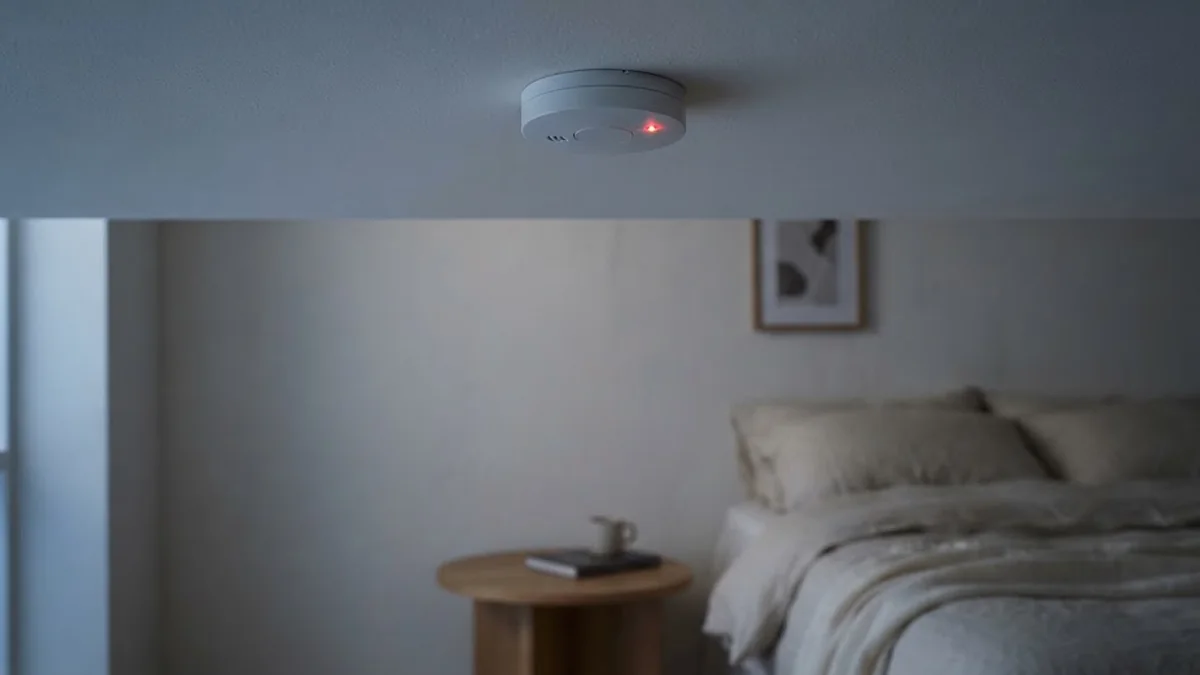
Table of Contents
- Quick Answer: Is a Blinking Red Light Normal?
- Smoke Detector Blinking Red: Common Patterns Explained
- Normal Operation: The Slow Red Blink
- Smoke Detector Flashing Red Rapidly
- Red Light With Chirping
- Hardwired Smoke Detector Blinking Red
- When the Red Light Means Replace It
- How to Reset a Smoke Detector Blinking Red
- Where Smoke Detectors Should Be Installed
- Testing and Maintenance Schedule
- Common Causes of False Alarms
- Should You Upgrade to a Smart Smoke Detector?
- Make a Home Fire Escape Plan
- Frequently Asked Questions
- Final Thoughts
Quick Answer: Is a Blinking Red Light Normal?
In most cases, yes. Many smoke detectors flash a small red LED once every 30 to 60 seconds to show that they have power and are monitoring the air. If that is all you see, with no beeping or chirping, your alarm is probably fine.
It is a warning when:
- The red light flashes rapidly and the alarm is sounding: it has detected smoke. Get everyone out.
- The red light flashes rapidly but the alarm is silent: the unit may be in hush mode, or showing alarm memory after an earlier alert.
- The red light blinks with a chirp every 30 to 60 seconds: usually a low battery or end of life warning.
- The red light blinks in a pattern when you press Test: some models show an error code this way.
Smoke Detector Blinking Red: Common Patterns Explained
The table below summarizes the most common patterns. Timing varies by model, so treat it as a guide rather than a rule.
| Red light pattern | Sound | Likely meaning | What to do |
|---|---|---|---|
| Single flash every 30 to 60 seconds | None | Normal standby, alarm is working | Nothing; test monthly |
| Rapid flashing | Loud alarm | Smoke detected | Leave the home, call 911 |
| Rapid flashing | Silent | Alarm memory or initiating unit | Check the home, then press Test to clear |
| Flash every few seconds | Silent for a few minutes | Hush mode active | Wait for it to reset |
| Flash with chirp every 30 to 60 seconds | Chirp | Low battery or end of life | Replace battery or the alarm |
| Flash pattern when Test is pressed | Chirp | Fault or error code | Check manual, clean or replace |

Normal Operation: The Slow Red Blink
On many battery and hardwired smoke detectors, a small red LED flashes roughly once a minute. It is a heartbeat signal that tells you the unit is alive. Some models use a green LED for this instead, and some smart alarms only blink in the dark.
If you are not sure, press and hold the Test button for a few seconds. A loud alarm followed by a return to the slow blink means the unit is working. The NFPA’s smoke alarm guidance recommends testing alarms regularly, and the US Fire Administration says to test them monthly.
If the slow blink bothers you in a bedroom at night, do not cover the LED with tape. Covering vents or sensors can stop the alarm working. Look for a model with a dimmer status light or one that only shows green in standby when it is time to replace it.
Smoke Detector Flashing Red Rapidly
With the alarm sounding
This is a real alarm. The detector has sensed smoke. Leave the home immediately, close doors behind you if you can, and call 911 from outside. Only investigate after you are sure there is no fire.
With no sound: alarm memory
Many alarms have an alarm memory feature. If the unit went off while you were away, it flashes red (or red and amber on some smart models) after the alarm stops so you can see which detector triggered. Kidde’s smart alarm manuals, for example, describe a red and amber alarm memory pattern that lasts for up to an hour after an event and clears when you press the button.
When you see this:
- Walk through the home and check for smoke, burning smells or heat.
- Think about recent cooking, steam from a shower or a candle near the alarm.
- Press the Test or Hush button once to clear the memory.
The initiating unit in an interconnected system
In homes where all the alarms are linked, every unit sounds when one detects smoke. The alarm that started it usually flashes differently, often a faster red blink, so you can find the source. This is very useful for tracking down false alarms.
Red Light With Chirping
A red flash paired with a chirp every 30 to 60 seconds is almost always a power issue. Kidde lists low battery chirps every 30 to 40 seconds on its chirping support page, and a chirp every 30 seconds on sealed battery alarms that have reached end of life.
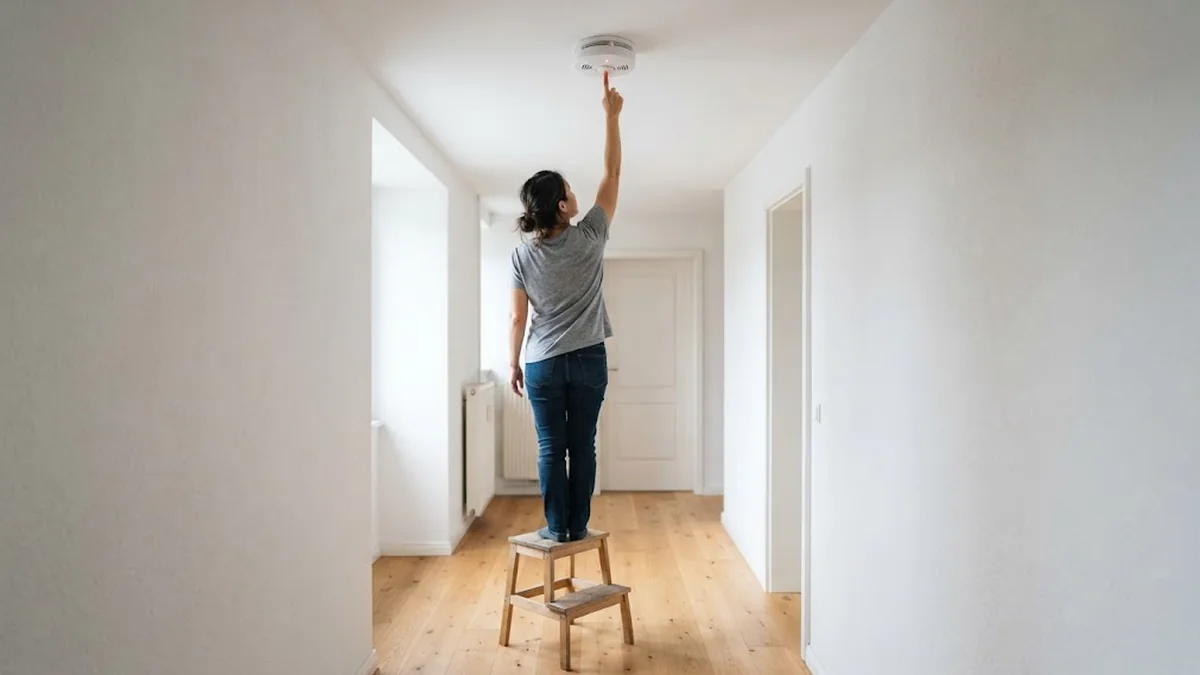
Fix it like this:
- Check the manufacture date on the back. If it is 10 years old or more, replace the whole alarm.
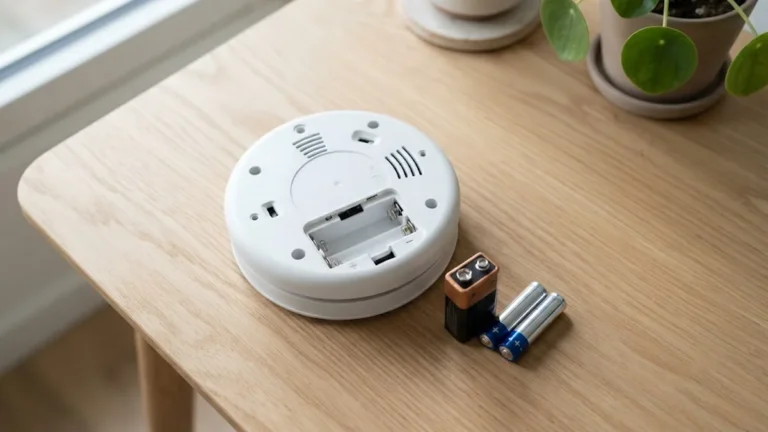
- Replace the battery with the exact type printed on the label.
- Hold Test for 15 to 20 seconds with the battery out to clear leftover charge, then reinstall.
- Test the alarm. If it still chirps, it may be faulty.
First Alert gives similar advice in its guide to chirping and beep patterns. Our full guide to smoke detector beeping covers every chirp pattern in more detail.
Hardwired Smoke Detector Blinking Red
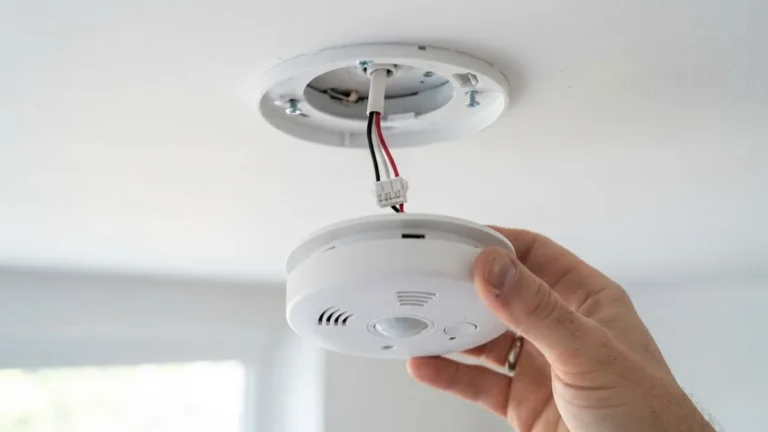
Hardwired alarms often have a green light for AC power and a red light for status or alarms. If the green light is off and the red one is blinking, the unit may be running on its backup battery because of a tripped breaker or loose connector. Check the breaker, then twist the alarm off its base and make sure the wiring harness is fully plugged in.
If you need to replace a hardwired unit, try to stay with the same brand so the plug on the mounting base fits. The US Fire Administration recommends that only a qualified electrician installs new hardwired alarms.
When the Red Light Means Replace It
Replace the alarm when:
- It is 10 years old or older.
- It blinks a fault or end of life code that a battery change and cleaning do not fix.
- It does not sound when you press Test.
- The red light stays on solid with no smoke present and does not clear after a reset.
When you replace one alarm, consider upgrading all of them at once. Interconnected or smart alarms tell you which room has the problem, which removes the guesswork. Our roundup of the best smart smoke detectors is a good place to compare options, and a combined unit can also protect against carbon monoxide; see our smart carbon monoxide detector guide.
How to Reset a Smoke Detector Blinking Red
A reset clears most memory and error states:
- Twist the alarm off its base. For hardwired alarms, turn off the breaker first and unplug the connector.
- Remove the battery.
- Press and hold the Test button for 15 to 20 seconds.
- Reinstall the battery and reconnect power.
- Press Test to confirm the alarm sounds, then watch the LED return to its normal pattern.
If the rapid red flashing returns right away with no smoke, clean the vents with a soft vacuum brush. Dust and insects in the sensing chamber are a common cause of false signals.
Where Smoke Detectors Should Be Installed
A detector in the wrong place is more likely to give false alarms or react too late. The National Fire Protection Association (NFPA) recommends:
- A smoke alarm inside every bedroom, outside each sleeping area, and on every level of the home, including the basement.
- Mounting on the ceiling or high on a wall, because smoke rises.
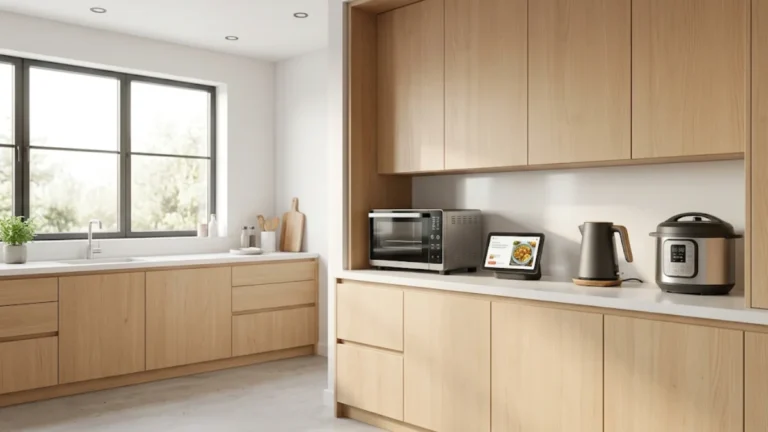
- Keeping alarms at least about 3 m (10 ft) from cooking appliances to reduce nuisance alarms.
- Keeping them away from windows, doors and ducts where drafts can push smoke away from the sensor.
- Interconnecting alarms, so when one sounds, they all sound.
The NFPA’s smoke alarm safety guidance has the full list. In open-plan Scandinavian-style homes with a kitchen and living room in one space, place the living room alarm on the far side from the hob rather than directly above the sofa nearest the kitchen.
Testing and Maintenance Schedule
A blinking light only tells you so much. Regular checks are what keep an alarm reliable:
| Task | How often |
|---|---|
| Press the test button | Monthly |
| Vacuum or blow dust out of the vents | Every 6 months |
| Replace replaceable batteries | At least once a year, or when it chirps |
| Check the manufacture date on the back | Once a year |
| Replace the whole alarm | Every 10 years from the manufacture date |
Alarms with sealed 10-year lithium batteries don’t need battery changes. When they reach end of life, the whole unit is replaced. Never paint over a detector or cover it with a decoration, as this blocks smoke from reaching the sensor.
Common Causes of False Alarms
If the red light flashes rapidly and the alarm sounds with no fire, one of these is usually the cause:
- Cooking smoke or steam from a kitchen or bathroom nearby.
- Dust and insects inside the sensing chamber, often after renovation work.
- High humidity, such as a detector right outside a shower room.
- Low batteries in hardwired alarms, which can cause random alarms as well as chirps.
- An ageing sensor, which becomes more sensitive and less reliable near the end of its 10-year life.
Clean the alarm first, then move it if it keeps triggering near a kitchen or bathroom. If false alarms continue, replace the unit. Our guide to smoke detector beeping covers chirping patterns in more detail.
Should You Upgrade to a Smart Smoke Detector?
Smart smoke alarms send alerts to your phone, tell you which room has a problem, and can silence a nuisance alarm from an app. They are useful if you travel, rent out a property, or have elderly relatives living alone.
Options include smart alarms from First Alert and X-Sense, and listeners that hear existing alarms and send phone alerts. Google stopped selling the Nest Protect in 2025, so check support and replacement plans before buying a used one. If you also want carbon monoxide protection, see our guide to smart carbon monoxide detectors.
Make a Home Fire Escape Plan
Working smoke alarms only help if everyone knows what to do when they sound. A simple plan takes ten minutes:
- Walk through each room and find two ways out, usually a door and a window.
- Make sure windows open easily and that security bars have a quick-release catch.
- Pick a meeting spot outside, such as a lamp post or a neighbour’s gate, a safe distance from the house.
- Practise the plan twice a year, including once at night, with everyone in the home. Time how long it takes and aim for everyone to be outside within two minutes.
- Teach children what the alarm sounds like and that they should get out and stay out.
When an alarm sounds and you see or smell smoke, don’t stop to check the light pattern. Leave first, close doors behind you if you can, then call the emergency services from outside.
Frequently Asked Questions
Why is my smoke detector blinking red every 10 seconds?
On some models, a faster than normal blink means alarm memory, hush mode or a fault. Press Test to clear it. If it continues, check the manual for your model’s code list.
Should a smoke detector blink red all the time?
Many do. A single red flash every 30 to 60 seconds is a normal sign that the alarm has power. It is only a concern when it speeds up or comes with chirping.
Why is my smoke detector flashing red but not beeping?
It is most likely showing alarm memory after a recent alert, signaling that it was the initiating unit in an interconnected system, or sitting in hush mode. Check your home, then press Test to clear it.
Can I turn off the red light on my smoke detector?
Generally no. The status LED is part of the safety design. Covering it is not recommended because it can block the sensor vents.
Does a blinking red light mean low battery?
Not by itself. A low battery is usually shown by a chirp, sometimes with a red or amber flash at the same time.
How often should I replace my smoke detectors?
Every 10 years from the manufacture date, or sooner if the unit fails its monthly test.
How do I know if my smoke detector is expired?
Look for the manufacture date on the back of the alarm. If it is more than 10 years old, replace it, even if the light still blinks normally. Many newer alarms also give an end-of-life chirp or light pattern.
Why is my smoke detector blinking red after I changed the battery?
A slow blink every 30 to 60 seconds after a battery change is usually normal operation. If it blinks rapidly or chirps, the battery may not be seated properly, or the alarm needs a reset by holding the test button for 15 to 20 seconds.
Do hardwired smoke detectors need batteries?
Most do. The backup battery keeps the alarm working during a power cut. Some hardwired models have a sealed 10-year battery, so you replace the whole unit at the end of its life.
Can a smoke detector blink red because of carbon monoxide?
Only on combination smoke and CO alarms. These often use different light colours or patterns for smoke, CO and faults, so check the label on the back. A smoke-only alarm can’t detect carbon monoxide, so you need a separate CO alarm near bedrooms and fuel-burning appliances.
Final Thoughts
A smoke detector blinking red is usually just the alarm saying it is on duty. Watch the speed of the blink and listen for chirps: a slow flash is normal, a rapid flash means an alarm or alarm memory, and a flash with a chirp points to the battery or the unit’s age. Test monthly, replace alarms at 10 years, and you will rarely have to wonder what that little red light means. For more ways to keep your family safe, read our ideas for home automation for safety, our tips on childproofing your smart home and our list of the best home monitoring apps, which can alert your phone when a connected alarm goes off.