
Most people bolt a deadbolt and call it done. That mindset leaves serious gaps that modern smart home technology can close in hours, not weeks.
Home automation for safety has moved well past novelty. Today’s systems respond in milliseconds, log every event, and alert you before a problem becomes a crisis. Here is how to build one that actually works.
—
- Why Passive Security Systems Are No Longer Enough
- Smart Locks and Access Control
- Video Surveillance: Wired vs. Wireless
- Smoke, CO, and Leak Detection
- Motion Sensors and Perimeter Alerts
- Automating Emergency Response
- Privacy and Cybersecurity Trade-offs
- Building a Layered Safety Stack
- Putting It All Together for Long-Term Home Safety
- Frequently Asked Questions
—
Why Passive Security Systems Are No Longer Enough {#why-passive}
A standard alarm system from 2010 does one thing: make noise. It cannot distinguish a raccoon from a burglar. It cannot open up a door for a first responder. It cannot text you at 2 a.m. that your basement is filling with water.
Modern home automation for safety operates on event-driven logic. A sensor detects motion at the back door. The system cross-references it with your location (away, not home). It triggers a camera clip, sends a push notification, and logs the timestamp – all within 300 milliseconds. That chain of actions is what separates a reactive alarm from a proactive safety network.
The market reflects this shift. The global smart home security segment was valued at roughly $78 billion in 2024 and is projected to exceed $120 billion by 2028, according to industry analysts tracking IoT adoption. Adoption is no longer driven by tech enthusiasts alone. Insurance carriers like Nationwide now offer 5-20% premium discounts for verified smart security installations, which changes the financial math entirely.
—
Smart Locks and Access Control {#smart-locks}
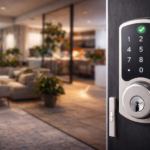
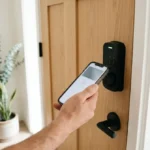
Smart locks are the single highest-impact upgrade most homeowners can make in an afternoon. Replacing a keyed deadbolt with a Z-Wave or Zigbee smart lock costs $150-$300 for a solid mid-range unit. The Schlage Encode Plus and Yale Assure Lock 2 both support Matter, which means they integrate with Apple Home, Google Home, and Amazon Alexa without a separate hub.
The practical safety gain is access logging. Every entry and exit is timestamped and stored. You can grant a contractor a one-time PIN valid for a 4-hour window, then watch it expire. No more hiding a key under a flowerpot.
Auto-lock timers are underused. Setting a 5-minute auto-lock after the door closes eliminates the “did I lock up?” anxiety and closes the gap that causes roughly 34% of home burglaries – opened up doors, according to FBI crime data. Pair a smart lock with a door sensor, and you get an alert if the door is left ajar for more than 60 seconds.
—
Video Surveillance: Wired vs. Wireless {#video-surveillance}
Option A: Wired PoE Cameras
Power-over-Ethernet (PoE) cameras run on a single Cat6 cable that delivers both power and data. Systems like the Ubiquiti UniFi Protect platform store footage locally on a Network Video Recorder, with no cloud subscription fee. Latency is typically under 50ms. Resolution goes up to 4K at 30fps. The trade-off: installation requires running cable through walls, which means a half-day job and possibly a licensed electrician.
Wired systems are the right call for permanent residences where you want 24/7 continuous recording with no bandwidth caps and no monthly fee beyond the initial $300-$800 hardware cost.
Option B: Wireless Battery or Wi-Fi Cameras
Ring and Arlo dominate this space. Setup takes under 20 minutes per camera. Battery-powered units like the Arlo Pro 5 last 3-6 months on a charge under typical motion load. The cost is a recurring subscription: $10-$20 per month for cloud storage of 30-day clips.
The real limitation is Wi-Fi dependency. A power outage or router failure takes the cameras offline. For renters or those who cannot run cable, wireless is still far better than nothing. For homeowners who want reliability above convenience, go wired.
—
Smoke, CO, and Leak Detection {#smoke-co-leak}
Interconnected smart detectors do something standalone units cannot: they tell you where the problem is, not just that a problem exists. The Google Nest Protect announces “There is smoke in the kitchen” through every speaker in the house. That 2-second head start matters when you are asleep on the second floor.
Carbon monoxide is the silent threat most people underestimate. CO poisoning causes roughly 400 deaths annually in the US, per CDC data. A smart CO detector paired with a smart thermostat can shut down an HVAC system automatically if CO levels exceed 35 ppm – the OSHA threshold for an 8-hour exposure.
Water leak sensors are the most overlooked piece of automated home safety. A sensor placed under a water heater or washing machine costs $20-$40. When it detects moisture, it can trigger a smart water shutoff valve – devices like the Moen Flo or Phyn Plus – to close the main supply line within 10 seconds. The average water damage insurance claim runs $11,000. That $40 sensor earns its place fast.
—
Motion Sensors and Perimeter Alerts {#motion-sensors}
Passive infrared (PIR) sensors are the backbone of any perimeter alert system. They detect heat signatures in a 90-110 degree field of view, typically up to 30 feet. Place them at entry points, hallways, and stairwells.
The smarter move in 2026 is pairing PIR sensors with mmWave radar sensors. Radar detects presence even when someone is completely still – useful for fall detection for elderly residents. Devices like the Aqara FP2 use 60GHz mmWave to distinguish a sleeping person from an empty room with 98% accuracy in manufacturer testing.
Automation rules turn raw sensor data into safety actions. A motion trigger at 3 a.m. in the living room can flash the porch lights, send a photo clip from the nearest camera, and arm the alarm – all without you touching your phone. Set these rules once in Home Assistant or your hub of choice, and they run silently every night.
—
Automating Emergency Response {#automating-emergency}
- Panic button integration – Devices like the Aeotec Panic Button ($35) can trigger a siren, call a monitoring center, and send your GPS location simultaneously. Configure it through any Z-Wave hub in under 10 minutes.
- Automated 911 linkage – Professional monitoring services such as SimpliSafe offer 24/7 dispatch for $20-$30 per month. When a sensor trips and you do not cancel within 30 seconds, they call emergency services.
- Smart garage door safety – A tilt sensor on your garage door, combined with an auto-close rule after 10 p.m., prevents the accidental overnight open that accounts for a significant share of residential break-ins.
- Smoke-triggered HVAC shutoff – Linking a Nest Protect alert to your smart thermostat cuts airflow, slowing fire spread by limiting oxygen circulation through ductwork.
- Flood-triggered water shutoff – As described in the detection section, this is a fully automated response requiring zero human input once configured.
Each of these automations runs locally on your hub where possible. Cloud-dependent automations fail when your internet goes down – exactly when you may need them most.
—
Privacy and Cybersecurity Trade-offs {#privacy-cybersecurity}
Home automation for safety introduces its own attack surface. Every IP camera, smart lock, and sensor is a potential entry point. The NIST Cybersecurity Framework recommends network segmentation as the first line of defense: put all IoT devices on a dedicated VLAN, isolated from your main computers and phones.
Change default credentials on every device before it goes online. Roughly 15% of smart home breaches in documented cases trace back to unchanged factory passwords. Enable two-factor authentication on every cloud account tied to your system. Use a router with automatic firmware updates – Eero Pro and Ubiquiti Dream Machine both push security patches without user action.
Local processing matters here too. A system running automations on a local hub like Home Assistant does not expose your sensor data to third-party servers. That is a meaningful privacy advantage over fully cloud-dependent platforms, even if setup takes more effort upfront.
—
Building a Layered Safety Stack {#layered-safety-stack}
No single device covers every threat. The goal is redundancy across three layers: detection, notification, and response.
| Layer | Function | Example Devices | Avg. Cost |
|---|---|---|---|
| Detection | Sense the threat | PIR sensors, smoke/CO detectors, leak sensors | $20-$80 per device |
| Notification | Alert you and others | Smart hub, monitoring service, push alerts | $0-$30/month |
| Response | Act on the threat | Smart locks, water shutoffs, HVAC integration | $100-$400 per device |
A gap in any layer weakens the whole system. Detection without response means you know about the flood but cannot stop it. Response without notification means the system acts but you never learn what happened. Build all three.
Start with detection – it is the cheapest layer and delivers immediate value. Add notification through a hub or monitoring service next. Response devices come last because they are the most expensive and require the most configuration.
—
Putting It All Together for Long-Term Home Safety {#putting-it-all-together}
The strongest smart home safety setups share one trait: they were built incrementally, not all at once. Start with the highest-risk gaps in your specific home. A house with a gas furnace prioritizes CO detection. A home with a finished basement prioritizes leak sensors. A property with a long driveway prioritizes perimeter motion alerts.
Interoperability is the hidden cost most buyers ignore. Mixing Z-Wave locks with Zigbee sensors and Wi-Fi cameras across three different apps creates friction and automation dead zones. The Matter protocol, now supported by most major brands, is narrowing that gap in 2026. Where possible, choose Matter-certified devices and a hub – Home Assistant, Apple Home, or Google Home – that ties them together in one interface.
Revisit your configuration every 6 months. Sensor batteries drain. Firmware updates change behavior. A rule that worked in winter may misfire in summer when sunlight patterns shift. Treat your safety automation the same way you treat smoke detector testing: scheduled, not optional.
—
Free tools: Planning a bigger setup? Our free smart home cost calculator estimates devices, installation and monthly fees for your whole home.
Frequently Asked Questions {#faq}
What is the best starting point for home automation for safety on a tight budget?
Start with a smart smoke and CO detector ($100-$130 for a Nest Protect) and a water leak sensor under your water heater ($20-$40). Those two devices address the threats most likely to cause catastrophic loss. Add a smart lock next. You can build a functional safety baseline for under $300 before touching cameras or professional monitoring.
Do smart home security systems work without internet?
It depends on the platform. Fully cloud-dependent systems like Ring cameras lose most functionality during an outage. Local-processing hubs like Home Assistant continue running automations, triggering sirens, and logging events even with no internet connection. For critical safety functions, local processing is the more reliable architecture.
Can home automation for safety help elderly or disabled residents specifically?
Yes, and this is one of the strongest use cases. mmWave presence sensors detect falls without requiring the resident to press a button. Smart locks eliminate the need to physically manage keys. Voice-controlled lighting reduces fall risk at night. Automated medication reminders via smart speakers add another layer. A well-configured system can extend independent living by months or years.
How do I keep my smart home devices secure from hackers?
Segment your IoT devices on a separate VLAN or guest network. Change all default passwords immediately after setup. Enable two-factor authentication on every associated cloud account. Keep firmware updated – enable automatic updates where available. Avoid devices from manufacturers with no published security patch history.
Does home insurance actually discount for smart security systems?
Many carriers do, typically 5-20% on the home security portion of your premium. Requirements vary: some insurers want professional monitoring, others accept self-monitored systems with documented devices. Contact your carrier directly and ask for their smart home discount criteria before buying equipment – it can shift which devices make financial sense.