

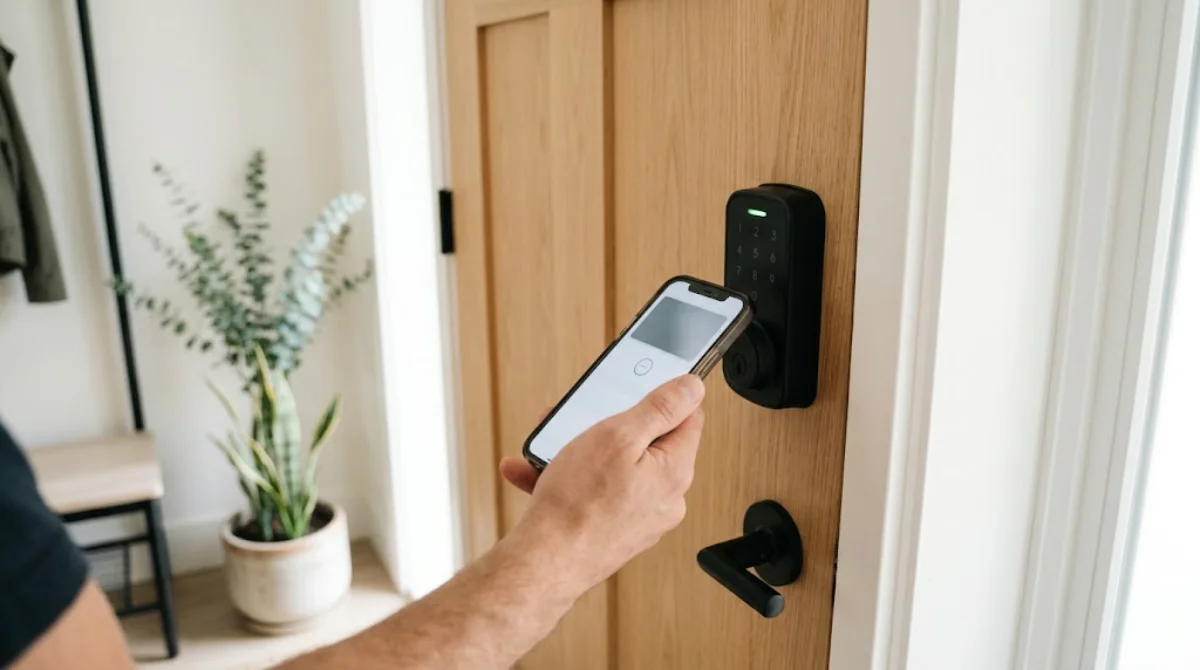
A Bluetooth lock lets your phone act as the key. Walk up to the door, tap the app (or let auto-unlock do it), and the bolt slides back with no internet connection involved. That simplicity is why Bluetooth is the starting point for most smart locks, from $75 keypad deadbolts to padlocks for the garden shed.
This guide explains how Bluetooth locks work, how they compare with Wi-Fi and Thread/Matter locks, which popular models are worth a look in 2026, and what to check before you buy. Specs and prices come from manufacturer listings and reputable reviews; prices change often, so treat them as approximate.
Table of Contents
- What Is a Bluetooth Lock?
- How a Bluetooth Lock Works
- Bluetooth vs Wi-Fi vs Thread/Matter Locks
- Popular Bluetooth Locks Worth a Look
- Comparison Table
- Types of Bluetooth Locks
- Are Bluetooth Locks Secure?
- How to Choose a Bluetooth Lock
- How to Install a Bluetooth Door Lock
- Battery Life and Maintenance
- Pros and Cons
- Frequently Asked Questions
- Final Verdict
What Is a Bluetooth Lock?
A Bluetooth lock is a smart lock that talks directly to your phone over Bluetooth Low Energy (BLE). The lock and the app exchange encrypted commands at short range, typically around 10 to 15 metres in open air and less through walls. Because nothing has to reach the internet, the lock keeps working during a Wi-Fi outage and uses far less battery than an always-online lock.
Most Bluetooth door locks replace your existing deadbolt and add a keypad, fingerprint reader or both. Others are retrofit models that clamp over the inside thumb-turn, so you keep your current keys. Bluetooth padlocks bring the same idea to sheds, gates and lockers.
How a Bluetooth Lock Works
- Pairing: you install the maker’s app, create an account and pair the lock to your phone. The lock stores its own codes and fingerprints locally.
- Unlocking: tap the app, enter a keypad code, use a fingerprint, or let auto-unlock open the door when your phone approaches.
- Sharing access: invite family as app users, or create permanent, scheduled or one-time codes for guests, cleaners and dog walkers.
- Activity log: the app records who locked or unlocked the door. On Bluetooth-only locks, the log syncs when a phone next connects.
- Remote access (optional): add a Wi-Fi bridge or hub, or use a Thread/Matter version, to lock and check the door from anywhere.
Bluetooth vs Wi-Fi vs Thread/Matter Locks
Connection type is the biggest decision when choosing a smart lock. Bluetooth is the simplest and most battery-friendly. Wi-Fi adds built-in remote control at the cost of battery life. Thread, the low-power mesh network behind Matter, combines remote access with long battery life but needs a Thread border router such as a recent Apple TV, HomePod mini, Nest Hub or Echo.
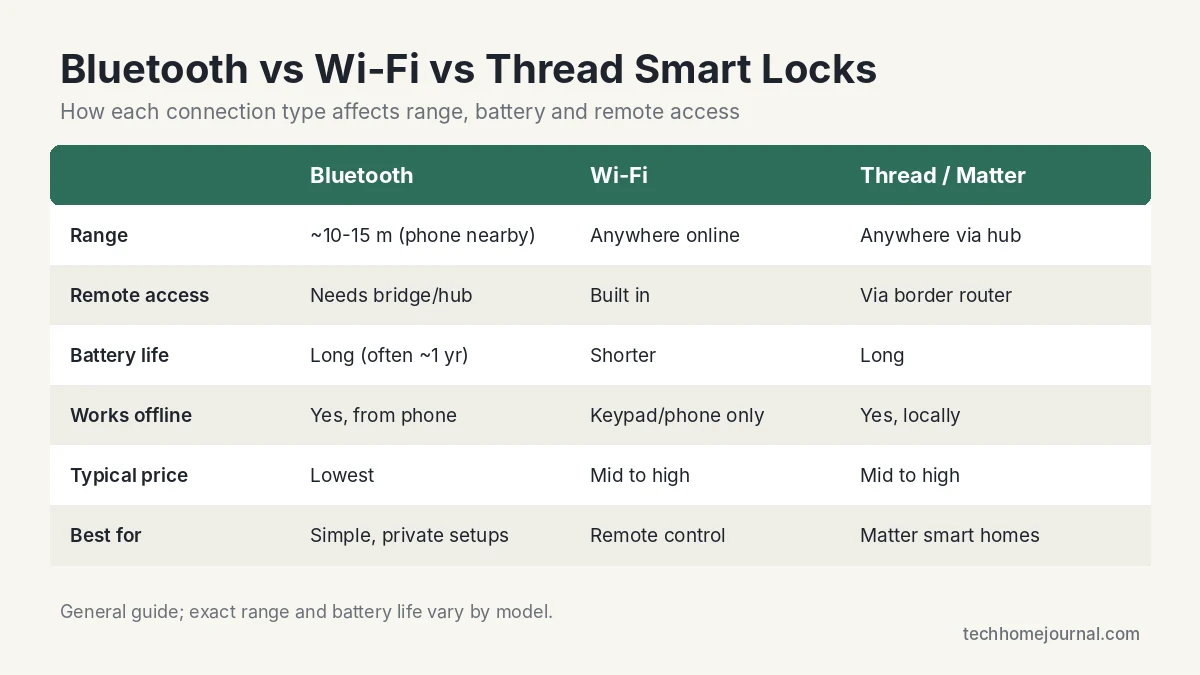
Many locks now ship with Bluetooth plus an optional upgrade path. The Yale Assure Lock 2, for example, uses Bluetooth out of the box and can take a Wi-Fi module for remote control and Alexa/Google support. Our Matter vs Wi-Fi guide explains the wider protocol choice.
Popular Bluetooth Locks Worth a Look
These are well-known models that use Bluetooth as their main or default connection. We haven’t lab-tested them; the details come from manufacturer pages and established reviews.
Wyze Lock Bolt: best budget keypad and fingerprint lock
Bluetooth 5.0 (about 16 ft range), fingerprint (up to 50), keypad (up to 20 codes), 4x AA batteries rated for 10 to 12 months, USB-C emergency power. Approx. $75 to $80.
The Wyze Lock Bolt is the easiest way to try a keyless deadbolt. There’s no Wi-Fi and no hub, so it’s purely local, and the app is only needed for setup and sharing codes. The trade-off is no remote access and no smart home integration.
Yale Assure Lock 2: best all-rounder with upgrade options
Bluetooth standard; optional Wi-Fi module; Apple Home over Bluetooth; 4x AA batteries with 9V emergency terminals; ANSI/BHMA Grade 2. Approx. $160 to $280 depending on version.
Yale’s slim Assure Lock 2 comes in keypad, touchscreen and keyed versions. According to TechHive’s review, the Bluetooth model works with Apple Home and adds Alexa and Google support once you fit the Wi-Fi module. The Assure Lock 2 Plus adds Apple Home Key, so you can tap an iPhone or Apple Watch to unlock.
SwitchBot Lock Pro: best retrofit lock for renters
Clamps over your existing deadbolt; Wi-Fi and Matter through a SwitchBot hub; optional keypad with fingerprint and NFC. Approx. $120 for the lock alone.
If you can’t change the lock, the SwitchBot Lock Pro mounts on the inside and turns your existing thumb-turn, so your keys still work. Add the Hub Mini (Matter enabled) for remote control and Matter voice assistants.
Level Lock+: best invisible lock for Apple homes
Hides inside the door; app control over Bluetooth; Apple Home Key; remote access through an Apple home hub. Approx. $250 to $330.
Level’s locks hide the motor inside the door so the outside looks like a normal deadbolt. Level Lock+ supports Apple Home Key and works with key cards. Remote control relies on an Apple home hub, so it’s best suited to iPhone households.
Master Lock 4401DLH: best Bluetooth padlock
Weather-resistant metal padlock, Master Lock Vault app, temporary or permanent sharing, access history, CR2 battery Master Lock rates for up to 5 years, 9V jump-start if the battery dies.
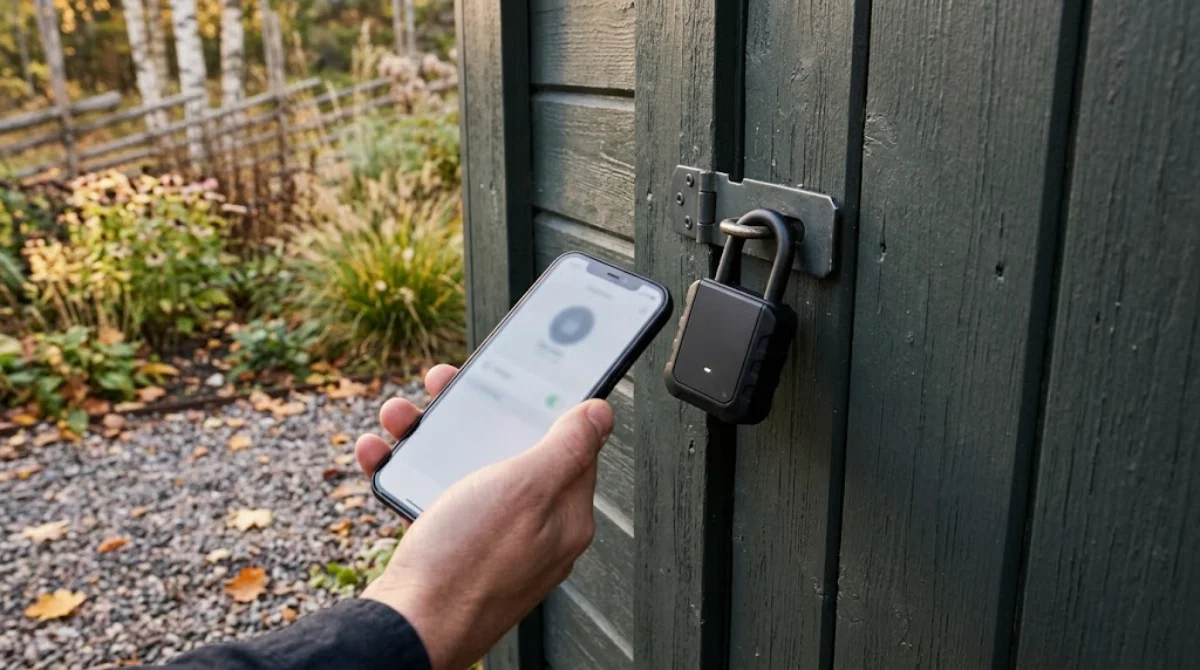
For sheds, gates and storage units, the Master Lock 4401DLH is a long-running Bluetooth padlock with a weather cover and an app that logs who opened it.
Comparison Table
| Lock | Type | Connection | Remote access | Approx. price |
|---|---|---|---|---|
| Wyze Lock Bolt | Replacement deadbolt | Bluetooth only | No | $75 to $80 |
| Yale Assure Lock 2 | Replacement deadbolt | Bluetooth (+ Wi-Fi module) | With module or Apple hub | $160 to $280 |
| SwitchBot Lock Pro | Retrofit | Bluetooth/hub, Matter via hub | With hub | About $120 |
| Level Lock+ | Hidden deadbolt | Bluetooth, Apple Home | Via Apple home hub | $250 to $330 |
| Master Lock 4401DLH | Padlock | Bluetooth | No | Varies, check deals |
Want a broader shortlist including Wi-Fi models? See our smart lock options guide and our best deadbolt locks roundup.
Types of Bluetooth Locks
- Keypad deadbolts: replace your deadbolt and add codes plus app control. The most common type for front doors.
- Fingerprint deadbolts: add a biometric reader; handy for kids and anyone who forgets codes.
- Retrofit locks: fit over the inside of your existing deadbolt. Ideal for renters.
- Smart lever handles: for interior doors, offices and side entries without a deadbolt.
- Bluetooth padlocks: for sheds, gates, lockers and bike storage.
Are Bluetooth Locks Secure?
Reputable Bluetooth locks encrypt the connection between phone and lock, and the short range means an attacker has to be near your door to try anything. In practice, the weak points are usually the same as any lock: the physical hardware, a poorly fitted strike plate, a shared code that never gets deleted, or a weak app account password.
- Choose a lock with an ANSI/BHMA grade (Grade 2 or better for exterior doors).
- Use a strong, unique password and two-factor sign-in on the lock’s app account.
- Install the long screws supplied for the strike plate so they bite into the stud.
- Delete guest codes when they’re no longer needed and keep firmware updated.
- Pair the lock with a door sensor or a video doorbell so you know when the door opens.
How to Choose a Bluetooth Lock
- Remote access: if you want to unlock for a courier from work, pick a lock with a Wi-Fi module, hub or Matter option.
- Your ecosystem: Apple users get the most from Apple Home Key locks; see our Apple HomeKit guide. Alexa and Google users should check for Wi-Fi or Matter support.
- Replacement vs retrofit: renters should choose a retrofit model; owners can pick either.
- Backup entry: look for a physical key, a 9V or USB-C emergency power terminal, or both.
- Door fit: check backset (2-3/8″ or 2-3/4″), door thickness and whether your deadbolt is standard US/Canadian.
- Weather: exterior locks should be rated for your climate’s temperature range.
How to Install a Bluetooth Door Lock
- Check the door: the deadbolt should extend and retract smoothly by hand before you start.
- Remove the old deadbolt (usually two screws on the inside).
- Fit the new latch and strike plate, using the long screws for the strike.
- Mount the exterior keypad and interior unit, routing the cable through the bore hole.
- Insert batteries, install the app and pair the lock.
- Calibrate the lock direction, set auto-lock and add user codes.
- Test from both sides with the door open, then closed.
Most installs take 15 to 30 minutes with a screwdriver. If the bolt sticks when the door is closed, adjust the strike plate before blaming the lock; misalignment is the most common cause of jams and battery drain.
Battery Life and Maintenance
Bluetooth locks usually run on four AA batteries. Manufacturers often quote around a year of typical use (Wyze rates the Lock Bolt at 10 to 12 months), while Wi-Fi locks drain faster. Cold weather, a stiff bolt and frequent use all shorten that. Replace batteries as soon as the app or keypad warns you, and keep a spare set by the door.
Pros and Cons
Pros
- No keys to lose; easy, trackable guest access
- Works without internet or Wi-Fi
- Long battery life compared with Wi-Fi locks
- Usually cheaper than Wi-Fi or Thread locks
- Most are DIY-friendly
Cons
- No remote control without a bridge, hub or Matter
- Phone must be within Bluetooth range
- Voice assistant support often needs extra hardware
- Battery lockouts are possible if warnings are ignored
Frequently Asked Questions
Does a Bluetooth lock need Wi-Fi or internet?
No. A Bluetooth lock talks directly to your phone, so it works without Wi-Fi or internet. You only need a connection for setup, syncing logs and sharing access, or if you add a bridge for remote control.
What is the range of a Bluetooth lock?
Usually around 10 to 15 metres in open air, less through walls and doors. Wyze lists about 16 ft (5 m) for the Lock Bolt, which is typical for unlocking from the porch.
Can I control a Bluetooth lock remotely?
Only with extra hardware: a Wi-Fi bridge or module, a hub, or a Thread/Matter version of the lock with a compatible border router.
What happens if the batteries die?
Most locks warn you weeks in advance. If they do die, use the backup key, or briefly power the lock through its 9V or USB-C emergency terminals and enter your code.
Are Bluetooth locks safe from hacking?
Reputable models encrypt the connection and an attacker has to be nearby. Physical strength, a well-fitted strike plate and a secure app account matter more in practice.
Do Bluetooth locks work with Alexa or Google Home?
Not directly. You typically need the brand’s Wi-Fi module or hub, or a Matter-compatible version of the lock.
Is a Bluetooth lock good for renters?
Yes, if you choose a retrofit model such as the SwitchBot Lock Pro that fits over your existing deadbolt and can be removed when you move out.
Final Verdict
A Bluetooth lock is the simplest, most battery-friendly way to go keyless. Start with a budget model like the Wyze Lock Bolt if you only need local control, choose the Yale Assure Lock 2 if you want room to add Wi-Fi later, and pick a retrofit lock if you rent. Whatever you choose, fit it properly, secure the app account and pair it with a sensor or camera so you always know what’s happening at the door.
For the bigger picture, our smart lock vs traditional lock comparison and home security guide cover how locks fit into a full setup.



