

Paying $5 to $20 every month just to see who rang your bell adds up fast. Over three years, a basic Ring or Nest plan can cost more than the doorbell itself. The good news is that a doorbell camera with no subscription is now easy to find, and the best ones don’t feel like a compromise. They record to a microSD card, a home hub or built-in memory, and many of them run person, package and vehicle detection for free.
This guide covers the best video doorbells without a subscription in 2026, how local storage actually works, what you give up (if anything) by skipping the cloud, and how to pick the right model for your door, your Wi-Fi and your smart home.
Quick Answer: The Best Doorbell Cameras With No Subscription
If you only have a minute, here’s the short list. Every doorbell below records video and sends motion alerts without a monthly plan.
- Best overall: eufy Video Doorbell E340 (dual camera, built-in storage, battery or wired)
- Best battery doorbell: Reolink Video Doorbell Battery (2K, head-to-toe view, free AI detection)
- Best value: TP-Link Tapo D225 (2K, huge 10,000mAh battery, microSD up to 512GB)
- Best for Apple Home and Matter: Aqara Doorbell Camera Hub G410 (microSD, free face recognition, built-in smart home hub)
- Best wired / PoE option: Reolink Video Doorbell (PoE or Wi-Fi) with 24/7 recording
- Best for DIY and NAS users: Amcrest AD410 (2K, microSD, works with NAS and Alexa/Google)
Prices move around a lot, especially around sales events, so always check the current price before you buy.
Why Skip the Doorbell Subscription?
Most big-brand doorbells are sold at a low price because the company plans to make money from the monthly plan. Without that plan, a Ring doorbell still gives you live view and motion alerts, but it won’t save any recordings. You can see a porch pirate live, but you can’t go back and download the clip for a police report. Google’s newer Nest doorbells include a small window of free event history, but longer history, familiar faces and the newer AI descriptions sit behind a paid tier.
Here’s roughly what those plans cost over time:
| Service | Typical monthly cost | Cost over 3 years | What the plan unlocks |
|---|---|---|---|
| Ring | $4.99 to $20 | $180 to $720 | Saved video history, smart alerts, clip sharing |
| Google Nest | $8 to $20 | $288 to $720 | Longer event history, familiar faces, AI descriptions |
| Arlo | $8 to $18 | $288 to $648 | Cloud recordings, smart detection, advanced features |
A subscription-free doorbell flips that model. You pay once for the hardware and maybe a $15 microSD card, and the footage stays in your house. That has three real benefits:
- Lower total cost. You break even against a paid plan within the first year or two.
- Better privacy. Your video isn’t sitting on a company’s server by default.
- Works during internet outages. Many local-storage doorbells keep recording to the card even if your Wi-Fi or internet drops, and upload nothing until you check the app.
The trade-off is that if someone steals the doorbell itself, a clip stored only on its microSD card goes with it. We’ll cover how to get around that below.
How Local Storage Works on a Video Doorbell
Not every “no subscription” doorbell stores video the same way. Knowing the difference will save you from buying the wrong one.
1. microSD card inside the doorbell
This is the most common setup. You slide a microSD card (usually up to 128GB, 256GB or 512GB depending on the model) into the doorbell, and clips save directly to it. You watch them through the app over your home network or remotely. It’s cheap and simple, but the card sits outside your front door, so a thief who rips the doorbell off the wall also takes the recordings.
2. A home base or hub inside your house
Brands like eufy and Reolink offer an indoor hub (eufy HomeBase, Reolink Home Hub) that stores footage indoors. The doorbell sends clips to the hub, which sits safely next to your router. This is the best option for security, because the evidence stays inside even if the doorbell is damaged. Hubs also tend to expand storage to 1TB or more.
3. Built-in memory
Some doorbells, like the eufy E340, have a few gigabytes of storage built right in. It’s enough for weeks of short motion clips for most homes, and you don’t need to buy anything extra.
4. NAS, NVR or Apple HomeKit Secure Video
If you already run a network video recorder (NVR) or a NAS, doorbells from Reolink and Amcrest can record to it. Apple users can also use HomeKit Secure Video with compatible doorbells such as the Aqara G410. Technically HomeKit Secure Video uses iCloud+ storage, but if you already pay for iCloud+, you’re not adding a new subscription.
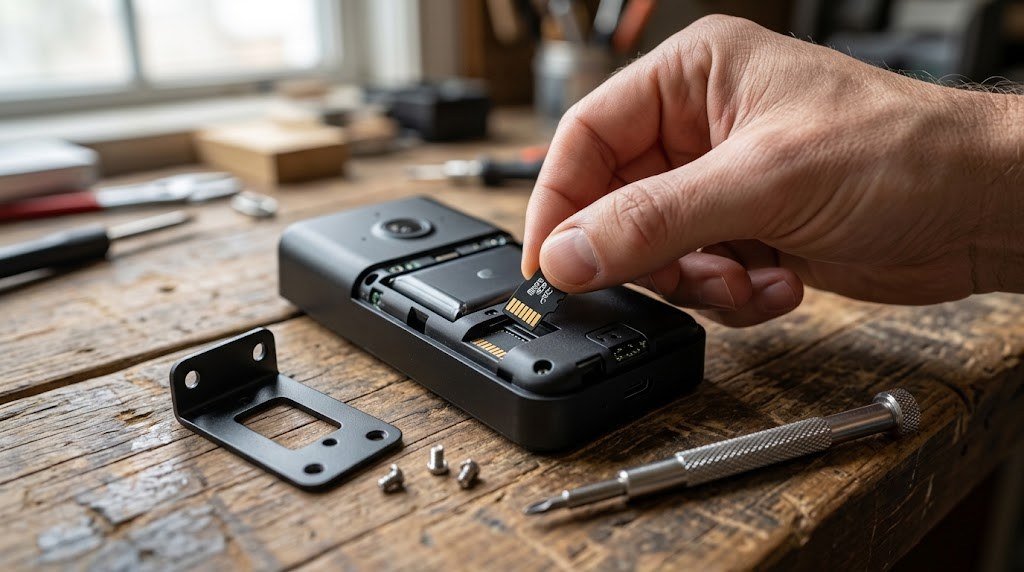
Tip: Use a “high endurance” microSD card made for dash cams and security cameras. Regular cards wear out quickly from constant re-writing, and a failed card is the most common reason people suddenly find “no recordings” in their doorbell app.
The Best Doorbell Cameras With No Subscription in 2026
1. eufy Video Doorbell E340 – Best Overall
The eufy E340 is the doorbell we’d recommend to most people who want to skip monthly fees. Its standout feature is a dual camera design: the main 2K camera looks at the visitor, and a second downward-facing camera watches the ground in front of your door, so you can see packages left on the mat. That second lens solves the biggest weakness of traditional doorbells, which is that they can’t see directly below themselves.
Storage is built in, so it records right out of the box with no card and no plan. If you want more space or safer indoor storage, you can pair it with a eufy HomeBase later. It runs on a rechargeable battery or on your existing doorbell wiring, which also trickle-charges the battery.
- Resolution: 2K main camera plus package camera
- Power: Battery or wired
- Storage: Built-in local storage, optional HomeBase
- Smart home: Alexa and Google Assistant
- Free features: Person and package detection, two-way audio, quick replies
Good for: Homes with frequent deliveries and anyone who wants a no-fuss setup.
Keep in mind: eufy had a well-publicized privacy issue in 2022 around how thumbnails were handled. The company has since changed its practices, but privacy-focused buyers may prefer Reolink or Aqara.
2. Reolink Video Doorbell Battery – Best Battery Doorbell
If you don’t have doorbell wiring, the Reolink Video Doorbell Battery is one of the best wire-free options available. It records sharp 2K (4MP) video in a square 1:1 aspect ratio, which gives you a head-to-toe view of visitors and the package on the floor with a single lens.
Reolink doesn’t lock smart features behind a paywall. Person, vehicle and package detection are all free. Video saves to a microSD card (up to 256GB), and if you add the Reolink Home Hub, you can move storage indoors and expand it much further. It also supports hardwiring to standard 8 to 24V AC doorbell transformers if you want to stop charging it.
- Resolution: 2K, 1:1 head-to-toe view
- Power: 7,000mAh battery or hardwired
- Storage: microSD up to 256GB, optional Reolink Home Hub
- Free features: Person, vehicle and package detection
Good for: Renters and homes without doorbell wiring.
Keep in mind: The battery is fixed, so you have to take the whole doorbell down to recharge it, and the chime is sold separately.
3. TP-Link Tapo D225 – Best Value
Tapo has built a reputation for affordable smart home gear that doesn’t nickel-and-dime you, and the D225 follows that pattern. At around $100, you get 2K video (2560 x 1920), a large 10,000mAh battery and a microSD slot that takes cards up to 512GB. Local storage is free and works without any cloud plan.
When you hardwire it, the D225 can record 24/7 instead of just motion clips, which is rare at this price. It also works with both Alexa and Google Assistant, so you can see who’s at the door on an Echo Show or Nest Hub.
- Resolution: 2K (2560 x 1920)
- Power: 10,000mAh battery or low-voltage wiring
- Storage: microSD up to 512GB
- Smart home: Alexa and Google Assistant
- Free features: People, pet and vehicle detection, package detection, activity zones
Good for: Budget buyers who want big storage and long battery life.
Keep in mind: The design is chunky, and night vision relies on a small light ring, so very dark porches benefit from an outdoor light.
4. Aqara Doorbell Camera Hub G410 – Best for Apple Home and Matter
The Aqara G410 is more than a doorbell. It’s also a Matter bridge, Zigbee hub and Thread border router, so it can connect Aqara sensors, locks and switches to Apple Home, Google Home, Alexa or Home Assistant. If you’re building a smart home, that’s one less hub on your shelf.
As a doorbell, it records 2K video with a very wide 175-degree view, supports microSD cards up to 512GB and includes face recognition at no extra cost. Apple users can also use HomeKit Secure Video. It runs on six AA batteries or your existing doorbell wiring.
- Resolution: 2K (2048 x 1536)
- Power: Six AA batteries or wired
- Storage: microSD up to 512GB, HomeKit Secure Video
- Smart home: Matter, Apple Home, Alexa, Google Home, Home Assistant
- Free features: Face recognition, person detection
Good for: Apple Home users and anyone building a Matter or Zigbee smart home.
Keep in mind: It’s only rated IPX3 for water resistance, so it works best under a covered porch rather than on an exposed wall. Resolution also drops a little when you view it through HomeKit.
If you’re not sure whether you need a hub at all, our guide to building a smart home without a hub explains when it’s worth it.
5. Reolink Video Doorbell (PoE or Wi-Fi) – Best Wired Option
For homes with existing doorbell wiring or an Ethernet run to the front door, the wired Reolink doorbell is hard to beat. The PoE (Power over Ethernet) version gets both power and data through one cable, which means rock-solid video with no Wi-Fi dropouts. It records 2K+ video to a microSD card or directly to a Reolink NVR, and because it’s always powered, it supports 24/7 continuous recording.
- Resolution: 2K+ (5MP)
- Power: PoE or standard doorbell wiring (Wi-Fi model)
- Storage: microSD, Reolink NVR or Home Hub
- Smart home: Alexa and Google Assistant
- Free features: Person and vehicle detection, 24/7 recording
Good for: Homeowners who want the most reliable setup and already use Reolink cameras.
Keep in mind: No Apple HomeKit support, and PoE requires an Ethernet cable to your door.
6. Amcrest AD410 – Best for DIY and NAS Users
The Amcrest AD410 is a wired 2K doorbell aimed at people who like control. It saves to a microSD card, can also record to a NAS or a compatible NVR, and works with Alexa and Google Assistant. There’s an optional cloud plan, but you don’t need it for recording or alerts.
- Resolution: 2K (4MP)
- Power: Wired
- Storage: microSD, NAS, NVR
- Smart home: Alexa and Google Assistant
Good for: Tech-savvy users and anyone who already has a NAS at home.
Keep in mind: Setup is more technical than Tapo or eufy, and the app isn’t as polished.
Comparison Table: Doorbell Cameras Without Subscription
| Doorbell | Resolution | Power | Local storage | Best for |
|---|---|---|---|---|
| eufy E340 | 2K + package cam | Battery / wired | Built-in, HomeBase | Most people |
| Reolink Battery | 2K, 1:1 | Battery / wired | microSD 256GB, Home Hub | No wiring |
| Tapo D225 | 2K | Battery / wired | microSD 512GB | Best value |
| Aqara G410 | 2K | AA batteries / wired | microSD 512GB, HKSV | Apple Home, Matter |
| Reolink PoE/Wi-Fi | 2K+ | PoE / wired | microSD, NVR | 24/7 recording |
| Amcrest AD410 | 2K | Wired | microSD, NAS | DIY users |
What About Ring, Nest and Blink Without a Subscription?
Many people already own a Ring or Nest doorbell and wonder if they can just cancel the plan. Here’s what you actually get:
- Ring without a plan: Live view, motion alerts and two-way talk still work. But no video is saved, so you can’t review or download anything after the fact.
- Google Nest without a plan: Newer Nest doorbells include a short window of free event history (a few hours), which is better than nothing but not enough for most people who travel or work long days.
- Blink without a plan: Blink devices can save clips locally if you add a Sync Module 2 with a USB flash drive. It’s a workable budget route, but it adds an extra piece of hardware and a slightly clunkier app experience.
If you’re buying new and want to avoid monthly fees completely, it makes more sense to choose a doorbell designed for local storage from day one.
How to Choose a Doorbell Camera Without a Subscription
Battery or wired?
If your home has existing doorbell wiring, go wired or use a battery model that can be hardwired. You’ll never have to recharge it, and wired doorbells usually respond faster and can record continuously. Battery doorbells are great for renters and doors without wiring, but expect to charge them every few weeks to a few months depending on how busy your entrance is.
Before you buy a wired doorbell, check your transformer voltage. Most doorbells need 16 to 24V AC. Older homes sometimes have a 10V transformer, which will need an upgrade.
Where the video is stored
As covered above, indoor storage (a hub, HomeBase, NVR or NAS) is safer than a card inside the doorbell. If theft is a concern in your area, choose a doorbell that supports an indoor hub, even if you don’t buy the hub on day one.
Field of view and aspect ratio
A standard 16:9 camera sees a lot of your street but not the ground right under the doorbell, where packages end up. Look for either a square or vertical aspect ratio (like Reolink’s 1:1) or a dual camera (like the eufy E340) if package theft is common where you live.
Smart home compatibility
Think about where you want to see your doorbell feed:
- Alexa / Echo Show: Tapo, Reolink, eufy and Amcrest all work well.
- Google Home / Nest Hub: Tapo, Reolink, eufy and Amcrest support Google Assistant.
- Apple Home: Aqara G410 is the easiest choice, with HomeKit Secure Video support.
- Matter: Aqara leads here, and Matter camera support is growing. See our breakdown of Matter vs Wi-Fi smart home devices for more background.
Free AI features
“No subscription” can still mean “limited features” with some brands. Check that person detection, package detection and activity zones are included for free. Every doorbell in our list includes at least person detection without a plan.
Weather rating
Look for an IP rating of IP65 or higher if your doorbell faces rain directly. Lower ratings (like IPX3) are fine under a covered porch but not on an exposed wall.
How to Install a Subscription-Free Video Doorbell
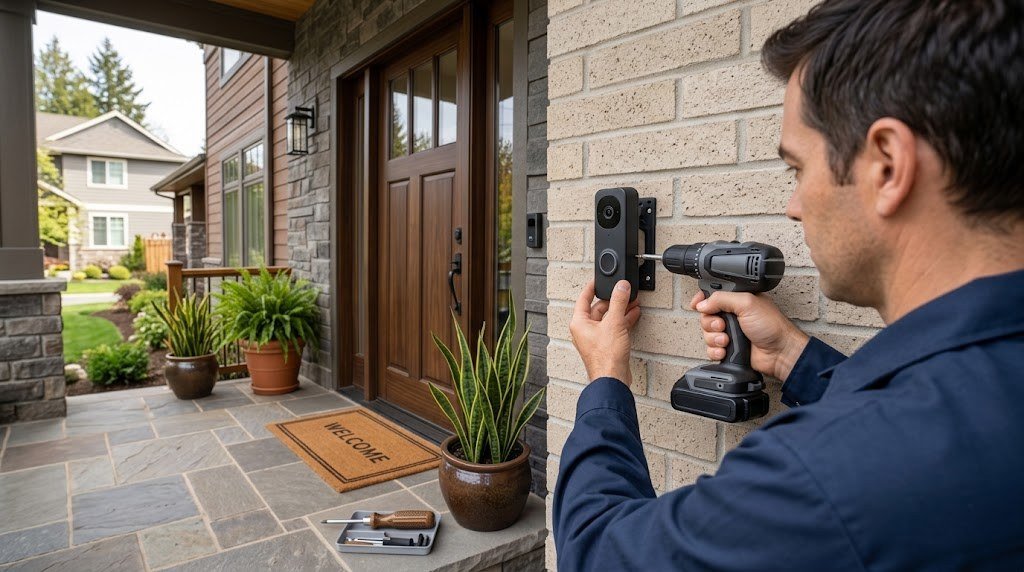
Most doorbells install in 20 to 40 minutes with basic tools. Here’s the general process.
- Turn off power at the breaker if you’re replacing a wired doorbell.
- Remove the old doorbell button and note which two wires were connected.
- Install the microSD card (if your model uses one) before mounting. It’s much harder once the doorbell is on the wall.
- Attach the mounting bracket, using the included wedge if you want the camera angled toward your walkway.
- Connect the wires (for wired installs) or fully charge the battery first.
- Clip the doorbell onto the bracket and secure it with the security screw.
- Turn the power back on and finish setup in the app, including motion zones and detection sensitivity.
- Test your Wi-Fi signal at the door. If the live view is choppy, a mesh node or Wi-Fi extender near the entrance will help.
Tips to Get the Most From a No-Subscription Doorbell
- Set activity zones so passing cars don’t fill your storage and drain the battery.
- Use a high-endurance microSD card and format it every few months in the app.
- Add an indoor hub if you live in an area with package or doorbell theft.
- Pair it with other cameras. A doorbell only sees the front door. A driveway or garage camera covers the rest. Our garage security ideas guide shows how to protect the other entry points.
- Keep firmware updated. Local storage doorbells still get security updates, and they matter.
- Download important clips right away. Motion clips on a card are overwritten when it fills up, so save anything you need for insurance or a police report.
If you also want coverage inside your home without an obvious camera on the shelf, see our guide to the best indoor security cameras that don’t look like cameras.
Pros and Cons of Going Subscription-Free
| Pros | Cons |
|---|---|
| No monthly fees, ever | Footage on a microSD card can be stolen with the doorbell |
| Better privacy, video stays at home | Some advanced AI features are cloud-only on certain brands |
| Keeps recording during internet outages | Storage fills up and old clips get overwritten |
| Free person and package detection on most models | Apps can be less polished than Ring or Nest |
Don’t Have Doorbell Wiring?
If your home has no doorbell wiring or you’re renting, a battery-powered model is the way to go. Our guide to the best wireless doorbell cameras with no subscription compares battery life, local storage options, chimes and no-drill installation for wire-free doorbells.
Free tools: How much storage will your cameras need? Our free security camera storage calculator shows how many days of footage your hard drive or microSD card will hold. Planning a bigger setup? Our free smart home cost calculator estimates devices, installation and monthly fees for your whole home.
Frequently Asked Questions
Can I use a video doorbell without a subscription?
Yes. Doorbells from eufy, Reolink, TP-Link Tapo, Aqara and Amcrest record video locally and send alerts without any monthly plan. Ring and most Nest doorbells work without a plan too, but they save little or no recorded video.
Does a Ring doorbell record without a subscription?
No. Without a Ring Home plan, you get live view and motion alerts, but Ring doorbells don’t save recordings. You can’t review or download clips later.
How long does a microSD card last in a doorbell?
A 64GB to 128GB card usually holds several weeks of motion-triggered clips for a typical home. With 24/7 recording, a 256GB card may only hold a few days before older footage is overwritten. High-endurance cards last longest under constant recording.
What happens to recordings if someone steals my doorbell?
If your doorbell stores clips only on its internal microSD card, those clips go with it. To avoid this, choose a doorbell that supports an indoor hub (eufy HomeBase, Reolink Home Hub), an NVR or a NAS, or download important clips as soon as you get an alert.
Do no-subscription doorbells work with Alexa and Google Home?
Most do. Tapo, Reolink, eufy and Amcrest doorbells work with Alexa and Google Assistant, so you can see who’s at the door on an Echo Show or Nest Hub. The Aqara G410 also supports Apple Home and Matter.
Is local storage more secure than cloud storage?
Local storage is generally better for privacy because your video isn’t stored on a company’s servers by default. However, it’s less protected against physical theft of the device. Using an indoor hub gives you the best of both.
Final Verdict
You don’t need to pay a monthly fee to have a smart, reliable video doorbell. For most homes, the eufy Video Doorbell E340 is the easiest subscription-free pick thanks to its package camera and built-in storage. If you have no doorbell wiring, the Reolink Video Doorbell Battery gives you a head-to-toe view with free AI detection. On a tight budget, the Tapo D225 offers 2K video and 512GB microSD support for around $100. And if you live in Apple Home or you’re building a Matter smart home, the Aqara G410 is a doorbell and a hub in one.
Pick the one that matches your wiring, your storage needs and your smart home, and you’ll never see another doorbell subscription bill again.



