

Most homeowners spend thousands on a living room sofa or kitchen renovation, then leave the garage door secured by a $12 padlock and a prayer. That gap in thinking is exactly what burglars count on. The garage is the second most common entry point for home break-ins in the US, behind only opened up front doors. Good garage security ideas don’t have to be complicated or expensive. But they do need to be intentional.
This guide walks you through every layer of a solid garage security setup, from smart controllers and cameras to lighting and door reinforcement. Each section includes specific product picks, real price ranges, and practical advice from someone who has helped dozens of homeowners upgrade their setups. No filler. Just what actually works.
—
Table of Contents
- Smart Garage Door Controllers: The First Line of Defense
- Security Cameras Built for Garage Coverage
- Motion-Activated Lighting That Actually Deters Intruders
- Smart Locks and Deadbolts for the Interior Garage Door
- Door and Window Sensors: The Overlooked Layer
- Alarm Systems and Monitoring That Cover the Garage
- Building Your Garage Security Setup the Right Way
- Frequently Asked Questions
—
Smart Garage Door Controllers: The First Line of Defense
The single biggest upgrade most garages need is a smart controller for the existing door opener. Most standard openers from Chamberlain or LiftMaster work with a retrofit device that costs $30 to $80 and installs in under 20 minutes.
The Chamberlain myQ Smart Garage Control is the most popular option for good reason. It connects to your home Wi-Fi, sends real-time alerts when the door opens or closes, and lets you shut it remotely from your phone. That last feature alone has saved more than a few people who drove 45 minutes before realizing they left it open.
For homeowners who want full automation, the Meross Smart Garage Door Opener works with Apple HomeKit, Google Home, and Amazon Alexa. It costs around $40 and supports scheduling – so you can set the door to auto-close at 10 PM every night. That kind of passive security is underrated. You don’t have to remember anything.
> Pro tip: Check if your existing opener has a “security+” or rolling-code system before buying a controller. Most openers made after 1996 do. If yours is older, the controller won’t pair and you’ll need a new opener entirely.
One thing I always tell clients: the controller is not a replacement for a good physical lock. It’s a layer on top. Treat it that way.
—
Security Cameras Built for Garage Coverage
A camera doesn’t stop a break-in by itself. But it does two things that matter: it deters opportunistic thieves (about 60% of burglars say visible cameras change their target choice), and it gives you footage if something does happen. Both are worth the investment.
For outdoor coverage of the driveway and garage door, the Arlo Pro 5S is the top pick in 2026. It shoots in 2K resolution, has a 160-degree field of view, and works wire-free with a battery life of roughly 6 months per charge. It costs around $200 per camera. Yes, that’s more than the budget options, but the color night vision and local storage backup are genuinely better.
For indoor garage coverage, the Wyze Cam v4 at $35 to $45 is hard to argue against. It captures 2.5K video, has two-way audio, and integrates with most major smart home platforms. Mount one angled toward your car and another covering the interior door to the house.
If you want a system that ties everything together, the Google Nest Cam lineup connects directly to the Google Home app. You can group multiple cameras, set activity zones, and get alerts only when a person (not a leaf or a car headlight) crosses into the frame. That person-detection accuracy is what separates Nest from cheaper alternatives.
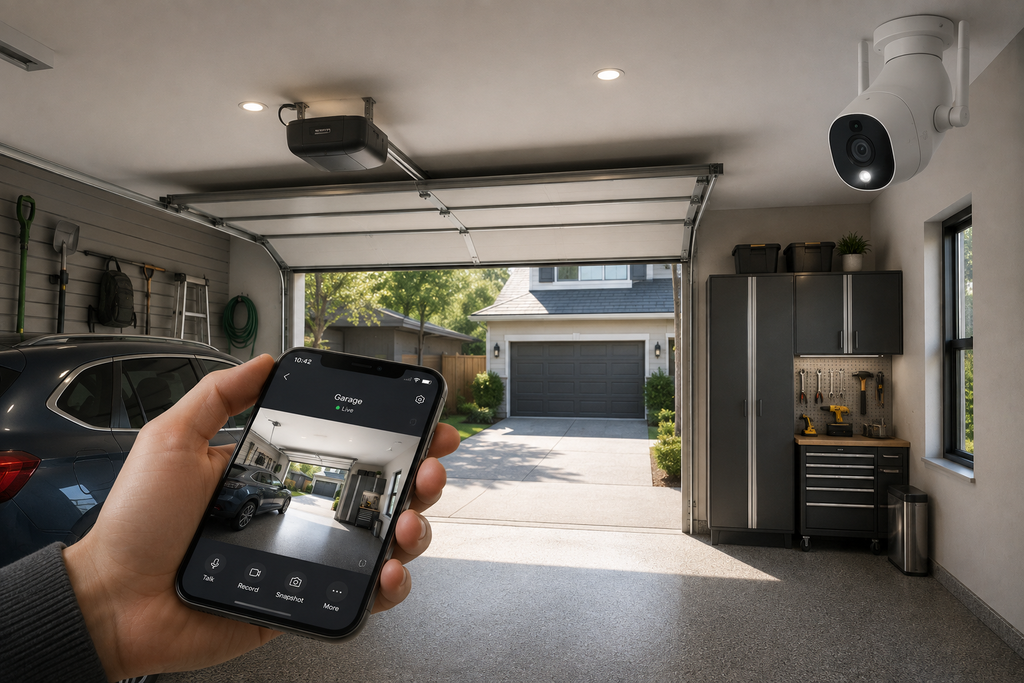
> Pro tip: Place at least one camera so it captures the face of anyone approaching the garage door. A camera aimed at the back of someone’s head is nearly useless for identification.
—
Motion-Activated Lighting That Actually Deters Intruders
Darkness is a burglar’s best friend. A well-lit garage exterior removes that advantage entirely. Motion-activated floodlights are one of the cheapest and most effective garage security ideas you can implement – and they work whether or not you have a single smart device in the house.
The LEONLITE LED Security Floodlight costs $45 to $65 and puts out 3,000 lumens. That’s bright enough to light up a 30-foot wide driveway. It has a 180-degree detection range and activates within 0.5 seconds of motion. For a hardwired option, it’s one of the best values on the market.
For a smarter approach, the Ring Floodlight Cam Wired Pro combines a 1080p camera with two adjustable 3,000-lumen floodlights. It costs around $250 and integrates with the Ring ecosystem for real-time alerts, two-way talk, and a built-in siren. The siren alone – 110 decibels – is enough to send most opportunists running.
Placement matters as much as the fixture. Mount lights at 8 to 10 feet high on each side of the garage door. That height maximizes detection range while keeping the unit out of easy reach. Avoid placing them directly above the door where a person walking up close can stand beneath the detection zone.
> Pro tip: Set your motion light’s duration to at least 3 minutes. A 30-second burst shuts off before a slow-moving threat has left the area – and gives a false sense of security.
—
Smart Locks and Deadbolts for the Interior Garage Door
The door connecting your garage to your living space is often the weakest physical link in the entire home. Many builders install hollow-core interior doors with basic knob locks on this entry point. That’s a problem.
Start with the door itself. It should be solid-core wood or steel, at least 1.75 inches thick. If you’re not sure, knock on it. A hollow sound means it can be kicked in with a single strike. Replacing it runs $150 to $400 installed, and it’s one of the highest-impact security upgrades you can make.
For the lock, the Schlage Encode Plus is the best smart deadbolt for garage-to-home entry in 2026. It costs $229 to $279, supports Apple Home Key (tap your iPhone to open up), and has a built-in alarm that triggers if someone tries to force it. No hub required. It connects directly to Wi-Fi.
The Yale Assure Lock 2 is a close second at $180 to $220. It works with all major smart home platforms and supports up to 250 unique access codes. That’s useful if you have housekeepers, contractors, or family members who need occasional access without a physical key.
Don’t forget the strike plate. Most standard strike plates use 3/4-inch screws that pull out of the door frame in one kick. Replace it with a heavy-duty reinforced strike plate using 3-inch screws that reach the wall stud. This upgrade costs about $25 and takes 10 minutes.
—
Door and Window Sensors: The Overlooked Layer
Most people think about cameras and locks. Fewer think about sensors. That’s a mistake, because sensors are what alert you the moment something actually happens – not after the fact.
A door sensor on the garage-to-house entry door tells you immediately if that door opens while you’re asleep or away. A window sensor on any garage windows does the same. These devices cost $15 to $40 each and integrate with virtually every major smart home hub.
The Samsung SmartThings multipurpose sensor is a strong pick at around $25. It detects open/close events, vibration (useful for detecting door-frame impacts), and temperature. One sensor covers one entry point. Plan on 3 to 5 sensors for a typical two-car garage with a side door and two windows.
For a more integrated approach, the Aqara Door and Window Sensor P2 costs $18 to $22 and has a standout battery life of up to 5 years. It uses Zigbee protocol, so you’ll need a compatible hub, but the reliability is excellent. False alarm rates are under 1% in my experience with these.
The key is connecting your sensors to an automation. Set a rule: if the garage door opens between midnight and 6 AM, send a push notification AND turn on the interior lights. That kind of layered response is far more useful than a single alert buried in a notification stack.
—
Alarm Systems and Monitoring That Cover the Garage
A camera shows you what happened. An alarm system responds to it. The best garage security ideas combine both – and make sure the alarm coverage doesn’t stop at the front door.
SimpliSafe is the best self-monitored option for most homeowners in 2026. A starter kit runs $250 to $350 and includes a base station, keypad, motion sensor, and entry sensors. Professional monitoring costs $20 to $30 per month. The system works even if your Wi-Fi goes down, because it has a built-in cellular backup. That matters. Wi-Fi-only systems are vulnerable to anyone who knows to cut your router’s power.
For a higher-end option, the ADT Command system with professional installation runs $500 to $1,200 upfront with monitoring fees of $45 to $60 per month. It’s overkill for most people, but if you store high-value equipment – motorcycles, tools, a workshop setup – the 24/7 professional response is worth the cost.
One feature to prioritize: a loud local siren inside the garage. Most burglars spend under 60 seconds deciding whether to continue or flee. A 100+ decibel siren starts that clock immediately. The SimpliSafe base station puts out 95 decibels. Add a separate indoor siren for $30 to $50 if you want more coverage inside the garage space itself.
> Pro tip: Tell your monitoring company specifically that the garage is a high-priority zone. Some systems treat garage sensors as “secondary” by default, which can delay response times by 30 to 60 seconds.
—
Building Your Garage Security Setup the Right Way
The smartest approach to garage security is layered. No single device covers everything. Think of it in three rings: detection, deterrence, and delay.
Detection means sensors and cameras that tell you something is happening. Deterrence means lighting and visible cameras that discourage the attempt. Delay means solid doors, reinforced frames, and quality locks that slow down anyone who gets past the first two rings. A setup that covers all three is genuinely difficult to beat.
For most homeowners, a realistic starting budget is $400 to $700 for a solid first layer. That covers a smart garage controller, two cameras, a motion floodlight, and door sensors. A full setup with smart locks, an alarm system, and professional monitoring runs closer to $1,200 to $1,800 upfront, plus $20 to $30 per month for monitoring.
Start with what you don’t have at all. If your garage has zero cameras and zero sensors, add those first. If you already have cameras but no smart lock on the interior door, that gap is your priority. Don’t buy the next gadget. Fix the weakest link.
If you’re going deeper into smart home integration, pairing your garage security with a whole-home platform like Apple Home, Google Home, or Amazon Alexa makes everything work together. Automations become more powerful when your garage lights, locks, cameras, and sensors all talk to the same hub. You can also explore how whole-home security systems connect to your living room and interior spaces – that kind of end-to-end coverage is where modern smart home setups really pull ahead.
—
Protect the front door the same way you protect the garage. Our guide to the best wireless doorbell camera with no subscription covers battery doorbells with free local recording.
Frequently Asked Questions
What is the most important garage security upgrade to make first?
Start with a smart garage door controller if you don’t already have one. It costs $30 to $80, installs in under 20 minutes, and gives you remote monitoring and control from your phone. After that, add a camera and at least one door sensor on the interior entry door. Those three items cover the biggest gaps most garages have.
Can I use my existing garage door opener with a smart controller?
In most cases, yes. If your opener was made after 1996 and uses a rolling-code security system (which most do), it will work with devices like the Chamberlain myQ or Meross Smart Garage Door Opener. Check your opener’s model number against the compatibility list on the product page before buying.
How many cameras do I need for a two-car garage?
Two cameras cover the basics well. One pointed at the exterior driveway and garage door, and one inside covering the car area and the interior entry door. If your garage has a side door or windows at ground level, add a third camera or supplement with door and window sensors on those entry points.
Do smart garage locks work during a power outage?
Most smart deadbolts, including the Schlage Encode Plus and Yale Assure Lock 2, run on AA batteries and continue to work during a power outage. The Wi-Fi connection and app control will go offline, but the physical keypad and mechanical lock function remain active. Battery life on these devices typically runs 12 to 18 months before replacement.
Is professional monitoring worth the monthly cost for a garage?
It depends on what you store. If your garage holds a vehicle, tools worth more than $2,000, or connects directly to your living space, professional monitoring at $20 to $30 per month is absolutely worth it. The cellular backup alone – which keeps the system online even if your router goes down – justifies the cost for most homeowners with a serious setup.



