
Not long ago, a “smart kitchen” sounded like something out of The Jetsons. Today, you can preheat an oven from the sofa, get a phone alert when your steak hits the perfect temperature, and ask a voice assistant to start the coffee before you get out of bed.
But not every connected gadget is worth the money. Some smart features save real time; others are gimmicks that you’ll stop using after a week. This guide looks at 14 smart kitchen appliances that genuinely make cooking easier in 2026, what each one does well, who it’s for, and what to watch out for before you buy.
All prices below are approximate list prices. Smart appliances go on sale often, so always check current deals.
Table of Contents
- Quick Picks
- Comparison Table
- What Makes a Kitchen Appliance “Smart”?
- 14 Best Smart Kitchen Appliances
- How to Choose the Right Smart Kitchen Appliances
- Smart Kitchen Setup Tips
- Building a Smart Kitchen on a Budget
- Frequently Asked Questions
- Final Verdict
Quick Picks
- Best for busy families: Instant Pot Pro Plus (Wi-Fi multicooker)
- Best for perfect meat: Meater Pro wireless thermometer
- Best countertop oven: Breville Joule Oven Air Fryer Pro
- Best for precision cooking: Anova Precision Cooker 3.0
- Best kitchen hub: Amazon Echo Show 8 or Google Nest Hub
- Best budget upgrade: A smart plug for your existing appliances
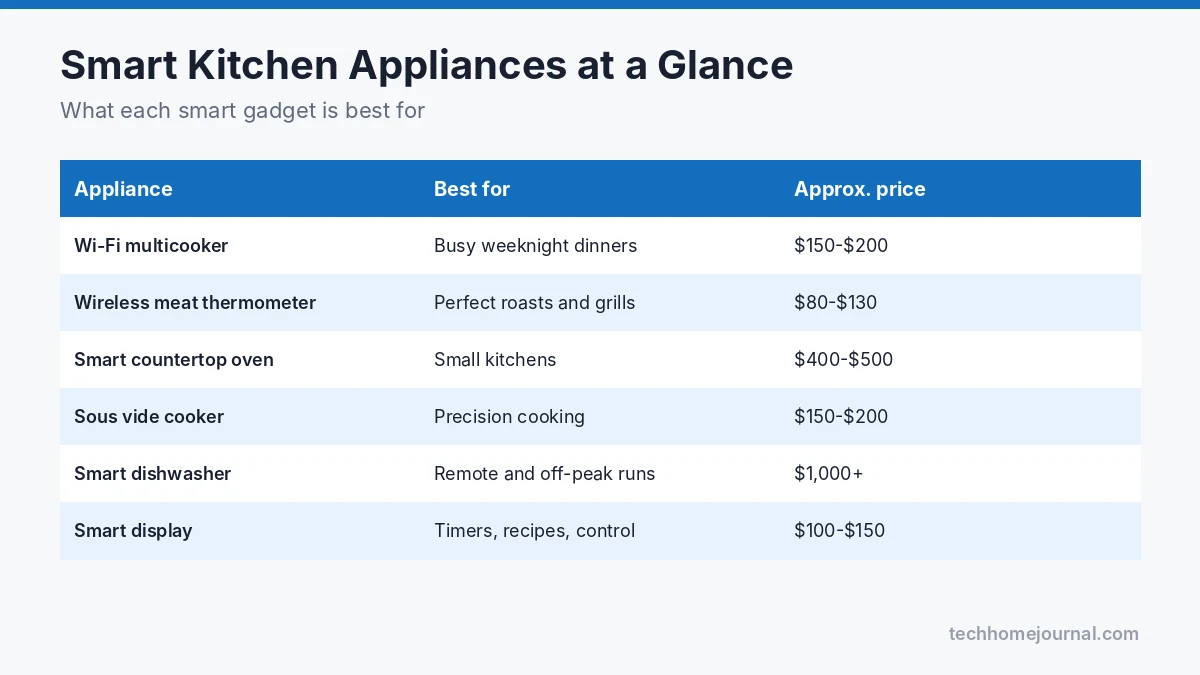
Comparison Table
| Appliance | Example model | Key smart feature | Approx. price range |
|---|---|---|---|
| Multicooker | Instant Pot Pro Plus | App control and guided recipes | $150 to $200 |
| Wireless meat thermometer | Meater Pro | Live temperature alerts on your phone | $80 to $130 |
| Smart countertop oven | Breville Joule Oven Air Fryer Pro | App-guided cooking, remote preheat | $400 to $500 |
| Sous vide cooker | Anova Precision Cooker 3.0 | Wi-Fi control, exact water temperature | $150 to $200 |
| Smart indoor smoker | GE Profile Smart Indoor Smoker | Smoke flavor indoors, app monitoring | $800 to $1,000 |
| Smart refrigerator | Samsung Bespoke with Family Hub | Touchscreen, inside cameras, alerts | $2,500+ |
| Smart fridge (alternative) | LG InstaView with ThinQ | Door alerts, remote temperature control | $2,000+ |
| Smart dishwasher | Bosch 800 Series with Home Connect | Remote start, cycle alerts | $1,000 to $1,400 |
| Smart microwave | GE Profile Smart Over-the-Range | Scan-to-cook, voice control | $500 to $800 |
| Smart kettle | Fellow Stagg EKG Pro | Precise temperature, app scheduling | $200 to $250 |
| Smart coffee maker | Wi-Fi/Alexa coffee makers | Brew by voice or schedule | $70 to $300 |
| Smart kitchen scale | Etekcity smart nutrition scale | Nutrition tracking in an app | $25 to $50 |
| All-in-one cooking machine | Thermomix TM7 | Guided recipes on a built-in screen | $1,500+ |
| Smart display | Echo Show 8 / Nest Hub | Recipes, timers, smart home control | $100 to $150 |
What Makes a Kitchen Appliance “Smart”?
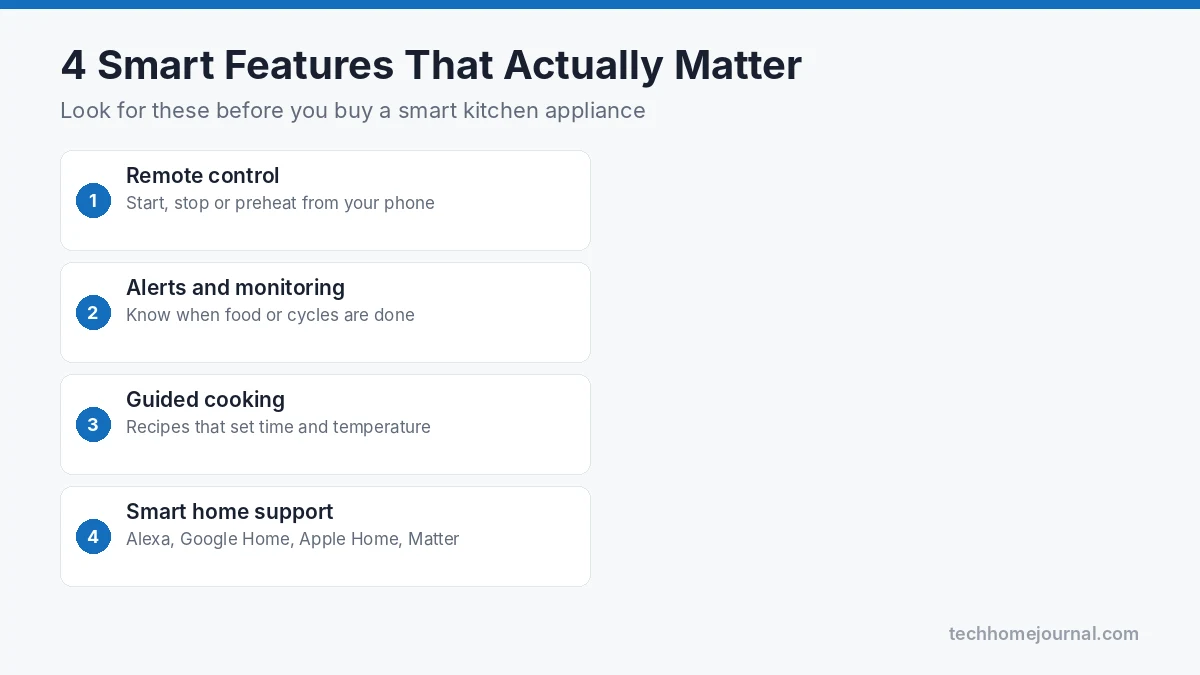
A smart kitchen appliance connects to your phone, your Wi-Fi network or a voice assistant so you can control it, monitor it or get help from it. The most useful smart features usually fall into four groups:
- Remote control: Start, stop or preheat from your phone.
- Monitoring and alerts: Get notified when food is ready, a door is left open or a cycle has finished.
- Guided cooking: Step-by-step recipes that automatically adjust time and temperature.
- Smart home integration: Work with Alexa, Google Home, Apple Home or Matter so devices can be part of routines.
The best smart appliances still work perfectly well without the app. If a gadget becomes useless when the Wi-Fi drops or the company stops supporting it, that’s a red flag.
14 Best Smart Kitchen Appliances
1. Instant Pot Pro Plus (Wi-Fi Multicooker)
Best for: Busy families who want hands-off dinners.
The Instant Pot Pro Plus takes the familiar pressure cooker and adds Wi-Fi. Through the Instant Brands Connect app, you can follow guided recipes, start cooking, monitor progress and release pressure without standing over the pot. It also slow cooks, steams, sautés and makes yogurt.
Pros: Very versatile; app recipes are beginner-friendly; remote steam release.
Cons: Pricier than non-smart Instant Pots; you still need to load ingredients yourself.
Not sure whether a multicooker is right for you? Our slow cooker vs Instant Pot comparison explains the differences.
2. Meater Pro (Wireless Meat Thermometer)
Best for: Anyone who roasts, grills or smokes meat.
A wireless probe sits inside the meat and sends the internal temperature to your phone. The app estimates how long is left and alerts you when it’s time to rest the meat. It’s one of the simplest smart kitchen tools, and one of the most useful, because it takes the guesswork out of food safety and doneness.
Pros: No wires; accurate; works in ovens, grills and air fryers.
Cons: Bluetooth range can be limited without a Wi-Fi bridge.
3. Breville Joule Oven Air Fryer Pro
Best for: Small kitchens that want one oven to do everything.
This countertop oven roasts, bakes, air fries, dehydrates and more. The Joule app adds guided recipes that automatically control the oven, plus remote preheating and notifications. It’s large enough for a 14-pound turkey, so it can replace a full oven for many households.
Pros: Excellent all-rounder; smart features feel genuinely useful.
Cons: Takes up a lot of counter space; premium price.
If you mostly want crispy food without the bulk, a dedicated air fryer may be enough; see our Ninja air fryer guide.
4. Anova Precision Cooker 3.0 (Sous Vide)
Best for: Home cooks who want restaurant-level results.
Sous vide cooking means sealing food in a bag and cooking it in a water bath at an exact temperature. The Anova clips onto any pot and holds the water at the precise temperature you set, controlled through Wi-Fi. Steak, chicken breast and fish come out evenly cooked edge to edge.
Pros: Very consistent results; control from anywhere.
Cons: Cooking takes longer; you’ll usually sear afterward.
5. GE Profile Smart Indoor Smoker
Best for: Apartment dwellers who miss barbecue.
This countertop smoker uses wood pellets and filters the smoke so you can make smoked brisket, ribs or salmon indoors. Wi-Fi connectivity lets you monitor progress from your phone.
Pros: Real smoke flavor without a yard; surprisingly little smoke escapes.
Cons: Expensive; it’s a specialty appliance.
6. Samsung Bespoke Refrigerator with Family Hub
Best for: Families who want the kitchen to be a command center.
Family Hub models add a large touchscreen to the fridge door. You can view internal cameras to see what’s inside while you’re at the store, share calendars and notes, stream music, and control other SmartThings devices. Door-open alerts help prevent spoiled food.
Pros: Huge feature set; great for shared households.
Cons: Very expensive; the screen may age faster than the fridge itself.
7. LG InstaView Refrigerator with ThinQ
Best for: Smart features without a giant screen.
LG’s InstaView fridges let you knock twice on the glass panel to see inside without opening the door. With ThinQ, you can change temperatures, get door alerts and run diagnostics from your phone. It’s a more subtle take on the smart fridge.
Pros: Useful, low-key smart features; energy-saving knock-to-see panel.
Cons: Still a significant investment.
8. Bosch 800 Series Dishwasher with Home Connect
Best for: Running the dishwasher at the best time.
With Home Connect, you can start the dishwasher remotely, choose cycles, get alerts when it’s done and receive reminders to add rinse aid. Starting a load overnight or when you’re out is especially handy if your electricity is cheaper off-peak.
Pros: Quiet and reliable; smart features are practical.
Cons: You still need to load and unload it.
9. GE Profile Smart Over-the-Range Microwave
Best for: Quick, foolproof reheating and frozen meals.
Scan-to-cook lets you scan a barcode on a packaged meal with your phone, and the microwave sets itself. It also works with voice assistants, so you can add 30 seconds without touching the panel.
Pros: Saves space; scan-to-cook works well for frozen food.
Cons: Requires installation over a range.
10. Fellow Stagg EKG Pro (Smart Kettle)
Best for: Coffee and tea lovers.
A variable-temperature kettle lets you heat water to exactly the right temperature for green tea, pour-over coffee or French press. The Pro model adds app scheduling, so hot water can be ready when you wake up.
Pros: Precise temperature; beautiful design; great pour control.
Cons: Expensive for a kettle.
11. Smart Coffee Makers
Best for: People who want coffee ready before they’re fully awake.
Wi-Fi and Alexa-enabled coffee makers let you brew by voice or on a schedule. Several brands have offered models over the years, so check current availability and app support before buying. If you’re more serious about espresso, our espresso machine guide is a better starting point, and keep your machine running well with our tips on descaling a coffee maker naturally.
Pros: Hands-free morning routine.
Cons: A standard programmable coffee maker plus a smart plug can do much the same.
12. Etekcity Smart Nutrition Scale
Best for: Tracking calories and macros.
A smart kitchen scale connects to an app and calculates the nutrition of what you weigh. It’s a small, affordable upgrade for anyone following a diet plan or baking by weight.
Pros: Inexpensive; accurate; easy to use.
Cons: Food database accuracy varies.
13. Thermomix TM7
Best for: Cooks who want one machine to chop, mix, cook and guide.
The Thermomix combines a blender, food processor, scale and cooker in one, with a large touchscreen and thousands of guided recipes. It walks you through every step and controls time, temperature and speed for you.
Pros: Replaces several appliances; excellent guided cooking.
Cons: High price; recipe subscription for full access.
14. Smart Display or Smart Plug
Best for: Making the whole kitchen smarter on a budget.
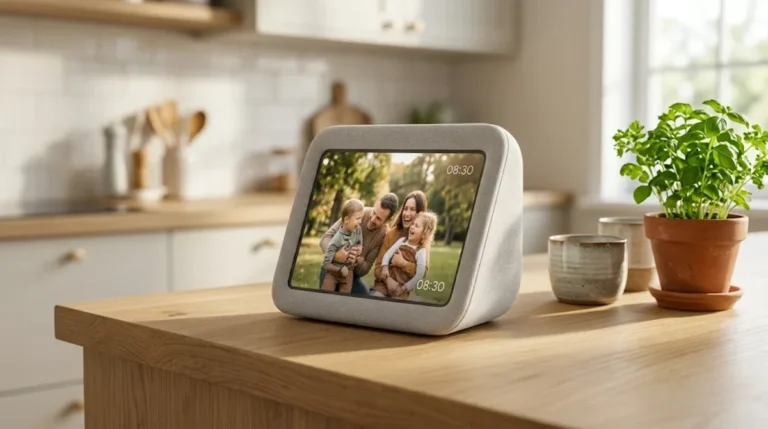
A smart display such as the Amazon Echo Show 8 or Google Nest Hub is one of the most useful kitchen gadgets: hands-free timers, unit conversions, recipe videos and control of lights and other devices. Our Google Home tips and tricks and Alexa routines guide show what they can do.
A smart plug, meanwhile, can turn simple appliances like a kettle, slow cooker or coffee maker into scheduled, voice-controlled devices. Learn more in our guide to what a smart plug is. Only use smart plugs with appliances that have a physical on switch and are safe to leave unattended.
How to Choose the Right Smart Kitchen Appliances
1. Start with your cooking habits. If you rarely cook meat, a smart thermometer won’t help much. If weeknight dinners are a struggle, a Wi-Fi multicooker or smart oven might change your routine.
2. Check your ecosystem. Make sure the appliance works with the voice assistant you already use: Alexa, Google Home or Apple Home. Support for Matter, an industry standard explained on the Connectivity Standards Alliance website, can make future compatibility easier.
3. Look for features that work offline. The appliance should still be usable with its buttons and dials if the Wi-Fi or app goes down.
4. Think about the app. Read reviews of the app itself. A great appliance with a frustrating app can be annoying to live with.
5. Consider long-term support. Brands with a strong track record of updates are a safer bet. Check for recalls and safety notices on the U.S. Consumer Product Safety Commission website before buying.
6. Match it to your space. Small kitchens benefit most from multi-function appliances. Our guide to the best small kitchen appliances for studio apartments has more space-saving ideas.
Smart Kitchen Setup Tips
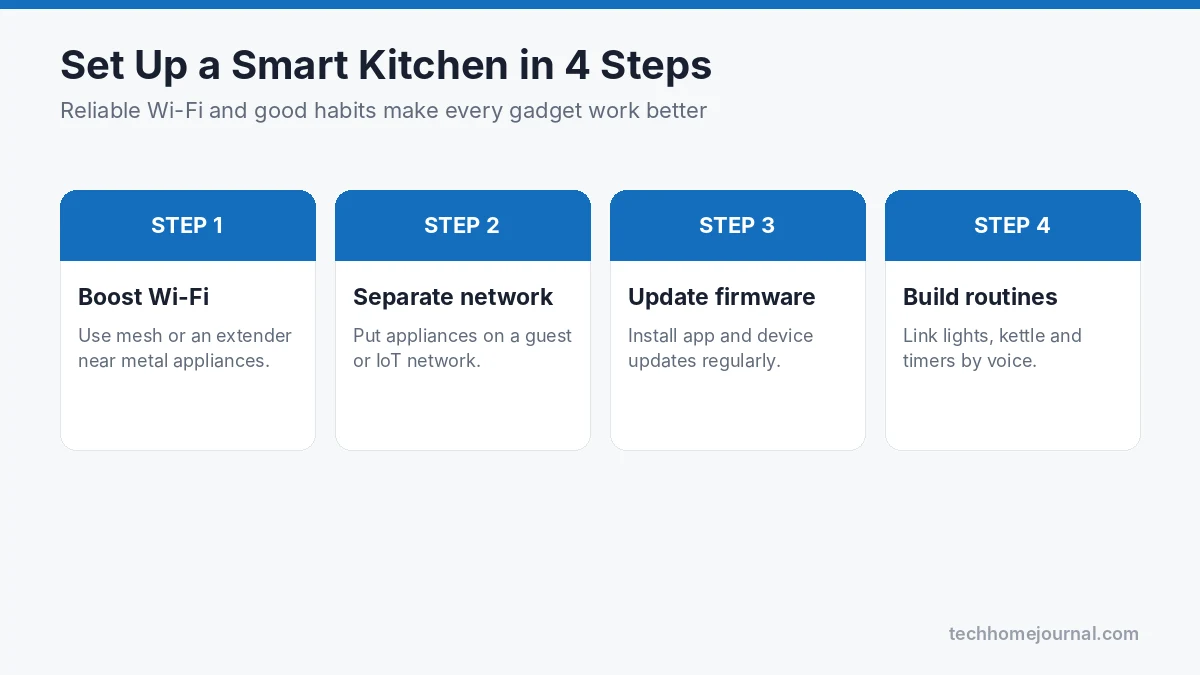
- Strong Wi-Fi in the kitchen: Fridges and ovens are big metal boxes that can weaken signals. A mesh system or extender may help; see our home network setup guide.
- Separate network for appliances: Putting smart devices on a guest or IoT network keeps them separate from your laptops and phones. The FTC explains how to secure your home Wi-Fi network.
- Keep firmware updated: Updates fix bugs and security holes. CISA recommends turning on automatic updates wherever possible.
- Use food-safe temperatures: Smart thermometers are only as good as the target you set. Follow official safe minimum internal temperatures for meat and poultry.
- Create routines: For example, “Good morning” could turn on the kitchen lights, start the kettle and read the weather.
Building a Smart Kitchen on a Budget
You don’t need to replace every appliance to enjoy a smarter kitchen. Here’s a step-by-step plan that keeps costs under control:
Under $50: Start with a smart plug and a smart kitchen scale. The plug can schedule a slow cooker or coffee maker with a mechanical switch, and the scale makes baking and meal tracking easier.
Under $150: Add a smart display and a wireless meat thermometer. The display becomes your hands-free timer, recipe screen and smart home controller, while the thermometer prevents overcooked or unsafe meat.
Under $500: Choose one “hero” cooking appliance that fits how you cook most, such as a Wi-Fi multicooker for busy families, a sous vide cooker for steak lovers, or a smart countertop oven for small kitchens.
When it’s time to replace a big appliance: Only then consider a smart dishwasher, microwave or refrigerator. Replacing a working fridge just to get smart features rarely makes financial sense, but if you’re buying anyway, the extra features can be worth a modest premium.
Also look out for seasonal sales. Smart kitchen gadgets are often heavily discounted during major shopping events, and last year’s model usually has nearly identical smart features at a lower price.
Frequently Asked Questions
Are smart kitchen appliances worth it?
Some are, some aren’t. Smart thermometers, multicookers, smart ovens and smart displays tend to save real time and reduce mistakes. Expensive smart fridges are more of a lifestyle choice. Buy for the problem you actually have, not the feature list.
Do smart kitchen appliances work without Wi-Fi?
Most still work as normal appliances using their own controls. You’ll lose remote control, notifications and app recipes until the connection comes back. Always check this before buying.
Which smart kitchen appliance should I buy first?
For most people, a smart display or a wireless meat thermometer is the best first purchase. Both are relatively affordable and immediately useful.
Are smart appliances safe from hacking?
The risk is low if you use a strong Wi-Fi password, keep firmware updated, use unique app passwords and buy from reputable brands. Putting appliances on a separate network adds another layer of protection.
Do smart appliances use more electricity?
The Wi-Fi module uses a small amount of standby power, but features like scheduling and remote control can help you use appliances more efficiently, for example running the dishwasher off-peak.
Can I make my old kitchen appliances smart?
Yes, to a degree. A smart plug can schedule or voice-control simple appliances with a mechanical on switch, and a smart display can handle timers and recipes. Just avoid using smart plugs with heating appliances that shouldn’t be switched on remotely or left unattended.
Final Verdict
The best smart kitchen appliances solve real problems: overcooked steak, rushed weeknight dinners, forgotten dishwashers and cluttered counters. For most homes, a wireless meat thermometer, a Wi-Fi multicooker or smart oven, and a smart display deliver the biggest benefit for the money. Big-ticket items like smart fridges and indoor smokers are fantastic if they match your lifestyle and budget.
Start with one or two appliances that fit the way you already cook, connect them to the assistant you use every day, and build your smart kitchen from there.