

Most people use their Echo for timers, weather and music. But the real magic happens when you set up Alexa routines: a single trigger that runs a whole chain of actions for you. Say “Alexa, good morning” and your lights fade on, the thermostat warms up, the news plays and the coffee maker starts. Walk out the door and everything switches off automatically.
This guide explains how Alexa routines work, shows you how to create one step by step, and gives you 25 practical Alexa routines ideas you can copy today, from morning and bedtime routines to security, energy saving and family routines.
Table of Contents
- What Are Alexa Routines?
- How to Create an Alexa Routine (Step by Step)
- 25 Alexa Routines Ideas to Automate Your Home
- Bonus: Alexa Routines by Room
- Alexa Routines for Older Adults and Accessibility
- Routines That Save Real Money
- Advanced Alexa Routine Tips
- Troubleshooting Alexa Routines
- What Devices Work Best With Alexa Routines?
- Frequently Asked Questions
- Final Thoughts
What Are Alexa Routines?
An Alexa routine is an automation you build in the Alexa app. Every routine has two parts:
- A trigger (“When this happens”): A voice phrase, a time of day, sunrise or sunset, a smart home device (like a motion sensor or door sensor), your phone’s location, an alarm being dismissed, an Echo Button press or even a sound Alexa detects.
- Actions (“Alexa will”): Things Alexa does in order, like controlling smart home devices, speaking a message, playing music or news, sending a notification, waiting a set amount of time, or starting another device like a robot vacuum.
You can add conditions too, such as only running a routine on weekdays or only between certain hours. Routines are free and work with any Echo device and the Alexa app.
Note: Amazon’s newer AI assistant, Alexa+, can also help you create routines by simply describing what you want in plain language on supported devices. The ideas in this guide work whether you build routines manually or with Alexa+.
How to Create an Alexa Routine (Step by Step)
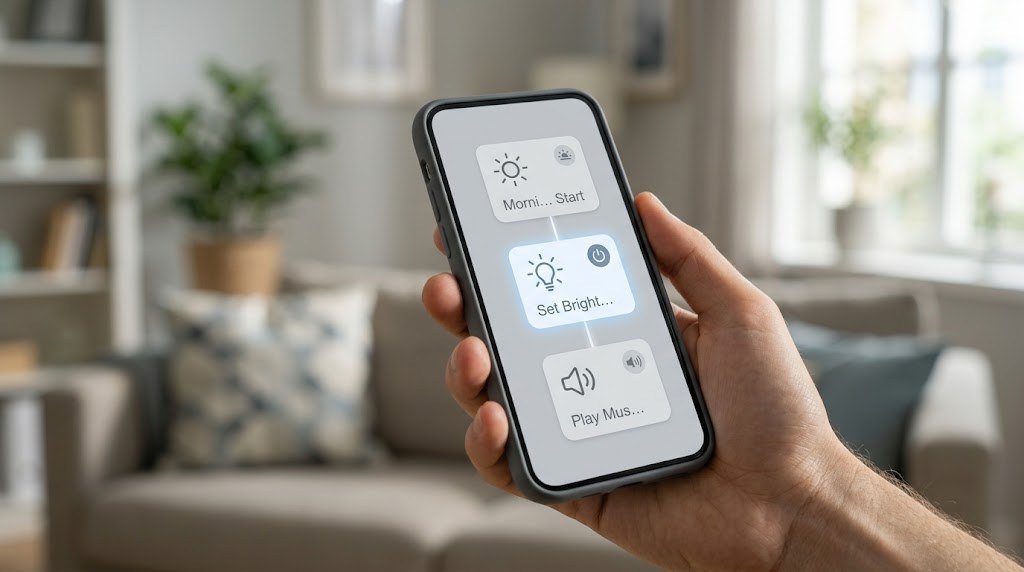
- Open the Alexa app on your phone.
- Tap More, then tap Routines.
- Tap the plus (+) icon to create a new routine.
- Name your routine, for example “Good Morning.”
- Tap “When this happens” and choose your trigger (voice, schedule, smart home, location, alarm, sound detection and more).
- Tap “Add action” and pick what Alexa should do. Add as many actions as you need, and use Wait to add delays between them.
- Choose which Echo device should respond (for spoken actions, music and news).
- Tap Save. Your routine will run the next time the trigger happens.
Tip: Start simple. Build a routine with two or three actions, test it for a few days, then add more. It’s much easier to fix a small routine than troubleshoot a long one.
25 Alexa Routines Ideas to Automate Your Home
Morning Routines
1. Good Morning
Trigger: “Alexa, good morning” or when you dismiss your alarm.
Actions: Turn on kitchen and bedroom lights to 70%, set the thermostat to 70°F, read the weather and your calendar, then play the news.
2. Gentle Wake-Up
Trigger: Schedule at 6:30 AM on weekdays.
Actions: Slowly brighten bedroom smart bulbs over 15 minutes, open smart blinds, then play a soft playlist at low volume.
3. Coffee Ready
Trigger: Alarm dismissed.
Actions: Turn on the smart plug connected to your coffee maker (use a machine with a physical “on” switch that stays in the on position), then announce “Coffee’s brewing” five minutes later.
4. Get the Kids Up
Trigger: Schedule on school days.
Actions: Turn on kids’ bedroom lights, announce “Time to get up, the bus leaves in 45 minutes” on their Echo, and repeat a reminder 20 minutes later.
5. Out the Door Reminder
Trigger: Schedule at 7:45 AM on weekdays.
Actions: Announce the weather, say “Don’t forget your keys, lunch and umbrella” if rain is likely, and read your first calendar event.
Leaving and Arriving Home
6. Leaving Home
Trigger: Your phone leaves home (location trigger) or “Alexa, I’m leaving.”
Actions: Turn off all lights, set the thermostat to eco temperature, turn off smart plugs for space heaters and irons, and start the robot vacuum.
If you’re choosing a robot for this routine, see our guide to the best robot vacuum for pet hair.
7. Arriving Home
Trigger: Your phone arrives home, or a smart lock unlocks.
Actions: Turn on the porch and hallway lights (after sunset), set the thermostat to your comfort temperature and play your favorite station.
8. Garage Check
Trigger: Schedule at 9 PM, or when you leave home.
Actions: If your garage door is open, send a notification and announce “The garage door is still open.” With a compatible smart garage controller, you can also close it. Our WiFi garage door opener guide covers kits that work with Alexa.
9. Package Arrived
Trigger: Doorbell motion or a doorbell press.
Actions: Announce “Someone is at the front door” on every Echo and show the camera on your Echo Show. Our guide to doorbell cameras with no subscription lists doorbells that work with Alexa.

Evening and Bedtime Routines
10. Sunset Lights
Trigger: Sunset (with an offset, like 15 minutes before).
Actions: Turn on porch lights, living room lamps at 60% and any outdoor string lights.
11. Dinner Time
Trigger: “Alexa, dinner time.”
Actions: Dim dining room lights to 50%, turn off the TV, play relaxing jazz at low volume and announce “Dinner is ready” on all Echo devices.
12. Movie Night
Trigger: “Alexa, movie time.”
Actions: Dim living room lights to 10%, turn on the TV backlight, close smart blinds and set Do Not Disturb on Echo devices.
13. Good Night
Trigger: “Alexa, good night.”
Actions: Turn off all lights except the bedroom lamp, lock the smart lock, set the thermostat to sleep temperature, turn on a white noise sound in the bedroom and set an alarm for the morning.
14. Wind Down
Trigger: Schedule at 9:30 PM.
Actions: Dim lights to a warm 30%, say “It’s almost bedtime,” and play a calm playlist for 30 minutes.
15. Kids’ Bedtime
Trigger: “Alexa, bedtime for kids.”
Actions: Announce bedtime in the kids’ room, dim their lights to a warm nightlight setting, play a bedtime story or sleep sounds and turn off lights after 45 minutes.

Security Routines
16. Away Mode (Vacation Lights)
Trigger: Schedule at random times each evening while you’re away.
Actions: Turn on different lights in the living room and bedrooms, then turn them off later, so the house looks lived-in.
17. Motion at Night
Trigger: An outdoor motion sensor or camera detects motion between 11 PM and 6 AM.
Actions: Turn on all outdoor lights at full brightness and send a notification to your phone.
18. Front Door Left Open
Trigger: A door contact sensor stays open for five minutes.
Actions: Announce “The front door is open” and send a phone notification.
19. Water Leak Alert
Trigger: A water leak sensor detects water.
Actions: Announce “Water leak detected in the laundry room” on every Echo at high volume and send a notification. If you have a compatible smart valve, close the main water supply. Our smart water shut off valve guide explains how.
Energy Saving Routines
20. Everything Off
Trigger: “Alexa, turn everything off.”
Actions: Turn off all lights, smart plugs, fans and TVs in one command.
21. Heat and Cool Smarter
Trigger: Schedule on weekdays.
Actions: Set the thermostat back while everyone is at work or school and bring it back 30 minutes before the first person gets home. See our list of the best thermostats for Alexa.
22. Standby Power Killer
Trigger: Schedule at midnight.
Actions: Turn off smart plugs connected to entertainment centers, game consoles and chargers that waste standby power. Energy monitoring plugs help you find the worst offenders. See our guide to the most accurate energy monitoring smart plugs.
Family and Fun Routines
23. Homework Time
Trigger: Schedule at 4 PM on school days.
Actions: Announce “Homework time” in the kids’ room, turn their desk lamp to bright cool white and pause music on that Echo.
24. Chore Reminder
Trigger: Schedule on Saturday morning.
Actions: Announce a list of chores, like “Take out the recycling and feed the fish,” on the kitchen Echo.
25. Party Mode
Trigger: “Alexa, party time.”
Actions: Change color bulbs to a fun color scene, turn on outdoor string lights and play a party playlist on multiple Echo speakers as a group.
Bonus: Alexa Routines by Room
If you prefer to plan automations room by room, here’s a quick cheat sheet you can use as a starting point.
| Room | Routine idea | Trigger | Key actions |
|---|---|---|---|
| Kitchen | Cooking mode | “Alexa, cooking time” | Bright task lights, cooking playlist, set a reminder to check the oven |
| Living room | Reading mode | “Alexa, reading time” | Warm lamp at 80%, other lights off, quiet background music |
| Bedroom | Sleep sounds | “Alexa, good night” | Lights off, white noise, alarm set |
| Bathroom | Night path | Motion after 11 PM | Bathroom light at 10% warm for 5 minutes |
| Home office | Focus mode | Schedule at 9 AM weekdays | Desk lamp cool white, Do Not Disturb on, focus playlist |
| Laundry room | Laundry done | Smart plug power drops (washer finished) | Announce “The laundry is done” |
| Garage | Garage open alert | Garage door open for 15 minutes | Announcement and phone notification |
| Nursery | Baby monitor light | Sound detection (baby crying) | Nightlight on at 5%, notify parents |
Alexa Routines for Older Adults and Accessibility
Routines are especially helpful for older family members, people with limited mobility and anyone who finds phone apps frustrating. A few thoughtful ideas:
Medication reminders. Schedule a routine at the same time every day that says “It’s time to take your morning medication” on the nearest Echo, and repeat it 15 minutes later as a gentle nudge.
Hands-free lighting. Use a motion sensor to turn on hallway and bathroom lights at a low level at night, reducing the risk of trips and falls.
Daily check-in. Create a routine that announces the date, weather and the day’s appointments every morning. Family members can add reminders for visits or calls.
One-word comfort routine. A single phrase like “Alexa, I’m cold” can raise the thermostat two degrees and turn on a smart plug connected to a heated blanket (only use devices designed to be safely switched on with a plug, and never leave space heaters unattended).
Drop In and calling. While not a routine itself, pairing routines with Echo’s calling features makes it easy for loved ones to stay connected. Make sure everyone in the household understands and agrees to how these features are used.
Routines That Save Real Money
Some routines are nice to have, but these three can directly lower your bills:
- Thermostat setbacks while you’re away or asleep can noticeably reduce heating and cooling costs, which are the biggest energy expense in most homes.
- Standby power cutoffs for entertainment centers and chargers eliminate “vampire” power draw overnight.
- Leak alerts paired with a smart valve can prevent costly water damage, which is one of the most expensive home insurance claims.
Start with these, track your energy usage for a month and then fine-tune your schedules.
Advanced Alexa Routine Tips
Use Wait actions
Add a Wait action between steps to create delays. For example, turn lights on at 20%, wait five minutes, then raise them to 70% for a gradual wake-up.
Add conditions
Use time and day conditions so routines run only when they make sense. A motion-triggered light routine is great at night but annoying at noon.
Use “Alexa, [custom phrase]”
Voice triggers can be any phrase you like. Keep them short and unique so Alexa doesn’t confuse them with built-in commands, such as “Alexa, cozy mode” instead of “Alexa, lights.”
Trigger routines from other routines
You can start one routine from another, which keeps your routines organized. For example, “Good Night” can trigger a separate “Lock Up” routine.
Use sound detection
Some Echo devices can detect sounds like a dog barking, a baby crying, running water or a smoke alarm, and trigger a routine in response. This is great for simple monitoring, but don’t rely on it as a replacement for real safety devices.
Share routines with your household
Routines run from the account that created them, so set up shared routines on the main household account if everyone should be able to use them.
Troubleshooting Alexa Routines
| Problem | Fix |
|---|---|
| Routine doesn’t start | Check the trigger is enabled and the right Echo is selected |
| Voice phrase isn’t recognized | Use a shorter, more unique phrase |
| Smart device doesn’t respond | Make sure the device works in the Alexa app and is online |
| Location trigger is unreliable | Allow the Alexa app location access “Always” on your phone |
| Actions happen in the wrong order | Add Wait actions between steps |
| Routine runs at the wrong time | Check your device time zone in Alexa settings |
What Devices Work Best With Alexa Routines?
- Smart bulbs and switches: The foundation of most routines.
- Smart plugs: Make lamps, fans and coffee makers smart.
- Smart thermostats: Save energy with schedules and presence.
- Sensors: Motion, contact, leak and temperature sensors create powerful automatic triggers.
- Smart locks and cameras: Add security routines.
- Echo Show: Displays cameras and routine information.
Not sure which speaker to use as your main Alexa device? Our best smart speaker for home guide compares the top options.
Related guides on Tech Home Journal:
- Google Home Tips And Tricks (2026 Guide)
- Best Smart Display 2026: The Complete Buying Guide for Your Living Room
- What Is a Smart Plug? How It Works, Uses Buying Tips (2026)
- Best Smart Light Bulbs for Your Living Room in 2026: The Complete Buying Guide
Official resources: Amazon: Alexa routines overview · Matter (Connectivity Standards Alliance)
Frequently Asked Questions
What are the best Alexa routines to start with?
Start with Good Morning, Good Night, Leaving Home and Arriving Home. These four routines cover most of your daily habits and deliver the biggest convenience improvement right away.
Can Alexa routines run automatically without voice commands?
Yes. Routines can be triggered by schedules, sunrise and sunset, smart home devices like motion and door sensors, your phone’s location, alarms and sound detection, with no voice command needed.
How many actions can an Alexa routine have?
Routines can include many actions, which is enough for almost any use. For very long sequences, split them into two routines and trigger one from the other.
Do Alexa routines work without internet?
Most routines need an internet connection, because Alexa processes them in the cloud. Some smart home devices and hubs can run local automations during outages, but standard Alexa routines generally require the internet.
Can I use an Echo Button or smart button to start a routine?
Yes. Compatible smart buttons and Echo Buttons can trigger routines, which is great for kids or family members who don’t want to use voice commands.
Are Alexa routines free?
Yes. Creating and running routines is free with any Echo device and the Alexa app.
Final Thoughts
Alexa routines turn a collection of smart devices into a home that actually works for you. Start with the essentials, Good Morning, Good Night, Leaving Home and Arriving Home, then add security, energy saving and family routines as you get comfortable. Before long, your home will run itself, and you’ll wonder how you ever lived without it.



