

If you are new to smart home tech, a smart plug is the easiest place to start. So, what is a smart plug? It is a small adapter that goes between a wall outlet and any device you plug into it. Once it is connected to your WiFi, you can switch that device on and off from your phone, with your voice or on a schedule. Your old lamp, fan, coffee maker or Christmas lights instantly become “smart” for around $10 to $25.
In this guide, we will explain how smart plugs work, what they can and cannot do, the different types, how to set one up, clever ways to use them, and what to look for when you buy one.
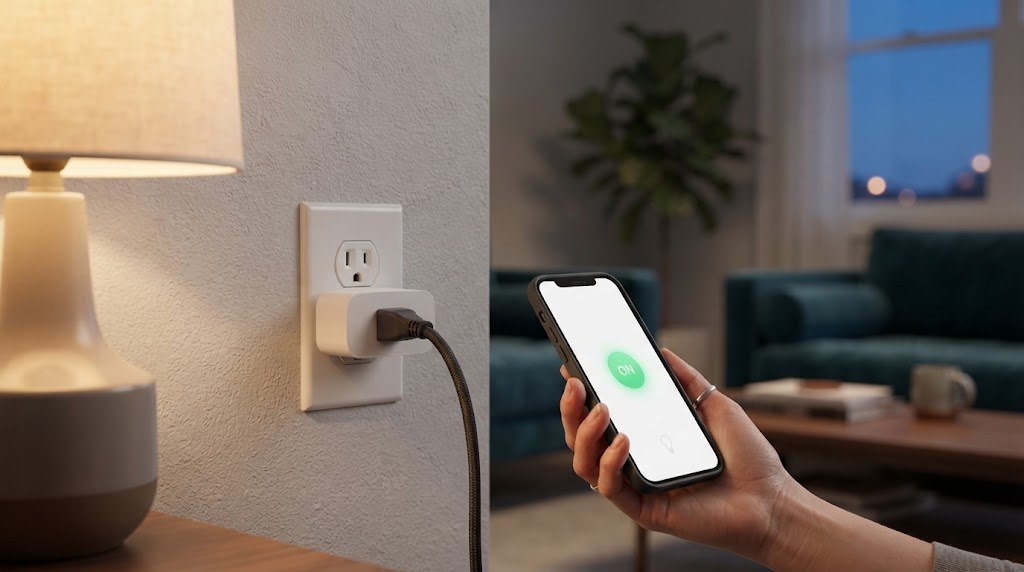
What Is a Smart Plug?
A smart plug is a WiFi, Bluetooth, Zigbee, Thread or Matter connected outlet adapter. You plug it into a standard wall socket, then plug a device into the smart plug. Inside is a tiny relay (an electronic switch) and a wireless radio. When you tap a button in the app or give a voice command, the relay opens or closes and cuts or restores power to whatever is plugged in.
In simple terms: a smart plug does not make your device smart. It makes the power to your device smart. It can turn power on and off, but it cannot change your TV’s channel or set your coffee maker’s brew strength.
How Does a Smart Plug Work?
- It connects to your network. Most smart plugs use 2.4GHz WiFi. Some use Zigbee, Thread or Matter and connect through a hub or smart speaker.
- You control it from an app. The manufacturer’s app, or apps like Amazon Alexa, Google Home, Apple Home or SmartThings, send commands to the plug.
- The relay switches the power. The plug clicks on or off, and your device gets power or loses it.
- Automations run on their own. Schedules, timers, sunrise and sunset triggers, or sensor based automations switch the plug without you lifting a finger.
What Can You Do With a Smart Plug?
Control devices from anywhere
Forgot to turn off the space heater or curling iron? Open the app from work and switch it off. (Always follow the appliance maker’s safety guidance before using a smart plug with heating devices.)
Use voice control
Pair your smart plug with Alexa, Google Assistant or Siri and say “Turn on the living room lamp.” If you are choosing a speaker, our best smart speaker for home guide can help.
Set schedules and timers
Turn the porch light on at sunset, the fan off at midnight, or the coffee maker on at 6:45 AM.
Make your home look occupied
Use “away mode” or random schedules to switch lamps on and off while you are on vacation.
Track energy use
Some smart plugs measure how much electricity a device uses, helping you find energy hogs and cut standby power. See our guide to the most accurate energy monitoring smart plugs.
Automate routines
Combine smart plugs with sensors and other devices. For example, when your phone arrives home, turn on the hallway lamp and the fan.
What Smart Plugs Cannot Do
Smart plugs are useful, but they have limits:
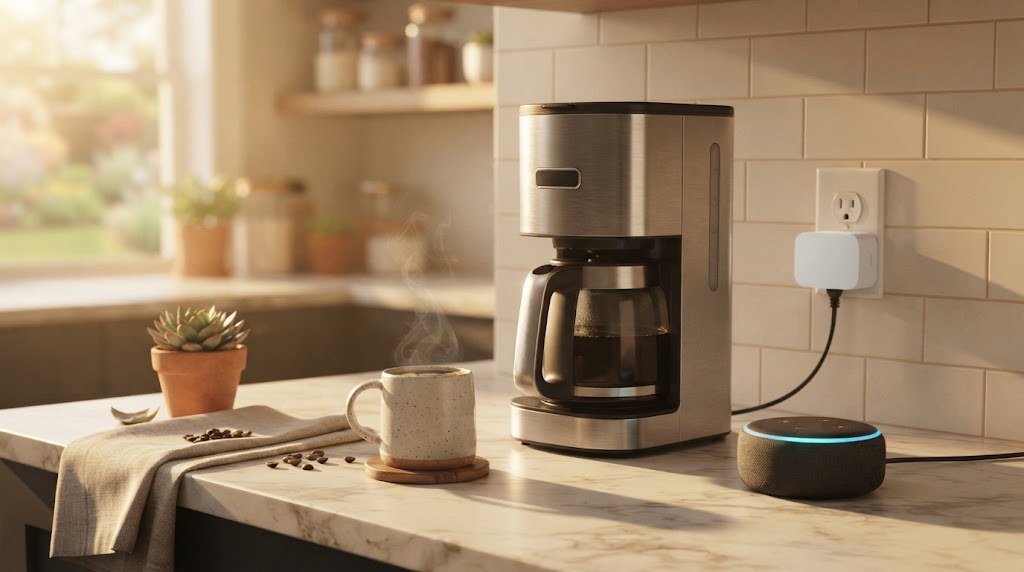
- They cannot press buttons. If a device needs you to press “start” after power is restored (many modern coffee makers, TVs and air conditioners), a smart plug alone will not turn it fully on.
- They cannot dim lights. Standard smart plugs only switch power on or off. You need a smart dimmer plug or smart bulbs for dimming.
- They are not for heavy appliances. Most smart plugs are rated around 15 amps (1,800 watts). Large appliances like refrigerators, washing machines and electric ovens should not be connected to them.
- They cannot control hardwired fixtures. Ceiling lights and fans wired into the wall need a smart switch instead. Our best smart switches guide covers those.
Tip: The best devices for smart plugs have a physical on/off switch that stays in the “on” position, such as lamps, fans, string lights, kettles with a manual switch and simple coffee makers.
Types of Smart Plugs
| Type | Connection | Pros | Cons |
|---|---|---|---|
| WiFi smart plug | 2.4GHz WiFi | No hub needed, cheap | Adds load to your WiFi network |
| Matter smart plug | WiFi or Thread with Matter | Works with Alexa, Google, Apple and SmartThings | Needs a Matter controller |
| Zigbee smart plug | Zigbee | Fast, reliable, extends the mesh | Needs a Zigbee hub |
| Thread smart plug | Thread with Matter | Low power, cross platform | Needs a Thread border router |
| Bluetooth smart plug | Bluetooth | Simple setup | Short range, limited remote access |
| Outdoor smart plug | Usually WiFi or Matter | Weatherproof for patios and gardens | Larger and pricier |
| Energy monitoring plug | Any of the above | Tracks power use | Slightly more expensive |
| Smart power strip | WiFi | Several outlets controlled separately | Bulky |
Not sure which wireless standard to choose? Our Matter vs WiFi smart home guide explains the difference.
Do Smart Plugs Need a Hub?
Most WiFi smart plugs do not need a hub. They connect directly to your router and are controlled through an app. Zigbee and Thread plugs need a hub or border router, but many smart speakers, streaming boxes and displays already include one. If you want to keep things simple, read our guide to building a smart home without a hub.
How to Set Up a Smart Plug
Setup usually takes less than five minutes:
- Download the app for your smart plug, or open Alexa, Google Home or Apple Home if it is Matter compatible.
- Plug the smart plug into an outlet near your router for the first setup.
- Add the device in the app. For Matter plugs, scan the QR code on the plug or box.
- Connect it to your 2.4GHz WiFi network when prompted.
- Name the plug clearly, for example “Bedroom Lamp” or “Office Fan,” so voice commands are easy.
- Move it to its final spot and plug in your device.
- Create schedules or routines in the app.
Troubleshooting setup
- Will not connect? Make sure your phone is on the same 2.4GHz network. Some plugs cannot see 5GHz networks.
- Keeps going offline? Move the plug closer to the router or add a mesh WiFi node.
- Voice assistant cannot find it? Link the plug’s account in the Alexa or Google Home app, or rename the device to avoid duplicates.
Best Uses for Smart Plugs
| Device | Smart plug idea |
|---|---|
| Table and floor lamps | Turn on at sunset, off at bedtime |
| Fans | Turn on when a room gets warm |
| Coffee maker (with manual switch) | Start brewing before you wake up |
| Christmas and string lights | Schedule them for evenings only |
| Phone and tablet chargers | Cut power overnight to save energy |
| TV and game consoles | Kill standby power when not in use |
| Aquarium lights and pumps | Keep a consistent daily schedule |
| Humidifiers and air purifiers | Run them on a timer |
| Space heaters (check manufacturer guidance) | Remote shut off for peace of mind |
Smart Plug Safety Tips
- Check the rating. Stay well below the plug’s maximum amperage and wattage.
- Avoid high power appliances. Do not use smart plugs with refrigerators, freezers, washing machines, dryers or ovens.
- Be careful with heat producing devices. Space heaters, irons and hair straighteners should only be used with plugs rated for them, and never left unattended.
- Do not daisy chain. Never plug a smart plug into an extension cord or power strip that is already heavily loaded.
- Use outdoor rated plugs outside. Indoor plugs are not built for moisture.
- Choose certified products. Look for UL or ETL certification.
- Keep firmware updated for security fixes.
What to Look for When Buying a Smart Plug
- Compatibility. Make sure it works with your assistant: Alexa, Google Home, Apple Home or SmartThings. Matter plugs work with all of them.
- Size. A slim design will not block the second outlet.
- Load rating. 15A (1,800W) is standard for US plugs.
- Energy monitoring. Worth paying a little extra if you want to track power use.
- Physical button. Lets you turn the device on and off by hand.
- Away mode and schedules. Useful for security and convenience.
- Outdoor rating. Needed for patios, gardens and holiday displays.
- Local control. Matter, Zigbee and Thread plugs can keep working when the internet is down.
Smart Plug vs Smart Switch vs Smart Bulb
| Smart plug | Smart switch | Smart bulb | |
|---|---|---|---|
| Controls | Anything plugged into an outlet | Hardwired lights and fans | One light fixture |
| Installation | Plug in | Wiring required | Screw in |
| Dimming | Only dimmer models | Dimmer models | Yes |
| Color | No | No | Color models |
| Cost per device | Low | Medium | Medium |
| Best for | Lamps, fans, appliances | Ceiling lights | Mood lighting |
How Much Can a Smart Plug Save?
Many electronics keep drawing power even when they are “off.” This standby or vampire power can add up across a home. Here is a simple example of what one smart plug can save:
| Device setup | Standby power | Hours off per day | Yearly energy saved |
|---|---|---|---|
| TV, soundbar and game console | 15W | 18 | About 99 kWh |
| Desktop computer and monitors | 8W | 14 | About 41 kWh |
| Phone and tablet chargers | 2W | 10 | About 7 kWh |
At an average US electricity rate of around 16 to 17 cents per kWh, cutting standby power on an entertainment center alone can save roughly $15 to $20 a year, which often covers the cost of the smart plug. Savings vary with your devices and local rates.
Smart Plug Automation Ideas by Room
Living room
- Turn on floor lamps at sunset and off at 11 PM.
- Cut power to the TV setup overnight to remove standby draw.
- Create a “movie night” scene that turns off bright lamps and turns on a soft accent light.
Bedroom
- Switch on a fan 30 minutes before bedtime in summer.
- Turn on a lamp slowly in the morning as a gentle wake up (with a dimmer plug).
- Turn off phone chargers once batteries are full.
Kitchen
- Start a coffee maker with a manual switch at the same time every weekday.
- Turn on under cabinet plug in lights when you walk in at night.
Home office
- Turn your desk lamp, monitor and speakers on together at 9 AM and off at 6 PM.
- Use voice control to shut everything off when you finish work.
Kids’ rooms
- Schedule a nightlight to turn off automatically after the kids fall asleep.
- Turn game consoles off at a set time on school nights.
Outdoors
- Use an outdoor rated smart plug for string lights, fountains and holiday decorations.
Common Smart Plug Myths
“Smart plugs are hard to set up.” Most take less than five minutes, and Matter plugs pair by scanning a QR code.
“You need a hub.” WiFi and Matter over WiFi plugs work without a separate hub.
“Smart plugs are a security risk.” Like any connected device, they should use strong passwords and receive firmware updates. Buying from reputable brands and keeping the app updated reduces risk.
“They waste more energy than they save.” A smart plug typically uses under one watt, while it can cut far more standby power from the devices plugged into it.
“They only work with lamps.” Smart plugs work with fans, string lights, aquarium pumps, chargers, humidifiers, small kitchen appliances and much more, as long as the device turns on when power is restored.
If you are just getting started, you may also like our Google Home tips and tricks, which show how to group smart plugs with other devices into routines.
Are Smart Plugs Worth It?
For most people, yes. A smart plug costs about the same as a takeout lunch and can save time, add convenience and even trim your electricity bill by cutting standby power. It is also the cheapest way to try smart home automation before investing in switches, thermostats or a full system.
Free tools: Curious what your devices really cost to run? Try our free appliance energy cost calculator to see the cost per day, month and year. Planning a bigger setup? Our free smart home cost calculator estimates devices, installation and monthly fees for your whole home.
Frequently Asked Questions
What is a smart plug used for?
A smart plug lets you turn devices on and off remotely, with your voice or on a schedule. Common uses include lamps, fans, string lights, coffee makers and chargers.
Do smart plugs use a lot of electricity?
No. Most smart plugs use less than one watt on standby. Energy monitoring plugs can actually help you save power by revealing devices that waste energy.
Do smart plugs work without WiFi?
WiFi smart plugs need WiFi for app and voice control, though many have a physical button that still works. Zigbee, Thread and Matter plugs can keep running local automations through a hub if the internet goes down.
Can I use a smart plug with any device?
Only devices that turn on when power is restored and stay within the plug’s power rating. Devices that need a button press after power returns will not fully turn on.
Do I need Alexa or Google Home for a smart plug?
No. Most smart plugs work with their own app. A voice assistant is optional but makes control easier.
Are smart plugs safe?
Yes, when you use certified plugs within their ratings. Avoid using them with high power appliances and follow manufacturer guidance for heating devices.
Final Thoughts
So, what is a smart plug? It is the simplest, cheapest way to make your home smarter. Plug it in, connect it to WiFi or Matter, and you can control lamps, fans and small appliances from anywhere, automate daily routines and even cut wasted energy. Start with one or two plugs for your most used lamps, and you will quickly see why they are the gateway to a smart home.



