
Most break-ins are not the work of master criminals. They happen because a door was left unlocked, a camera was pointing at the wrong spot, or a Wi-Fi password was still set to the factory default. In other words, they happen because of small, fixable mistakes.
The good news? Once you know what those mistakes are, fixing them is usually cheap and quick. This guide walks through the 10 most common home security mistakes homeowners make in 2026, from old-school errors like hiding a key under the mat to newer smart home slip-ups like never updating your camera firmware. For each one, you’ll get a clear explanation of why it matters and exactly what to do instead.
Whether you rent a small apartment or own a family home, use this as a checklist. Fix even half of these and your home becomes a much harder target than the house next door.
Table of Contents
- Home Security Mistakes at a Glance
- Mistake 1: Protecting Only the Front Door
- Mistake 2: Cheap or Badly Installed Systems
- Mistake 3: Never Changing Codes and Passwords
- Mistake 4: Outdated Cameras and Firmware
- Mistake 5: Leaving Your Wi-Fi Unsecured
- Mistake 6: Hiding Spare Keys Outside
- Mistake 7: A Dark Exterior
- Mistake 8: Advertising That You Are Away
- Mistake 9: Not Knowing Your Neighbors
- Mistake 10: Ignoring or Mishandling Alerts
- A Simple Home Security Routine
- Frequently Asked Questions
- Final Thoughts
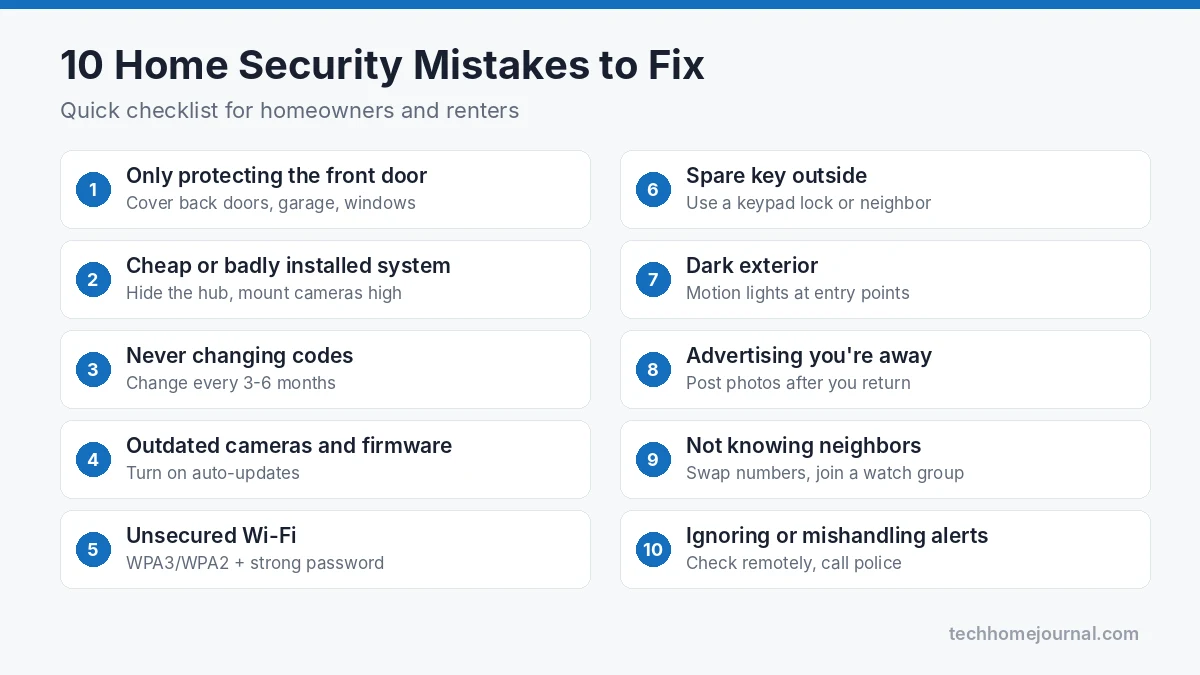
Home Security Mistakes at a Glance
Here’s a quick summary before we go deeper. If you only have five minutes today, start with the “quick fix” column.
| Mistake | Why it’s risky | Quick fix |
|---|---|---|
| Protecting only the front door | Burglars often use back doors, garages and windows | Add sensors or locks to every ground-floor entry |
| Cheap or badly installed system | Easy to disable, poor coverage, false alarms | Plan coverage first, then buy |
| Never changing codes | Ex-cleaners, contractors or guests may still know them | Change alarm and lock codes every few months |
| Outdated cameras and firmware | Blurry footage and known security holes | Turn on auto-updates; replace very old cameras |
| Unsecured Wi-Fi | Smart devices can be accessed or jammed | Strong password, WPA3/WPA2, separate IoT network |
| Spare key outside | Thieves check the obvious spots first | Use a keypad lock or trusted neighbor |
| Dark exterior | Gives intruders cover | Motion-sensor lights at entry points |
| Advertising you’re away | Social posts and piled-up mail signal an empty house | Post later; use smart lights and mail holds |
| Not knowing neighbors | No one notices unusual activity | Swap numbers; join a local watch group |
| Mishandling alerts | Real break-ins ignored, or risky confrontations | Check cameras remotely, call police, never confront |
Mistake 1: Protecting Only the Front Door
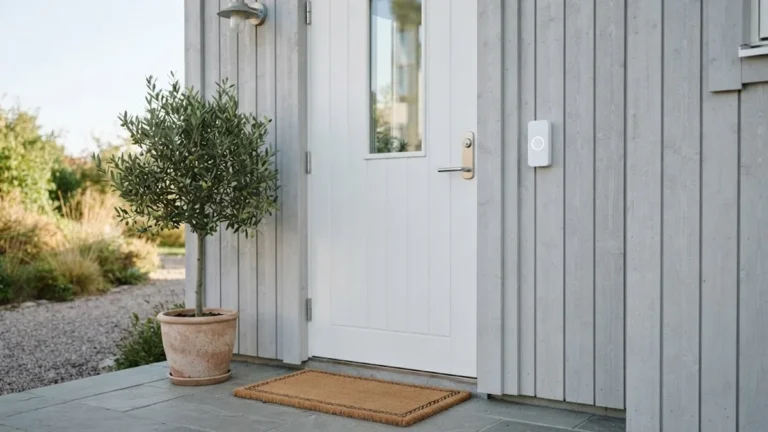
Many homeowners put a smart lock and a video doorbell on the front door and assume the job is done. But the front door is the most visible entry point, which is exactly why many intruders avoid it. Back doors, side gates, sliding patio doors, garage doors and ground-floor windows are often far less protected and far less visible from the street.
Before you buy anything, walk around your home and list every way someone could get in. Don’t forget the less obvious ones:
- Sliding glass doors, which can sometimes be lifted off their tracks
- The door between the garage and the house
- Basement windows and window wells
- Second-floor windows that can be reached from a flat roof, tree or balcony
- Skylights and pet doors
Then match each entry point with the right protection. A contact sensor on every ground-floor door and window is a good start. Sliding doors benefit from a secondary bar or pin lock; our guide to the best sliding glass door locks covers the options, and you can pair them with dedicated security sensors for sliding glass doors.
Cameras need the same thinking. Instead of placing every camera at the front, aim them at the paths a person would actually use to reach a weak spot, such as the side gate or back patio.
Mistake 2: Cheap or Badly Installed Systems
There’s nothing wrong with a budget DIY system. Plenty of affordable kits work very well. The mistake is buying the cheapest kit without a plan, then installing it in a way that leaves gaps.
Common installation problems include:
- Exposed hubs and base stations. If the main hub sits next to the front door, an intruder can smash or unplug it within seconds. Put it somewhere central and out of sight.
- Cameras mounted too low. A camera at head height is easy to cover, twist or steal. Mount outdoor cameras around 8 to 10 feet high, angled slightly down.
- No backup power or connection. If your system relies only on Wi-Fi and mains power, cutting either can make it go quiet. Look for battery backup and, ideally, a cellular backup option.
- Too few sensors. A starter kit with two door sensors and one motion detector rarely covers a whole home.
If you’re unsure where to start, our wireless home security system buying guide explains how to plan coverage room by room. For larger homes or anyone who isn’t comfortable with ladders and drilling, professional installation is worth the extra cost. A good installer will spot weak points you might miss.
Mistake 3: Never Changing Codes and Passwords
Think about everyone who has known your alarm or door code over the last few years: cleaners, dog walkers, contractors, babysitters, house guests, maybe a previous tenant. If you’ve never changed it, every one of them could still walk in.
The same applies to app passwords for your cameras, doorbell and smart locks. Reused passwords are a serious risk, because if one website you use gets breached, criminals try the same email and password on other services, including security apps.
Here’s a simple approach:
- Change your alarm and keypad codes every three to six months, and always after a contractor or tenant leaves.
- Give temporary visitors their own temporary codes. Most smart locks let you create time-limited or one-time codes.
- Avoid obvious codes such as 1234, 0000, birthdays or your house number.
- Use a unique, long password for every security app. CISA’s advice on how to create strong passwords is a good rule of thumb, and a password manager makes this painless.
- Turn on two-factor authentication for your camera, doorbell and alarm accounts. CISA explains why multi-factor authentication matters.
If your smart lock is giving you trouble after a code change, our Kwikset smart lock reset guide walks through the process step by step.
Mistake 4: Outdated Cameras and Firmware
Security cameras have improved enormously. Many older cameras record at low resolution, struggle at night and can’t tell a person from a passing car. If you ever need footage to identify someone, a blurry 720p clip won’t help much.
But the bigger, quieter problem is firmware. Cameras, doorbells, hubs and routers all run software, and manufacturers regularly release updates that fix security holes. A camera that hasn’t been updated in years may have known vulnerabilities that anyone can look up.
What to do:
- Turn on automatic updates in each device’s app wherever possible.
- Once a quarter, open each app and check for pending updates.
- Replace devices that no longer receive updates from the manufacturer.
- When upgrading, look for at least 2K resolution, good night vision and person detection.
CISA’s guidance on keeping software updated applies just as much to smart home devices as to your phone or laptop. If you’re shopping for an upgrade, compare a wired security camera system with wireless options, or look at a floodlight camera for driveways and back yards.
Mistake 5: Leaving Your Wi-Fi Unsecured
Your Wi-Fi network is now part of your home security. Smart locks, cameras, doorbells and sensors all depend on it. If someone can get onto your network, or if your router is running old software with the default admin password, your security devices are only as strong as that weakest link.
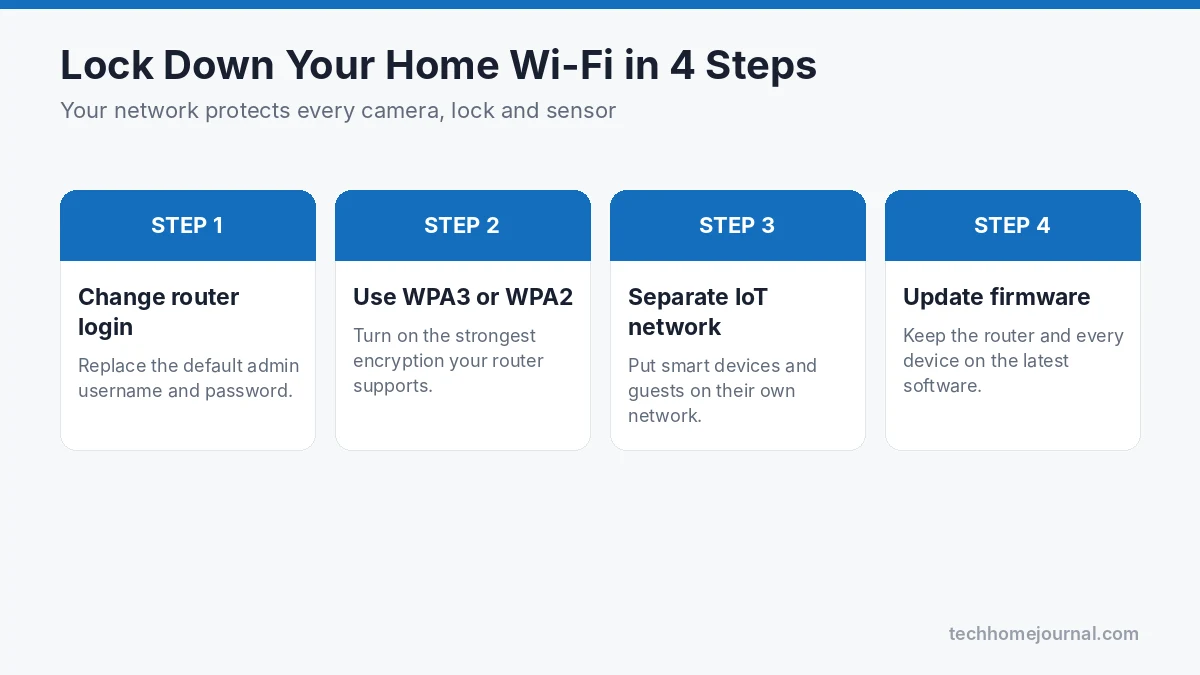
Quick ways to lock down your network:
- Change the router’s default admin username and password.
- Use WPA3 encryption if your router supports it, or WPA2 at minimum.
- Set a long, unique Wi-Fi password and don’t share it widely.
- Create a separate guest or IoT network for smart devices and visitors.
- Keep router firmware up to date, and replace very old routers.
The FTC has a clear, practical guide on how to secure your home Wi-Fi network. It takes about 15 minutes to work through and it protects every connected device in your home.
Mistake 6: Hiding Spare Keys Outside
Under the doormat. Inside a fake rock. On top of the door frame. Under a flower pot. Burglars know every one of these spots, and checking them takes only seconds.
Better alternatives include:
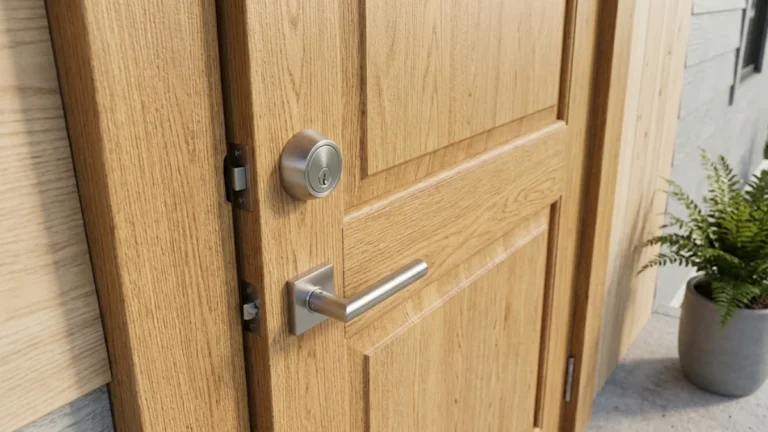
- A keypad or smart lock. You can let family members in with a code or app, and there’s no key to lose.
- A trusted neighbor. Leave a spare key with someone nearby instead of outside your home.
- A combination lock box. If you must keep a key outside, use a sturdy, mounted lock box and change the combination regularly.
Also check your garage door opener. If you leave a remote clipped to the sun visor of a car parked in the driveway, a thief who breaks into the car also gets easy access to your garage, and often to the house beyond it.
Mistake 7: A Dark Exterior
Darkness gives intruders cover. A dark back yard, side passage or driveway lets someone work on a door or window without being seen by neighbors or passers-by.
Good exterior lighting is one of the most cost-effective security upgrades you can make. Focus on:
- All entry doors, including back and side doors
- The garage and driveway
- Side gates and narrow passages between buildings
- Any ground-floor windows hidden by bushes or fences
Motion-activated lights work especially well, because sudden light startles intruders and draws attention without lighting up your yard all night. Our guide to motion sensor lights covers wired, battery and solar options. While you’re outside, trim back overgrown shrubs near windows and doors so they can’t be used as hiding places.
Mistake 8: Advertising That You Are Away
A pile of packages on the porch, overflowing mail, an empty driveway for a week and a beach photo posted on Instagram all send the same message: nobody is home.
To make your home look lived-in while you’re away:
- Wait until you’re back to post vacation photos, or keep your accounts private.
- Put mail and package deliveries on hold, or ask a neighbor to collect them.
- Use smart plugs or smart bulbs to switch lights on and off on a natural schedule.
- Arrange for someone to mow the lawn or clear snow if you’re gone for a while.
- Keep curtains in their normal position instead of closing everything.
A smart home makes this easy. Routines in Alexa or Google Home can turn lights, TVs and even radios on and off at different times each evening. If you’re new to this, start with our guide on home monitoring systems.
Mistake 9: Not Knowing Your Neighbors
Technology is useful, but people are still one of the best security tools available. Neighbors who know you, your car and your routine are much more likely to notice when something looks wrong, and to call you or the police.
You don’t need to become best friends with everyone on the street. Simple steps help:
- Exchange phone numbers with the neighbors on either side and across the street.
- Let them know when you’ll be away.
- Offer to do the same for them.
- Join or start a neighborhood group chat or a local watch program. The National Neighborhood Watch has resources for getting started.
Shared camera footage can also help. If a neighbor’s doorbell camera catches something suspicious on the street, it may show the same person who later approaches your home.
Mistake 10: Ignoring or Mishandling Alerts
Constant false alarms create “alert fatigue.” After the tenth notification about a cat or a tree branch, it’s tempting to mute the app or ignore alerts altogether. That’s exactly when a real event gets missed.
The opposite mistake is just as dangerous: running outside to confront someone after an alarm goes off. You don’t know who is there, how many people there are, or whether they’re armed. Never put yourself at risk to protect property.
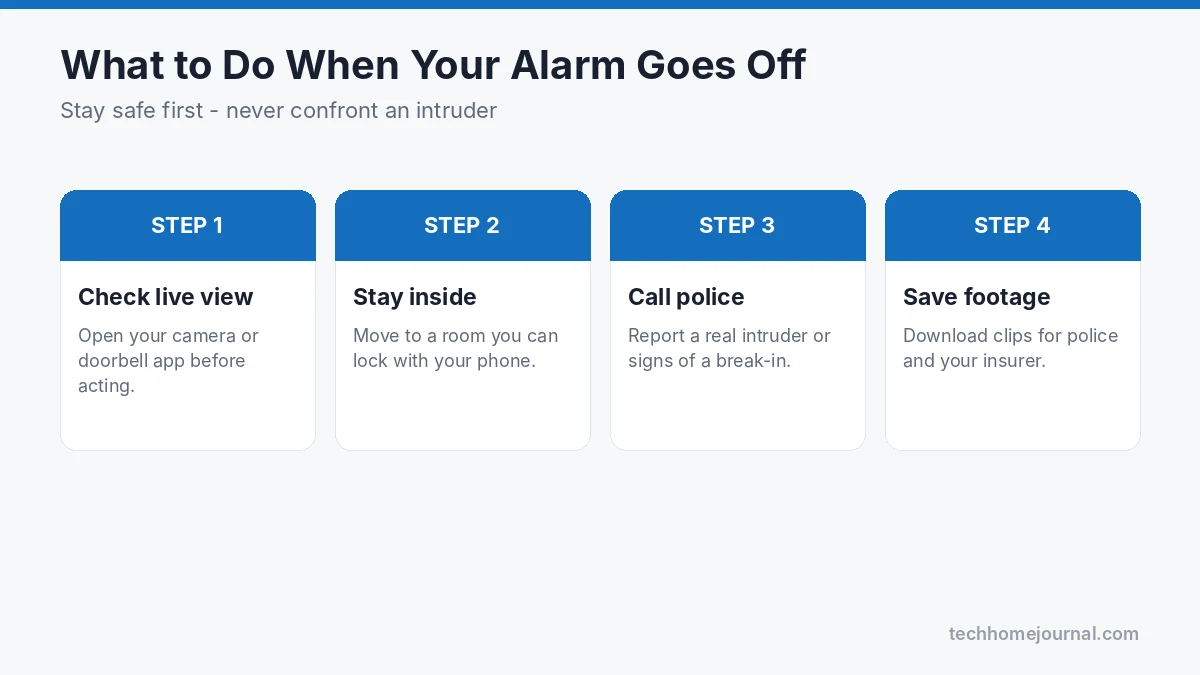
Here’s a safer way to handle alerts:
- Reduce false alarms first. Adjust motion zones, use person detection and set sensitivity properly so alerts mean something.
- Check remotely. When an alert comes in, open the live view from your camera or doorbell before doing anything else.
- Stay inside and stay safe. If you’re home and something looks wrong, lock yourself in a safe room and keep your phone with you.
- Call the police. If you see a real intruder or signs of a break-in, call emergency services and let them handle it.
- Save the footage. Download and back up clips straight away; they may help police and your insurer.
A loud siren or motion sensor alarm is often enough to scare an intruder off without anyone needing to go outside.
A Simple Home Security Routine
Good home security is less about buying more gadgets and more about building a few habits. Here’s an easy routine you can stick to:
Every day
- Lock all doors, including the door from the garage, even when you’re home.
- Close and lock ground-floor windows at night and when you leave.
- Arm your system when you go out and at bedtime.
Every month
- Test each door and window sensor and your siren.
- Check camera views to make sure nothing has been knocked out of position.
- Clean camera lenses and replace or recharge batteries where needed.
Every three to six months
- Change alarm and keypad codes.
- Check for firmware updates on cameras, doorbells, locks, hubs and your router.
- Review who has access to your security apps and remove anyone who no longer needs it.
Once a year
- Walk around your home and look for new weak points, such as overgrown bushes or a broken gate latch.
- Review your coverage and consider upgrades.
- Make sure your home insurance details are up to date, and ask whether your security system qualifies for a discount.
If you’re thinking about how your security setup fits with the rest of your home’s style, our guide to home security for the living room shows how to keep devices discreet without losing coverage.
Frequently Asked Questions
What is the most common way burglars get into a house?
Doors are the most common entry point, including front, back and garage doors, followed by ground-floor windows. Many break-ins also happen through doors or windows that were simply left unlocked, which is why locking everything every day is the most important habit.
Do security cameras actually deter burglars?
Visible cameras, along with alarm signs and good lighting, generally make a home look like a riskier target, so many intruders move on. Cameras are most useful when they cover the routes to weak entry points and record clear footage that can help identify someone.
How often should I change my alarm code?
Every three to six months is a good rule, and always after a contractor, cleaner, tenant or anyone else who knew the code stops needing access. Use temporary codes for visitors so you don’t have to share your main code.
Is a DIY security system good enough?
Yes, a well-planned DIY system can be very effective. The key is to cover every entry point, hide the hub, mount cameras high, and use battery and cellular backup if possible. If you have a large home or aren’t comfortable installing equipment, professional installation is worth considering.
Can smart home devices be hacked?
Any connected device can be targeted, but the risk drops a lot when you use strong unique passwords, turn on two-factor authentication, keep firmware updated and secure your Wi-Fi. Buying from established brands that release regular security updates also helps.
What should I do if my alarm goes off while I’m home?
Don’t go looking for the intruder. Check your cameras from your phone if you can do so safely, move to a room you can lock, and call emergency services if you see or hear anything suspicious. Your safety matters far more than anything in the house.
Final Thoughts
Most home security mistakes are easy to fix. Cover every entry point, not just the front door. Install your system thoughtfully. Change codes and passwords regularly, keep devices and Wi-Fi updated, light up the outside of your home, and don’t advertise when you’re away. Get to know your neighbors, and when an alert comes in, check it safely and let the police handle any real threat.
Start with the quick fixes in the table at the top of this guide. You don’t need to do everything in one weekend; each mistake you fix makes your home a little harder to break into, and that’s what really keeps burglars away.