
A wireless doorbell is one of the simplest upgrades you can make to your home. There are no wires to run through walls, no transformer to replace, and in most cases you can have it working in ten minutes. Stick the button by the front door, plug the chime into an outlet, and you are done.
But wireless doorbells vary a lot. Some reach the back garden, some barely make it through a brick wall. Some need batteries in the button, others power themselves when you press them. And then there are video doorbells, which are also “wireless” but work very differently. This buying guide explains the types, the features that actually matter, and how to choose the right wireless doorbell for your home in 2026.
Table of Contents
- Types of Wireless Doorbells
- Features That Matter When Buying a Wireless Doorbell
- Popular Wireless Doorbell Options
- Wireless Doorbell vs Video Doorbell
- How to Install a Wireless Doorbell
- Troubleshooting Common Wireless Doorbell Problems
- Kinetic (Battery-Free) Wireless Doorbells
- Advertised Range vs Real-World Range
- Wireless Doorbells for People Who Are Hard of Hearing
- Setting Up Multiple Doors and Chimes
- IP Ratings Explained for Doorbell Buttons
- How Much Should You Spend?
- Maintenance Tips
- Wireless Doorbells for Renters
- Can a Wireless Doorbell Work With a Smart Home?
- Frequently Asked Questions
- Final Thoughts
Types of Wireless Doorbells
Before you look at models, decide which type suits you:
| Type | How it works | Pros | Cons |
|---|---|---|---|
| Plug-in chime + battery button | Button sends a radio signal to a chime in an outlet | Loud, reliable, cheap | Button battery needs changing every few years |
| Battery chime + battery button | Both parts run on batteries | Place the chime anywhere | Two sets of batteries to manage |
| Kinetic (self-powered) button | Pressing the button generates the power | No button battery ever | Shorter range, firmer press |
| Wired/wireless hybrid | Works with existing wiring or wirelessly | Flexible | Pricier |
| Wireless video doorbell | Camera button connects to Wi-Fi and your phone | See visitors from anywhere | Higher price, often a subscription |
Most people who just want a reliable chime choose a plug-in chime with a battery or kinetic button. If you want to see and talk to visitors on your phone, a video doorbell is the better fit; our guide to the wireless doorbell camera with no subscription covers those.
Features That Matter When Buying a Wireless Doorbell
Range
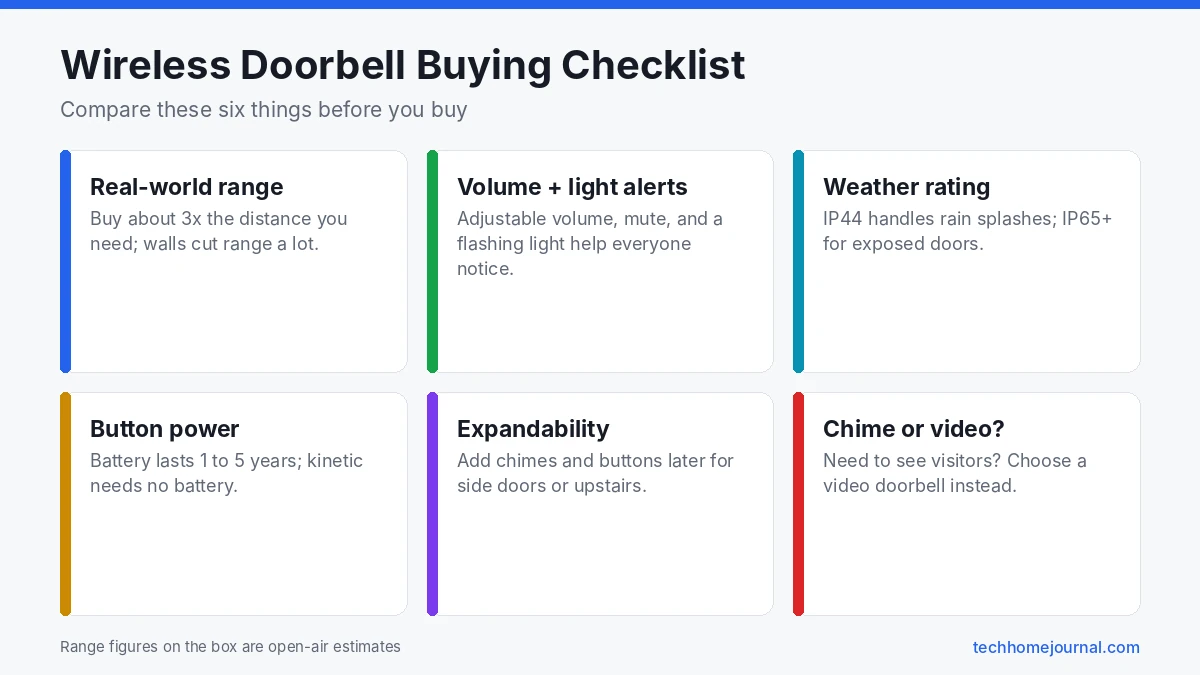
Range is the most important spec and the most exaggerated. Manufacturers quote open air figures, often 300 to 1,000 feet, but walls, floors, metal doors and other radio devices cut that a lot. Expert Reviews’ wireless doorbell buying guide notes that brands make some extraordinary claims about range and that self-powered models tend to reach less far.
As a rule of thumb, buy a doorbell rated for at least three times the distance you actually need, especially if the signal must pass through brick, stone or a garage.
Volume and Alerts
Most chimes peak somewhere in the 80 to 90 dB range, which is plenty for an average home. More useful than a higher maximum are:
- Adjustable volume with a mute option for naps and night shifts.
- Flashing lights for people with hearing loss or noisy homes. Honeywell Home’s Series 9 doorbell, for example, uses a halo light as a visual alert and lists up to 90 dB volume.
- Different tunes per button if you have front and back doors.
Weather Resistance
The button lives outside, so look for a weather rating. An IP rating of IP44 handles rain splashes; IP65 or higher is better for exposed doors that take driving rain. Avoid mounting the button where water pools.
Power
- Plug-in chimes never need batteries but use an outlet. Some have a pass-through socket so you do not lose the outlet.
- Battery buttons typically last one to five years. Honeywell claims up to 5 years on its Series 9 button.
- Kinetic buttons never need batteries but can feel stiffer to press.
Expandability
Good kits let you add more chimes (for upstairs or the garden office) and more buttons (for a side door or garage). Check that extra parts are sold separately and use the same system.
Popular Wireless Doorbell Options
We have not tested these products; this is a research based overview of well known models and how they differ. Check current prices and reviews before buying.
- Honeywell Home Series 9 wired/wireless doorbell: a premium plug-in model with a quoted 450 ft wireless range, up to 90 dB volume, halo light alerts and a long life button battery. It can also work with existing doorbell wiring.
- Honeywell RCWL300A: a long running budget option, sold at retailers such as Home Depot as a three tune plug-in chime with a 225 ft range.
- Kinetic (battery-free) kits: several brands, including Byron, sell self-powered buttons that never need batteries; check the range carefully, as it is usually shorter.
- Ring Chime Plus with a Ring doorbell: if you already own a Ring video doorbell, the Ring Chime Plus plays the chime indoors over Wi-Fi and can extend your doorbell’s Wi-Fi coverage.
Wireless Doorbell vs Video Doorbell
| Wireless chime doorbell | Video doorbell | |
|---|---|---|
| Price | Low | Medium to high |
| See who is there | No | Yes, on your phone |
| Works without Wi-Fi | Yes | No |
| Monthly fee | None | Often, for recordings |
| Install time | Minutes | 20 to 60 minutes |
| Privacy concerns | None | Camera outside your door |
A simple wireless doorbell is ideal for renters, older relatives, garden gates, workshops and offices. A video doorbell makes sense if you want package alerts, two-way talk and recordings. Our guide to the best smart doorbells compares video options, and our doorbell camera with no subscription guide helps you avoid monthly fees.
How to Install a Wireless Doorbell
- Test before mounting. Hold the button at the door and press it with the chime in the room you want. Check the sound and range.
- Pick the button spot. About 4 to 5 feet off the ground, clearly visible, away from metal frames that can block the signal.
- Mount the button with the adhesive pad or screws. Screws are better on rough or cold surfaces.
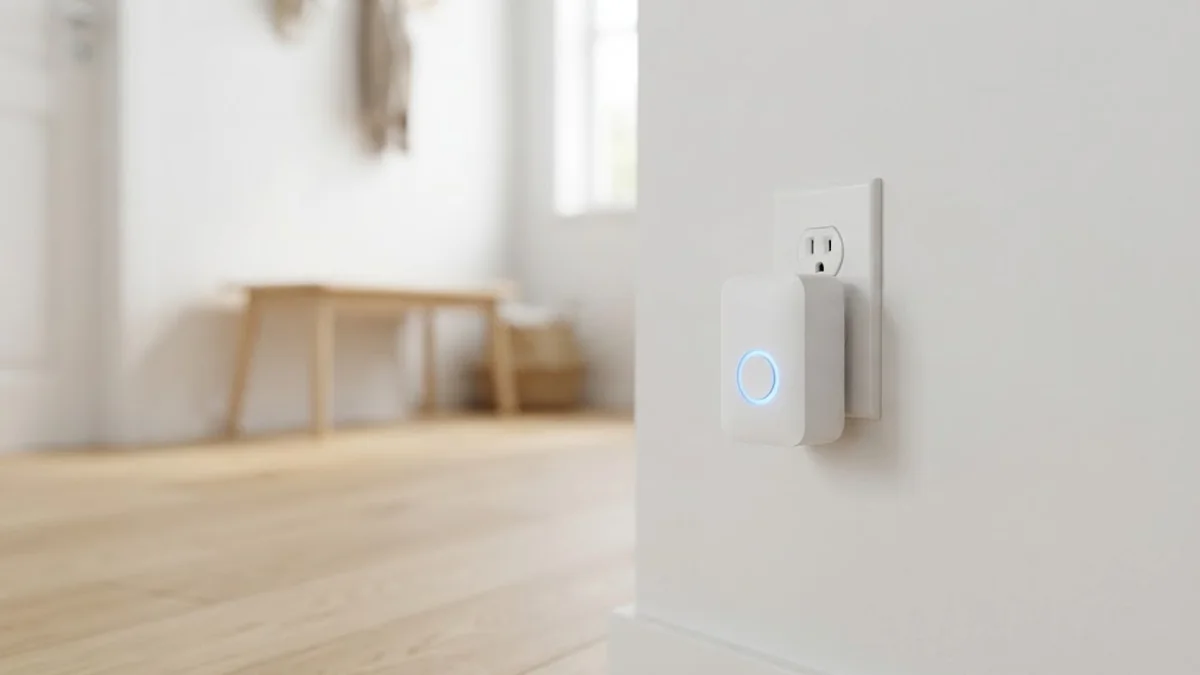
- Plug in the chime in a central spot, ideally a hallway, and away from routers and microwaves.
- Pair the button and chime if your model needs it (usually pressing a button on the chime, then the doorbell).
- Set volume and tune.
If you are replacing an old wired doorbell, you can leave the existing wiring in place, or remove the old button and cap the wires. Our doorbell chime guide and doorbell transformer guide explain what is behind the wall.
Troubleshooting Common Wireless Doorbell Problems
- Chime does not ring: replace the button battery, re-pair the button, and move the chime closer to test range.
- Rings randomly: a neighbor’s doorbell may share your channel. Change the channel or code if your model allows it.
- Range is poor: move the chime to a higher spot, away from metal, or add a second chime closer to the door.
- Button stops in cold weather: batteries lose power in the cold. Lithium batteries handle low temperatures better if your button accepts them.
Kinetic (Battery-Free) Wireless Doorbells
A kinetic or self-powered doorbell has no battery in the outdoor button. Pressing the button moves a tiny generator that creates just enough energy to send the signal to the chime.
- No battery changes for the button, which is handy for back gates and outbuildings.
- Works in cold weather better than many battery buttons, since there’s no battery to weaken in winter.
- Slightly firmer press: some visitors don’t press hard enough at first. A short “press firmly” sign helps.
- Range can be a little shorter than battery models, because the signal uses very little power.
The indoor chime still needs a plug socket or batteries, so check which type you’re buying.
Advertised Range vs Real-World Range
Wireless doorbell boxes often list ranges of 300 m or more. That number is measured in open air with nothing in the way. Inside a real home, walls, floors and furniture absorb the signal.
| Obstacle between button and chime | Effect on range |
|---|---|
| Plasterboard or wooden walls | Small loss |
| Brick or stone walls | Moderate loss |
| Concrete floors or walls | Large loss |
| Metal doors, cladding or foil insulation | Very large loss |
| Mirrors, large appliances | Moderate loss |
As a rule of thumb, expect a fraction of the advertised range indoors. If the chime misses rings, move it closer to the door or add a second plug-in chime halfway. Mounting the button on a wooden frame instead of a metal one also helps.
Wireless Doorbells for People Who Are Hard of Hearing
Wireless doorbells are a simple, affordable way to make the doorbell easier to notice:
- Flashing LED chimes light up when someone rings, which helps in noisy rooms or for people with hearing loss.
- Extra-loud chimes reach well above standard volume levels.
- Portable chimes can be carried from room to room or into the garden.
- Vibrating pagers work at night, placed under a pillow.
Pairing several chime types with one button means everyone in the household gets an alert that suits them.
Setting Up Multiple Doors and Chimes
Most wireless doorbell kits can be expanded. Pair a second button for the back door and assign it a different tune, so you know which door to answer. Add an extra chime upstairs or in a garden office. Pair each new button to every chime that should ring. In flats or terraced houses, choose a kit that uses a pairing process rather than fixed codes, so a neighbour’s identical doorbell doesn’t set yours off.
IP Ratings Explained for Doorbell Buttons
The outdoor button lives in rain, wind and sometimes snow, so its weather rating matters. Most use an IP (Ingress Protection) code. The first number is dust protection, the second is water protection:
| Rating | What it means | Good for |
|---|---|---|
| IP44 | Protected against splashing water | Doors under a porch or deep canopy |
| IP55 | Dust protected; protected against water jets | Most front doors |
| IP65 | Dust tight; protected against water jets | Exposed doors and gates |
| IP67 | Dust tight; survives short immersion | Very exposed locations, coastal homes |
If your door faces driving rain, choose IP55 or higher, or fit a small rain cover over the button.
How Much Should You Spend?
- Budget kits: a single button and plug-in chime with a choice of tunes. Fine for flats and small homes.
- Mid-range kits: better range, more volume settings, flashing lights, two chimes or a kinetic button.
- Premium wireless doorbells: longer range, better weatherproofing, portable chimes and expandable systems for large homes and outbuildings.
- Video doorbells: a different category with cameras and phone alerts. See our wireless doorbell cameras without a subscription guide if you want video without monthly fees.
Spending a little more for range and weatherproofing usually pays off more than extra tunes or flashy chime designs.
Maintenance Tips
- Replace the button battery once a year, or when the chime’s low-battery light comes on.
- Wipe the button with a damp cloth. Grit can make the press feel stiff.
- Check the seal around the battery cover each autumn before winter rain.
- Keep the chime away from heaters and direct sun to protect its speaker.
- Test the doorbell from outside once a month, especially if it’s on a side gate you rarely use.
Wireless Doorbells for Renters
Wireless doorbells are one of the most renter-friendly upgrades. Most buttons come with double-sided adhesive pads as well as screws, so you can mount them without drilling. The chime plugs into a socket or runs on batteries, and nothing needs wiring.
When you move out, peel the button off slowly and remove any leftover adhesive with a little warm soapy water or isopropyl alcohol. Keep the original screws and pads in a bag so you can set it up again in your next home.
Can a Wireless Doorbell Work With a Smart Home?
Basic radio doorbells don’t connect to Wi-Fi, so they won’t send phone alerts or work with Alexa or Google Home. A few options bridge the gap:
- Some smart home hubs can listen to compatible 433 MHz buttons and turn a press into an automation, such as flashing a smart bulb.
- Zigbee or Matter buttons can act as a doorbell button and trigger a smart speaker chime.
- A video doorbell gives you full app control, with camera and phone alerts built in.
If you want phone alerts, a video doorbell or a smart button is usually simpler than adapting a basic wireless kit.
Frequently Asked Questions
How far do wireless doorbells work?
Quoted ranges are often 300 to 1,000 feet in open air, but walls and interference reduce that. In a typical home, expect much less than the box claims.
Do wireless doorbells need Wi-Fi?
Standard chime doorbells do not. They use their own radio signal. Only video doorbells need Wi-Fi.
How long do wireless doorbell batteries last?
Button batteries usually last one to five years depending on use and the model. Kinetic buttons never need batteries.
Can I have more than one chime?
Yes, with expandable kits. Many brands let you add extra plug-in chimes on the same system.
Are wireless doorbells good for renters?
Yes. They install without drilling on many surfaces and come with you when you move.
Can a wireless doorbell interfere with my Wi-Fi?
Most chime doorbells use different radio bands from Wi-Fi, so interference is rare. If you notice problems, move the chime away from the router.
Why does my wireless doorbell ring on its own?
Another nearby device on the same frequency, often a neighbour’s identical doorbell, can trigger it. Re-pair the button and chime, or change the code if your model has code switches.
Are kinetic doorbells reliable?
Yes, for most homes. They suit doors and gates where changing batteries is a hassle. If range is a concern, test before fixing the button permanently.
What IP rating should a wireless doorbell have?
IP44 is enough under a deep porch. For doors exposed to rain, look for IP55 or higher.
Can I use a wireless doorbell on a metal door?
Yes, but metal blocks radio signals and shortens range. Mount the button on the door frame or a nearby wall instead of the metal door itself, and test it before fixing it in place.
Do wireless doorbells work in cold weather?
Most do, but cold weather weakens batteries in the outdoor button. If it stops working in winter, try a fresh lithium battery if the manual allows it, or choose a kinetic button with no battery.
Can I connect a wireless doorbell to my existing wired chime?
Some kits include a receiver that connects to an existing wired chime, but most use their own plug-in chime. Check the box if you want to keep the old chime.
Final Thoughts
The best wireless doorbell is the one that reliably reaches the rooms you use, is loud enough to hear, and fits how you live. Check real world range, look for volume control and a light alert, choose a weatherproof button, and decide between battery and kinetic power. If you want to see who is there, step up to a video doorbell; if you just want to hear the door, a simple wireless chime is cheaper, easier and works even when the internet is down. For more ways to secure your entrance, read our apartment security tips.