

A doorbell is only useful if you can hear it. Whether your old chime has gone quiet, buzzes instead of ringing, or you just installed a video doorbell and want a sound inside the house, choosing the right doorbell chime makes a big difference. Today you can pick from classic mechanical chimes, digital chimes with dozens of melodies, wireless plug in chimes and smart chimes that work with your video doorbell app.
This guide explains how doorbell chimes work, the different types, which chimes work with video doorbells, how to install or replace one, and how to fix the most common chime problems.
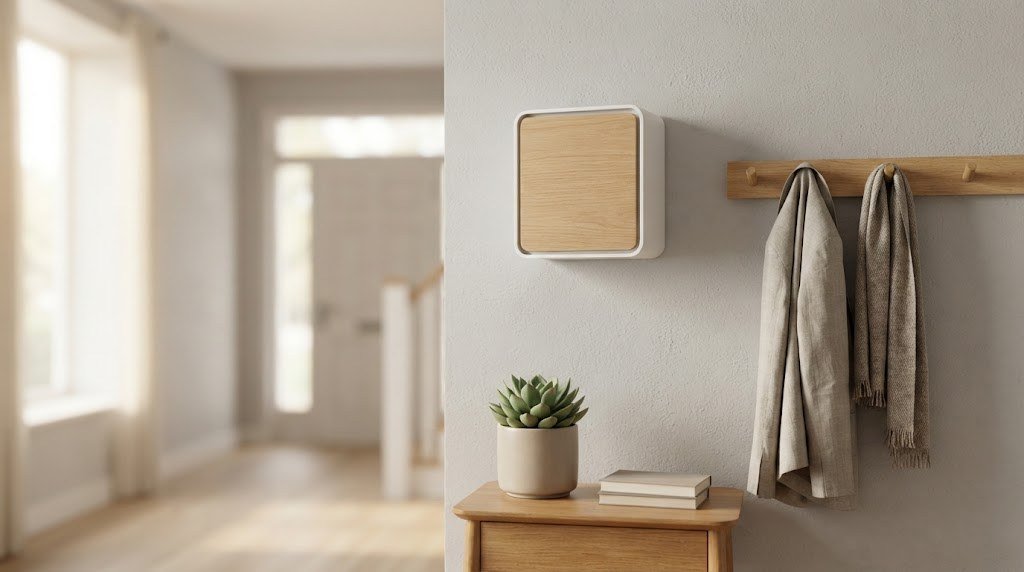
What Is a Doorbell Chime?
A doorbell chime is the device inside your home that makes a sound when someone presses your doorbell button. In a traditional wired system, three parts work together:
- The doorbell transformer steps household power down to low voltage. Our doorbell transformer guide explains how to find and test it.
- The doorbell button outside closes the circuit when pressed.
- The chime receives the low voltage signal and produces a sound.
In wireless and smart systems, the button sends a radio or WiFi signal to the chime instead of using wires.
How Does a Doorbell Chime Work?
Mechanical chimes
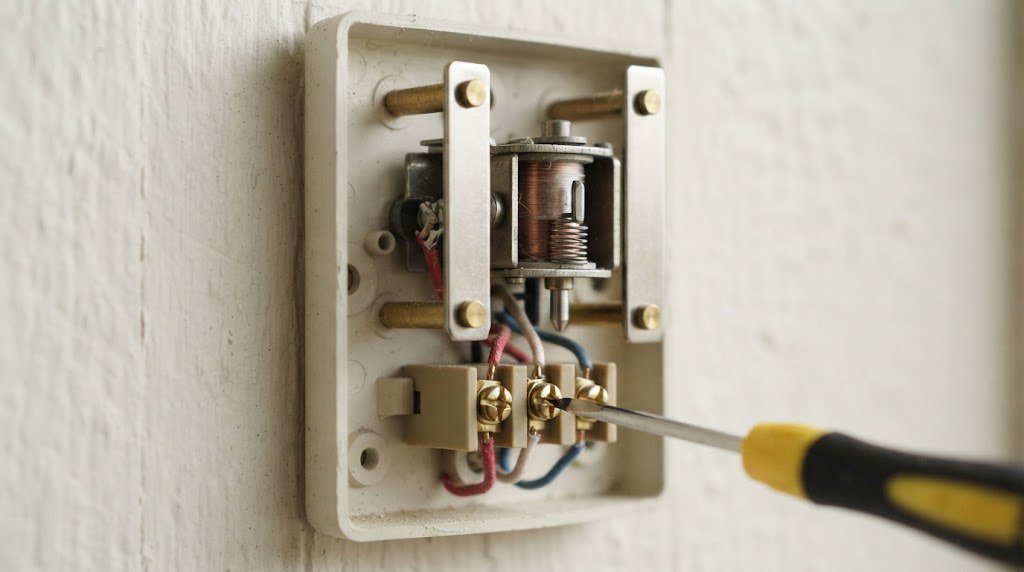
A mechanical chime has an electromagnet (solenoid) with a metal plunger and one or two tone bars. When you press the button, current flows through the solenoid, which pushes the plunger into a tone bar to make the “ding.” When you release the button, a spring pulls the plunger back into a second bar for the “dong.” That is the classic two note sound.
Digital chimes
Digital chimes use a small speaker and circuit board to play electronic melodies, from simple tones to full songs. Some let you pick different melodies for the front and back doors.
Wireless chimes
Wireless chimes plug into an outlet or run on batteries. A wireless button sends a radio signal to the chime, so no wiring is needed between them.
Smart chimes
Smart chimes connect to your WiFi or a hub and pair with a video doorbell or smart home system. They can play different tones, act as a speaker for alerts and sometimes extend your doorbell’s WiFi signal.
Types of Doorbell Chimes Compared
| Chime type | Power | Sound | Works with video doorbells | Best for |
|---|---|---|---|---|
| Mechanical (wired) | Doorbell transformer | Classic ding dong | Yes, usually best compatibility | Most homes with wiring |
| Digital (wired) | Doorbell transformer | Melodies and tones | Sometimes, may need an adapter | Custom sounds |
| Wireless plug in | Wall outlet | Many tones, adjustable volume | With matching wireless doorbells | Renters, no wiring |
| Battery wireless | Batteries | Many tones | With matching wireless doorbells | Garages, sheds, gates |
| Smart chime | Outlet or hub | App controlled tones | Yes, with the same brand | Video doorbell owners |
Doorbell Chime Wiring: Front, Rear and Trans
Open a wired chime and you will usually see three screw terminals:
- Trans (or T): Connects to the transformer.
- Front (or F): Connects to the front doorbell button. Usually plays the two note “ding dong.”
- Rear (or R): Connects to a back door button. Usually plays a single “ding.”
If you only have one doorbell, the Rear terminal is simply left empty. Many digital chimes have the same three terminals.
Do Doorbell Chimes Work With Video Doorbells?
Usually yes, but it depends on the chime and doorbell:
- Mechanical chimes are the most compatible with wired video doorbells. Most video doorbell brands list mechanical chimes as fully supported.
- Digital chimes can cause problems. Because video doorbells draw power continuously, some digital chimes buzz, stay silent or interfere with the doorbell’s power. Many brands include a small chime kit, adapter or diode to fix this.
- Wireless and battery doorbells usually cannot ring a wired chime. Instead, they use a plug in chime from the same brand, your phone or a smart speaker.
If you are choosing a video doorbell, check our guide to the best smart doorbell for home security. For battery models, see the best wireless doorbell camera with no subscription, which also covers plug in chime options.
How to Choose the Right Doorbell Chime
- Check your wiring. If you have existing chime wiring and a transformer, a wired mechanical or digital chime is simple to swap.
- Match your doorbell. Video doorbells usually work best with mechanical chimes, or with the brand’s own plug in chime.
- Consider volume. Large homes or noisy households need a loud chime, or several plug in chimes in different rooms.
- Think about style. Chime covers range from plain white boxes to wood, glass and designer finishes.
- Choose tones. Digital and smart chimes let you choose melodies and set different sounds for front and back doors.
- Look at extras. Some smart chimes include a night light, volume schedule, do not disturb mode or a WiFi extender.
How to Replace a Wired Doorbell Chime
Replacing a wired chime is a beginner friendly DIY job because the chime itself runs on low voltage. You still need to turn off power to be safe.
- Turn off the breaker for the doorbell transformer.
- Remove the chime cover. It usually pulls straight off.
- Take a photo of the wires on the Trans, Front and Rear terminals.
- Loosen the terminal screws and remove the wires. Label them with tape if needed.
- Unscrew the old chime base from the wall and gently pull the wires through.
- Feed the wires through the new chime base and screw it to the wall, using anchors if needed.
- Connect the wires to the matching terminals on the new chime: Trans to Trans, Front to Front, Rear to Rear.
- Attach the cover, turn the breaker back on and test both doorbell buttons.
Tip: If your new chime does not ring, check the transformer voltage with a multimeter. A new chime may need more voltage than an old one, especially if you are also adding a video doorbell.
How to Install a Wireless Plug In Chime
- Plug the chime into an outlet in a central spot, like a hallway.
- Insert batteries into the wireless doorbell button if it uses them.
- Pair the button with the chime, usually by holding a button on the chime and then pressing the doorbell.
- Pick a tone and volume.
- Test the range by ringing from the front door. If the signal is weak, move the chime closer or add a second chime.
Smart Chime Setup With a Video Doorbell
- Plug the smart chime into an outlet near the middle of your home.
- Open your doorbell’s app and add the chime as a new device.
- Connect it to WiFi and link it to your doorbell.
- Choose tones for doorbell presses and motion alerts, or turn motion sounds off.
- Set a schedule to mute the chime at night if you have a baby or shift workers at home.
Doorbell Chime Not Working? Troubleshooting Guide
| Problem | Likely cause | Fix |
|---|---|---|
| No sound at all | No power, broken wire or dead transformer | Check the breaker, test transformer voltage, inspect wires |
| Chime buzzes or hums | Stuck button or low voltage | Free the button, test voltage, replace transformer if weak |
| Only one note plays | Dirty or stuck plunger | Clean the plunger, do not oil it |
| Weak or muffled sound | Low voltage or dust buildup | Clean the chime, check transformer rating |
| Chime rings by itself | Short in the button or wiring, or wireless interference | Replace the button, change the wireless channel |
| Silent after installing video doorbell | Digital chime or missing chime kit | Install the doorbell’s chime kit or diode, or switch to a mechanical chime |
| Wireless chime misses rings | Range or battery issue | Replace button battery, move the chime closer |
Do not oil a mechanical chime plunger. Oil attracts dust and makes the plunger stick. Clean it with a dry cloth or a little rubbing alcohol instead.
Mechanical vs Digital Doorbell Chimes
| Mechanical chime | Digital chime | |
|---|---|---|
| Sound | Natural ding dong from metal bars | Electronic melodies and tones |
| Volume | Fixed, usually clear | Often adjustable |
| Video doorbell compatibility | Excellent | Mixed, may need an adapter |
| Moving parts | Plunger and spring | None |
| Lifespan | Very long | Long, but electronics can fail |
| Customization | Limited to one or two notes | Many tunes, front and back door tones |
| Price | Lower | Slightly higher |
Choose mechanical if you want the most reliable option or you plan to install a wired video doorbell. Choose digital if you want custom melodies and do not use a video doorbell, or if your doorbell brand confirms compatibility.
Where to Mount a Doorbell Chime
Placement affects how well you can hear it. The best spots are:
- Central hallways where sound carries to several rooms.
- Near the top of the stairs in two story homes, so you can hear it upstairs.
- Away from the kitchen and laundry, where appliance noise can drown it out.
- About 6 to 7 feet high, so it is out of the way but sound spreads well.
For wired chimes, you are limited to where the wires already run. For wireless and smart chimes, test a few outlets before settling on one. In bigger homes, add a second chime upstairs or in the basement rather than turning the volume to maximum.
Doorbell Chime Sounds and Volume Tips
- Pick a distinctive tone that does not sound like your phone or TV.
- Use different tones for each door so you know whether to head to the front or the back.
- Lower the volume at night with a schedule if your smart chime supports it.
- Turn off motion tones on smart chimes unless you really want a sound every time someone walks by.
- Seasonal tones on some smart chimes can be fun, but keep the default for day to day use so guests recognize it.
Doorbell Chimes for Accessibility
People who are hard of hearing, or who work in noisy rooms or wear headphones, may miss a standard chime. Helpful options include:
- Chimes with flashing lights that blink when the doorbell rings.
- Extra loud chimes rated at 100 decibels or more.
- Portable plug in chimes that can move from room to room.
- Smart home alerts that flash smart bulbs or vibrate a smartwatch when someone presses the doorbell.
Combining a smart chime with a few smart plugs or bulbs is an easy way to create visual alerts. If you are new to smart plugs, read our guide on what a smart plug is and how it works.
Doorbell Chime Cost
| Item | Typical cost |
|---|---|
| Basic mechanical wired chime | $15 to $35 |
| Designer wired chime | $40 to $120 |
| Wireless plug in chime kit | $20 to $40 |
| Smart chime for video doorbells | $30 to $70 |
| Electrician to replace wired chime | Roughly $100 to $200 |
Doorbell Chime Ideas for Large Homes
- Add extra plug in chimes upstairs, in the basement or in a home office.
- Use smart speakers to announce visitors in every room. Our guide to the best smart speaker for home can help you pick one.
- Pick chimes with a flashing light for people with hearing loss or noisy rooms.
- Set different tones for the front door, back door and garage.
Frequently Asked Questions
What is a doorbell chime?
It is the device inside your home that makes a sound when someone presses the doorbell button. It can be mechanical, digital, wireless or smart.
Do I need a chime for a video doorbell?
Not necessarily. Video doorbells send alerts to your phone, but a chime makes sure everyone in the house hears visitors. Wired video doorbells can use your existing mechanical chime, and battery models can use a plug in chime.
Why does my doorbell chime buzz?
Buzzing usually means a stuck doorbell button, low voltage from a weak transformer, or a digital chime that is not compatible with a video doorbell.
Can I use a wireless chime with a wired doorbell?
Yes, with the right kit. Some converters connect to your existing wiring and send a wireless signal to plug in chimes. Smart video doorbells often pair directly with their own plug in chimes.
How long do doorbell chimes last?
Mechanical chimes can last decades. Most problems come from the transformer, button or wiring rather than the chime itself.
Can I install a doorbell chime myself?
Yes. Replacing a low voltage chime is an easy DIY project. Just turn off the breaker first and match the wires to the Trans, Front and Rear terminals.
Final Thoughts
The right doorbell chime depends on your wiring, your doorbell and your home. For wired homes, a mechanical chime is the most reliable choice and the most compatible with video doorbells. If you rent or have no wiring, a wireless plug in chime is quick and easy. And if you use a video doorbell, a smart chime from the same brand gives you custom tones, schedules and better coverage. Pick the type that fits your setup, test your transformer if anything sounds off, and you will never miss a visitor again.



