

Most people assume a home security system is just cameras. It isn’t. The motion sensors, door contacts, sirens, and monitoring plans matter just as much – sometimes more. And if your living room doubles as your home’s main entry point, getting this wrong is a real problem.
A well-chosen wireless home security system can cover your living room, front door, and connected spaces without a single drill hole or cable run. That’s the appeal for modern smart home setups. But the market in 2026 is crowded, and the differences between systems aren’t always obvious from a spec sheet. This guide walks you through every decision you’ll actually face.
—
Table of Contents
- What a Wireless System Actually Includes
- Key Specs That Matter for Living Room Coverage
- The Best Wireless Home Security Systems in 2026
- Professional Monitoring vs. Self-Monitoring
- Smart Home Integration and Scandinavian Design Fit
- Installation, Placement, and Common Mistakes
- Choosing the Right System for Your Living Room
- Frequently Asked Questions
—
What a Wireless System Actually Includes
People shop for cameras. They end up needing a whole ecosystem. Here’s what a complete wireless setup actually contains.
The base station is the brain. It connects to your router via Wi-Fi or Ethernet, stores local backup footage, and triggers the siren. Most base stations hold 24-72 hours of local video before overwriting. Without one, you’re entirely dependent on cloud storage – which has a monthly fee and a real vulnerability if your internet goes down.
Sensors are the unsung heroes. A typical living room setup uses at least 2-3 motion sensors and 1-2 door or window contacts. Motion sensors cover 10 to 30 feet of detection range depending on the model. Entry sensors trigger within milliseconds and draw almost no power – most last 3-5 years on a single CR2032 battery.
Cameras add visual confirmation. For a living room, a single wide-angle indoor camera with a 130-degree field of view is usually enough to cover the full space. Add a doorbell camera for the front entry and you’ve covered 80% of realistic intrusion paths.
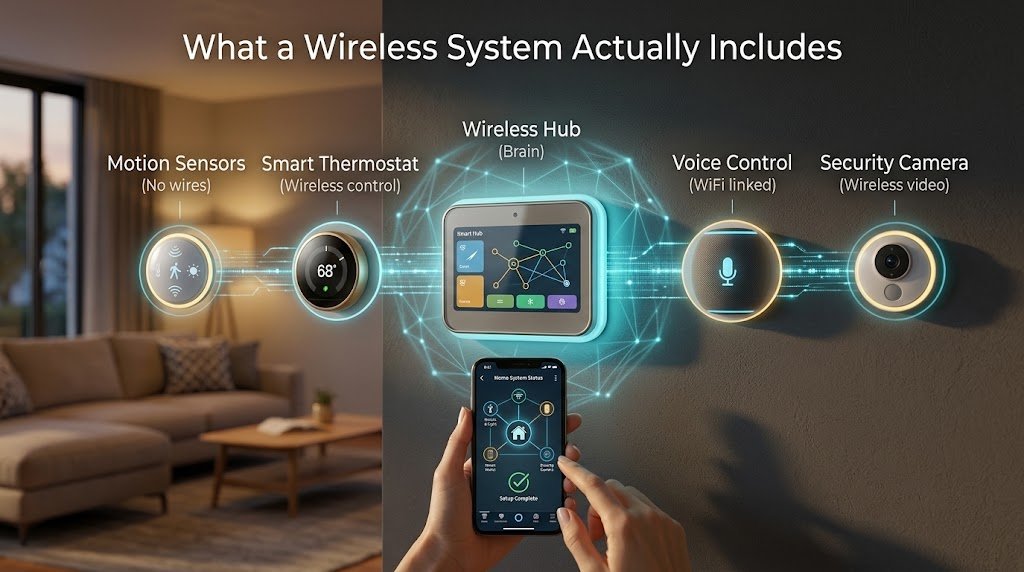
The siren matters more than most guides admit. An 85-105 dB alarm is loud enough to deter most opportunistic intruders within the first 30 seconds of entry. Systems like SimpliSafe include a 95 dB indoor siren in their base station by default.
Key Specs That Matter for Living Room Coverage
Not every spec on the box translates to real-world performance. These are the ones that actually change what you experience day to day.
Camera resolution and night vision range. A 1080p camera is the minimum worth buying in 2026. Most decent systems now offer 2K (1440p) or 4K, which matters when you need to identify a face at 15 feet. Night vision range should be at least 25 feet using infrared LEDs – anything shorter leaves the far corners of a standard living room in shadow.
Sensor range and signal reliability are critical. Wireless sensors communicate over 433 MHz RF, Z-Wave, or proprietary 900 MHz bands. Z-Wave has a range of up to 100 feet through walls, which covers most living room-to-base-station distances comfortably. Wi-Fi-only sensors are more prone to dropout when your router is congested.
Battery life is a real maintenance consideration. Motion sensors average 2-3 years on AA batteries. Cameras with continuous recording drain faster – expect 3-6 months on a charge for wire-free models like the Arlo Pro 5S. Hardwired cameras don’t have this issue, but they require an outlet nearby.
Response time from the alarm trigger to the monitoring center call averages 30-45 seconds for professional plans. That’s the window you’re working with. Systems with cellular backup (not just Wi-Fi) maintain this even during an internet outage.
—
The Best Wireless Home Security Systems in 2026
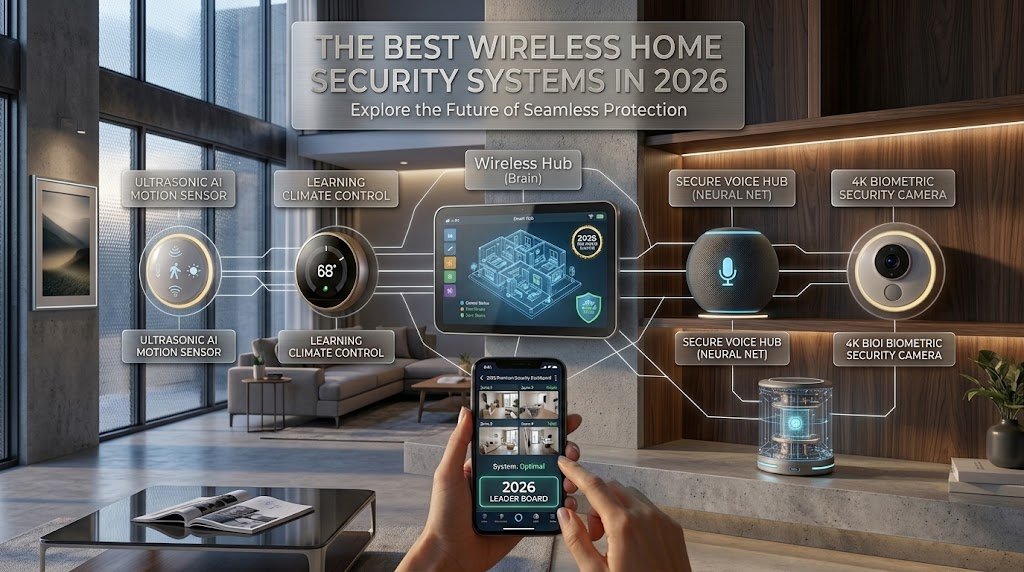
Here are four systems worth serious consideration for a living room-focused setup. Each earns its place for a different reason.
1. SimpliSafe – Best Overall for Renters and Minimalists
SimpliSafe is the easiest system to set up without compromising on real protection. The base kit starts at $250-$300 and includes a base station, keypad, motion sensor, and entry sensor. Additional sensors cost $15-$30 each. The design is clean and compact – white matte hardware that sits quietly in a Scandinavian living room without demanding attention.
Professional monitoring runs $19.99-$29.99 per month, which is lower than most competitors. There’s no contract. The cellular backup is included on the monitoring plan, which is a genuine differentiator. Local storage is limited to a 3-day rolling buffer.
2. Ring Alarm Pro – Best for Amazon Ecosystem Homes
Ring Alarm Pro bundles a security system with a built-in Eero Wi-Fi 6 router. That’s a clever integration. The base kit runs $200-$280 and the hardware pairs naturally with Alexa voice commands and Ring doorbells. If you already run an Amazon-heavy smart home, this is the path of least resistance.
The downside is that Ring’s cloud storage requires a $10-$20/month Ring Protect plan for video history beyond 60 seconds. Without it, you get alerts but no footage.
3. Abode – Best for Advanced Smart Home Users
Abode runs on Z-Wave and Zigbee, which means it plays nicely with hundreds of third-party devices. It supports Apple HomeKit, Google Home, and Amazon Alexa natively. The starter kit is $229-$279. You can self-monitor for free or pay $8-$20/month for professional monitoring.
For someone building a proper smart home, Abode’s flexibility is genuinely hard to beat. The hardware is understated – a flat white hub that disappears against a wall.
4. Eufy Security – Best for Local Storage Priority
Eufy is the right answer if you want to avoid monthly fees entirely. Most Eufy systems store footage locally on the HomeBase hub with no cloud subscription required. The HomeBase 3 supports up to 16TB of local storage via an external drive. Starter kits run $150-$250.
The trade-off is that remote professional monitoring isn’t available. You’re self-monitoring only. For a tech-confident user who checks their phone regularly, that’s a reasonable deal.
—
Professional Monitoring vs. Self-Monitoring
This is the decision most buyers underestimate. It’s not just about cost.
Professional monitoring means a human at a call center receives your alarm signal within 30-60 seconds and contacts you, then emergency services if needed. This matters most when you’re asleep, traveling, or in a situation where you can’t respond to your phone. The average response time for a monitored alarm to dispatch police is 3-5 minutes faster than an unmonitored one, according to industry data from the Electronic Security Association.
Self-monitoring puts you in charge. You get a push notification, you look at the live feed, you decide whether to call 911. It costs nothing extra and gives you complete control. The risk is obvious: if you miss the alert, nothing happens automatically.
For a living room setup in a busy household, I’d lean toward professional monitoring during overnight hours at minimum. Many systems like SimpliSafe and Ring let you arm in “away” mode with monitoring active and “home” mode with just local alerts. That hybrid approach covers most real scenarios without paying for 24/7 coverage you don’t need.
Cellular backup is the quiet requirement nobody talks about until it matters. A system that relies only on Wi-Fi goes dark the moment a burglar cuts your internet or your router reboots. Cellular backup adds $5-$10/month to most plans but keeps the system connected through any outage.
—
Smart Home Integration and Scandinavian Design Fit
A wireless home security system in a Scandinavian-designed living room has two jobs: work flawlessly and disappear visually.
The best systems for this aesthetic are SimpliSafe and Abode. Both use matte white hardware with minimal branding. The sensors are small – most motion detectors are under 3 inches tall – and mount flush to wall corners without visible wiring. That clean look is non-negotiable in a minimalist space.
Integration depth varies significantly. Abode connects to Apple HomeKit, which means your security state can trigger other automations. Arm the system and the lights dim, the thermostat drops, and the blinds close – all from one tap. Ring does this within the Amazon ecosystem using Alexa routines. Neither approach is wrong; pick the one that matches your existing platform.
Google Home users have fewer native options. Nest Secure was discontinued, and while some third-party systems integrate via Google Assistant, the experience isn’t as tight. If you’re deep in the Google ecosystem, Abode with its Google Home support is the most practical path in 2026.
One thing worth knowing: Matter-compatible security devices are starting to appear, but full Matter support for alarm systems is still limited. Expect wider compatibility by late 2027. For now, stick to systems with native integrations rather than waiting on Matter to solve it.
—
Installation, Placement, and Common Mistakes
Most wireless systems take 45-90 minutes to set up from unboxing to armed. That’s the honest range for a living room kit with 4-6 components.
Placement is where most people get it wrong. Motion sensors should be mounted at 6-8 feet high in a corner, angled diagonally across the room. That gives you the widest detection arc. Mounting them flat on a wall facing forward cuts your coverage area by roughly 40%.
The base station needs to be central and accessible. Don’t hide it in a cabinet – the siren needs unobstructed airflow and the signal strength drops through dense wood and metal. A bookshelf or media console at waist height works well.
Door and window sensors should go on every ground-floor entry point. In a living room with a sliding glass door or patio access, that contact sensor is your first line of detection – not the motion sensor. Motion sensors catch movement inside the room; entry sensors catch the door opening before anyone takes a step.
Common mistakes:
- Mounting cameras facing a window (sunlight causes constant false alerts)
- Placing the base station next to a microwave or cordless phone (2.4 GHz interference)
- Setting motion sensitivity too high in a room with pets (most systems have a pet immunity mode for animals under 50-85 lbs)
- Forgetting to test every sensor after installation (walk the room in “test mode” before relying on the system)
Most systems include a test mode that confirms each sensor is communicating correctly. Use it. It takes 10 minutes and saves a lot of false confidence.
—
Choosing the Right System for Your Living Room
Putting it all together starts with one honest question: how much do you want to manage this yourself?
If you want hands-off protection with professional backup, SimpliSafe is the most reliable choice for most households. The hardware is clean, the monitoring plans are fair, and the cellular backup is included. It’s the system I’d recommend to anyone who wants real security without becoming a home automation hobbyist.
If you’re building a smart home and want your security system to be part of a larger automation setup, Abode earns its place. The Z-Wave and Zigbee support gives you genuine flexibility, and the HomeKit integration is the best available in a security-focused product right now.
If monthly fees are a dealbreaker, Eufy’s local storage approach is legitimate – not a compromise. You’re trading monitoring coverage for cost savings, and for the right user, that’s a rational choice.
The living room is usually the highest-traffic area in any home, which means it’s also the space where a poorly placed sensor causes the most false alarms. Invest 20 minutes in placement before you commit to a final configuration. Most systems let you reposition sensors freely within the first 30 days.
For further reading on building out your setup, you might also explore how smart locks and video doorbells integrate with these systems – or how to extend coverage to connected spaces like a home office or mudroom.
—
Your front door is the most used entry point, so it deserves a camera too. If you want one that runs on batteries and never needs a monthly plan, see our guide to the best wireless doorbell camera with no subscription.
For the most reliable outdoor coverage, consider a wired PoE home security camera system alongside your wireless devices.
Free tools: Planning a bigger setup? Our free smart home cost calculator estimates devices, installation and monthly fees for your whole home. How much storage will your cameras need? Our free security camera storage calculator shows how many days of footage your hard drive or microSD card will hold.
Frequently Asked Questions
Do wireless home security systems work without Wi-Fi?
Yes, but with limitations. Systems with cellular backup – like SimpliSafe on a monitoring plan – stay connected and can call for help even if your Wi-Fi goes down. Systems that rely only on Wi-Fi will lose remote access and monitoring during an outage. Always confirm whether cellular backup is included or available as an add-on before buying.
How many sensors does a living room typically need?
A standard living room setup uses 1 indoor camera, 1-2 motion sensors, and 1-2 entry sensors covering the main door and any sliding or patio access. Larger rooms over 400 square feet may need a second motion sensor in the opposite corner to eliminate blind spots.
Can I use a wireless home security system in a rental apartment?
Yes. This is actually where wireless systems shine. No drilling is required for most sensors – they use adhesive mounts. Cameras sit on shelves or clip to surfaces. When you move, the whole system comes with you. SimpliSafe and Ring are both popular with renters for exactly this reason.
What’s the difference between 433 MHz and Z-Wave sensors?
433 MHz is a simple, low-power radio frequency used by many budget systems. It works, but it’s one-way – the base station can’t confirm the sensor received a command. Z-Wave is two-way, encrypted, and supports a mesh network where each device boosts the signal for others. For a living room with walls and furniture in the way, Z-Wave is more reliable over distances beyond 30 feet.
How long does installation take for a beginner?
Most people finish a 4-6 component living room kit in 45-90 minutes. The base station setup through the app takes about 15 minutes. Sensor placement and testing adds another 20-30 minutes. None of it requires tools beyond a screwdriver for optional wall-mount screws.



