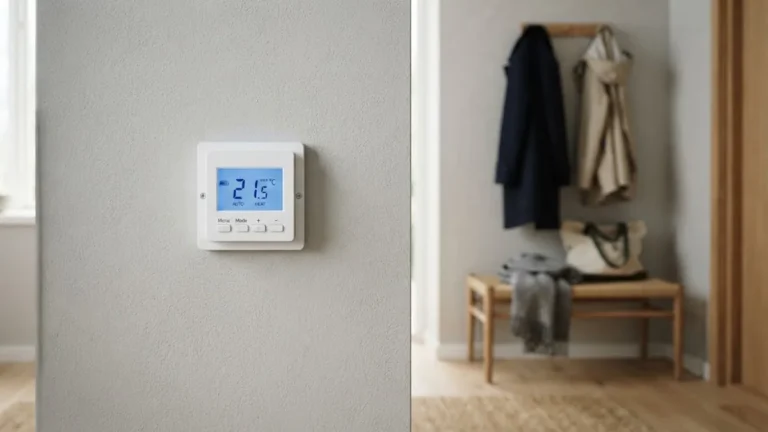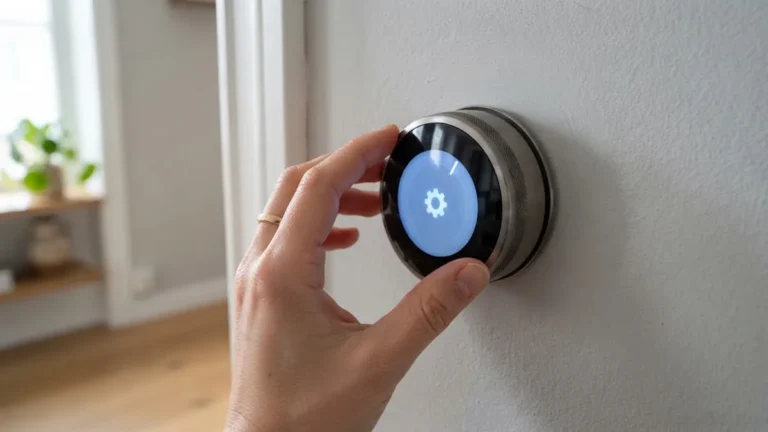

A Honeywell thermostat not working is one of those problems that always seems to happen on the coldest night or the hottest afternoon of the year. The screen goes blank, the furnace will not start, or the air conditioner just blows warm air while the thermostat insists everything is fine.
Before you call for a service visit, it is worth spending fifteen minutes on a few simple checks. Most Honeywell thermostat problems come down to batteries, power, settings or Wi-Fi, and you can fix them yourself. This guide walks you through each symptom, from a blank display to a thermostat that will not talk to the Resideo app, and tells you clearly when the real problem is the HVAC system rather than the thermostat.
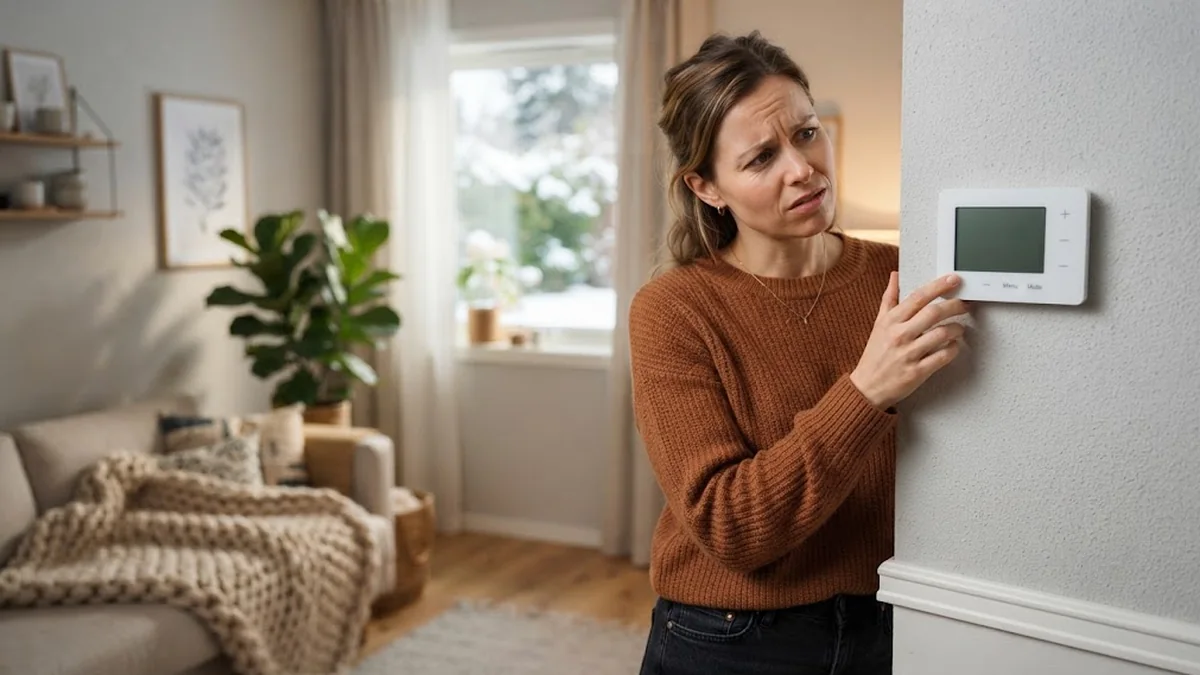
Table of Contents
- Quick Checklist: Start Here
- Honeywell Thermostat Display Blank
- Honeywell Thermostat Not Turning On the Heat
- Honeywell Thermostat Not Cooling
- Thermostat Will Not Change Temperature
- Honeywell Wi-Fi Thermostat Not Connecting
- Wrong Temperature Reading
- Honeywell Thermostat Not Working After Replacement? Check the Wiring
- When to Reset or Replace Your Honeywell Thermostat
- When to Call an HVAC Technician
- Common Honeywell Messages and What They Mean
- Thermostat Short Cycling: Causes and Fixes
- Is It the Thermostat or the HVAC System?
- Seasonal Maintenance Checklist
- Frequently Asked Questions
- Final Thoughts
Quick Checklist: Start Here
Work through these in order. They solve the majority of cases:
- Check the mode. Make sure the thermostat is set to Heat or Cool, not Off.
- Check the set point. Set it at least three degrees above (for heat) or below (for cool) the room temperature.
- Replace the batteries with fresh AA or AAA alkaline batteries if your model uses them.
- Check the breaker for the furnace or air handler and the outdoor AC unit.
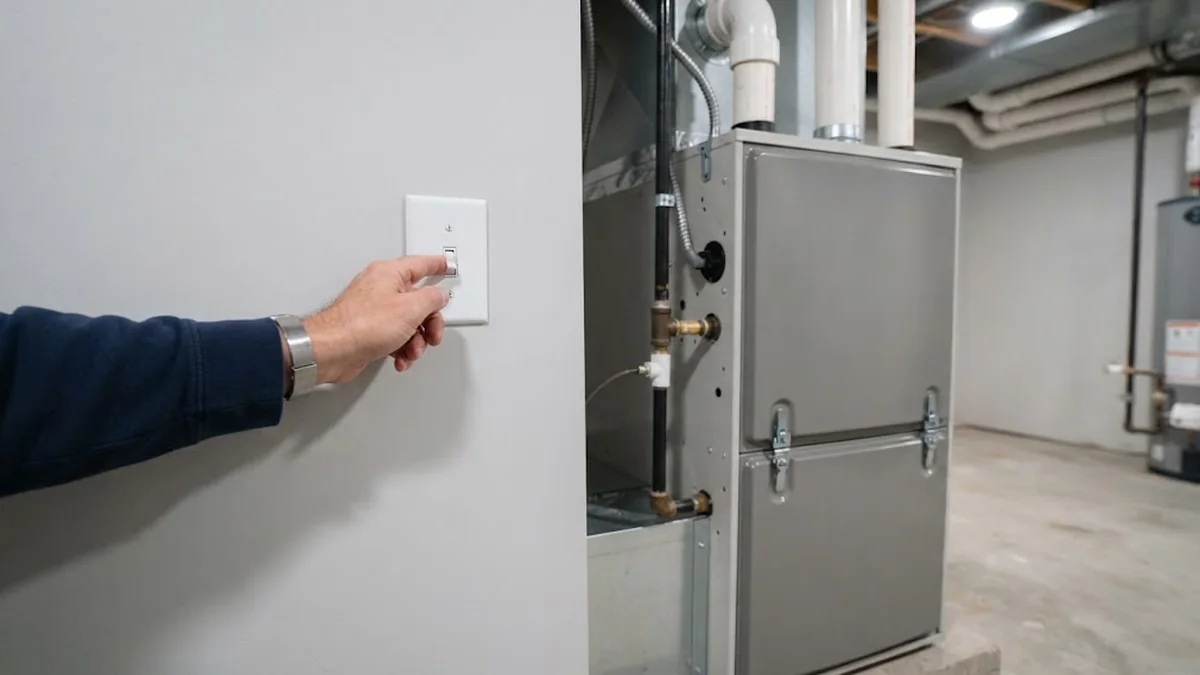
- Check the furnace power switch (it looks like a light switch near the furnace) and make sure the furnace door is closed tightly.
- Wait five minutes. Honeywell thermostats delay the compressor to protect it after a change.
- Restart the thermostat by pulling it off the wall plate for 30 seconds, then pushing it back on.
If none of this helps, find your symptom below.
Honeywell Thermostat Display Blank
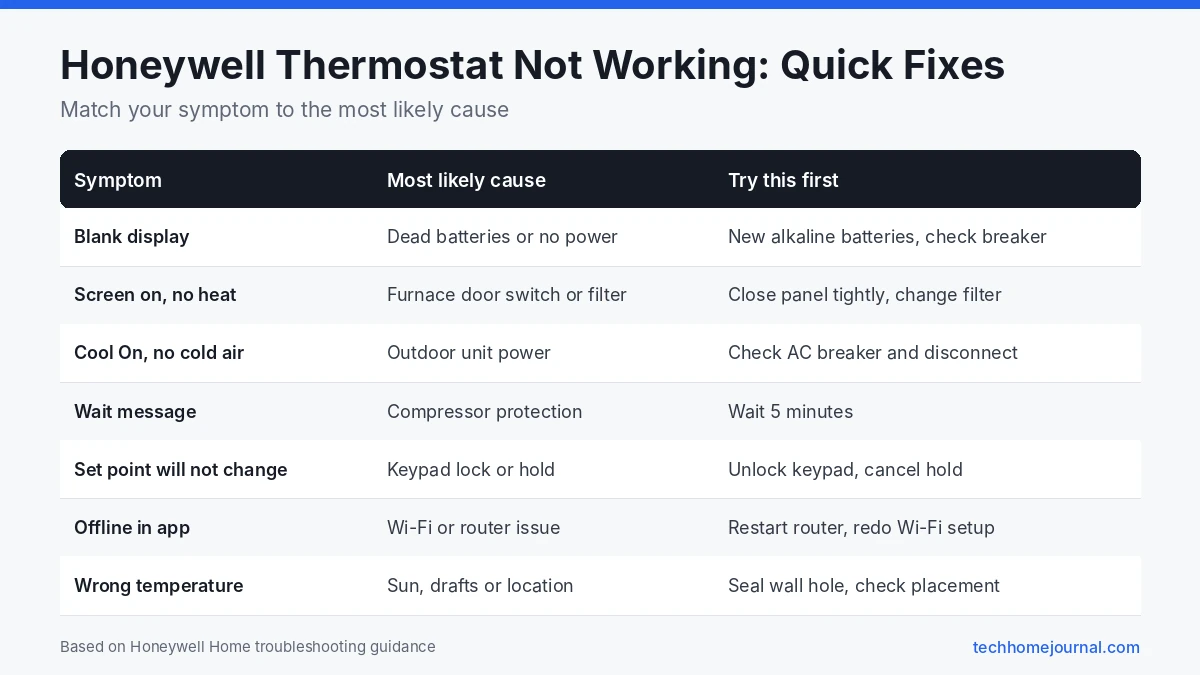
A blank screen is the most common complaint. Honeywell’s own FocusPRO troubleshooting guide lists four checks for a blank display: reset the circuit breaker if it has tripped, make sure the system power switch is on, make sure the furnace door is fully closed, and install fresh AA alkaline batteries correctly.
A few more causes to know:
- Furnace door safety switch. Most furnaces have a small switch that cuts power when the front panel is off. If the panel was bumped or not seated after a filter change, the thermostat loses power.
- Blown fuse on the control board. A small 3 or 5 amp fuse on the furnace board protects the 24V circuit. It can blow if a thermostat wire touches metal. A technician can confirm and replace it.
- AC drain safety switch. Many air handlers have a float switch that cuts power when the condensate pan fills with water. Clearing the drain line often brings the thermostat back.
- No C wire on a smart model. Wi-Fi Honeywell models need steady power. Without a C wire, the screen may go blank or reboot repeatedly.
Honeywell Thermostat Not Turning On the Heat
If the screen works but the furnace stays off:
- Look for “Heat On” on the display. If it is showing, the thermostat is calling for heat and the issue is likely at the furnace.
- Check for “Waiting for Equipment” or “Wait”. This means the built-in delay is active. Give it five minutes.
- Confirm the system type. After a reset or replacement, a heat pump set up as a conventional furnace (or the other way round) will not heat correctly. Check the installer settings.
- Check the furnace itself. Look for a flashing status light on the furnace control board through the small window on the door. The code chart is usually printed inside the door.
- Change the furnace filter. A badly clogged filter can make the furnace overheat and shut down.
Honeywell Thermostat Not Cooling
If the air conditioner does not start or blows warm air:
- Confirm “Cool On” is showing and the set point is well below room temperature.
- Wait out the compressor delay. It can take up to five minutes.
- Check the outdoor unit’s breaker and disconnect switch. The outdoor unit has its own power supply, often in a box on the wall next to it.
- Listen at the outdoor unit. If the indoor fan runs but the outdoor unit is silent, the problem is likely the capacitor, contactor or power to the outdoor unit. That is a job for a technician.
- Check for ice. Ice on the indoor coil or refrigerant lines means low airflow or low refrigerant. Turn cooling off, run the fan only, and call a pro.
Thermostat Will Not Change Temperature
If the arrows do nothing or the set point jumps back:
- Keypad lock. Many Honeywell models can lock the buttons. Look for a lock icon or “Unlock” on screen and follow your manual to unlock.
- Schedule or hold. The thermostat may be following a program. Use Hold or Permanent Hold to keep your setting.
- Range limits. The installer may have set a maximum heat or minimum cool limit. Honeywell’s FocusPRO default range is 40 to 90°F for heat and 50 to 99°F for cool.
- Energy saving events. Some utility programs can adjust smart thermostats during peak demand. Check the Resideo app or your utility account.
Honeywell Wi-Fi Thermostat Not Connecting
For Wi-Fi models that show offline in the Resideo app:
- Restart your router and the thermostat.
- Check the network band. Most Honeywell Wi-Fi thermostats connect to 2.4 GHz networks.
- Re-run Wi-Fi setup from the thermostat’s menu. Honeywell’s reset guide lists the Wi-Fi reset steps for each model family.
- Move the router or add a mesh node if the thermostat is far from it. Our home network setup guide explains how to fix weak coverage.
Losing Wi-Fi does not usually stop the thermostat heating or cooling your home. It still follows its schedule; you only lose remote control.
Wrong Temperature Reading
If the thermostat says it is 72°F but the room feels much colder or warmer:
- Check the location. Direct sunlight, a nearby lamp, a TV, a kitchen or a drafty hallway can throw off readings. Thermostats work best on an inside wall about five feet off the floor.
- Check for drafts behind the wall plate. Air coming through the wall hole can cool or heat the sensor. A small piece of insulation or putty in the hole helps.
- Clean the thermostat gently with a soft brush.
- Adjust the temperature offset if your model has one in the installer settings.
Honeywell Thermostat Not Working After Replacement? Check the Wiring
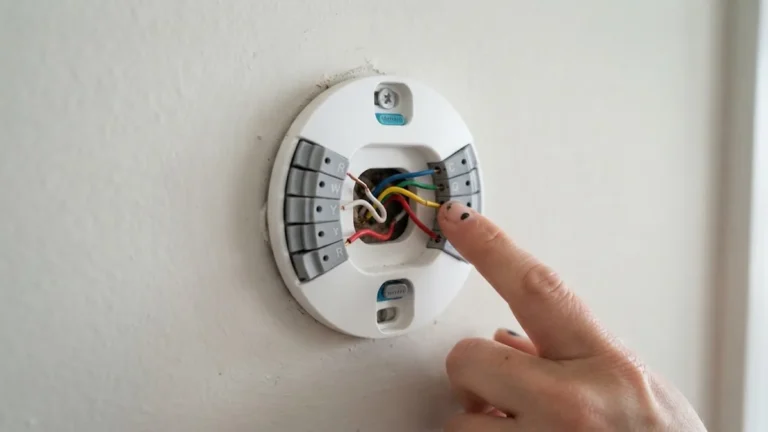
Loose or corroded wires cause many intermittent problems. Turn off power at the breaker, pull the thermostat off its wall plate, and check that each wire is tight in its terminal. Honeywell’s wiring guide explains what each terminal does. If you recently replaced the thermostat, confirm every wire is on the same terminal letter it used before.
For help with wiring or adding a C wire, see our smart thermostat installation guide and our guide to smart thermostats with no C wire.
When to Reset or Replace Your Honeywell Thermostat
A factory reset can clear software glitches, but it also wipes your schedule and Wi-Fi settings, so try the checks above first. Replace the thermostat if:
- It is cracked, has dead buttons or shows corrosion on the terminals.
- The display stays blank with confirmed 24V power at the wall plate.
- It is an old mercury or mechanical model that cannot hold a temperature accurately.
If you replace it, an ENERGY STAR certified smart thermostat can help lower bills. Our list of the best smart thermostats and our budget picks are good places to start.
When to Call an HVAC Technician
Call a professional if:
- The breaker trips again right after you reset it.
- You smell burning, gas or hot plastic.
- The furnace shows a fault code you cannot clear.
- The outdoor AC unit hums but does not run.
- You see ice on refrigerant lines or water pooling around the furnace.
These point to problems in the heating or cooling equipment, not the thermostat.
Common Honeywell Messages and What They Mean
Honeywell thermostats often tell you what’s wrong, if you know how to read them. These messages are common across T-series, FocusPRO and VisionPRO models:
| Message or symbol | What it usually means | What to do |
|---|---|---|
| “Cool On” or “Heat On” flashing | Compressor protection delay is active | Wait about five minutes; it protects the compressor from short restarts |
| “Wait” | A built-in delay before the system starts | Give it a few minutes before changing settings again |
| Low battery or “Replace Batt” | Batteries are weak | Replace with fresh alkaline batteries |
| “Change Filter” or filter reminder | Filter timer has run out | Change the HVAC filter, then reset the reminder in the menu |
| “Temporary Hold” or “Permanent Hold” | The schedule is being overridden | Cancel the hold to return to your schedule |
| Snowflake or flame flashing | System is waiting or a delay is active | Wait a few minutes; call a technician if it never starts |
Exact wording varies by model, so check your manual for codes not listed here. Resideo keeps model manuals on its support site.
Thermostat Short Cycling: Causes and Fixes
Short cycling is when the heating or cooling switches on and off every few minutes without ever reaching the set temperature. It wastes energy and wears out equipment. Common causes:
- Thermostat in a bad spot: near a supply vent, in direct sun or above a lamp, so it “thinks” the room is warm or cool too quickly.
- Cycle rate setting: the installer setting for cycles per hour doesn’t match your equipment. A technician or the manual can set the right value.
- Dirty filter: restricted airflow causes furnaces to overheat and shut off early, and air conditioners to freeze up.
- Oversized equipment: a system that is too big for the home heats or cools very fast, then stops.
- Loose wiring: a wire that makes and breaks contact can start and stop the system.
Start with the filter and thermostat location. If those are fine, ask an HVAC technician to check the cycle rate and system size.
Is It the Thermostat or the HVAC System?
A quick way to narrow it down:
- If the display is blank even with new batteries, the problem is power, which could be a tripped breaker, a furnace door switch or a blown fuse on the control board.
- If the display works and shows “Heat On” or “Cool On” but nothing happens at the equipment, the thermostat is probably sending a signal and the problem is likely the furnace, air handler or outdoor unit.
- If the fan runs but there’s no heat or cold air, the thermostat is working and the issue is usually in the system itself.
- If nothing at all happens when you call for heat or cooling, check the wiring at both ends.
Seasonal Maintenance Checklist
A few minutes of maintenance before each heating and cooling season prevents most “thermostat not working” calls:
- Before winter: replace thermostat batteries, change the furnace filter, test the heat by raising the set point a few degrees, and check that the furnace door is fully closed so its safety switch isn’t tripped.
- Before summer: clear leaves and debris from around the outdoor unit, check the condensate drain line isn’t blocked, change the filter, and test cooling.
- All year: keep the thermostat clean, keep lamps and electronics away from it, and update the schedule when your routine changes.
If you have a Wi-Fi model, look at the app’s runtime or energy history. A sudden jump in runtime with no change in the weather can be an early sign of a dirty filter or a failing part. For ways to cut heating and cooling costs, see our guide to smart thermostat energy savings.
Frequently Asked Questions
Why is my Honeywell thermostat blank after changing the batteries?
Check that the batteries are fresh alkaline and installed the right way round. If it is still blank, the model may rely on HVAC power; check the breaker, the furnace power switch and the furnace door.
What does “Wait” mean on a Honeywell thermostat?
It means compressor protection is active. The thermostat delays the heat pump or AC for up to five minutes after a change to prevent damage.
Why does my Honeywell thermostat say “Heat On” but no heat comes out?
The thermostat is calling for heat, so the problem is likely at the furnace: a clogged filter, a tripped limit switch, an ignition fault or a closed gas valve. Check the furnace status light or call a technician.
Do Honeywell thermostats have a reset button?
Most do not have a dedicated button. They reset through a menu, a button combination or by removing the batteries, depending on the model.
How long do Honeywell thermostats last?
Many last ten years or more. If yours is older and acting up, replacing it is often cheaper than repeated service calls.
Will a power outage affect my Honeywell thermostat?
Some models lose the time or schedule after an outage. Check the clock and schedule once power returns.
Why does my Honeywell thermostat say “Cool On” but nothing happens?
If “Cool On” is flashing, the compressor delay is active, so wait about five minutes. If it stays solid and the outdoor unit still doesn’t start, check the outdoor disconnect and breaker, then call a technician.
Why is my Honeywell thermostat running but the house isn’t warming up?
Check the filter first, then make sure all supply vents are open. If the thermostat calls for heat and the furnace runs but air stays cool, the problem is in the furnace, such as the burner, igniter or flame sensor, and needs a technician.
Can a bad thermostat cause high energy bills?
Yes. A thermostat reading the wrong temperature, a wrong cycle rate, or a schedule stuck on hold can all make your system run longer than needed. Compare the thermostat’s reading with a separate room thermometer to check accuracy.
Should I replace my old Honeywell thermostat or repair it?
Thermostats aren’t usually repaired. If an old non-programmable or early digital model keeps failing after new batteries and a reset, replacing it is cheaper and adds features like scheduling and Wi-Fi control.
Final Thoughts
A Honeywell thermostat not working is usually a quick fix. Check the mode and set point, swap the batteries, confirm the breaker, power switch and furnace door, and give the system five minutes. If the screen works and the thermostat is calling for heat or cooling, the issue is in the equipment and a technician is your next call. For ways to cut your bills once everything is running again, read our guide to smart thermostat energy savings.