
The Honeywell Pro Series thermostat line is what many HVAC contractors install by default. You will find these thermostats in new builds, rental homes and furnace replacements across North America, and many homeowners only learn the name when they need a manual or a replacement.
This guide explains the Honeywell Pro Series thermostat range from the simple T1 Pro to the T6 Pro Smart and the T10+ Pro, using specifications from Honeywell Home’s T Series catalog. You will see which model suits which system, how they compare with consumer smart thermostats, and the basics of setting one up.
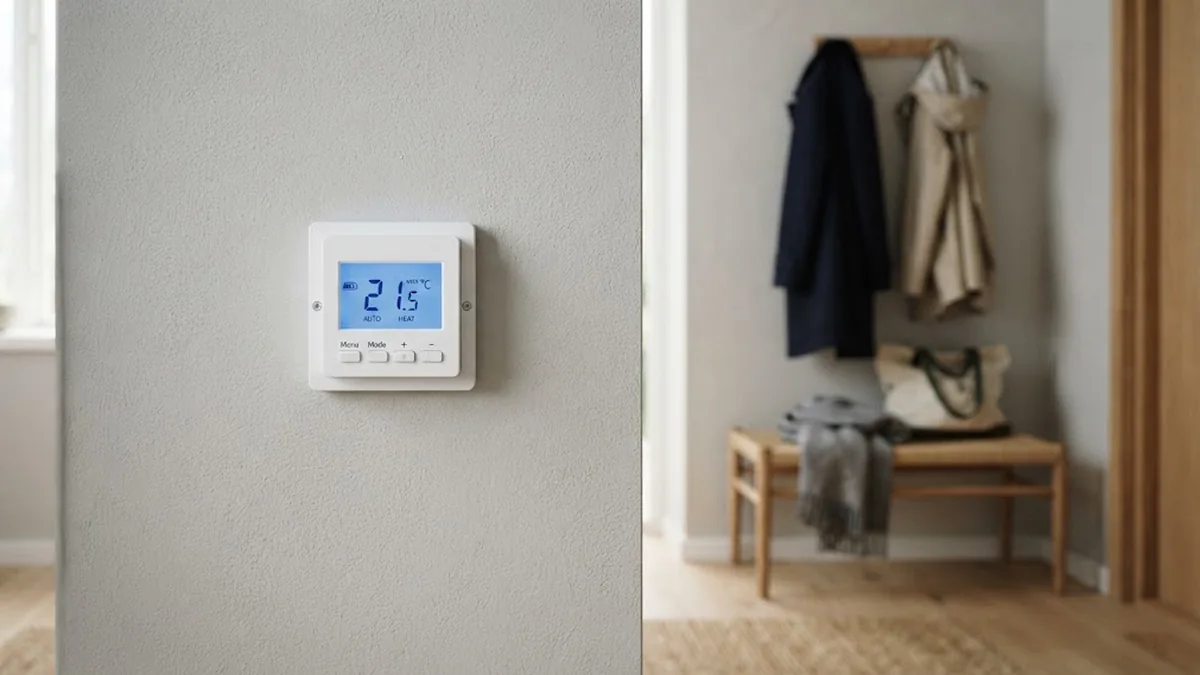
Table of Contents
- What Is the Honeywell Pro Series?
- Honeywell Pro Series Thermostat Models Compared
- Which Pro Series Model Is Right for You?
- Pro Series vs Consumer Smart Thermostats
- Honeywell Pro Series Pros and Cons
- Setting Up a Honeywell Pro Series Thermostat
- Common Questions About Pro Series Settings
- The UWP Mounting System
- Power Options: C Wire or Batteries?
- RedLINK Room Sensors on the T10+ Pro
- Heat Pump and Dual-Fuel Support
- Buying a Pro Series Thermostat as a Homeowner
- Energy-Saving Settings Worth Using
- Quick Troubleshooting for Pro Series Thermostats
- Fitting a Pro Series Thermostat Into a Minimal Home
- Frequently Asked Questions
- Final Thoughts
What Is the Honeywell Pro Series?
The Pro Series (part of Honeywell Home’s T Series) is a family of thermostats made by Resideo and sold mainly through HVAC distributors and contractors, although many models are also easy to buy online. They share a few traits:
- Simple, durable designs built for a wide range of heating and cooling systems.
- Flexible power. Most models run on batteries or a C wire.
- The UWP mounting system, a universal wall plate designed to make swaps quick for installers.
- Detailed installer setup menus for configuring stages, heat pumps and other equipment.
The trade-off is that most Pro models are not Wi-Fi thermostats. Only the T6 Pro Smart and T10+ Pro Smart connect to Wi-Fi and voice assistants.
Honeywell Pro Series Thermostat Models Compared
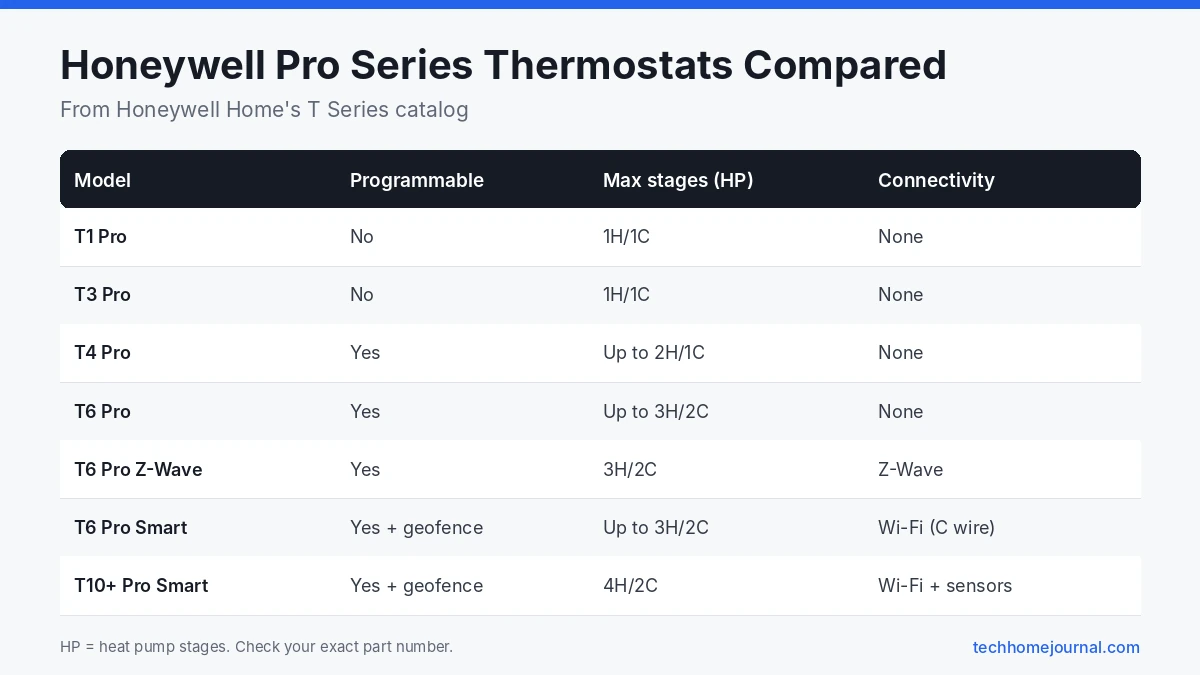
The table below summarizes the main models listed in Honeywell’s T Series thermostat catalog.
| Model | Part numbers | Programmable | Max stages (heat pump / conventional) | Connectivity | Power |
|---|---|---|---|---|---|
| T1 Pro | TH1110D2009 | No | 1H/1C | None | Battery or C wire |
| T3 Pro | TH3110U2008, TH3210U2004 | No | 1H/1C | None | Battery or C wire |
| T4 Pro | TH4110U2005, TH4210U2002 | Yes | Up to 2H/1C (TH4210) | None | Battery or C wire |
| T6 Pro | TH6210U2001, TH6220U2000, TH6320U2008 | Yes | Up to 3H/2C heat pump, 2H/2C conventional | None | Battery or C wire |
| T6 Pro Z-Wave | TH6320ZW2003, TH6320ZW2007 | Yes | 3H/2C / 2H/2C | Z-Wave | Battery or C wire |
| T6 Pro Smart | TH6220WF2006, TH6320WF2003 | Yes, plus geofencing | Up to 3H/2C / 2H/2C | Wi-Fi | C wire only |
| T10+ Pro Smart | YTHM1004R3000, YTHM1004R3001 | Yes, plus geofencing | 4H/2C / 3H/2C | Wi-Fi, RedLINK sensors | C wire only |
Which Pro Series Model Is Right for You?
T1 Pro and T3 Pro: simple non-programmable control
These are basic, reliable thermostats for single stage systems. They suit rental units, utility rooms and anyone who prefers to set a temperature and leave it. Neither has a schedule.
T4 Pro: an easy programmable upgrade
The T4 Pro adds 7-day, 5-2 and 5-1-1 programming. The TH4110U2005 handles single stage systems, while the TH4210U2002 supports heat pumps with up to two heating stages. Honeywell’s T4 Pro installer setup guide explains how to open the System Setup menu by holding Menu and + for about five seconds.
T6 Pro: the most popular all-rounder
The T6 Pro supports more complex systems, including up to three heating and two cooling stages on heat pumps with the TH6320U2008. Most versions support dual fuel and indoor/outdoor sensing. If you want a capable non-Wi-Fi thermostat, this is usually the one.
T6 Pro Z-Wave: for smart home hubs
The Z-Wave versions plug into security panels and smart home hubs that use Z-Wave instead of Wi-Fi. They can run on batteries or a C wire, which is handy where no C wire exists.
T6 Pro Smart: Wi-Fi and app control
The T6 Pro Smart adds Wi-Fi, the Resideo app, geofencing and support for voice assistants such as Amazon Alexa and Google Assistant. It is ENERGY STAR certified but needs a C wire. If voice control matters to you, our guide to the best thermostats for Alexa compares it with other Alexa friendly models.
T10+ Pro Smart: the top of the line
The T10+ Pro Smart kit supports up to four heating and two cooling stages on heat pumps, dual fuel, humidifiers, dehumidifiers and ventilators, and comes with RedLINK wireless sensors for room by room comfort. It is aimed at larger homes and more complex systems.
Pro Series vs Consumer Smart Thermostats
| Honeywell Pro Series (non-smart) | Consumer smart thermostats | |
|---|---|---|
| Price | Generally lower | Higher |
| Wi-Fi and app | Only T6 Pro Smart and T10+ | Standard |
| C wire | Optional on most models | Often required |
| Learning features | No | Some models |
| Complex systems | Strong support (stages, dual fuel) | Varies |
If you want app control and energy reports, a consumer smart thermostat or the T6 Pro Smart is a better fit. Our list of the best smart thermostats and our budget smart thermostat picks compare options. If your home has no C wire, see our guide to smart thermostats with no C wire.
Honeywell Pro Series Pros and Cons
Pros:
- Wide compatibility. From simple single stage furnaces to multi stage heat pumps with dual fuel.
- Battery or C wire power on most models, which makes them easy to fit in older homes.
- Familiar, simple controls that suit tenants, older relatives and anyone who dislikes touchscreens.
- Contractor friendly. Many HVAC technicians know the installer menus well, which helps with service calls.
- Good value. Non-smart Pro models usually cost less than consumer smart thermostats.
Cons:
- No Wi-Fi on most models. Only the T6 Pro Smart and T10+ Pro Smart offer app control.
- No learning features. Schedules are set by hand.
- Installer menus can be confusing for first time DIYers, and wrong settings can affect your system.
- Part numbers are easy to mix up. Two T6 Pro models can support different stages, so always check the exact number.
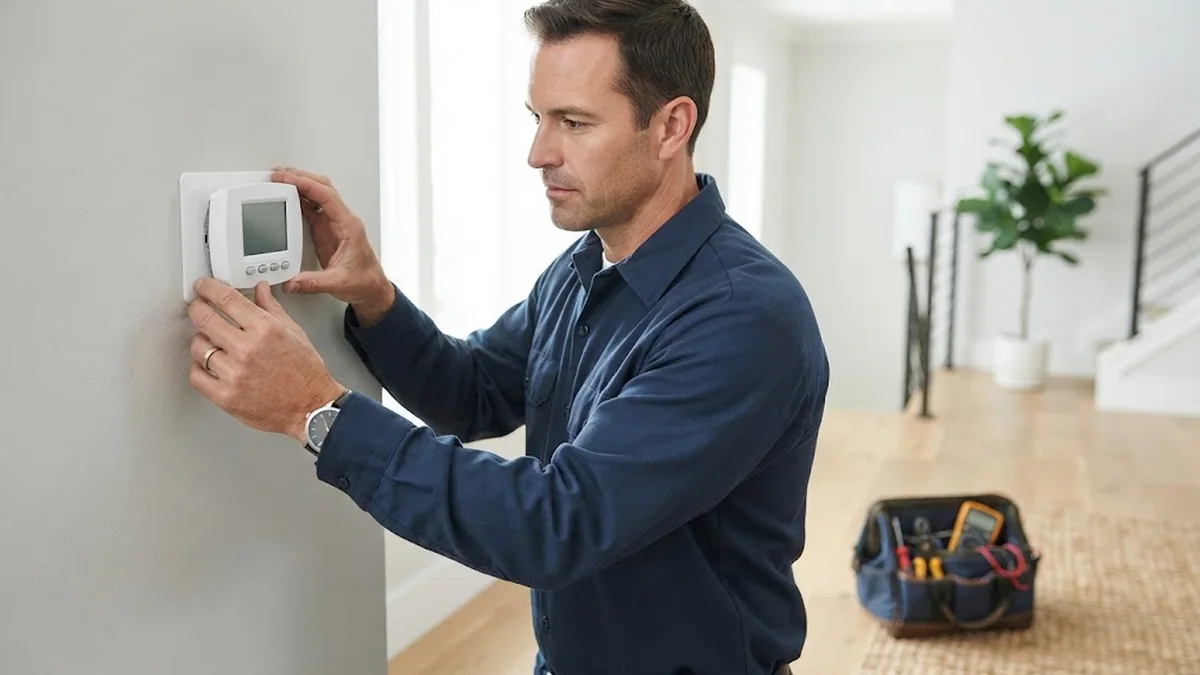
Setting Up a Honeywell Pro Series Thermostat
- Turn off power to the HVAC system at the breaker.
- Remove the old thermostat and photograph the wiring.
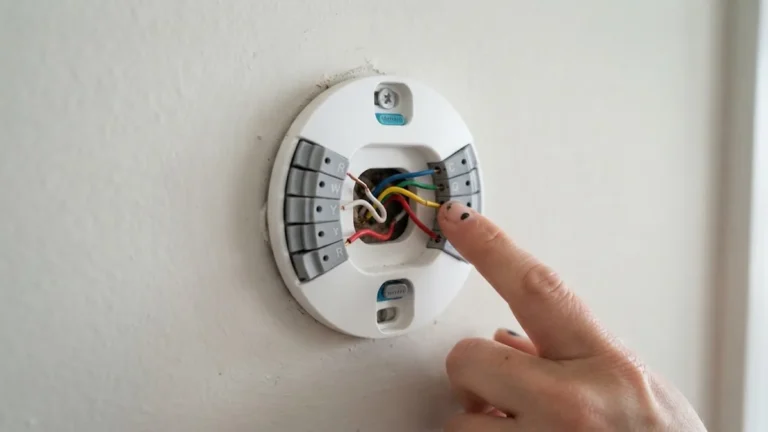
- Mount the UWP wall plate and connect each wire to the matching terminal. Honeywell’s wiring guide explains each terminal.
- Insert batteries or connect the C wire.
- Attach the thermostat and restore power.
- Run installer setup: choose the system type (conventional or heat pump), the number of stages, the reversing valve setting (O or B) and fan control.
- Set the schedule on programmable models.
- Test heat, cool and fan.
For a full walk through with photos, see our smart thermostat installation guide.
Common Questions About Pro Series Settings
- Thermostat shows “Wait”: compressor protection is active. Wait up to five minutes.
- Heat pump heats when cooling is selected: change the O/B setting in installer setup.
- Schedule does not run: check that the thermostat is set to a programmable mode, not non-programmable.
- Screen blank: replace the batteries or check the C wire and breaker.
If you need to reset a Pro model, Honeywell’s reset guide lists reset steps by model family.
The UWP Mounting System
Most current T-series Pro thermostats use Honeywell’s UWP (Universal Wall Plate) mounting system. It’s one of the reasons installers like the range.
- Wires connect to a push-in terminal block on the wall plate, rather than tiny screws.
- The thermostat body then clips onto the plate, so you can remove it later without touching the wiring.
- Because several Pro models share the same plate, upgrading from a T4 Pro to a T6 Pro is often a quick swap.
- A decorative cover plate helps hide marks left by an older, larger thermostat, so you often don’t need to repaint the wall.
When you install one, push each wire in straight and give it a gentle tug to make sure it’s held. Most wiring problems on UWP plates come from a wire that isn’t fully seated or has too much bare copper showing.
Power Options: C Wire or Batteries?
Power needs depend on the model:
- Non-Wi-Fi models (T1, T3, T4, T6 Pro): many can run on AA batteries, a 24V C wire, or both. Batteries alone are fine for simple systems.
- Z-Wave and Smart models (T6 Pro Z-Wave, T6 Pro Smart, T10+ Pro Smart): wireless radios need more power. A C wire is strongly recommended, and Wi-Fi models generally need one.
- No C wire? Options include using a spare wire in the cable, adding a power adapter at the furnace, or running a new cable.
Check the installation guide for your exact model, since power requirements change between versions. Our no-C-wire guide explains adapters in more detail.
RedLINK Room Sensors on the T10+ Pro
The T10+ Pro Smart supports wireless RedLINK room sensors. These measure temperature, and on some sensors humidity and occupancy, in other rooms. The thermostat can then:
- Average temperatures across several rooms for more even comfort.
- Prioritise the rooms that are occupied.
- Focus on a bedroom at night and the living room during the day.
Sensors are especially useful in two-storey homes where upstairs runs warmer than downstairs, or in homes where the thermostat sits in a hallway far from the main living area.
Heat Pump and Dual-Fuel Support
Higher Pro models handle more complex systems than most consumer thermostats:
- Heat pumps with auxiliary and emergency heat are supported on T4 Pro and above, depending on the number of stages.
- Multi-stage systems are better served by T6 and T10 models, which support more heating and cooling stages.
- Dual-fuel setups, combining a heat pump with a gas furnace, usually need a higher-end model and correct installer settings, sometimes with an outdoor temperature sensor.
Read the installer settings section of the manual carefully, or have an HVAC technician set these up. Wrong heat pump settings are a common cause of high winter bills.
Buying a Pro Series Thermostat as a Homeowner
Pro Series models are designed for contractors, but homeowners can usually buy them through online retailers and HVAC suppliers. Before buying, check that the seller is reputable, that the box is sealed, and that the warranty applies when you install it yourself. If a contractor installs it, ask them to note the installer settings and leave the manual with you.
Energy-Saving Settings Worth Using
A Pro Series thermostat only saves money if it’s set up properly. These settings make the biggest difference:
- Programmed schedule: on T4 Pro and above, set wake, leave, return and sleep periods. Lower heating set points by a few degrees while you’re out or asleep.
- Adaptive Intelligent Recovery: lets the thermostat start heating or cooling early so the home is comfortable on time, without you setting it earlier “just in case”.
- Heat pump balance points: on heat pump systems, a correct auxiliary heat lockout keeps expensive backup heat from running when the heat pump can cope alone.
- Filter reminders: a clean filter keeps the system efficient. Set the reminder to match your filter’s recommended interval.
- Fan setting: keep the fan on Auto unless you need constant air circulation.
The U.S. Department of Energy’s thermostat guidance explains how setbacks reduce heating and cooling costs.
Quick Troubleshooting for Pro Series Thermostats
| Symptom | Likely cause | Fix |
|---|---|---|
| Blank screen | Dead batteries or no 24V power | Replace batteries; check breaker and furnace door switch |
| “Wait” or flashing “Cool On” | Compressor protection delay | Wait about five minutes |
| Heat pump blows cold air in heat mode | Wrong O/B changeover setting | Check installer setting for the reversing valve |
| Fan won’t stop | Fan set to On, or a wiring fault on G | Set fan to Auto; check wiring |
| Wi-Fi model offline | Router change or weak power | Reconnect Wi-Fi; confirm C wire |
Fitting a Pro Series Thermostat Into a Minimal Home
Pro Series thermostats are practical rather than decorative, but they can still sit neatly in a calm, minimal Scandinavian-style room. Choose a white model to blend with light walls, use the cover plate to hide old screw holes, and mount it at about 1.5 m (5 ft) on an inside wall, away from sunlit windows, radiators and lamps. Those spots give a more accurate reading as well as a cleaner look.
If the thermostat ends up in a hallway far from the living room, consider the T10+ Pro with a RedLINK sensor placed on a living room shelf, so comfort is based on where you actually spend your evenings.
Frequently Asked Questions
What is the difference between Honeywell Pro Series and regular Honeywell thermostats?
Pro Series models are sold mainly through HVAC contractors and focus on wide compatibility and simple, durable controls. Consumer models focus more on apps and smart features.
Is the Honeywell T6 Pro a smart thermostat?
The standard T6 Pro is not. The T6 Pro Smart (TH6220WF2006 and TH6320WF2003) adds Wi-Fi and app control.
Does the Honeywell Pro Series need a C wire?
Most models run on batteries or a C wire. The T6 Pro Smart and T10+ Pro Smart require a C wire.
Can a Honeywell Pro thermostat control a heat pump?
Yes. All models in the catalog support heat pumps; the T6 Pro and T10+ handle multi stage heat pumps and dual fuel on certain versions.
Is the Honeywell Pro Series good for DIY installation?
Yes, if you are comfortable with low voltage wiring. Take photos, label wires and use the installer setup guide.
Which Honeywell Pro thermostat is best for a rental?
The T1 Pro, T3 Pro or T4 Pro are simple, affordable choices that tenants find easy to use.
Can I buy Honeywell Pro Series thermostats without a contractor?
Often yes, through online retailers and some supply stores. Check the warranty terms, because some cover professional installation differently from DIY installs.
Do Honeywell Pro thermostats work with RedLINK sensors?
The T10+ Pro Smart does. Most other Pro models don’t support remote room sensors, so choose the T10+ Pro if multi-room comfort matters.
Is the Honeywell T4 Pro programmable?
Yes. The T4 Pro supports a 7-day or 5-1-1 programmable schedule, making it a simple upgrade from non-programmable thermostats.
Can I add Wi-Fi to a T6 Pro later?
No. The standard T6 Pro has no Wi-Fi radio. If you want app control, choose the T6 Pro Smart, or the T6 Pro Z-Wave if you use a Z-Wave hub.
How long do Honeywell Pro thermostats last?
With fresh batteries and a stable power supply, many last ten years or more. Replace them sooner if buttons fail, the screen fades, or you want features like Wi-Fi or room sensors.
Where should I mount a Honeywell Pro Series thermostat?
On an inside wall about 1.5 m (5 ft) above the floor, in a room you use often, away from direct sun, vents, doors and lamps. A poor location causes more comfort complaints than the thermostat model itself.
Final Thoughts
The Honeywell Pro Series thermostat range covers everything from a basic non-programmable T1 Pro to the Wi-Fi T6 Pro Smart and the sensor-equipped T10+ Pro. For most homes, the T4 Pro or T6 Pro gives reliable scheduling at a fair price, while the T6 Pro Smart adds app control if you have a C wire. Match the model to your system’s stages and features, and use the installer setup carefully. For ways to save once it is running, read our guide to smart thermostat energy savings.