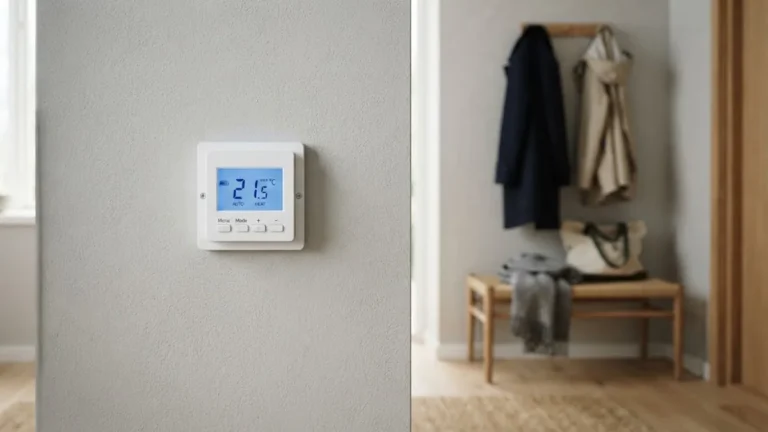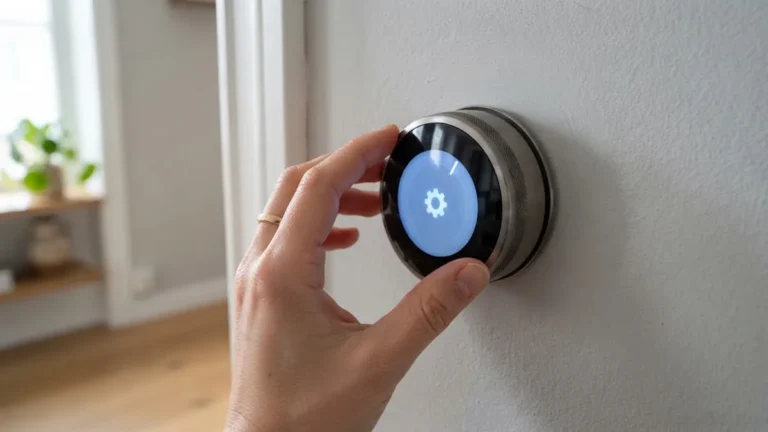

Lost the paper booklet that came with your thermostat? You are not alone. The Honeywell thermostat manual is usually the first thing to disappear after installation, and the last thing you can find when you need to change a schedule, unlock the keypad or set up a new heat pump.
The good news is that Honeywell Home (made by Resideo) keeps digital manuals for most of its thermostats online. This guide shows you how to identify your exact model, where to download the official Honeywell thermostat manual for free, which sections of the manual matter most, and quick answers to the tasks people most often look up.

Table of Contents
- Step 1: Find Your Honeywell Thermostat Model Number
- Step 2: Download the Official Manual
- User Guide vs Installation Guide
- Honeywell Thermostat Families and Their Manuals
- The Installer Setup Menu Explained
- Quick Answers to Common Manual Questions
- Tips for Keeping Your Manual Handy
- When the Manual Is Not Enough
- Key Installer Settings You’ll See in Most Manuals
- Finding Manuals for Older or Discontinued Models
- Old Mercury Thermostats: Safe Disposal
- Keep a Digital Copy of Your Manual
- How to Read the Wiring Diagrams in Your Manual
- Example Energy-Saving Schedule
- Using the App Instead of the Manual
- Frequently Asked Questions
- Final Thoughts
Step 1: Find Your Honeywell Thermostat Model Number
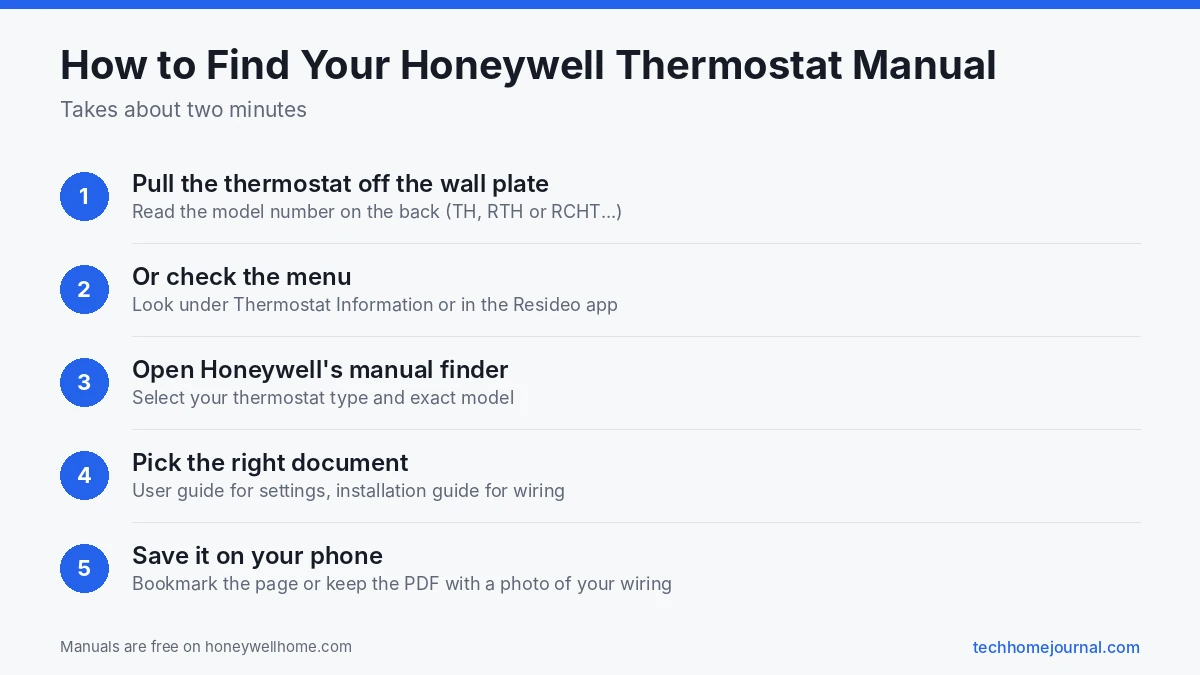
Every manual search starts with the model number. You can usually find it in one of three places:
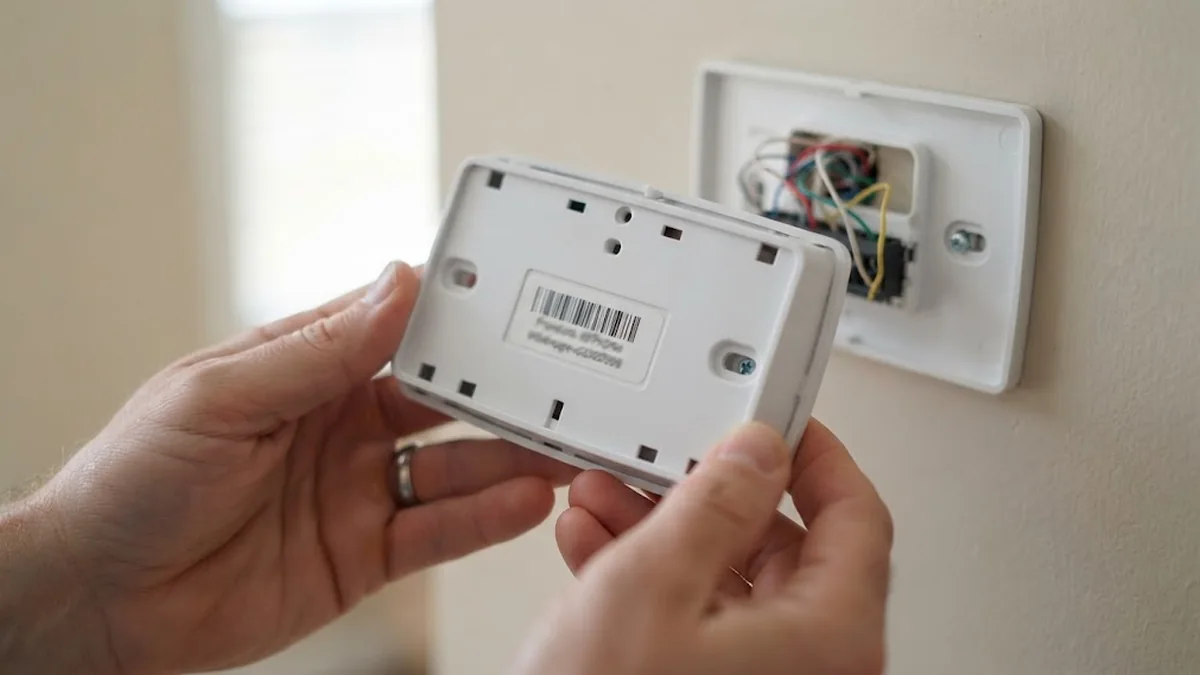
- On the back of the thermostat. Gently pull the thermostat face straight off its wall plate. The model number is printed on a label and often starts with TH, RTH or RCHT.
- In the menu. Many Wi-Fi and touchscreen models show it under Menu, then Thermostat Information or Equipment Info.
- In the Resideo app (formerly the Honeywell Home app) under the device settings for Wi-Fi models.
Write down the full number, including the letters at the end. For example, TH6220WF2006 and TH6320WF2003 are both T6 Pro Smart models, but they support different numbers of heating and cooling stages.
Step 2: Download the Official Manual
Honeywell Home has an official thermostat manual finder. You pick your thermostat type and model, and it links to the matching user guide and installation guide. Both are free.
Honeywell also publishes many newer manuals as web pages instead of PDFs, such as the FocusPRO troubleshooting and support section. These are easy to read on a phone while you stand at the wall.
For questions the manual does not answer, the Honeywell Home support center has articles on resets, wiring and compatibility.
User Guide vs Installation Guide
Most Honeywell thermostats come with two documents, and it helps to know which one you need:
| Document | Who it is for | What it covers |
|---|---|---|
| User guide (or user manual) | Homeowners | Schedules, modes, fan, hold, keypad lock, batteries, Wi-Fi, troubleshooting |
| Installation guide (or installer manual) | Installers and DIYers | Wiring, system type, heating and cooling stages, installer setup numbers, compressor protection |
| Quick start or getting started card | Everyone | Basic setup and the first app connection |
If you are changing the schedule, you want the user guide. If you are replacing a thermostat or the heat is not working after a change, you want the installation guide.
Honeywell Thermostat Families and Their Manuals
Honeywell has sold dozens of models over the years. These are the families people search for most:
- T Series smart thermostats (T5, T5+, T6 Pro, T9, T10). Touchscreen or button models with Wi-Fi on most versions. Manuals cover the Resideo app, geofencing and room sensors (T9 and T10).
- Pro Series (T1 Pro, T3 Pro, T4 Pro, T6 Pro). Sold mostly through HVAC contractors. The installation guide is especially important because many settings live in the installer setup menu.
- FocusPRO (5000, 6000). Popular button models, including Wi-Fi versions like the RTH6580WF.
- VisionPRO (8000). Touchscreen models with advanced installer options.
- Smart WiFi 9000 (RTH9585WF). A color touchscreen consumer model.
- Basic programmable and non-programmable (RTH2300, RTH221, RTH111). Simple battery models with short manuals.
The Installer Setup Menu Explained
The installer setup menu, sometimes called ISU, holds the settings that tell your thermostat what equipment it controls. Typical options include:
- System type: conventional furnace and AC, heat pump, boiler or heat only.
- Number of stages: one or two stage heating and cooling.
- Heat pump reversing valve: O or B.
- Fan control: gas or electric heat.
- Cycle rate: how often the system turns on and off.
- Temperature display and offset.
On the T4 Pro, for example, Honeywell’s installer setup guide says to press and hold Menu and + for about five seconds, then press Select to open System Setup. Each setting has a number and a value, and the installation guide lists exactly what each one means. Change these only if you know your equipment, because a wrong setting can stop heating or cooling.
Quick Answers to Common Manual Questions
How do I set a schedule?
On most programmable Honeywell models, open the Menu or Schedule option, choose the days, then set times and temperatures for Wake, Away, Home and Sleep periods. Wi-Fi models let you do the same in the Resideo app, which is often easier.
How do I hold a temperature?
Change the set point with the arrows. Most models then show Hold Until (a temporary hold to the next schedule period) and Permanent Hold. Choose the one you want.
How do I unlock the keypad?
Many Honeywell models can lock the buttons. Look for a lock icon or an Unlock option on screen. The user guide for your model explains whether a code or a button combination is needed.
How do I change the batteries?
Pull the thermostat off the wall plate or open the battery door, depending on the model, and fit fresh AA or AAA alkaline batteries. Honeywell recommends alkaline batteries in most of its guides.
What does “Wait” or “Waiting for Equipment” mean?
It means compressor protection is active. The thermostat delays the AC or heat pump for up to about five minutes after a change to protect the compressor.
How do I reset my Honeywell thermostat?
Reset steps vary by model. Honeywell’s official reset guide lists the factory, Wi-Fi and schedule reset steps for each family.
Tips for Keeping Your Manual Handy
- Save the PDF or bookmark the web manual on your phone.
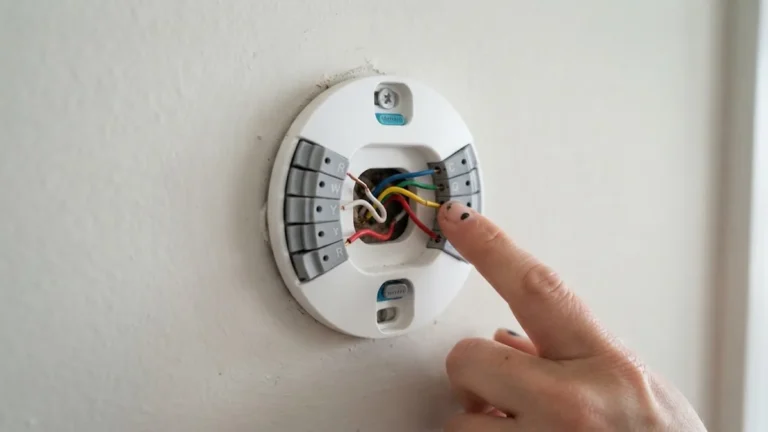
- Take a photo of the wiring behind the thermostat and keep it with the manual.
- Write the model number on a sticker inside a nearby cupboard or the furnace door.
- Note your installer settings if a technician set up the thermostat, so you can restore them after a reset.
When the Manual Is Not Enough
If you have followed the manual and the system still is not working, the problem may be wiring or the HVAC equipment itself. Our smart thermostat installation guide explains the common setup steps, and our article on smart thermostats with no C wire helps if the screen keeps going blank.
If your thermostat is old and the manual feels like a puzzle, upgrading may be simpler. Our list of the best smart thermostats, our budget smart thermostat picks and our guide to the best thermostats for Alexa are good starting points.
Key Installer Settings You’ll See in Most Manuals
Honeywell manuals list many installer settings, but a handful come up again and again. Knowing what they mean makes the manual much easier to follow:
| Setting | What it controls | When it matters |
|---|---|---|
| System type | Conventional (furnace/AC), heat pump, boiler, etc. | Always; a wrong setting means no heat or cooling |
| Changeover valve (O/B) | Whether the heat pump’s reversing valve is energised in cool (O) or heat (B) | Heat pumps only |
| Fan control | Whether the thermostat or the furnace controls the fan in heat mode | Gas furnaces vs electric heat |
| Cycle rate (CPH) | How many times per hour heating or cooling can cycle | Short cycling or comfort complaints |
| Adaptive Intelligent Recovery | Starts heating or cooling early so the home reaches the set temperature on time | If the system seems to start “too early” |
| Temperature display | °F or °C | Personal preference |
| Filter reminder | How often you’re reminded to change the filter | Routine maintenance |
Write down every installer setting before changing anything, or take a photo of each screen as you scroll through the menu. If a change causes problems, you can put it back exactly as it was.
Finding Manuals for Older or Discontinued Models
Older Honeywell thermostats, such as early non-programmable and basic programmable models, may not appear in the current product pages. To find their manuals:
- Search the full model number on Resideo’s support site, including any letters after the main number.
- Look for the installation and user guide numbers printed inside the cover or on the wall plate. These literature numbers often find a manual when the model number doesn’t.
- Check reputable manual libraries if the official site has no copy, and make sure the model number matches exactly.
- If you still can’t find it, consider replacing very old units. A modern thermostat is easier to use and often more efficient.
Old Mercury Thermostats: Safe Disposal
Very old round and lever-style thermostats, including some older Honeywell models, may contain a small glass bulb of mercury inside. If you’re replacing one:
- Don’t break the bulb or put the thermostat in household rubbish.
- Take it to a hazardous waste site or a thermostat recycling programme. In the US, the Thermostat Recycling Corporation runs collection points at many HVAC suppliers.
- Newer digital Honeywell thermostats don’t contain mercury.
Keep a Digital Copy of Your Manual
Paper manuals get lost. A simple system saves time later:
- Download the PDF user guide and installation guide for your exact model.
- Save both to your phone and a cloud folder named “Home manuals”.
- Add a photo of the thermostat wiring and the installer settings screens to the same folder.
- Stick a small label inside the thermostat cover or near the furnace with the model number and the date it was installed.
When you need help months later, everything is in one place. For setup help on Wi-Fi models, our smart home security tips also cover securing the apps that control your thermostat.
How to Read the Wiring Diagrams in Your Manual
Every Honeywell installation guide includes wiring diagrams for the systems the thermostat supports. They look technical, but follow a simple pattern:
- Find the diagram for your system first. Diagrams are labelled by system type, such as “conventional 1 heat / 1 cool” or “heat pump with auxiliary heat”.
- Match terminal letters, not colours. The diagram shows letters like R, W, Y, G and C. Your wires may be different colours.
- Look for jumpers. A line between R and Rc, or a note about a jumper, tells you whether to leave the factory jumper in place.
- Read the footnotes. Small notes often explain options such as using a separate transformer for heating and cooling.
Our doorbell wiring diagram guide uses the same approach for low-voltage doorbells, if you’re working on both.
Example Energy-Saving Schedule
The user guide explains how to program a schedule, but not what to program. This simple weekday schedule is a good starting point for many homes in winter:
| Period | Time | Heating set point |
|---|---|---|
| Wake | 6:30 a.m. | 20°C (68°F) |
| Leave | 8:00 a.m. | 16 to 17°C (61 to 63°F) |
| Return | 5:30 p.m. | 20°C (68°F) |
| Sleep | 10:30 p.m. | 16 to 17°C (61 to 63°F) |
Adjust the times to match your routine. The U.S. Department of Energy notes that turning the thermostat back 7 to 10°F for eight hours a day can save up to 10% a year on heating and cooling.
Using the App Instead of the Manual
For Wi-Fi Honeywell thermostats, the app often answers questions faster than the manual. In the Honeywell Home or Resideo app you can usually:
- Edit schedules on a bigger screen than the thermostat.
- See alerts for filter changes, high or low temperatures and lost connection.
- Find device information, including the model and firmware version, which helps when searching for the right manual.
- Open built-in help articles for common tasks.
Older Wi-Fi models may use the Total Connect Comfort app instead. If your app doesn’t recognise the thermostat, check the manual’s Wi-Fi section to confirm which app your model uses.
Frequently Asked Questions
Where can I download a Honeywell thermostat manual for free?
Use the official thermostat manual finder on the Honeywell Home website. Select your thermostat and download the user or installation guide.
How do I know which Honeywell thermostat I have?
Pull the thermostat off its wall plate and read the model number on the back, or check Thermostat Information in the menu.
Is the Honeywell Home app the same as Resideo?
Yes. Resideo makes Honeywell Home products, and the app is now called the Resideo app.
Why does my manual mention settings I cannot find?
Some features depend on the exact model or on installer settings. Check that the manual matches your full model number, including the letters at the end.
Can I get a printed Honeywell manual?
The manuals online are PDF or web pages that you can print at home. Contact Resideo support if you need help finding a specific older guide.
Do I need the installation manual to change the schedule?
No. The user guide covers schedules. The installation manual is for wiring and equipment settings.
Where are the installer settings in my Honeywell manual?
They’re usually in the installation guide, not the user guide, in a section called installer setup or ISU. The guide lists each setting number, its options and the default value.
Does my old Honeywell thermostat contain mercury?
Older round or mechanical models with a glass bulb inside may. Digital models don’t. If yours has a mercury bulb, recycle it through a thermostat recycling programme rather than throwing it away.
What if my Honeywell thermostat model isn’t listed online?
Search using the literature number printed in the old manual or inside the cover, or the full model number including letters at the end. If nothing turns up, the model may be very old, and replacing it is often the simplest fix.
Is there a Honeywell manual for heat pump settings?
Heat pump settings are in the installation guide for your model. Look for the system type setting and the changeover valve (O/B) setting, and follow the heat pump wiring diagram.
Can I change installer settings myself?
Yes, but only change one setting at a time and note the original value. Some settings, like system type and fuel type, must match your equipment exactly, so ask an HVAC technician if you’re unsure.
How long should I keep my thermostat manual?
For as long as you own the thermostat. A digital copy takes no space and is useful when you sell the house, so you can pass it on to the next owner.
Final Thoughts
Finding your Honeywell thermostat manual takes a couple of minutes once you know the model number. Use Honeywell’s official manual finder, pick the user guide for everyday settings and the installation guide for wiring and installer setup, and save a copy on your phone for next time. With the right manual in hand, most thermostat questions have a quick answer. For ways to save money with your thermostat, read our guide to smart thermostat energy savings.