

Most security cameras are built for porches and driveways. The Tactacam Defend security camera was built for the places those cameras can’t reach: a farm gate at the end of a long lane, a hay barn, a hunting cabin, an equipment yard or a building site with no Wi-Fi and no outlet in sight.
Free tool: Use our free Security Camera Storage Calculator to work out how much storage your cameras need for the recording days you want.
More free tools: Not sure the Defend is right for you? Try our Security Camera Finder to get matched with the best camera for your property, or use the Cellular Camera Cost Calculator to see what a Defend data plan really costs over 1 to 3 years.
Instead of joining your home network, the Defend sends photos and short clips over 4G LTE, runs on batteries (with optional solar), and sends alerts to your phone through the Defend app. This guide explains what it does on paper, what the data plans really cost, how it compares with the newer Defend 360 and with ordinary Wi-Fi cameras, and where it makes sense. Specs come from Tactacam and retailer listings; prices move, so treat them as approximate and check current deals.
Table of Contents
- Quick Verdict
- What Is the Tactacam Defend?
- Tactacam Defend Specs at a Glance
- How the Cellular Connection Works
- Detection, Night Vision and Image Quality
- Power: AA Batteries, Rechargeable Pack and Solar
- Defend Data Plans and the Real Cost
- Tactacam Defend vs Defend 360
- Where the Defend Works Best
- Setup and Placement Tips
- App, Alerts and Smart Home Integration
- Defend vs Wi-Fi Security Cameras
- Pros and Cons
- Frequently Asked Questions
- Final Verdict
Quick Verdict
The Tactacam Defend is a sensible, low-cost way to watch a remote spot that has cell signal but no Wi-Fi or power. It’s essentially a trail camera tuned for security: fast PIR triggers, 4K still photos, 1080p clips and long-range low-glow infrared, with plans from about $5 a month.
- Best for: farm gates, barns, sheds, cabins, vacant land, job sites and long driveways far from the house.
- Skip it if: you want continuous recording, smooth live video, two-way talk or Alexa/Google Home integration around your home. A Wi-Fi camera does those jobs better.
- Approx. price: around $120 to $150 for the camera (often sold in 2-packs), plus a data plan. The pan-tilt Defend 360 is about $200.
What Is the Tactacam Defend?
Tactacam built its name on hunting trail cameras such as the Reveal line, and the Defend brings that hardware approach to property security. It launched in 2024 at about $150 and is sold through retailers like Tractor Supply and B&H. Tactacam’s own store now focuses on the Defend 360, the pan-tilt sibling, so the original Defend is easiest to find through third-party sellers.
Think of it as a motion-triggered camera, not a 24/7 video recorder. When something warm moves in front of it, the camera wakes up, captures a photo or a short clip, and uploads it over cellular data so you get an alert on your phone. That design is what lets it run for long stretches on batteries in places a Wi-Fi camera would never work.
Tactacam Defend Specs at a Glance
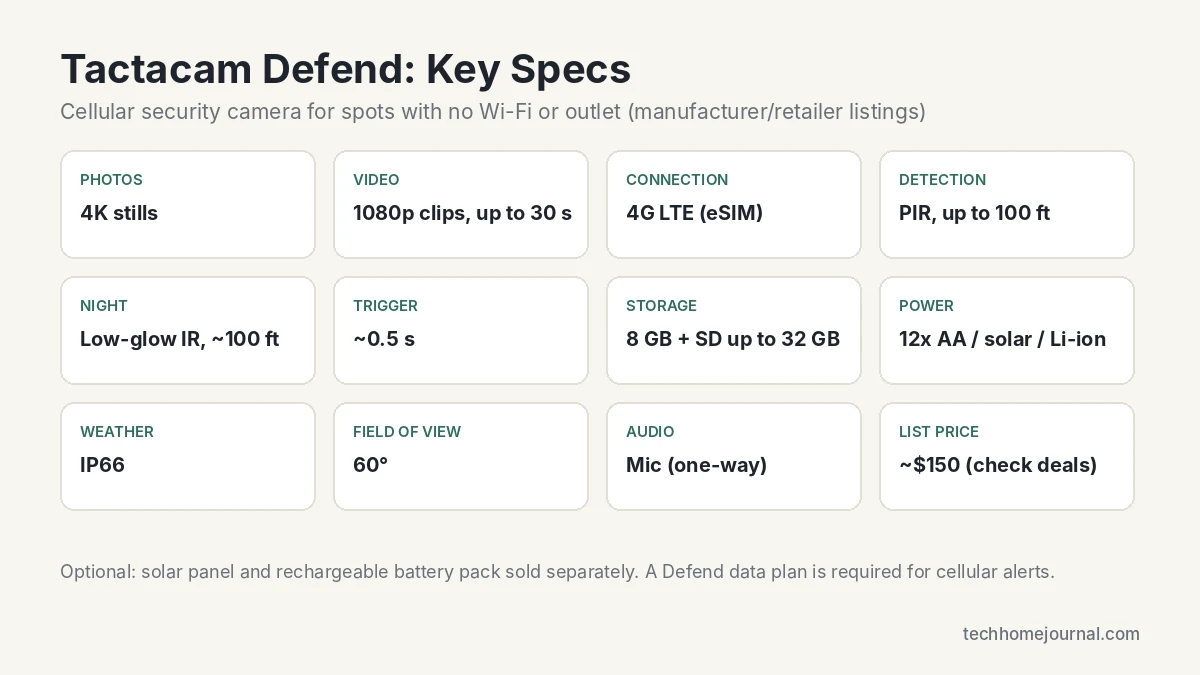
| Feature | Tactacam Defend |
|---|---|
| Photos | 4K still images |
| Video | 1080p clips, up to 30 seconds |
| Connectivity | 4G LTE via built-in eSIM (US), no Wi-Fi needed |
| Motion detection | PIR sensor, up to about 100 ft |
| Trigger speed | About 0.5 seconds, day or night |
| Night vision | Low-glow infrared, about 100 ft range |
| Field of view | 60° |
| Audio | Built-in microphone (no two-way talk) |
| Storage | 8 GB internal, SD card up to 32 GB |
| Power | 12x AA batteries; optional rechargeable pack and solar panel |
| Weather rating | IP66 |
| App | Defend app (iOS/Android) and web portal |
| Warranty | 1 year from activation |
| Subscription | Defend data plan required for cellular alerts |
How the Cellular Connection Works
The Defend has an LTE modem and an embedded eSIM, so there’s no SIM card to buy and no separate carrier account to set up. You activate the camera in the Defend app, pick a Defend data plan, and the camera connects to the best available network on its own. According to Equipment World’s launch coverage, it selects LTE automatically, so it doesn’t use your personal phone plan.
The one thing you have to check is signal at the mounting spot. Before you strap the camera to a post, stand there with your phone and look at the LTE bars. One bar may still work for photos, but uploads will be slower and the batteries drain faster as the modem works harder. If signal is weak, moving the camera a few metres higher or to the other side of a building often helps.
Because the Defend doesn’t rely on your router, it keeps working when your home internet or power goes down. That’s a real resilience advantage over Wi-Fi cameras, which our Matter vs Wi-Fi guide explains are tied to the health of your home network.
Detection, Night Vision and Image Quality
The Defend uses a passive infrared (PIR) sensor, which reacts to heat moving across its view. Tactacam lists a detection range of up to about 100 ft and a trigger speed of roughly half a second. That’s quick enough to catch a person walking through a gate or a vehicle pulling into a yard, which is exactly where slower Wi-Fi battery cameras sometimes miss the first second.
Photos are captured at 4K, which is great for zooming into a number plate or a face after the fact. Video clips are 1080p and up to 30 seconds long. At night, low-glow infrared lights the scene in black and white out to about 100 ft. Low-glow means there’s a faint red glow on the emitters, so a person looking straight at the camera may notice it, but it doesn’t flood the area with visible light.
A few realistic caveats: the 60° field of view is narrower than most home cameras, so aim it down a lane or at a gate rather than trying to cover a wide yard. PIR sensors can also be set off by livestock, deer and sun-warmed branches. Expect to spend the first week tuning sensitivity and the delay between captures in the app.
Power: AA Batteries, Rechargeable Pack and Solar
Out of the box the Defend runs on 12 AA batteries. At launch Tactacam also offered a rechargeable lithium battery pack (about $50) and a Defend solar panel (about $60) with its own built-in battery. The solar panel can act as the main power source with the AAs as backup, which is the setup most owners will want for a camera that’s a long walk from the house.
- Use lithium AAs in cold climates. Alkaline cells lose capacity quickly below freezing.
- Point the solar panel south (in the northern hemisphere) and keep it clear of tree canopy. A shaded panel in winter won’t keep up.
- Fewer, better alerts last longer. Every capture and upload costs power, so a tight detection zone and a sensible capture delay stretch battery life.
If you’re comparing solar options for spots closer to home, our solar-powered security camera guide covers Wi-Fi models that charge themselves.
Defend Data Plans and the Real Cost
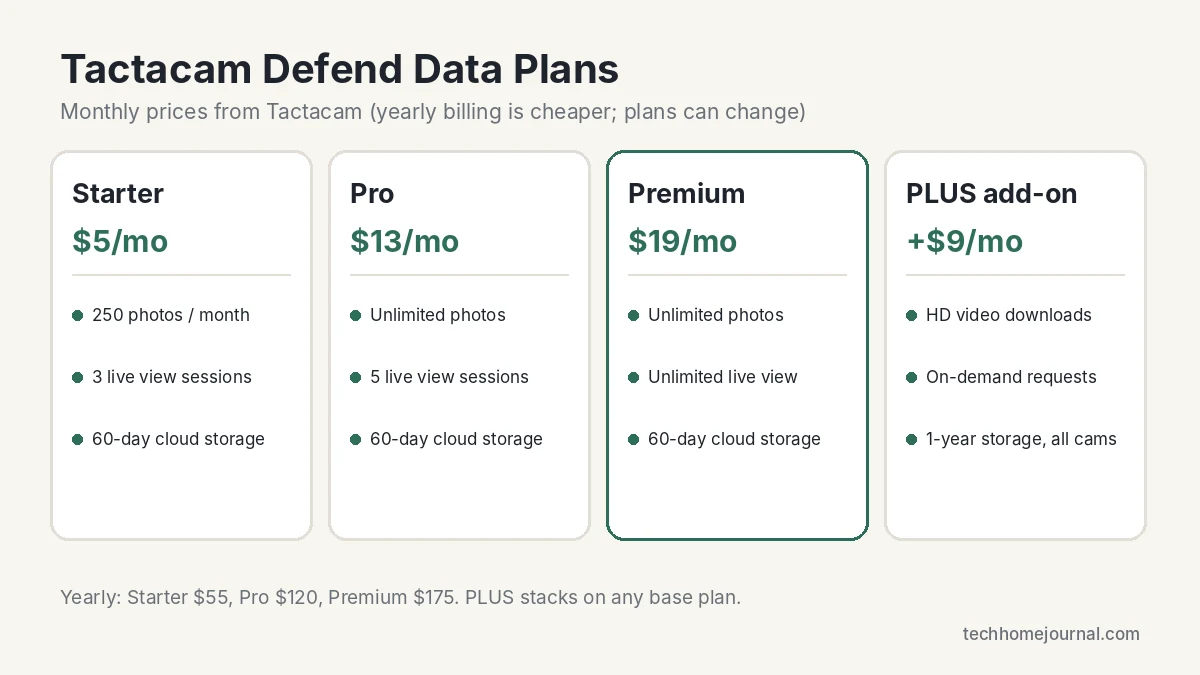
A cellular camera needs a data plan, so it’s worth looking at running costs before you buy. Here are the plans listed on Tactacam’s Defend plan page at the time of writing (plans and prices can change):
| Plan | Monthly | Yearly | Photos | Live view | Cloud storage |
|---|---|---|---|---|---|
| Starter | $5 | $55 | 250/month | 3 sessions/month | 60 days |
| Pro | $13 | $120 | Unlimited | 5 sessions/month | 60 days |
| Premium | $19 | $175 | Unlimited | Unlimited | 60 days |
| PLUS add-on | +$9 | n/a | HD video and photo downloads, on-demand requests | n/a | 1 year, all cameras |
Live view sessions mainly matter for the Defend 360, which supports live streaming. For the original Defend, the main question is how many photos you’ll get. A quiet gate might trigger a few times a day and fit easily on Starter; a busy farmyard or driveway can blow past 250 photos a month, which pushes you toward Pro.
Rough first-year cost: a camera at around $150 plus the Starter plan paid yearly ($55) comes to roughly $205. Step up to Premium yearly ($175) and it’s about $325. That’s still far cheaper than trenching power and network cable a few hundred metres to a gate, which is the real comparison for most buyers. If you’d prefer to avoid monthly fees entirely, see our guide to security cameras without a subscription, though those all need Wi-Fi.
Tactacam Defend vs Defend 360
The Defend 360 is the more capable model and the one Tactacam now promotes on its own store. It keeps the same cellular approach but adds a motorised head and a built-in rechargeable battery.
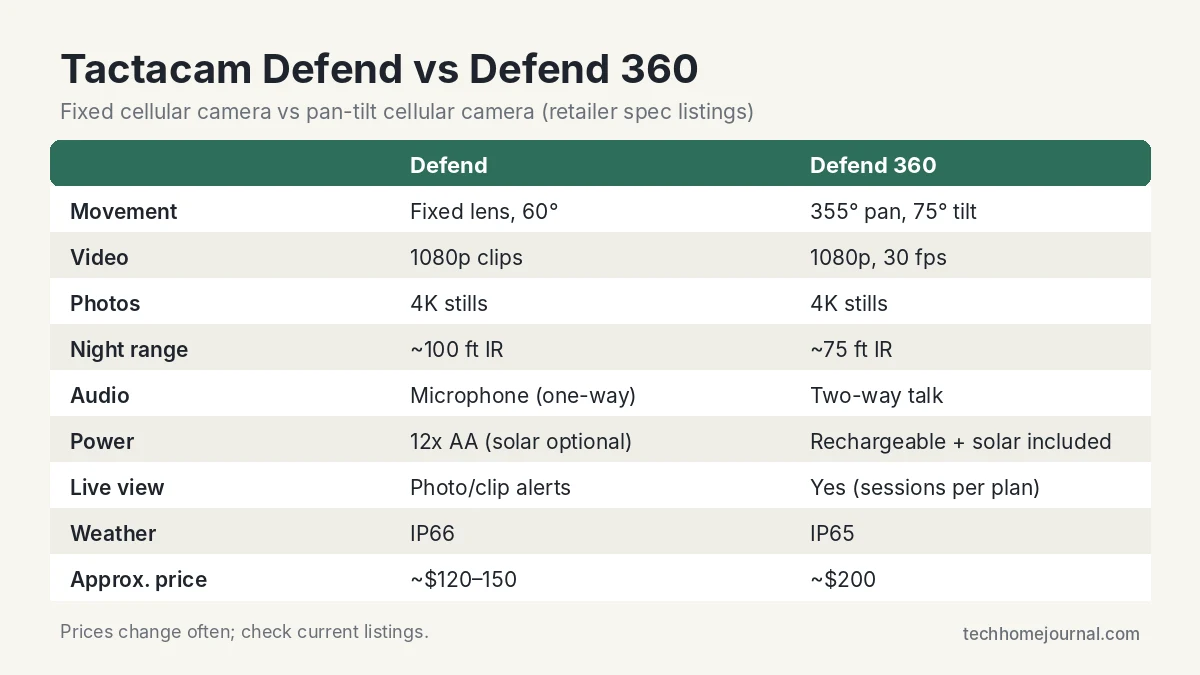
| Defend | Defend 360 | |
|---|---|---|
| Movement | Fixed lens, 60° view | 355° pan, 75° tilt (remote, via app) |
| Video / photos | 1080p clips / 4K stills | 1080p at 30 fps / 4K stills |
| Night range | About 100 ft IR | About 75 ft IR |
| Audio | Microphone only | Two-way talk |
| Live view | Alerts and clips | Yes, sessions depend on plan |
| Power | 12x AA, solar optional | Rechargeable battery, solar panel included |
| Weather rating | IP66 | IP65 |
| Approx. price | $120 to $150 | About $200 |
Pick the original Defend if you want a cheap, tough sensor pointed at one spot, like a gate or a shed door. Pick the Defend 360 if you want to look around a yard remotely, talk to someone on site, or watch live. Note that pan and tilt are controlled from the app; the 360 doesn’t automatically follow people.
Where the Defend Works Best
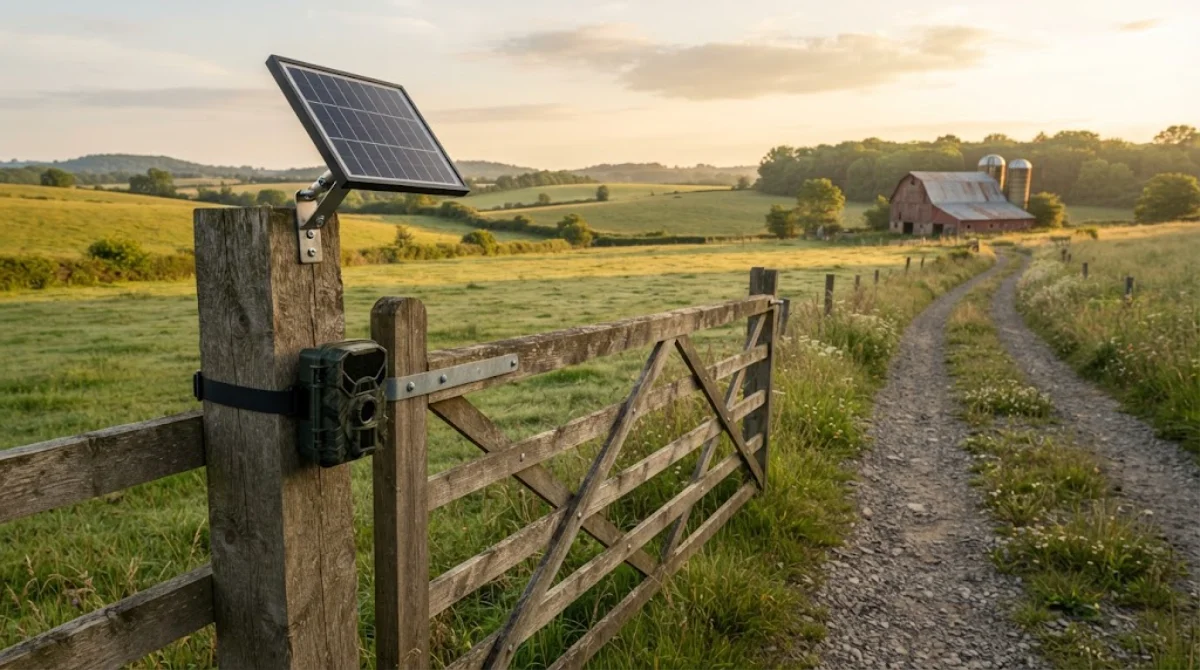
- Farm and ranch gates: know when a vehicle comes in at night, or when a gate has been left open.
- Barns, sheds and outbuildings: fuel tanks, tools and machinery are common theft targets. If your outbuilding is close enough for Wi-Fi, our garage security ideas might be a better fit.
- Cabins and holiday homes: check in from the city without paying for internet at the property.
- Construction sites and vacant land: temporary coverage you can move as the job progresses.
- Hunting land: the same camera can double as a scouting cam in the off-season.
For a main home, a layered setup works best: a Defend or two on the far perimeter, and Wi-Fi cameras near the house for high-detail video. A floodlight camera over the driveway or a video doorbell without a subscription at the front door handles the close-range work.
Setup and Placement Tips
- Check LTE signal with your phone at the exact mounting spot before anything else.
- Activate at home first. Install the Defend app, add the camera, choose a plan and confirm a test photo arrives before you head out to the field.
- Insert batteries and an SD card (up to 32 GB) on the bench, where it’s easy.
- Mount at about 1.5 to 2.5 m on a sturdy post or wall, angled slightly down. Higher mounts deter theft; lower ones give better faces.
- Aim along the path of travel, not straight across it, so the PIR sensor has time to react and the subject fills more of the 60° frame.
- Avoid facing east or west directly, where low sun can wash out images and heat up the scene.
- Lock it up. A security box or cable lock is cheap insurance for a camera left alone in the countryside.
- Tune settings after a week: sensitivity, capture delay and photo vs video mode based on what’s actually triggering it.
App, Alerts and Smart Home Integration
Everything runs through the Defend app on iOS and Android, plus a web portal for viewing on a computer. You get push notifications with a photo or clip, a gallery of captures, battery and signal readouts, and settings for detection, capture mode and schedules. Higher plans add live view sessions (on the Defend 360) and on-demand photo requests with the PLUS add-on.
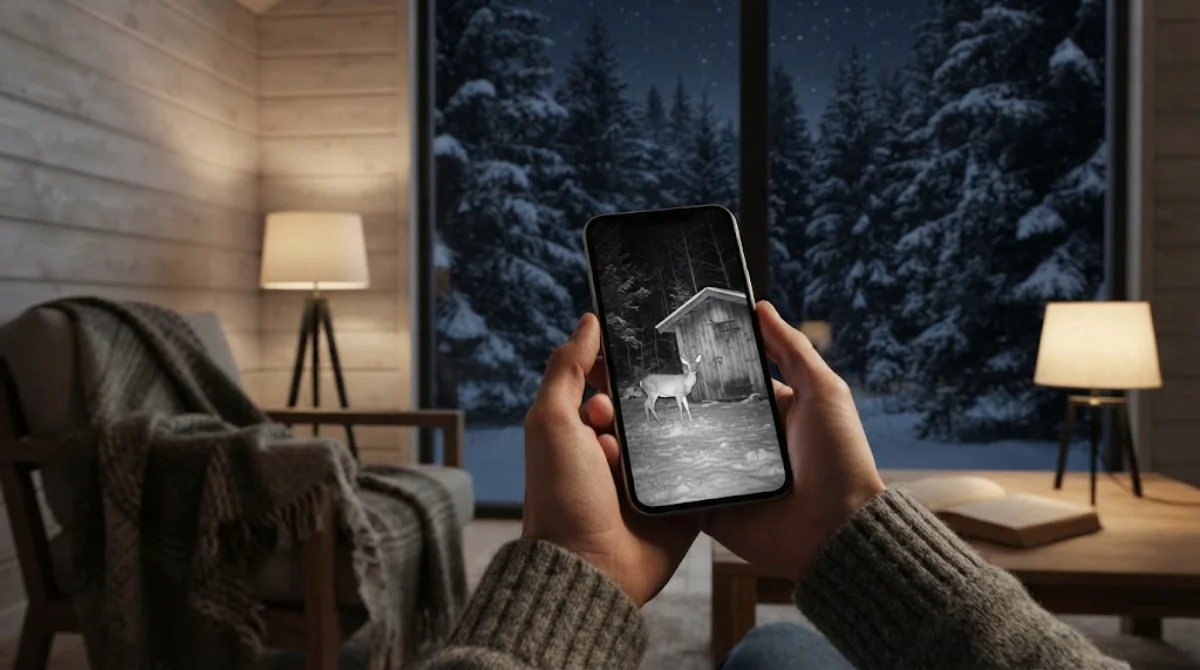
What you don’t get is smart home integration. Tactacam doesn’t list Amazon Alexa, Google Home, Matter, SmartThings or Home Assistant support, so the Defend sits beside your main setup rather than inside it. In practice that’s fine for a remote camera: you mostly want a reliable alert on your phone, and you can check it from the sofa in a quiet Scandinavian-style living room as easily as from the field.
If you want all your home cameras, sensors and alarms working together, our wireless home security system guide shows how to plan the core system, with the Defend as a perimeter add-on.
Defend vs Wi-Fi Security Cameras
| Tactacam Defend (cellular) | Typical Wi-Fi camera | |
|---|---|---|
| Needs Wi-Fi | No, uses LTE | Yes |
| Needs an outlet | No, AA/solar | Often (or battery/solar) |
| Recording style | Motion-triggered photos and clips | Clips or 24/7 video |
| Live view | Limited (Defend 360) | Usually unlimited |
| Smart home | No Alexa/Google support | Usually yes |
| Running cost | Data plan required | Free to optional cloud plan |
| Best for | Remote land and buildings | Home exterior and interior |
If your camera will be within Wi-Fi range, a home camera like the Lorex 2K pan-tilt outdoor camera or a eufy SoloCam S340 gives you more video features for less ongoing cost. The Defend only wins where Wi-Fi isn’t an option, and there it wins easily.
Pros and Cons
Pros
- Works anywhere with LTE signal; no Wi-Fi or outlet needed
- Fast ~0.5 s trigger and long ~100 ft detection and IR range
- 4K stills are detailed enough to zoom into plates and faces
- Runs on AAs with optional solar for long, low-maintenance deployments
- IP66 weather rating and tough trail-camera build
- Plans start at about $5 a month
Cons
- Data plan required for remote alerts
- Narrow 60° field of view
- No two-way talk or continuous recording on the original Defend
- No Alexa, Google Home or Matter integration
- Low-glow IR can be visible to someone looking at it
- Original Defend is mainly sold through retailers now
Whatever camera you use, the FTC’s advice on securing home security cameras applies: a strong unique password, two-factor sign-in where available and up-to-date firmware.
Frequently Asked Questions
Does the Tactacam Defend work without Wi-Fi?
Yes. It connects over 4G LTE using a built-in eSIM, so it works anywhere with cellular coverage. You don’t need Wi-Fi, a router or a separate SIM card.
Does the Tactacam Defend need a subscription?
Yes, a Defend data plan is needed for the camera to send photos and clips to your phone. Plans start at $5 a month (Starter, 250 photos), with Pro at $13 and Premium at $19, plus an optional $9 PLUS add-on.
Does it use my phone plan or a specific carrier?
No. The camera has its own eSIM and the Defend plan covers the data. It picks an available LTE network automatically, so you don’t add it to your own carrier account.
How long do the batteries last?
It depends on how often it triggers, the signal strength, photo vs video mode and the temperature. Tactacam doesn’t publish a fixed figure. For long deployments, add the solar panel and use lithium AAs as backup.
Can I connect the Tactacam Defend to Alexa or Google Home?
Not currently. Tactacam doesn’t list Alexa, Google Home or Matter support. You use the Defend app or web portal instead.
What is the difference between the Defend and the Defend 360?
The Defend has a fixed 60° lens and runs on AA batteries. The Defend 360 adds 355° pan and 75° tilt, two-way talk, live view and a built-in rechargeable battery with an included solar panel, for about $200.
Does the Defend record video continuously?
No. It’s motion-triggered and captures 4K photos or 1080p clips up to 30 seconds when the PIR sensor detects movement. That’s what lets it run so long on batteries.
Final Verdict
The Tactacam Defend security camera does one job well: it watches places your home network can’t reach. Fast triggers, 4K stills, long-range infrared and battery or solar power make it a practical choice for gates, barns, cabins and job sites, and plans from $5 a month keep running costs manageable.
It isn’t a replacement for a Wi-Fi camera at your front door, and you’ll miss live view and two-way talk on the original model. If you need those, look at the Defend 360. But if the question is how to see what’s happening at the far end of your property without trenching cable, the Defend is one of the simplest answers.



