

You’re on the sofa, a motion alert pops up, and one swipe in the app swings the camera over the side gate toward whoever just walked in. That’s the promise of the Lorex 2K Pan Tilt Outdoor WiFi Camera: one camera, one mounting point, and a view that can swing across most of your yard instead of staring at a single fixed slice of it.
This guide covers what the camera actually offers on paper, where its 2K sensor and pan-tilt motor make a real difference, the trade-offs you should know before buying (2.4 GHz-only Wi-Fi is the big one), and how it compares with the other outdoor camera styles we’ve covered on Tech Home Journal. All specs come from Lorex’s own product listings; prices move a lot, so treat the numbers as a guide and check current deals.
Table of Contents
- Quick Verdict
- Lorex 2K Pan-Tilt Specs at a Glance
- What 2K Resolution Really Gets You Outdoors
- Pan-Tilt vs a Fixed Lens: Why It Matters
- Night Vision: Infrared vs Color
- Storage and the No-Subscription Advantage
- Wi-Fi, Power and Weatherproofing
- Smart Features and App Controls
- Where to Install a Pan-Tilt Camera
- How to Set Up the Lorex 2K Pan-Tilt Camera, Step by Step
- Lorex Pan-Tilt vs Other Outdoor Camera Types
- Pros and Cons
- Security Tips Before You Go Live
- Frequently Asked Questions
- Final Verdict
Quick Verdict
The Lorex 2K pan tilt outdoor WiFi camera is a sensible pick if you want broad outdoor coverage with no monthly fees, local microSD recording and a camera you can physically turn to look wherever you need. It’s less ideal if your Wi-Fi is weak at the mounting spot, if you want a battery or solar camera with no outlet, or if you need sharp detail at the far end of a very deep garden.
- Best for: driveways, side yards, back gardens and corner-of-the-house mounts where one fixed lens would leave blind spots.
- Skip it if: you only have 5 GHz Wi-Fi at the wall, no nearby outdoor outlet, or you want everything inside one ecosystem like Ring or Nest.
- Approx. list price: around $100–$170 depending on the bundle and included card size (check current deals).
Lorex 2K Pan-Tilt Specs at a Glance
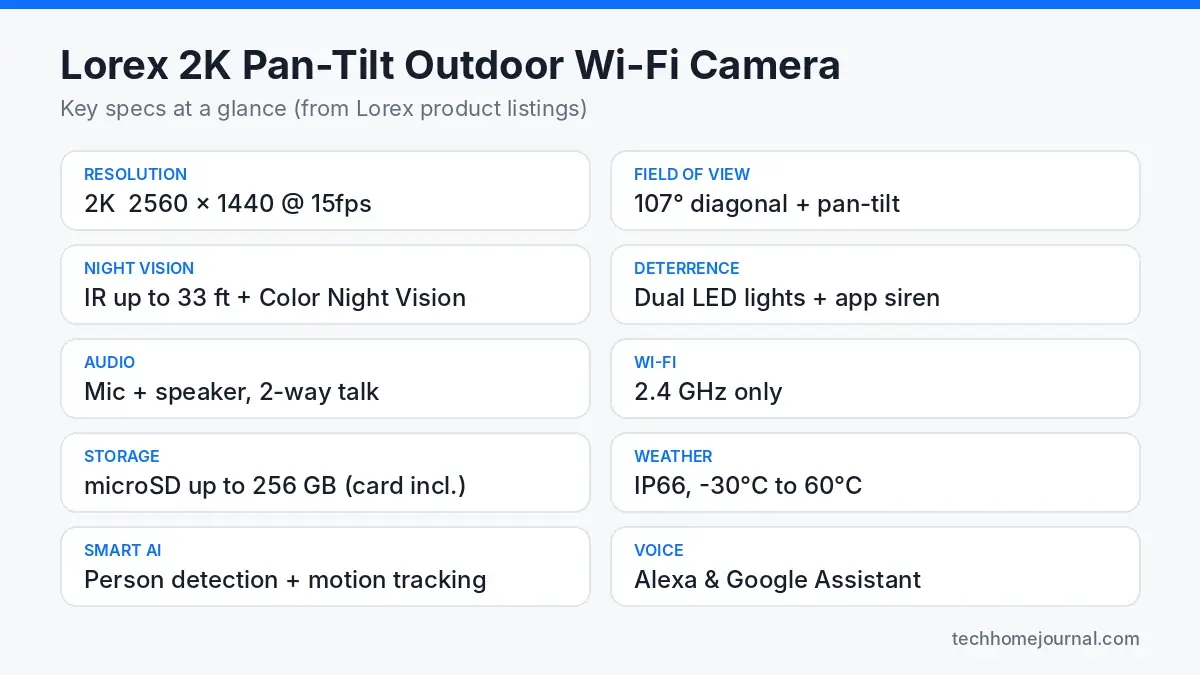
Here’s the spec sheet in plain English, pulled from the official Lorex product page. Lorex sells a few versions of the same camera (model numbers in the F461AQ series, plus retailer bundles), and they mainly differ in the size of the bundled microSD card.
| Feature | Lorex 2K Pan Tilt Outdoor WiFi Camera |
|---|---|
| Resolution | 2K (2560 x 1440), 15 fps |
| Field of view | 107° diagonal, plus motorised pan and tilt |
| Pan-tilt control | Remote pan and tilt from the app, marketed as 360° rotation (auto-tracking is not listed in Lorex’s official specs) |
| Night vision | Infrared up to 33 ft (10 m) + Color Night Vision in ambient light |
| Deterrence | Motion-activated dual LED warning lights + remote siren |
| Audio | Built-in mic and speaker, two-way talk |
| Connectivity | 2.4 GHz Wi-Fi only, plus an Ethernet port (no PoE) |
| Storage | microSD up to 256 GB (card included, 32 GB or 64 GB by bundle) |
| Weather rating | IP66, -30°C to 60°C (-22°F to 140°F) |
| Smart detection | Person detection |
| Voice assistants | Amazon Alexa, Google Assistant |
| App | Lorex Classic app (iOS/Android) |
| Subscription | Not required for core features |
| Power | Plug-in adapter with ~9.8 ft (3 m) cable |
Availability note: at the time of writing, some versions on Lorex’s US store (including the F461AQE-E listing, around $99.99) are sold by contacting Lorex sales rather than through online checkout, while Lorex Canada and third-party retailers still list it. Check stock and the exact model number before you plan a whole setup around it.
What 2K Resolution Really Gets You Outdoors
2K here means 2560 x 1440 pixels, roughly 1.8 times the pixel count of 1080p. On a phone screen the live view won’t look dramatically different, but the extra pixels matter when you pinch-zoom into a recording to check a face at the gate or what a delivery driver is holding.
Two caveats keep expectations realistic. First, Lorex lists the camera at 15 frames per second, which is normal for security cameras but means fast motion (a car passing at speed) can look a bit choppy. Second, digital zoom only stretches the pixels you already have. If your driveway is 20 m long, a 2K camera mounted at the house will show that someone is at the far end much better than it shows who. For reading plates or faces at distance, move the camera closer to the point of interest or add a second camera.
Pan-Tilt vs a Fixed Lens: Why It Matters
A typical fixed outdoor camera sees roughly a 100–130° wedge. The Lorex sees 107° at any moment, but because the head can rotate and tilt, that window can be pointed anywhere around the mount. Lorex markets it as giving 360° coverage, and the Lorex live-view help guide confirms you can steer the view remotely from the app.
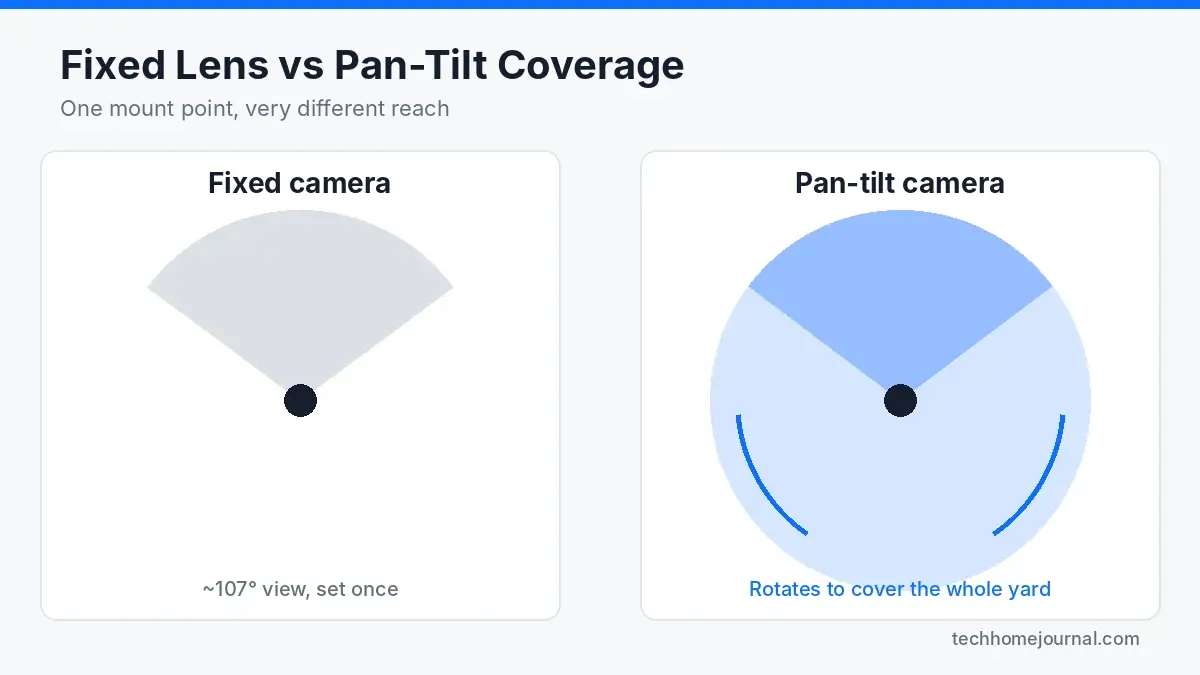
In practice, pan-tilt shines in three situations:
- Corner mounts where one camera can sweep both the driveway and the side path.
- Open back gardens where a fixed lens would need to be very wide (and distorted) to cover everything.
- Checking an alert: when a notification comes in, you can swing the view toward the activity from the app. Lorex doesn’t list automatic tracking as an official feature, though some owner reviews mention the camera following movement after firmware updates, so treat that as a bonus rather than a reason to buy.
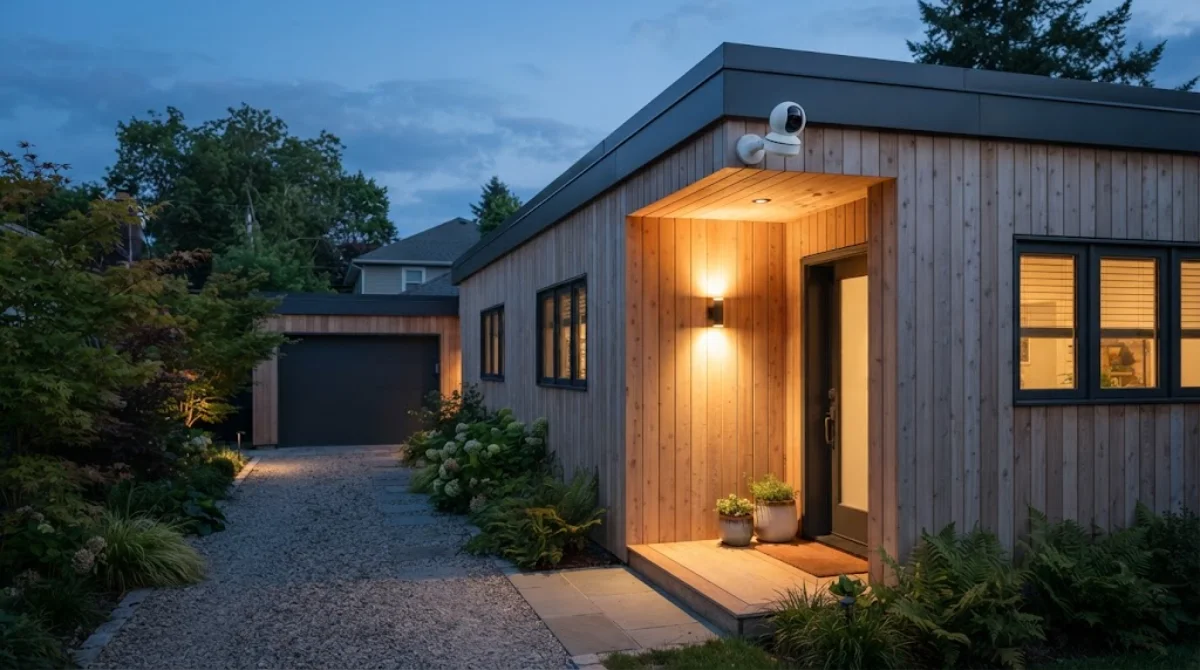
The trade-off: a camera that is looking left isn’t looking right. If two things happen at once on opposite sides, it can only follow one. For high-traffic spots like the front door, pairing it with a fixed camera or a video doorbell with no subscription gives you the best of both.
Night Vision: Infrared vs Color
The camera offers two night modes. Infrared (850 nm) produces a black-and-white image and reaches up to about 33 ft (10 m) in complete darkness. Color Night Vision keeps the picture in color, but it relies on some ambient light, such as a porch lamp, street light or the camera’s own LED lights when they trigger.
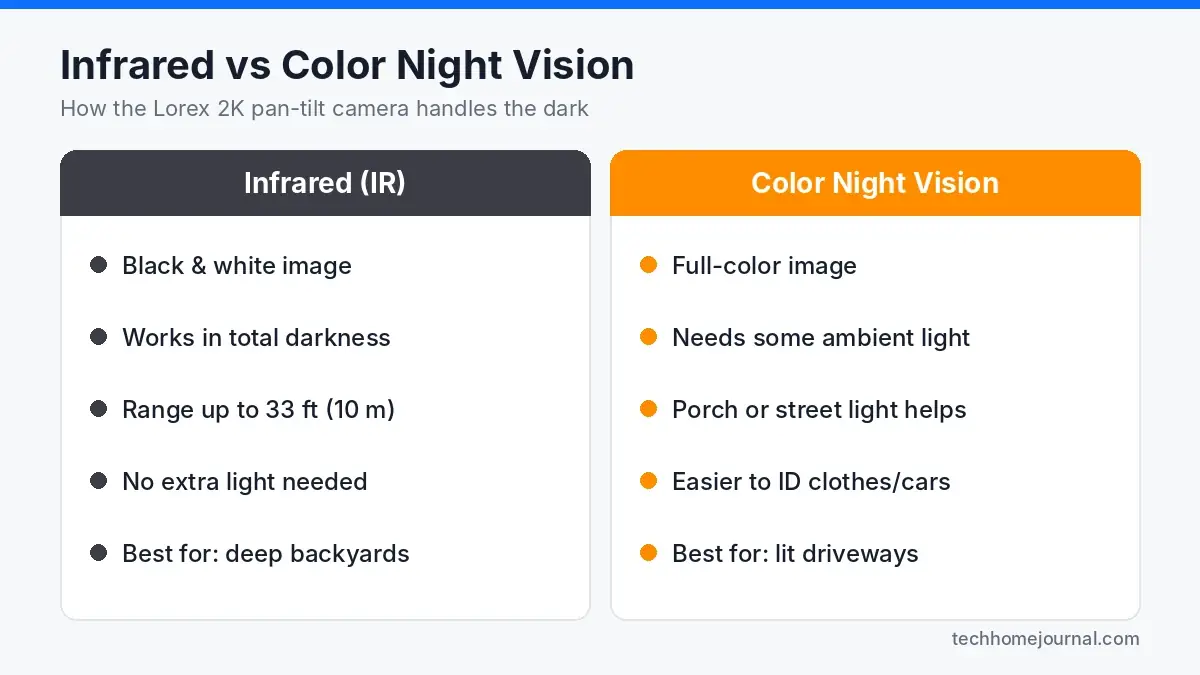
For a dark back garden, IR is the dependable option. For a driveway with a light over the garage, color mode makes it much easier to tell a navy jacket from a black one or describe a car. If you don’t have outdoor lighting yet, a simple motion sensor light near the camera is a cheap upgrade that improves color night footage and acts as a deterrent on its own.
Storage and the No-Subscription Advantage
This is where Lorex stands apart from a lot of popular brands. Recordings save to a microSD card inside the camera (up to 256 GB), and Lorex states there are no monthly fees required for core features like live view, recording, person detection and two-way talk. Depending on the bundle, a 32 GB or 64 GB card comes in the box. If skipping cloud fees is your main goal, our guide to security cameras without a subscription compares other brands that work the same way.
Local storage has pros and cons worth weighing:
- Pro: no ongoing cost, and your footage isn’t stored on someone else’s server by default.
- Pro: recording continues to the card even if your internet drops (as long as the camera has power).
- Con: if someone steals or smashes the camera, the card goes with it. Mount it high and out of easy reach.
- Con: cards wear out over time with constant writing. Use a high-endurance card if you upgrade to 128 or 256 GB.
If you’d rather record many cameras to one box indoors, a wired PoE home security camera system with an NVR is the more robust option for larger properties.
Wi-Fi, Power and Weatherproofing
The camera connects on 2.4 GHz Wi-Fi only. That’s actually helpful outdoors because 2.4 GHz travels through walls better than 5 GHz, but it means you need a solid 2.4 GHz signal at the exact mounting spot. Check it on your phone before drilling. If your router combines bands under one name, setup usually still works, though some people find it easier to temporarily separate them. Our Matter vs Wi-Fi smart home guide explains why 2.4 GHz is still the default for so many outdoor gadgets.
Power comes from a plug-in adapter with a cable of about 3 m, so you’ll need an outdoor-rated outlet nearby or a neat cable run through the wall. There’s no battery or solar option in this model; if that’s a dealbreaker, see our solar-powered security camera guide.
Weather-wise, the camera is rated IP66, meaning it is dust-tight and protected against powerful water jets, with an operating range of -30°C to 60°C. That covers heavy rain, snow and hot summers in most climates. Mounting it under an eave still helps by reducing glare, water spots on the lens and wear on the motor.
Smart Features and App Controls
Everything runs through the Lorex Classic app. According to Lorex’s device settings guide, you can configure the camera’s detection and alert settings from anywhere, and the live view lets you pan, tilt and zoom remotely. Key features include:
- Person detection to cut down on alerts from swaying branches and passing cars.
- Smart deterrence: motion-activated dual LED lights and a siren you can trigger remotely.
- Two-way talk to speak to a courier or warn off someone lingering at the gate.
- Alexa and Google Assistant support, so you can pull up the feed on an Echo Show or Nest Hub. Our Google Home tips and tricks covers a few handy routines.

A small but useful Scandinavian-home touch: if your living room faces the garden, putting the live view on a smart display lets you glance at the yard without getting up or adding another screen to a minimal room.
Where to Install a Pan-Tilt Camera
Placement matters more for a Lorex 2K pan tilt outdoor WiFi camera than for a fixed camera, because the head needs room to swing. Run through this checklist before you mount it:
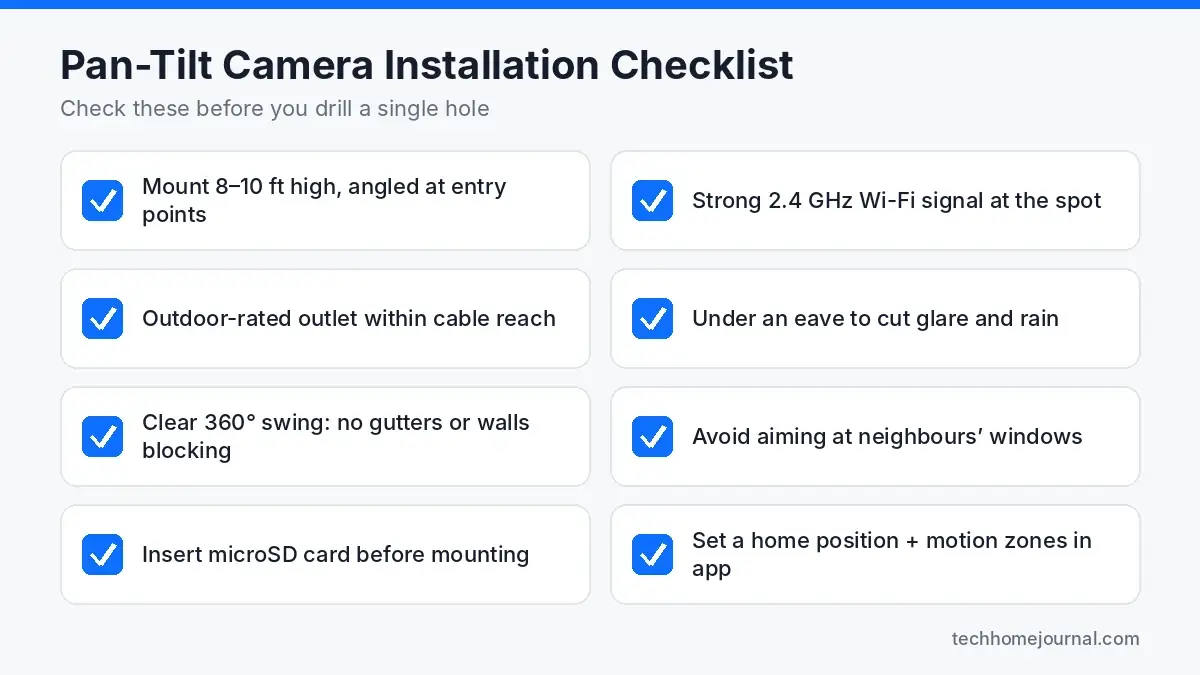
- Height: roughly 2.5–3 m (8–10 ft) is high enough to discourage tampering and low enough for useful facial detail.
- Clearance: make sure gutters, downpipes and wall corners don’t block part of the rotation.
- Signal: test 2.4 GHz Wi-Fi strength at the spot with your phone.
- Power: an outdoor-rated outlet within the cable’s reach, or a planned cable route.
- Privacy: avoid pointing at neighbours’ windows or gardens; most apps let you mask areas.
- Garage and driveway: a corner mount here can cover both the car and the garage door. See more ideas in our garage security guide.
Once mounted, set a sensible home position (the default view the camera rests on), define motion zones, and turn person detection on to keep alerts useful.
How to Set Up the Lorex 2K Pan-Tilt Camera, Step by Step
Setup is simple, but a few minutes of prep at the bench saves you climbing a ladder twice. This is the order we’d suggest, based on Lorex’s own app guides and how plug-in Wi-Fi cameras generally go in:
- Insert the microSD card first. The slot is far easier to reach while the camera is on a table than once it’s mounted on a wall.
- Install the Lorex Classic app on iOS or Android, create an account and switch on two-step verification straight away.
- Power the camera near your router and add it in the app by scanning the QR code on the camera, then join your 2.4 GHz network.
- Update the firmware from the device settings before mounting, so you’re not waiting on a slow outdoor connection later.
- Test at the mounting spot. Carry the camera and an extension lead to the wall, open live view and pan around. If the picture stutters, the Wi-Fi is too weak there.
- Mount and seal. Use the included screws and anchors, keep the head clear of gutters and corners, and protect the power connection from rain.
- Fine-tune the settings: set the default view, draw motion zones, turn on person detection and decide when the warning lights and siren should be allowed to fire.
Weak Wi-Fi at the wall? Lorex’s spec sheet lists an Ethernet port on this camera. It doesn’t support Power over Ethernet, so you still need the power adapter, but running a network cable from a router or switch gives you a steadier stream than a borderline wireless signal. A mesh node or outdoor access point is the other fix.
If the area is dark at night, pairing the camera with a floodlight camera or a simple motion light makes color night vision far more useful and adds a second layer of deterrence.
Lorex Pan-Tilt vs Other Outdoor Camera Types
The Lorex is one option among several outdoor camera styles. Here’s how it fits in:
| Camera type | Best for | Main trade-off |
|---|---|---|
| Lorex 2K Pan-Tilt (Wi-Fi, plug-in) | Wide yards and corners, no monthly fee | Needs outlet + strong 2.4 GHz signal |
| Floodlight camera | Driveways needing bright light + video | Usually hardwired; often subscription-led |
| Solar/battery camera | Spots with no power nearby | Smaller batteries, lower duty cycle |
| PoE camera system | Multi-camera, whole-property coverage | More install work, cables through walls |
| Video doorbell | Front door and parcels | Narrow coverage beyond the porch |
If you are planning several devices together, our wireless home security system guide walks through how cameras, sensors and alarms fit into one setup. And for watching the inside of the home, a discreet indoor security camera pairs well with an outdoor pan-tilt model.
Pros and Cons
Pros
- 360° pan-tilt rotation covers far more ground than a fixed lens
- Sharp 2K (2560 x 1440) video with useful digital zoom
- No subscription needed; microSD card included
- IR plus Color Night Vision, LED lights and siren
- IP66 weather rating and wide temperature range
- Works with Alexa and Google Assistant
Cons
- 2.4 GHz Wi-Fi only
- Needs mains power; no battery or solar version
- 15 fps can look choppy with fast motion
- Can only point one way at a time
- Footage on the card is lost if the camera is stolen
Security Tips Before You Go Live
Any internet-connected camera is only as secure as the account and network behind it. The U.S. Federal Trade Commission’s guide to using IP cameras safely recommends a few simple habits:
- Use a strong, unique password for your Lorex account and turn on two-factor authentication if available.
- Keep the camera firmware and app updated.
- Secure your router with WPA2 or WPA3 and change any default router passwords.
- Review who has shared access to the camera from time to time.
Free tools: How much storage will your cameras need? Our free security camera storage calculator shows how many days of footage your hard drive or microSD card will hold.
Frequently Asked Questions
Does the Lorex 2K pan tilt outdoor WiFi camera need a subscription?
No. Lorex lists the camera as having no monthly fees. Recordings save to the included microSD card, and live view, alerts and person detection work through the Lorex Classic app.
Does it work on 5 GHz Wi-Fi?
No, it connects on 2.4 GHz only. Most home routers broadcast 2.4 GHz alongside 5 GHz, so this is usually fine, but check signal strength at the mounting spot first.
How far can it see at night?
Infrared night vision reaches up to about 33 ft (10 m) in total darkness. Color Night Vision works when there’s some ambient light, such as a porch or street light.
Is the Lorex pan-tilt camera weatherproof?
Yes. It is rated IP66 and specified for -30°C to 60°C, so it handles rain, snow and summer heat. Mounting under an eave still extends its life.
Can it follow people automatically?
Don’t count on it. Lorex’s spec sheets list person detection and remote pan-tilt control, not auto-tracking. Some owner reviews mention the camera following movement or a beta people-tracking option, which may depend on firmware version. Plan your placement around a good default view and manual control, and treat any tracking as a bonus.
Does it work with Alexa and Google Home?
Yes. Lorex lists support for both Amazon Alexa and Google Assistant, so you can view the feed on compatible smart displays.
What size microSD card does it support?
Up to 256 GB. Bundles include a 32 GB or 64 GB card depending on the retailer and model version.
Does it have an Ethernet port or support PoE?
It has an Ethernet port for a wired network connection, but Lorex states it does not support Power over Ethernet. You still need the included 12V power adapter.
Is the Lorex 2K pan-tilt camera still easy to buy?
Availability varies by region. Some versions on Lorex’s US store are currently sold through Lorex sales rather than online checkout, while Lorex Canada and several retailers still stock it. Compare model numbers (F461AQD-E, F461AQE-E and similar) because the bundled card size and price differ.
Final Verdict
The Lorex 2K Pan Tilt Outdoor WiFi Camera does one job very well: it lets a single camera cover a lot of outdoor space, without tying you to a monthly plan. The 2K sensor, 360° pan-tilt, dual night vision and deterrence lights make it a practical choice for driveways, side paths and gardens.
Just go in with clear expectations. Confirm you have a strong 2.4 GHz signal and an outdoor outlet, mount it high with room to rotate, and pair it with a doorbell or fixed camera for spots that need constant eyes. Do that, and it’s one of the more cost-effective ways to keep watch over your home from the comfort of the living room.



