

Bluetooth access control turns your phone into a key. Walk up to the door, tap your phone or open an app, and the lock checks that you’re allowed in. No keys to copy and no cards to lose. It’s now common on home smart locks and on office doors, and it’s one of the easiest ways to give someone access for a day and take it away again.
This guide explains how Bluetooth access control works, how it compares with NFC, RFID and Wi-Fi, where it makes sense at home and in small offices, and the security settings that matter. Product details and prices are approximate as of October 2026.
Table of Contents
- What Is Bluetooth Access Control?
- How Bluetooth Access Control Works
- Bluetooth vs NFC vs RFID vs Wi-Fi
- Bluetooth Access Control for Homes
- Bluetooth Access Control for Small Businesses
- Pros and Cons
- Is Bluetooth Access Control Secure?
- How to Choose a Bluetooth Access System
- Frequently Asked Questions
- Final Verdict
What Is Bluetooth Access Control?
Bluetooth access control is any system that unlocks a door when an authorized phone, watch or fob connects over Bluetooth Low Energy (BLE). The “key” is a digital credential stored in an app. The lock or reader checks it, then decides whether to open.
You’ll find it in two places:
- Home smart locks. The lock itself has a Bluetooth radio and talks directly to your phone. Many add Wi-Fi, Thread or a bridge for remote access.
- Business access control. A wall-mounted reader next to the door talks to employees’ phones, and a controller unlocks an electric strike or maglock. Admins manage everyone from a web dashboard.
If you’re still deciding whether a smart lock is right for you at all, start with our comparison of smart locks vs traditional locks.
How Bluetooth Access Control Works
The basic flow is the same whether it’s your front door or an office:
- An admin issues a credential. You (or an office manager) invite a person in the app and set when they’re allowed in.
- The phone comes into range. The lock or reader advertises over BLE, and the app recognizes it.
- They exchange a security key. The phone proves it holds a valid credential through an encrypted exchange, so the actual key is never sent in plain text.
- The door unlocks and logs the event. Most systems record who entered and when.
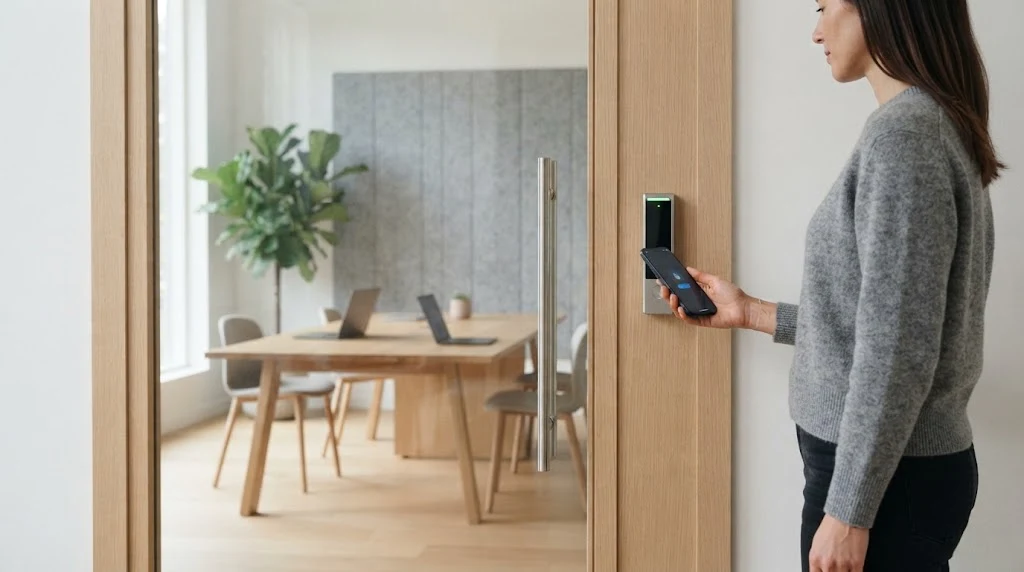
Systems usually offer three ways to trigger the unlock: in-app (press a button), tap (hold your phone near the reader) and hands-free or auto-unlock (the door opens as you approach). As Kisi’s guide to Bluetooth access explains, the phone and reader authenticate each other before the door opens. In networked buildings, a central controller makes the final decision.
At the radio level, BLE links are encrypted with AES-CCM. Modern devices use LE Secure Connections pairing, which relies on elliptic-curve key exchange. Apple’s platform security guide and Silicon Labs’ BLE security documentation explain these layers in detail. Access control apps then add their own encrypted credentials on top.
Bluetooth vs NFC vs RFID vs Wi-Fi
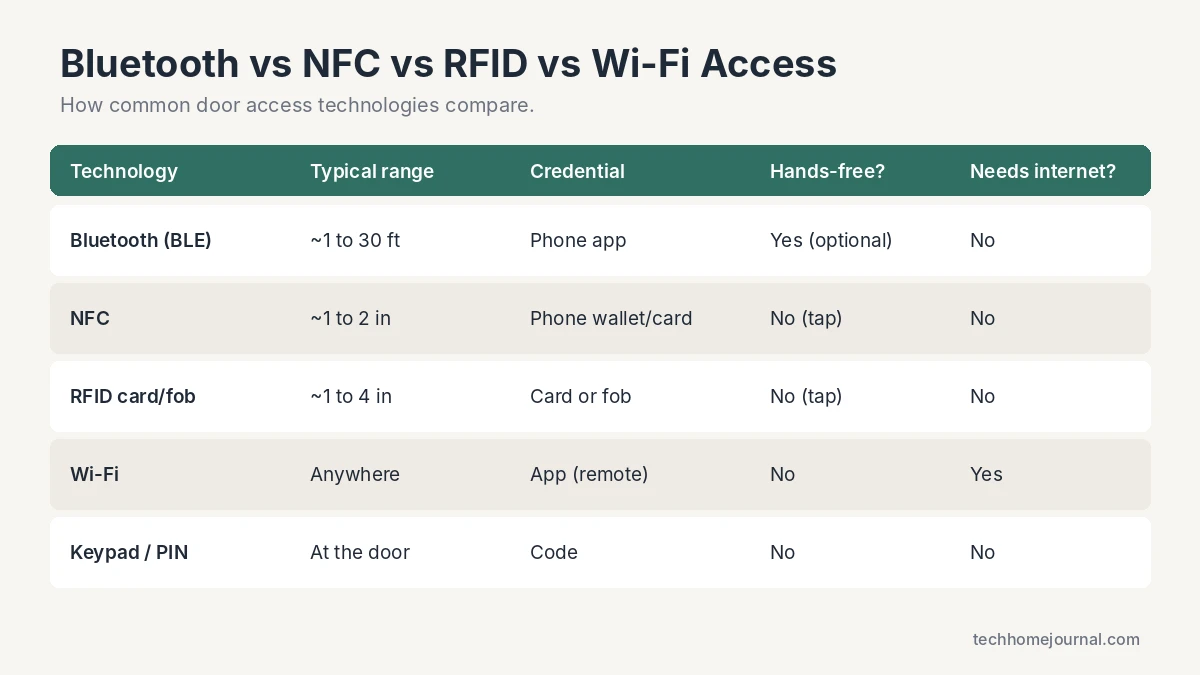
| Technology | How you unlock | Best for | Main drawback |
|---|---|---|---|
| Bluetooth (BLE) | Phone app, tap or hands-free | Homes, small offices, short-term guests | Depends on phone battery and app |
| NFC | Tap phone or card (Apple/Google Wallet on supported systems) | Fast, deliberate entry | Very short range, must touch the reader |
| RFID card/fob | Tap a card or fob | Offices with many users | Cards get lost or cloned (older formats) |
| Wi-Fi | App from anywhere | Remote unlocks and alerts | Needs internet, drains batteries faster |
| Keypad/PIN | Enter a code | Backup for any system | Codes get shared |
In practice, the best systems combine several of these. A typical modern smart lock uses Bluetooth for nearby unlocking, Wi-Fi or Thread for remote control, and a keypad as backup. If you’re comparing wireless standards for your whole home, our Matter vs Wi-Fi guide explains how they fit together.
Bluetooth Access Control for Homes
For most homes, “Bluetooth access control” simply means a Bluetooth smart lock. Popular examples include the Yale Assure Lock 2 (sold in Bluetooth and Wi-Fi versions), the Ultraloq U-Bolt Pro, Level locks and the August Wi-Fi Smart Lock, which pairs Bluetooth with built-in Wi-Fi. Most cost about $80 to $300, depending on keypad, fingerprint reader and connectivity.
What you get at home:
- Digital guest keys for family, cleaners, dog walkers or holiday rentals, with start and end times.
- Auto-unlock when you arrive home with your phone.
- Activity logs that show who came and went.
- Long battery life, because Bluetooth Low Energy uses very little power compared with Wi-Fi.
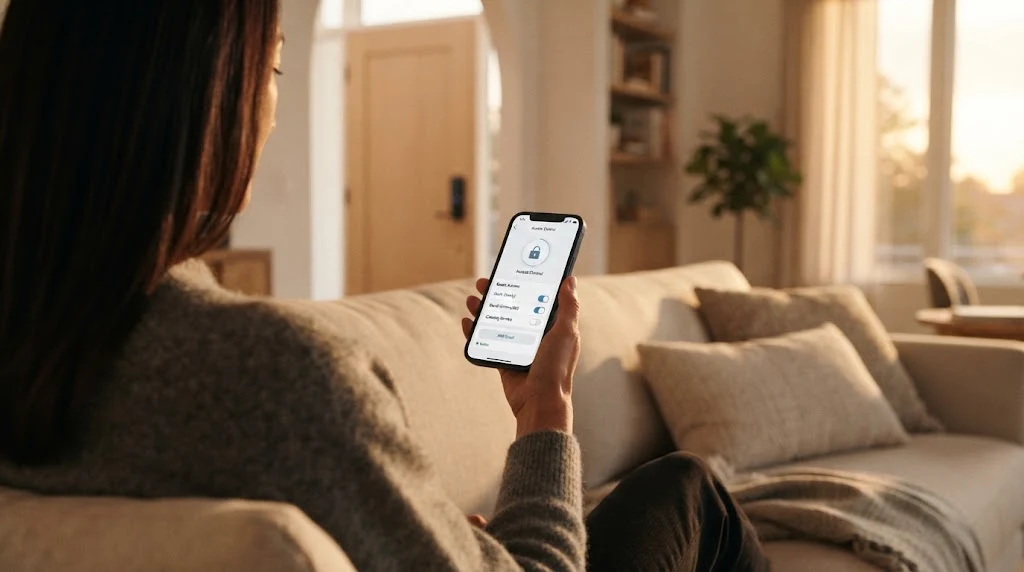
The main limitation is range. A Bluetooth-only lock can’t be controlled when you’re away from home. If you want to let someone in from work, choose a lock with built-in Wi-Fi or Thread, or add the brand’s bridge. Apple users should look for locks that support Apple Home and Home Key. Our Apple HomeKit guide covers what to check. Building a setup without a central hub? See our smart home without a hub guide.
Bluetooth access also works well beyond the front door. Sliding patio doors, side gates and garages are common weak spots. See our guides to sliding glass door locks and garage security ideas, or pair a smart lock with a Wi-Fi garage door opener.
Bluetooth Access Control for Small Businesses
Offices, studios, gyms and shared workspaces use dedicated readers instead of locks. A reader mounts beside the door and connects to a controller that drives the door hardware. Admins add or remove people from a dashboard, so there’s no need to collect keys or reprogram cards when someone leaves.
- Kisi: the Kisi Reader Pro 2 supports tap-to-unlock with BLE and NFC, Apple Wallet employee badges and in-app unlocks. Pricing is quote-based.
- UniFi Access (Ubiquiti): the UniFi Access reader lineup runs from about $129 to $379 per reader. Mobile unlock, NFC cards and PIN or fingerprint options vary by model, and there’s no per-door licence fee.
- HID Mobile Access, Brivo and Verkada are common enterprise platforms that also support Bluetooth mobile credentials.
For a small office, the real cost is usually installation: running cable, fitting an electric strike and making sure the door still meets fire codes. Budget for a licensed installer unless you’re comfortable with low-voltage wiring.
Pros and Cons
Pros
- No physical keys or cards to copy, lose or collect.
- Access can be granted, scheduled and revoked instantly.
- Activity logs show who entered and when.
- Low power use means long battery life in locks.
- Works without internet for nearby unlocking.
Cons
- A dead phone can leave you locked out without a backup method.
- Bluetooth-only locks have no remote control without a bridge or Wi-Fi.
- Hands-free modes can be vulnerable to relay attacks.
- Guests need to install an app, unless the system supports wallet passes or codes.
Is Bluetooth Access Control Secure?
For everyday use, yes. A well-designed Bluetooth lock is much harder to defeat than a standard pin-tumbler lock, and the encryption itself is strong. The weak point is usually proximity-based unlocking, where the lock opens just because it thinks your phone is nearby.
In 2022, researchers at NCC Group showed that BLE proximity authentication can be defeated by relay attacks. Two devices relay the signal between your phone and the lock, so the lock thinks you’re standing at the door. Their recommendation is simple: require the user to actively confirm, such as unlocking the phone or tapping the app, instead of relying only on proximity.
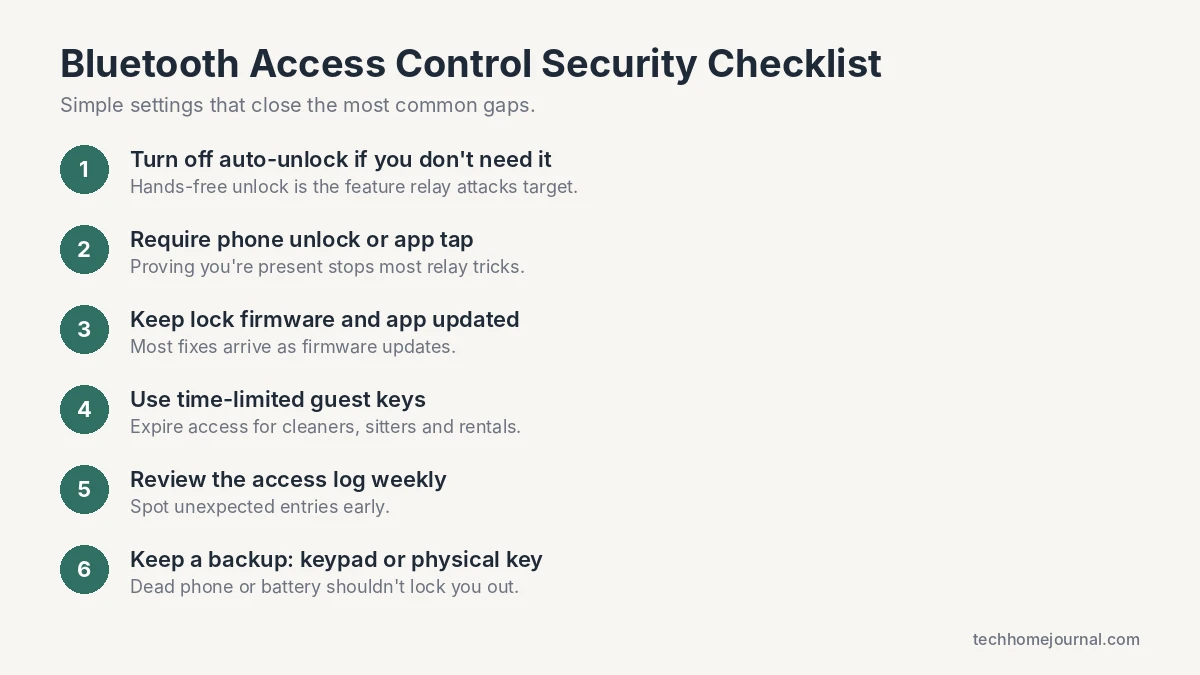
Keep the lock’s firmware updated, use time-limited guest keys and secure the network your lock or bridge connects to. Our guide to securing your home Wi-Fi walks through the basics. For full coverage, pair your locks with a monitored home monitoring system so a forced door triggers an alarm.
How to Choose a Bluetooth Access System
- Home or business? Homes need a smart lock. Businesses need readers, a controller and an admin dashboard.
- Do you need remote access? If yes, choose built-in Wi-Fi or Thread, or a bridge.
- Which ecosystem? Check for Apple Home, Google Home, Alexa or Matter support.
- Backup entry: a keypad, fingerprint reader or physical key prevents lockouts.
- Guest management: look for scheduled access and easy revocation.
- Door fit: measure your door thickness and backset before buying a lock.
Frequently Asked Questions
What is Bluetooth access control?
It’s a door access system that uses Bluetooth Low Energy to check a digital credential on your phone, watch or fob before unlocking. It’s used in home smart locks and in office access readers.
What is the range of Bluetooth access control?
BLE can work over long distances, but most locks and readers deliberately limit the unlock range to a few inches for tap modes, or a few feet for hands-free entry. This stops doors from unlocking when you’re simply nearby.
Does Bluetooth access control work without internet?
Yes. Nearby unlocking happens directly between your phone and the lock or reader. You need internet only for remote unlocking, real-time alerts and syncing new guest keys.
What happens if my phone battery dies?
You’ll need a backup: a keypad code, fingerprint, physical key or, on some locks, an emergency battery terminal. Always choose a system with at least one non-phone way in.
Is Bluetooth or NFC better for door access?
NFC is more deliberate because you must tap, which makes relay attacks harder. Bluetooth is more flexible, with hands-free entry and app-based guest keys. Many modern readers support both.
Can Bluetooth smart locks be hacked?
Any connected device can have flaws, and relay attacks against hands-free proximity unlocking have been shown in research. Turning off auto-unlock or requiring phone confirmation, plus updating firmware, removes most of the risk.
Final Verdict
Bluetooth access control is the most practical way to replace keys in 2026. At home, a Bluetooth smart lock with Wi-Fi or Thread for remote access and a keypad backup gives you the best mix of convenience and safety. For small offices, a reader-based system like Kisi or UniFi Access removes the hassle of keys and cards and lets you manage everyone from one dashboard. Whichever you choose, require an active tap or phone unlock rather than pure proximity, keep firmware updated and always have a backup way in.



