

A motion sensor is a small device that notices when something moves in front of it and sends a signal: switch on a light, sound an alarm, start a camera recording or run a smart home routine. They’re hidden in more of your home than you might think, from porch lights and alarm systems to automatic doors and video doorbells.
This guide explains how motion sensors work, the main types (PIR, microwave, dual-technology, ultrasonic and mmWave presence sensors), how to use them in a smart home, and which popular sensors to look at in 2026.
Table of Contents
- What Is a Motion Sensor?
- Types of Motion Sensors
- How a PIR Motion Sensor Works
- Motion Sensors vs. Presence Sensors
- Where Motion Sensors Are Used at Home
- Smart Home Motion Sensors Worth Considering
- Useful Smart Home Automations
- Placement Tips
- How to Stop False Triggers
- Frequently Asked Questions
- Final Verdict
What Is a Motion Sensor?
A motion sensor (or motion detector) is an electronic sensor that detects movement in an area and converts it into a signal. On its own it doesn’t do much; its value comes from what it’s connected to. Wired into a light, it switches the light on. Paired with an alarm system, it can trigger a siren. Linked to a smart home hub, it can run almost any automation you can think of.
Types of Motion Sensors

| Type | How it detects | Strengths | Weaknesses | Common uses |
|---|---|---|---|---|
| Passive infrared (PIR) | Changes in heat (infrared) as a warm body moves | Cheap, low power, long battery life | Misses people sitting still; affected by heat sources | Lights, alarms, smart sensors |
| Microwave | Sends microwave pulses and measures reflections | Very sensitive, wider coverage | More false triggers; can see through thin walls | Commercial lighting, some floodlights |
| Dual-technology | PIR + microwave must both trigger | Far fewer false alarms | Costs more | Security systems |
| Ultrasonic | High-frequency sound waves bouncing off objects | Detects small movements | Can be disturbed by air flow | Offices, restrooms |
| mmWave (radar) presence | Millimeter-wave radar senses tiny movements, even breathing | Knows when someone is still there | Pricier, needs careful tuning | Smart homes, room occupancy |
How a PIR Motion Sensor Works
Everything warm gives off infrared energy, including people and pets. A PIR sensor has a pyroelectric element behind a faceted plastic lens (the dome or window you see on the front). The lens splits the room into many small zones. When a warm body moves from one zone to the next, the infrared level the sensor sees changes, and that change is what triggers it.
That’s why PIR sensors are “passive”: they don’t send out any signal, which keeps power use tiny. Many battery smart sensors run for two years on a couple of AA or AAA cells. It also explains their main weakness: someone sitting perfectly still on the sofa doesn’t change the infrared pattern, so the sensor eventually thinks the room is empty. PIR sensors also pick up movement across their view much better than movement straight toward them.
Motion Sensors vs. Presence Sensors
A motion sensor tells you something moved. A presence sensor, usually based on mmWave radar, tells you someone is still there, even if they’re reading or watching TV. That difference matters for lighting: with a plain PIR sensor, lights can switch off while you’re sitting quietly. Presence sensors fix that, at a higher price.
- Choose a motion sensor for hallways, stairs, entrances, garages and security, where people pass through.
- Choose a presence sensor for living rooms, offices and bathrooms, where people stay put.
Where Motion Sensors Are Used at Home
- Lighting: porch lights, night lights and closet lights. See our motion sensor light guide and solar motion sensor light guide.
- Security: alarm systems that sound or alert you when someone moves inside; our motion sensor alarm guide covers these.
- Cameras and doorbells: many use PIR or pixel-based motion detection to decide when to record, like the Ring Floodlight Camera.
- Smart home automations: lights, heating, fans and notifications triggered by movement.
- Energy saving: turning things off automatically when a room is empty.
Smart Home Motion Sensors Worth Considering
| Sensor | Connects via | Key specs | Approx. price |
|---|---|---|---|
| Philips Hue Motion Sensor | Hue Bridge (Zigbee); Matter via bridge | Indoor (IP42), daylight sensor, 2× AAA rated for 2+ years | ~$49 |
| Philips Hue Outdoor Sensor | Hue Bridge | IP54, daylight sensor, 2× AA rated for 2+ years | ~$55 |
| Aqara Motion and Light Sensor P2 | Thread / Matter (needs a Thread border router) | Up to 7 m (23 ft), 170° view, light sensor, up to 2-year battery | Budget-mid |
| Ring Alarm Motion Detector (2nd Gen) | Ring Alarm base station (Z-Wave) | Pet setting for pets under ~22 kg at lowest sensitivity, 2× AA | ~$30 to 40 |
Philips Hue Motion Sensor: the easiest choice if you already use Hue bulbs. It has a built-in daylight sensor so lights don’t turn on in a sunny room, runs on two AAA batteries rated for at least two years and works with Alexa, Google Home, Apple Home and Matter through the Hue Bridge.
Aqara Motion and Light Sensor P2: a Thread and Matter sensor with a wide 170° view and up to 7 m range, plus a separate light sensor. Because it uses Matter, it works across Apple Home, Google Home, Alexa and SmartThings once you have a Thread border router, such as an Aqara Hub M3.
Ring Alarm Motion Detector (2nd Gen): built for security rather than lighting. It connects to a Ring Alarm base station and can be set to ignore pets under roughly 22 kg (about 50 lb) at its lowest sensitivity. Tool-free mounting makes it easy to place in a room corner.
Not sure which ecosystem to build around? Our guides to Matter vs. Wi-Fi and Apple HomeKit can help.
Useful Smart Home Automations
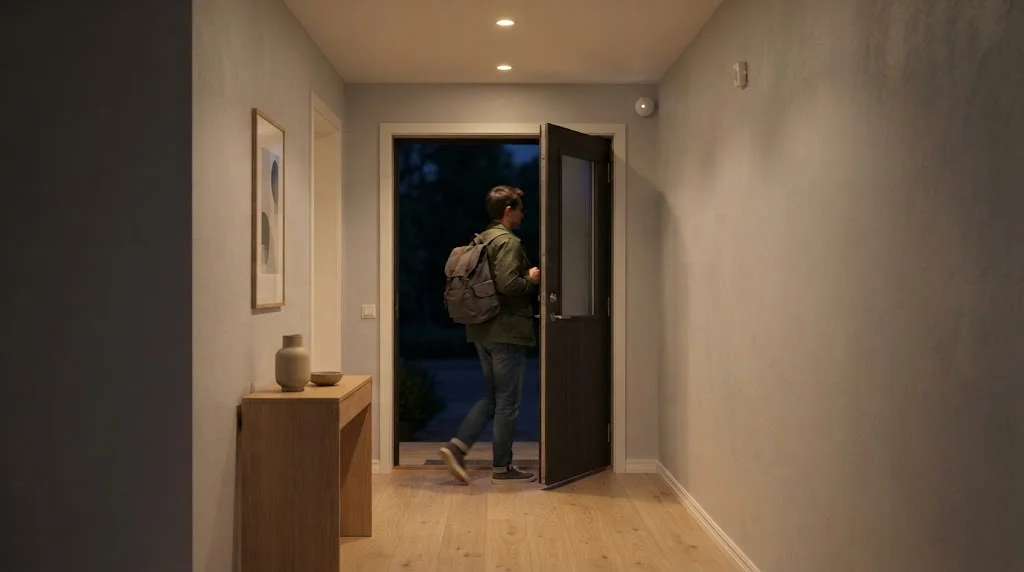
- Night path: between 11 p.m. and 6 a.m., motion in the hallway turns lights on at 10% so nobody is dazzled.
- Auto-off: turn bathroom or laundry lights off after 5 minutes without motion.
- Welcome home: motion at the entry after sunset turns on the hall light and a lamp.
- Away alert: motion while everyone is away sends a phone notification.
- Climate: no motion in the living room for an hour lets the thermostat drop back to eco mode.
For more ideas, see our home automation for safety guide.
Placement Tips
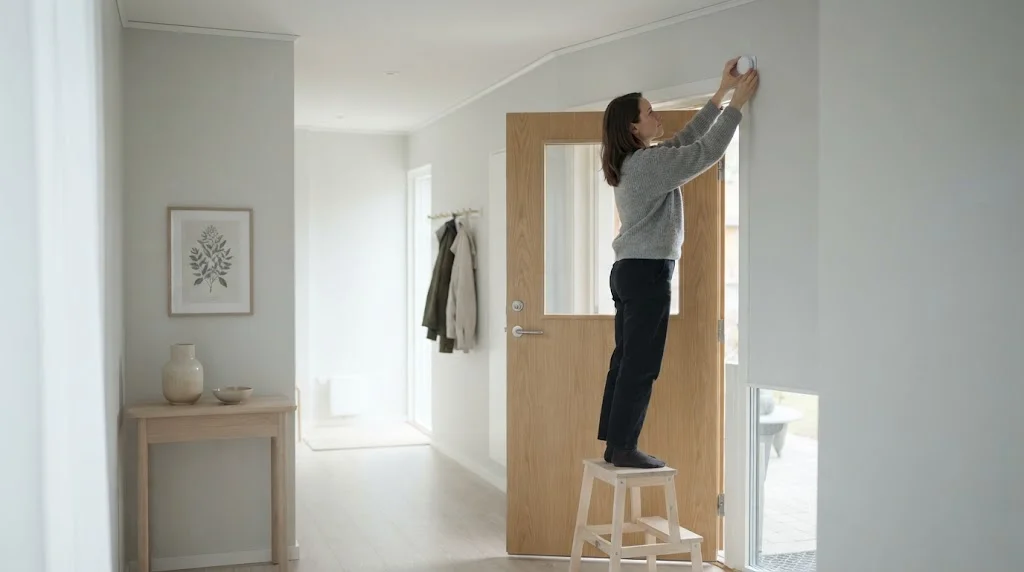
- Mount it about 2 to 2.4 m (6.5 to 8 ft) high, in a corner, so it looks across the room.
- Point it so people walk across its view, not straight at it.
- Keep it away from heaters, radiators, air vents, windows in direct sun and lamps.
- For security, cover the routes an intruder would use: entry hallways and stairs.
- Outdoors, keep it out of direct rain and away from swaying plants and the street.
How to Stop False Triggers
- Lower the sensitivity in the app or on the device.
- Use pet settings or angle the sensor slightly upward if you have cats or dogs.
- Move it away from heat sources that change temperature quickly.
- Add a delay or timeout so a single blip doesn’t trigger an action.
- Use dual-tech or presence sensors where false alarms really matter.
Frequently Asked Questions
How does a motion sensor work?
Most home motion sensors use passive infrared (PIR): they watch for changes in heat as a warm body moves across their field of view. Others use microwave, ultrasonic or mmWave radar signals that bounce off moving objects.
Can a motion sensor detect someone who is not moving?
A standard PIR sensor can’t. A presence sensor using mmWave radar can detect tiny movements like breathing, so it knows someone is still in the room.
How far can a motion sensor detect?
Indoor smart sensors typically cover around 5 to 7 m (16 to 23 ft); the Aqara P2, for example, is rated up to 7 m. Outdoor and security sensors often reach farther.
Do motion sensors work through glass?
PIR sensors generally don’t, because glass blocks most of the infrared they rely on. Microwave sensors can sense through some thin materials.
How long do motion sensor batteries last?
Many battery smart sensors are rated for about two years, including Philips Hue’s sensors and the Aqara P2. Busy spots and cold outdoor locations drain batteries faster.
Do I need a hub for a smart motion sensor?
Usually, yes. Zigbee sensors need a hub like the Hue Bridge, Z-Wave sensors need a base station, and Thread sensors need a Thread border router. Our home automation hub guide explains the options.
Final Verdict
For most homes, a simple PIR motion sensor is all you need for lights, alarms and basic automations: cheap, low-power and reliable. Choose a sensor that fits your ecosystem (Hue for Hue lights, Ring for Ring Alarm, Matter sensors like the Aqara P2 for mixed setups), and step up to an mmWave presence sensor only for rooms where people sit still for long periods.



