

“Ring motion sensor” can mean two things: the Ring Alarm Motion Detector, a small sensor that’s part of the Ring Alarm security system, or the motion detection built into Ring doorbells, cameras and lights. Both are set up and fine-tuned in the Ring app, and both cause the same common headaches: too many alerts, missed events or a sensor that won’t connect.
This guide covers setup, placement, pet settings and troubleshooting for the Ring Alarm Motion Detector, plus the motion settings that matter on Ring cameras and doorbells.
Table of Contents
- Which Ring Motion Sensor Do You Have?
- Ring Alarm Motion Detector at a Glance
- How to Set Up the Ring Alarm Motion Detector
- Where to Place It
- Using It With Pets
- Motion Settings on Ring Cameras and Doorbells
- Troubleshooting Ring Motion Problems
- Battery and Maintenance
- Ring Alarm Motion Detector (2nd Gen) Key Specs
- How PIR Motion Detection Works (and Why It Matters)
- Using the Motion Detector With Ring Alarm Modes
- How Many Motion Detectors Do You Need?
- Ring Smart Lighting Motion Sensor (Outdoor)
- Smart Home Automations With Ring Motion
- Privacy and Security Tips
- Frequently Asked Questions
- Final Verdict
Which Ring Motion Sensor Do You Have?
| Device | What it does | Where you adjust it |
|---|---|---|
| Ring Alarm Motion Detector (1st or 2nd Gen) | Indoor sensor that triggers your Ring Alarm when it’s armed | Ring app → Devices → Motion Detector |
| Ring video doorbells and cameras | Detect motion to start recording and send alerts | Ring app → device → Motion Settings |
| Ring Smart Lighting | Motion turns lights on; can trigger linked cameras | Ring app → Smart Lighting device |
Ring Alarm Motion Detector at a Glance
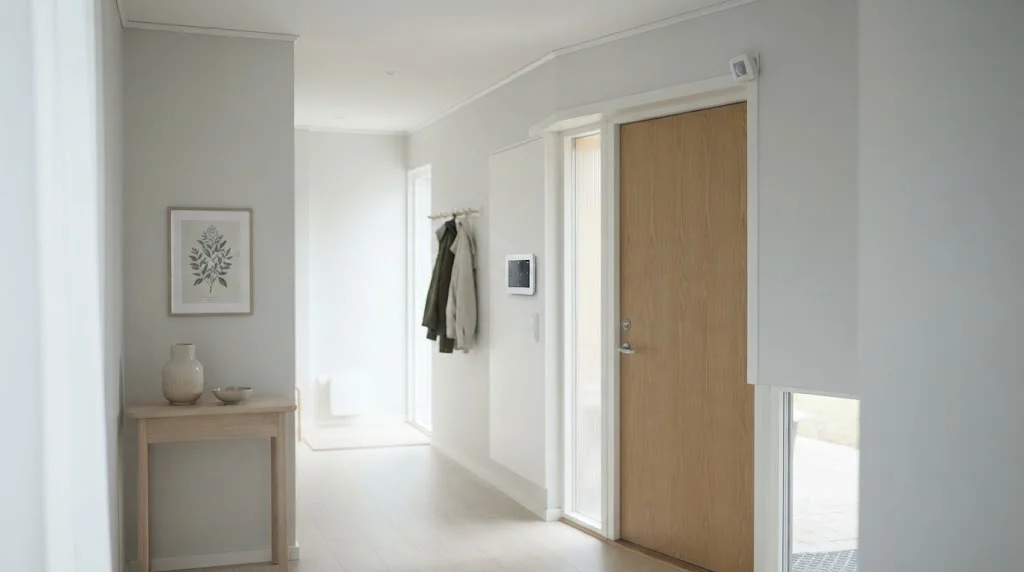
- Connection: Z-Wave to the Ring Alarm Base Station (sold with the Alarm Security Kit)
- Power: two AA batteries (2nd Gen); one CR123A (1st Gen)
- Pet setting: can ignore pets under about 22 kg (roughly 50 lb) at the lowest sensitivity
- Install: tool-free mount for corners or flat walls
- Indoor only: operating range about 0 to 49 °C
- Price: about $30 to 40 (check current deals)
Specs are from Ring’s Alarm Motion Detector (2nd Gen) page. If you’re new to how these sensors detect movement, our motion sensor explainer covers the basics.
How to Set Up the Ring Alarm Motion Detector
- Disarm your Ring Alarm system.
- Open the Ring app and tap Set Up a Device.
- Choose Set up a Ring Alarm Base Station or Z-Wave sensor, then select the motion detector.
- Pull the battery tab (or insert batteries) when the app asks, and let it pair with the base station.
- Name the sensor by location (for example, “Front Hall Motion”) and pick its room.
- Mount it in the spot you planned and run a walk test in the app.
Keep the sensor near the base station during pairing, then move it to its final location. Ring’s setup guide has device-specific steps.
Where to Place It
- Height: Ring recommends about 7 ft 6 in (2nd Gen) or 7 ft (1st Gen) above the floor.
- Corners beat flat walls: a corner gives the widest view of the room.
- Good spots: front and back entryways, hallways, basements with outside access and rooms with several doors or windows.
- Avoid: outdoors, heaters and air vents, pointing at stairs or windows, extreme temperatures and detached garages.
Combine motion detectors with contact sensors on doors and windows for layered coverage. Our motion sensor alarm guide and wireless home security system guide explain how the pieces fit together.
Using It With Pets
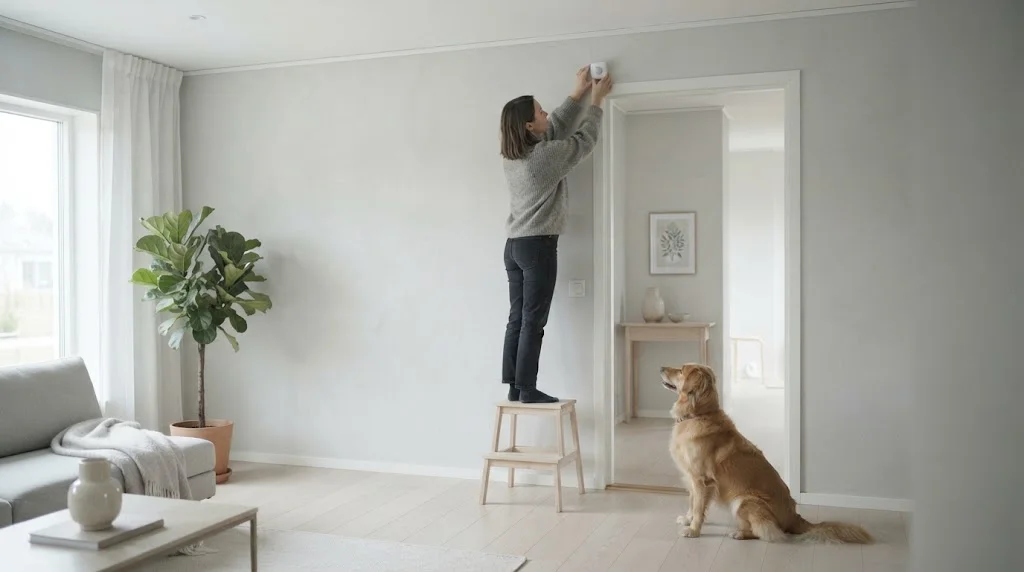
- Set motion sensitivity to the lowest level in the app to ignore pets under about 22 kg (50 lb).
- Mount at the recommended height, not lower.
- Don’t aim it at stairs or furniture your pets climb on, since a cat on a sofa back is much closer to the sensor.
- Use Home mode to leave motion detectors off while the family and pets move around, and only arm them in Away mode.
- For large dogs, rely on contact sensors and glass-break sensors instead of indoor motion.
Motion Settings on Ring Cameras and Doorbells
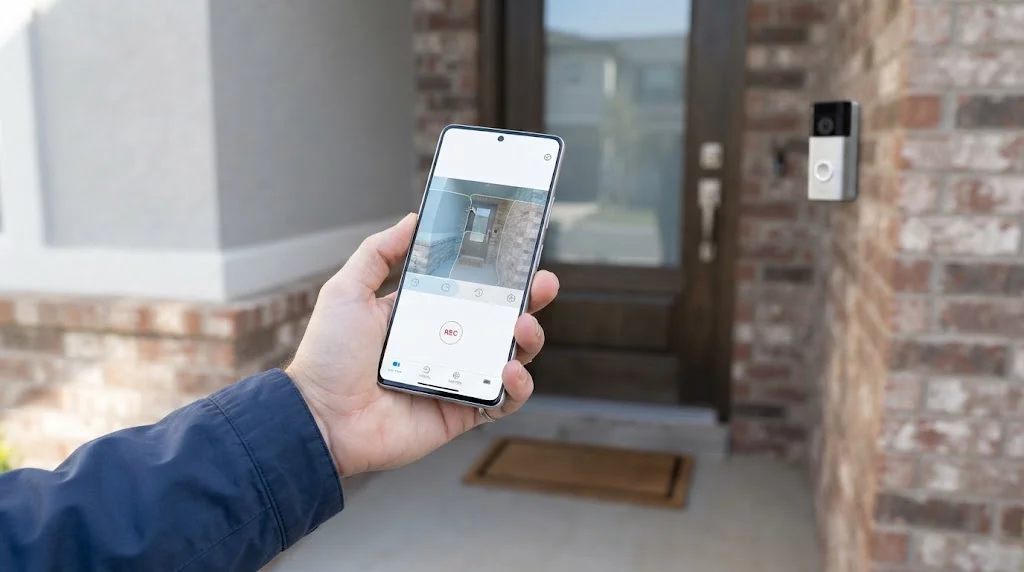
- Motion Zones: draw the areas you care about, like the path and porch, and leave out the street.
- Motion Sensitivity: lower it to cut false alerts; raise it if visitors are missed.
- Motion Frequency (battery devices): choose Frequently, Regularly or Periodically to balance alerts and battery life.
- Advanced Motion Detection: available on some battery devices for more accurate zones.
- Smart Alerts: with a Ring subscription, alerts can focus on people, vehicles or packages.
- Modes and Motion Schedules: pause motion detection at set times, for example while you’re in the garden.
- Motion Wizard: the magic-wand icon walks you through setup step by step.
Comparing doorbells or floodlight cameras? See our smart doorbell guide, Ring Floodlight Camera guide and floodlight camera comparison.
Troubleshooting Ring Motion Problems
Too many alerts
- Shrink motion zones to exclude roads, sidewalks and trees.
- Lower motion sensitivity.
- Turn on Smart Alerts for people only (subscription required).
- For the Alarm Motion Detector, check it isn’t facing a heat vent, window or stairs.
Missed events or no alerts
- Confirm the device shows as online in the Ring app.
- Remove any protective plastic film from the front of a new device.
- Check that Modes, motion schedules or privacy zones aren’t switching detection off.
- Raise sensitivity and widen the motion zones.
- Update the Ring app and your phone, and check notification permissions.
Sensor offline or not connecting
- For cameras, check the Wi-Fi signal in the Device Health tile; move the router closer, add a Ring Chime Pro or switch to a mesh system.
- For the Alarm Motion Detector, bring it closer to the base station or add a Ring Range Extender.
- Replace the batteries and re-pair the sensor if needed.
Ring’s own motion detection troubleshooting guide covers these steps in more detail.
Battery and Maintenance
- 2nd Gen detectors use two AA batteries; 1st Gen uses one CR123A. Match the polarity markings when replacing them.
- The Ring app warns you when batteries are low; replace them promptly so the alarm isn’t left with a blind spot.
- Wipe the lens gently with a dry cloth every few months.
- Run a walk test after moving furniture or changing the layout of a room.
Ring Alarm Motion Detector (2nd Gen) Key Specs
Before you buy extra detectors or move one to a new room, it helps to know what the hardware can and can’t do. These are the main specs Ring lists on its official Alarm Motion Detector (2nd Gen) page:
| Spec | Ring Alarm Motion Detector (2nd Gen) |
|---|---|
| Sensor type | Passive infrared (PIR), detects body heat in motion |
| Connection | Z-Wave to the Ring Alarm Base Station |
| Wireless range | Up to about 76 m (250 ft) in open air with line of sight |
| Power | 2 x AA batteries |
| Pet setting | Pets under about 22 kg (roughly 50 lb) at the lowest sensitivity |
| Use | Indoor only, 0°C to 49°C |
| Size | 6.6 x 6.6 x 3.6 cm |
| Mounting | Flat wall or room corner, tool-free adhesive or screws |
| Warranty | One-year limited |
The open-air range is a best-case number. Real homes have walls, mirrors, appliances and metal cabinets that shorten the Z-Wave signal. If a detector sits at the far end of a long house, a Ring Alarm Range Extender or another plugged-in Z-Wave device between it and the Base Station usually fixes weak connections.
How PIR Motion Detection Works (and Why It Matters)
The Ring Alarm Motion Detector does not use a camera. It uses a passive infrared sensor that watches for changes in heat across several zones in its view. When a warm object such as a person moves from one zone to the next, the heat pattern changes and the sensor reports motion to the Base Station. Our explainer on how motion sensors work covers PIR, microwave and dual-tech sensors in more depth.
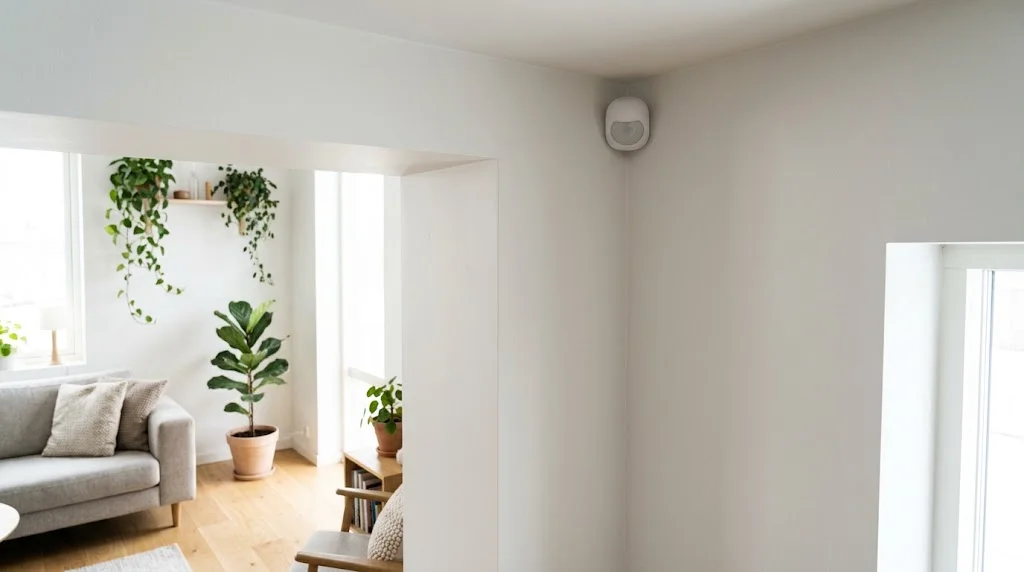
Knowing this explains most of the odd behaviour people notice:
- Walking across the room is detected better than walking straight at the sensor. Crossing zones creates a bigger heat change than moving directly toward it.
- Heat sources cause false alerts. Radiators, heat vents, fireplaces and strong afternoon sun on the floor can all trigger a PIR sensor.
- Glass blocks it. A PIR sensor cannot see through a window, so pointing it at a glass door to watch the patio will not work.
- Large, slow-moving warm objects matter. A big dog jumping on a sofa can look like a person even with pet settings turned on.
Ring cameras and doorbells work differently. Most use a mix of PIR and camera-based (pixel) motion detection, and some newer models add radar for 3D Motion Detection and Bird’s Eye View. That is why the settings for the alarm sensor and for cameras such as the Ring Floodlight Cam are not the same.
Using the Motion Detector With Ring Alarm Modes
Ring Alarm has three modes: Disarmed, Home and Away. Each motion detector can be turned on or off per mode in the Ring app under Alarm, then Modes. Getting this right is the single best way to avoid false alarms.
- Away mode: turn on every motion detector. Nobody should be moving inside the house.
- Home mode: usually turn motion detectors off and rely on contact sensors on doors and windows. You can leave one on in a room nobody uses at night, like a basement or a spare room.
- Disarmed: sensors still report activity to the event history but will not sound the siren.
Also check the entry delay. If a motion detector can see your front door, it may trip before you have time to disarm. Either give that detector an entry delay or point it so it only sees the hallway after the keypad.
A simple layout for an average flat or small house looks like this:
| Area | Best sensor | Active in |
|---|---|---|
| Main entrance | Contact sensor | Home and Away |
| Living room or main hallway | Motion detector | Away |
| Ground-floor windows | Contact sensors | Home and Away |
| Basement or garage door to house | Motion detector or contact | Home and Away |
| Bedrooms | Usually none | – |
How Many Motion Detectors Do You Need?
Most homes need fewer motion detectors than people expect. A burglar has to pass through a few key areas, so cover those instead of putting a sensor in every room.
- Small apartment: one detector in the main living area or hallway is often enough.
- Two-bedroom home: one for the living room and one for the main hallway or stairs.
- Larger two-storey house: one on each floor at the stairs or central hallway, plus one in a basement or back room with outside access.
Pair motion detectors with contact sensors on the doors people actually use. Contact sensors catch someone opening a door, while motion detectors catch someone who has already got inside through a window you didn’t sensor. Together they cover each other’s gaps. If you are still choosing a system, our roundup of the best home alarm systems compares how the main brands handle sensors and monitoring.
Ring Smart Lighting Motion Sensor (Outdoor)
Ring also sells a separate outdoor motion sensor as part of its Smart Lighting range. It is easy to confuse with the alarm detector, but it does a different job.
- It is weather-resistant and made to mount outside on a wall, fence or eave.
- It connects through the Ring Bridge, not the Ring Alarm Base Station.
- Its main job is to switch on Ring Smart Lights, such as pathlights, spotlights and floodlights, when someone walks by.
- It can also send motion alerts and trigger linked Ring cameras to record, which is handy for side paths a camera doesn’t cover.
If your goal is lighting up a dark driveway or garden path, this sensor (or a motion sensor light bulb) is a better fit than the indoor alarm detector, which is not rated for outdoor use.
Smart Home Automations With Ring Motion
Motion events from Ring devices can do more than send alerts. A few useful ideas:
- Alexa routines: with the Ring skill enabled, a motion detector or camera can start an Alexa routine. For example, turn on the hallway lights at night or announce “motion in the garage” on an Echo speaker.
- Linked devices: link a camera to an alarm motion detector in the Ring app so the camera starts recording when the sensor trips.
- Lighting scenes: combine motion with smart bulbs so a living room gets a soft warm light when someone walks in after dark. This suits a calm, minimal Scandinavian-style room better than bright overhead lights.
- Away checks: get a phone notification if motion happens while the system is armed Away.
Keep routines simple. Each extra rule is another thing to troubleshoot when lights switch on at 3 a.m. because the cat walked past.
Privacy and Security Tips
Because the alarm detector uses infrared rather than video, it is the more private choice for indoor rooms. Still, a few habits keep a Ring system secure:
- Turn on two-step verification for your Ring account and use a unique password.
- Review Shared Users in the app and remove anyone who no longer needs access.
- On indoor cameras, use Privacy Mode or Modes settings so video and audio are off while you are home.
- Set privacy zones on outdoor cameras so they don’t record neighbours’ windows or the street more than needed.
- Keep the Base Station and cameras online so firmware updates install automatically.
For a wider look at protecting connected devices, see our smart home security tips.
Frequently Asked Questions
Does the Ring motion sensor work without Ring Alarm?
No. The Ring Alarm Motion Detector needs a Ring Alarm Base Station to work. Ring cameras and doorbells have their own built-in motion detection and don’t need the alarm.
Does the Ring motion detector need a subscription?
Basic alerts in the Ring app work without one. Professional monitoring and some smart features need a Ring plan.
Can the Ring motion detector be used outdoors?
No. Ring says to avoid outdoor and extreme-temperature locations. Use Ring cameras or Smart Lighting outdoors instead.
Why does my Ring camera miss people walking up?
Usually because of narrow motion zones, low sensitivity, a schedule or Mode that pauses detection, or weak Wi-Fi. Battery devices set to “Periodically” may also skip some events.
Can I use the Ring motion sensor with Alexa?
Yes. The Ring Alarm Motion Detector can trigger Alexa routines, such as turning on lights when motion is detected.
How do I reset a Ring Alarm motion detector?
Remove it from the Ring app, then pair it again through Set Up a Device. Ring’s support pages list the reset steps for each generation.
How far can the Ring Alarm motion detector see?
Ring does not publish an exact detection distance for the 2nd Gen detector, but it covers a typical living room or hallway when mounted in a corner at the recommended height. The 76 m figure Ring lists is the wireless range to the Base Station, not the motion range.
Can I put the Ring motion detector in a garage?
Only if the garage stays between 0°C and 49°C. It is an indoor device, so a cold or very hot uninsulated garage can cause problems. Keep it away from car exhaust heat and windows.
What batteries does the Ring Alarm Motion Detector use?
The 2nd Gen model uses two AA batteries. The Ring app shows the battery level and sends a low-battery alert before they run out.
Final Verdict
Most Ring motion problems come down to placement and settings, not faulty hardware. Mount the Alarm Motion Detector in a corner at the recommended height, keep it away from heat and stairs, and use the lowest sensitivity if you have pets. On cameras and doorbells, tight motion zones and the right sensitivity cut false alerts dramatically, and Smart Alerts help if you have a Ring plan. Keep an eye on alerts from anywhere with our home monitoring apps guide.



