

The Roomba is the robot vacuum most people picture when they hear the words. iRobot launched the first Roomba in 2002, and the name has become almost a generic term for any small round robot that cleans your floors. Today’s Roombas are far more capable than the bump-and-turn originals: many vacuum and mop in one, map your home with LiDAR or cameras, avoid cables and pet accidents, empty themselves into a dock and even wash and dry their own mop pads.
The Roomba story has also changed a lot. After a failed acquisition by Amazon, iRobot filed for Chapter 11 in December 2025 and was bought by its manufacturing partner Picea in early 2026. At the same time, it relaunched almost its entire lineup with new names such as Roomba 105, Roomba 205 DustCompactor, Roomba Plus and Roomba Max. This guide explains the current Roomba range, what changed, which model to buy for carpets, hard floors and pets, and how Roomba compares with rivals. We do not test products ourselves; this guide is based on iRobot’s published specifications and independent coverage.
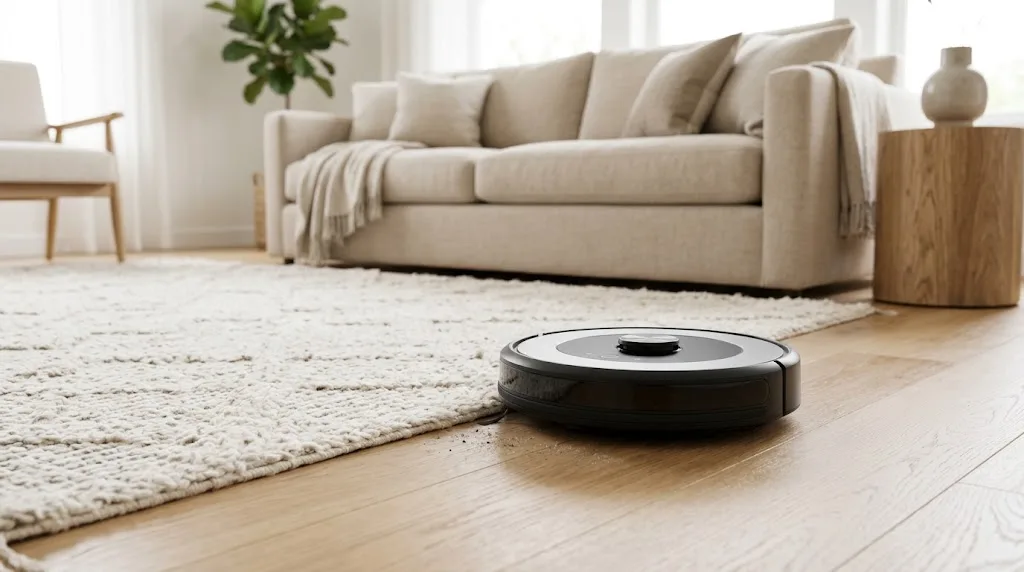
Table of Contents
- What Is a Roomba and How Does It Work?
- What Changed: iRobot in 2025–2026
- Roomba Lineup at a Glance
- Best Budget Roomba: Roomba 105 and 105 Combo
- Best Value Roomba: Roomba 205 DustCompactor Combo
- Best Mid-Range Roomba: Roomba Plus Combo
- Best Premium Roomba: Roomba Max Combo
- Roomba for Pet Hair
- Roomba vs Roborock vs Shark vs Eufy
- How to Choose the Right Roomba
- Older Roomba Models: Should You Buy One on Sale?
- Setting Up a Roomba Step by Step
- Getting the Best Results From a Roomba
- Roomba Maintenance Schedule
- Roomba Features Explained
- A Week With a Roomba: What Ownership Looks Like
- Privacy and Security
- Smart Home Integration
- Energy Use and Running Costs
- Frequently Asked Questions About Roombas
- Final Verdict
What Is a Roomba and How Does It Work?
A Roomba is a robot vacuum cleaner that drives around your home on a schedule, picking up dust, crumbs and pet hair. Modern Roombas typically combine:
- Navigation sensors such as LiDAR (a spinning laser that maps rooms) or cameras with AI obstacle recognition.
- A brush system, usually iRobot’s dual rubber roller brushes, which resist hair tangles better than bristle brushes.
- An edge-sweeping brush to pull debris out of corners and along skirting boards.
- Suction power, now measured in Pascals (Pa) on the new range.
- Optional mopping on “Combo” models, from a simple damp pad to spinning roller mops.
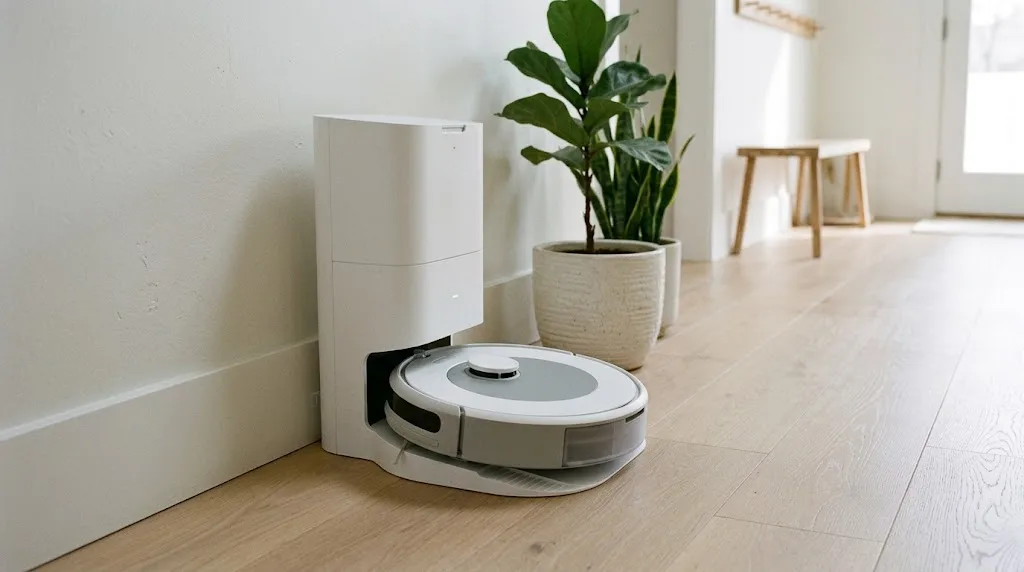
- A dock that charges the robot and, on “+” or Plus models, automatically empties the bin into a sealed bag.
You control everything through the iRobot Home app, where you can see your floor plan, name rooms, set no-go zones and schedule cleanings. Roombas also work with Amazon Alexa, Google Assistant and, on newer Combo models, Matter for Apple Home.
What Changed: iRobot in 2025–2026
If you have read older Roomba reviews, much of the advice is outdated. Here is what happened:
- 2024: Amazon abandoned its planned acquisition of iRobot after regulatory opposition in the EU, and iRobot cut staff.
- 2025: iRobot relaunched its lineup with new names and, for the first time on most models, LiDAR navigation, alongside more powerful suction.
- December 2025: iRobot filed for Chapter 11 bankruptcy protection.
- January 2026: the sale to Picea, the company that already manufactured Roombas, closed. According to coverage summarised by RoboVacGuide, the app, software updates and warranties continue.
For buyers, the practical takeaway is that Roombas remain supported, but it is reasonable to factor long-term support into your decision and to buy from retailers with good return policies.
Roomba Lineup at a Glance
Prices are approximate and change often; check iRobot’s official Roomba page and major retailers for current deals.
| Model | Type | Suction | Key features | Approx. price |
|---|---|---|---|---|
| Roomba 105 / 105 Combo | Entry-level | About 1,500 Pa | LiDAR navigation, basic damp mop on Combo | $170–$320 |
| Roomba 205 DustCompactor Combo | Bagless, no dock | About 7,000 Pa | Compacts debris inside robot for up to ~60 days, damp mop | $230–$470 |
| Roomba Plus 405 / 505 Combo and newer 415/515/575 | Mid-range self-emptying | About 7,000 Pa | Auto-empty dock, extending mop arm on 505, AI obstacle avoidance | $450–$800 |
| Roomba Max 705 Combo and newer 715/775 | Flagship | About 13,000 Pa | Roller mop with carpet cover, AutoWash dock with heated mop washing | $750–$1,000 |
| Roomba j7+ (older) | Previous generation | Lower | Camera obstacle avoidance, auto-empty dock | Clearance pricing |
Best Budget Roomba: Roomba 105 and 105 Combo
The Roomba 105 brings LiDAR mapping to iRobot’s entry level, which is a big upgrade over older budget Roombas that cleaned in random patterns. It maps your rooms, cleans in neat rows and lets you choose specific rooms in the app. The Combo version adds a simple damp mop pad for light dust on hard floors.
Pros: affordable, LiDAR navigation, room-by-room cleaning.
Cons: lower suction, basic mopping, no self-emptying dock in the base model.
Best for: apartments and smaller homes with mostly hard floors and low-pile rugs.
Best Value Roomba: Roomba 205 DustCompactor Combo
The 205 DustCompactor takes an unusual approach. Instead of a large self-emptying dock, it compresses debris inside the robot so you only need to empty it about every couple of months under typical use. That saves space and avoids buying dock bags, while offering much stronger suction than the 105.
Pros: strong suction, no bulky dock, no bags to buy.
Cons: mopping is basic, emptying the compacted bin is messier than a sealed bag.
Best for: small spaces where a tall auto-empty dock would not fit.
Best Mid-Range Roomba: Roomba Plus Combo
The Roomba Plus range adds a self-emptying dock that holds weeks of debris in a sealed bag, AI obstacle avoidance for cables and socks, and better mopping. The Plus 505 Combo’s extending mop arm reaches further into corners and along edges, an area where round robots traditionally struggle. Newer 2026 Plus models continue this formula with updated hardware.
Pros: hands-off emptying, smarter obstacle avoidance, improved edge mopping.
Cons: dock takes floor space, ongoing bag cost.
Best for: most family homes and pet owners.
Best Premium Roomba: Roomba Max Combo
The Roomba Max 705 Combo and its 2026 successors are iRobot’s flagship robots. They pair very strong suction (around 13,000 Pa) with a spinning roller mop that is protected by a retractable cover on carpets, and an AutoWash dock that empties the bin, refills water, washes the mop with heated water and dries it. That means far less manual cleaning for you.
Pros: strongest suction, roller mop for real scrubbing, fully automated dock.
Cons: expensive, large dock, more maintenance parts.
Best for: large homes with mixed floors and anyone who wants the most automation.
Roomba for Pet Hair
Pet owners are one of Roomba’s biggest audiences, and a few features matter more than others:
- Rubber roller brushes resist hair wrapping much better than bristle brushes.
- A self-emptying dock stops the small robot bin from filling up with fur mid-clean.
- Obstacle avoidance helps the robot avoid pet waste and toys. Older Roomba j7 models were known for camera-based poop avoidance, and newer models use AI-based obstacle detection.
- Frequent schedules (daily during shedding season) keep hair from building up.
Our dedicated guide to the best robot vacuum for pet hair compares Roomba with other brands specifically for shedding pets.
Roomba vs Roborock vs Shark vs Eufy
| Brand | Strengths | Weaknesses | Best for |
|---|---|---|---|
| iRobot Roomba | Simple app, rubber brushes, strong brand support, Matter on Combos | Historically more expensive per feature; ownership change | Users who want simplicity |
| Roborock | Very strong suction, advanced mopping docks, feature-rich app | App can feel complex | Tech enthusiasts, mixed floors |
| Shark | Good value, bagless self-empty bases | Mopping less advanced on some models | Budget self-emptying |
| Eufy | Affordable, quiet, decent mapping | Fewer premium features | Small budgets and apartments |
Roborock and other competitors moved faster on mopping docks over the past few years, but the latest Roomba Plus and Max ranges closed much of that gap. Roomba still stands out for its easy app and long track record.
How to Choose the Right Roomba
- Floor types: mostly carpet means suction matters most; mostly hard floor means mopping quality matters more. Mixed floors benefit from Max models with carpet-protecting mops.
- Home size: larger homes need LiDAR mapping and longer battery life, plus multi-floor map support.
- Pets and allergies: choose a self-emptying dock with sealed bags so you rarely touch the dust.
- Space for the dock: AutoWash docks are tall and wide; measure before buying. The 205 DustCompactor needs almost no space.
- How hands-off you want it: basic models need you to empty bins and rinse pads; flagship docks do almost everything.
- Smart home: if you use Apple Home, choose a Combo model with Matter support.
Older Roomba Models: Should You Buy One on Sale?
Because iRobot replaced most of its lineup, you will still see older models such as the Roomba i3, i4, i7, j7, j9, s9 and Combo j5 at clearance prices. They can be bargains, but keep a few points in mind:
- Navigation: older i-series and j-series robots use camera-based (vSLAM) navigation rather than LiDAR. It works well in lit rooms but is less consistent in the dark.
- Suction: the new range offers considerably more suction than most older models.
- Mopping: older Combo models used a simple pad or a lifting pad arm; newer Plus and Max models mop more effectively.
- Support: older models still receive app support, but newer ones will be supported for longer.
| Older model | Closest new equivalent | Upgrade benefit |
|---|---|---|
| Roomba 600/694 | Roomba 105 | LiDAR mapping instead of random cleaning |
| Roomba i3/i4 | Roomba 205 or Plus | Stronger suction, better navigation |
| Roomba j7+ | Roomba Plus Combo | Mopping, stronger suction, LiDAR |
| Roomba s9+/j9+ | Roomba Max Combo | Roller mop, AutoWash dock |
A discounted j7+ can still be a sensible buy for carpet-heavy homes with pets, but if the price gap to a new Roomba Plus is small, the newer model is the better long-term choice.
Setting Up a Roomba Step by Step
- Pick the dock location: a flat spot on hard floor against a wall, with about 0.5 metres of clearance on each side and 1.2 metres in front, near an outlet and within good Wi-Fi range.
- Install the iRobot Home app and create an account, then follow the prompts to connect the robot to your 2.4 GHz or dual-band Wi-Fi.
- Charge fully before the first run.
- Let it map: run a mapping or first full clean with interior doors open.
- Edit the map: split and name rooms, add keep-out zones and no-mop zones for rugs.
- Create schedules: for example, daily vacuuming of the kitchen and hallway, and full-home cleans twice a week.
- Connect voice assistants and Matter if you want to control it alongside your other devices.
If your Wi-Fi drops out in some rooms, the robot can still clean, but app control and map updates may be unreliable. Our home network setup guide explains how to improve coverage.
Getting the Best Results From a Roomba
- Do a quick tidy first. Pick up cables, socks, phone chargers and small toys. Obstacle avoidance helps, but fewer obstacles means faster, better cleaning.
- Run a mapping run after setup, then name rooms and set no-go zones around pet bowls, rugs with tassels and fragile furniture.
- Schedule cleans when you are out so noise is not a problem.
- Lift chairs or use furniture risers under low sofas and beds, since most Roombas need around 9 to 10 cm of clearance.
- Keep sensors clean. Wipe cliff sensors, the LiDAR window and the camera lens monthly.
For a calm Scandinavian living room with rugs and light-wood floors, set a no-mop zone on wool rugs and let the robot mop only hard floors. Our guide to Scandinavian living room decor has more ideas for combining tech with natural materials.
Roomba Maintenance Schedule
| Task | How often |
|---|---|
| Empty bin (non-docking models) | After every 1–2 cleans |
| Rinse or wash mop pad | After each mop (manual models) |
| Remove hair from brushes and edge brush | Weekly |
| Clean filter | Weekly; replace every 2 months |
| Wipe sensors and charging contacts | Monthly |
| Replace dock bag | When the app tells you, often every 1–2 months |
| Replace brushes and edge brush | Every 6–12 months |
Genuine replacement parts and accessory kits are sold by iRobot and third parties. Keeping brushes free of hair is the single most important habit for good cleaning performance and battery life.
Roomba Features Explained
| Feature | What it means | Why it matters |
|---|---|---|
| LiDAR navigation | A spinning laser maps rooms precisely | Efficient cleaning paths, works in the dark |
| Camera / AI obstacle avoidance | Recognises cables, socks and pet waste | Fewer stuck robots and messes |
| Self-emptying dock | Empties the robot’s bin into a sealed bag | Weeks between emptying; better for allergies |
| DustCompactor | Compresses debris inside the robot | No dock bags, small footprint |
| Roller mop / extending mop arm | Scrubs floors and reaches edges | Better mopping than flat pads |
| AutoWash dock | Washes and dries mop pads, refills water | Hands-off mopping |
| Carpet detection | Lifts or covers the mop on carpets | Keeps rugs dry |
| Keep-out zones | Areas the robot will not enter | Protects pet bowls, toys and fragile rugs |
| Matter support | Works across Apple, Google, Amazon, SmartThings | Long-term smart home compatibility |
A Week With a Roomba: What Ownership Looks Like
Owning a robot vacuum is not completely hands-free, but the routine is light:
- Daily: the robot cleans on schedule while you are out. You spend a minute picking up cables and toys beforehand.
- Every few days: rinse the mop pad on manual-mop models, or let an AutoWash dock handle it.
- Weekly: remove hair from the brushes, tap out the filter and empty the bin on non-docking models.
- Monthly: wipe sensors, clean the dock’s dirty-water tank on mopping docks and check the edge brush.
- Every one to two months: replace the dock bag when the app reminds you.
Most owners find that floors stay noticeably cleaner day to day, and the weekend deep-clean with a regular vacuum becomes quicker and less frequent.
Privacy and Security
Robot vacuums with cameras and maps collect data about your home’s layout, so privacy is a reasonable concern, especially after iRobot’s change of ownership. iRobot states that US customer data is handled by a separate subsidiary. Still, follow good practice: use a strong, unique password and two-factor authentication on the app, keep the robot’s firmware updated, and review what data sharing options you have enabled. If you prefer, use models that rely on LiDAR rather than cameras. The FTC’s advice on securing connected devices is a good checklist, and our guide on securing your home Wi-Fi covers network protection.
Smart Home Integration
Roombas work with Amazon Alexa and Google Assistant, so you can say “Alexa, ask Roomba to clean the kitchen.” Combo models that support Matter can also be added to Apple Home, Google Home and SmartThings. You can build routines that start cleaning when everyone leaves home, or pause the robot when the doorbell rings. Our Alexa routines guide explains how to set these up, and our home automation hub guide covers central control.
Energy Use and Running Costs
Robot vacuums use little electricity; a typical charge draws only a small amount of power, and running one daily usually adds just a few dollars a year to your bill. The real running costs are consumables: dock bags, filters, brushes and mop pads, which can add up to roughly $50 to $150 a year depending on the model and how often it runs. Factor these in when comparing a cheaper robot with a pricier one that has a bagless or washable design.
Frequently Asked Questions About Roombas
Is iRobot still supporting Roombas after the bankruptcy?
Yes. iRobot was acquired by Picea in January 2026, and coverage reports that the app, software updates and warranties continue. Buy from retailers with good return policies for extra peace of mind.
Which Roomba is best for carpets?
The Roomba Max range has the strongest suction and a mop cover that protects carpets, making it the best for homes with lots of carpet.
Can a Roomba replace my regular vacuum?
For daily maintenance, yes. Most people still use a stick or upright vacuum occasionally for stairs, upholstery and deep cleaning.
How long does a Roomba battery last?
Runtime depends on model and suction level, but most current Roombas can clean a typical home on one charge and recharge and resume if needed. Batteries generally last a few years before capacity noticeably drops.
Do Roombas work on dark carpets?
Older Roombas sometimes mistook very dark carpets for drops because of their cliff sensors. Newer models handle dark floors better, but check reviews if your home has black rugs.
Is the Roomba worth it?
If you want floors kept consistently clean with little effort, especially with pets, a Roomba is worth it. Choose the model that matches your floors and how much maintenance you want to do.
Final Verdict
The Roomba remains one of the easiest robot vacuums to live with, and the 2025–2026 lineup is the biggest upgrade in years, bringing LiDAR navigation, much stronger suction and serious mopping. The Roomba 105 is a smart budget pick, the 205 DustCompactor is great for small spaces, the Roomba Plus Combo is the best choice for most families and pet owners, and the Roomba Max is the one to buy if you want maximum automation. With iRobot now under new ownership, buy from a retailer with a solid return policy, keep the brushes clean, and your Roomba will keep your floors tidy every day.



