

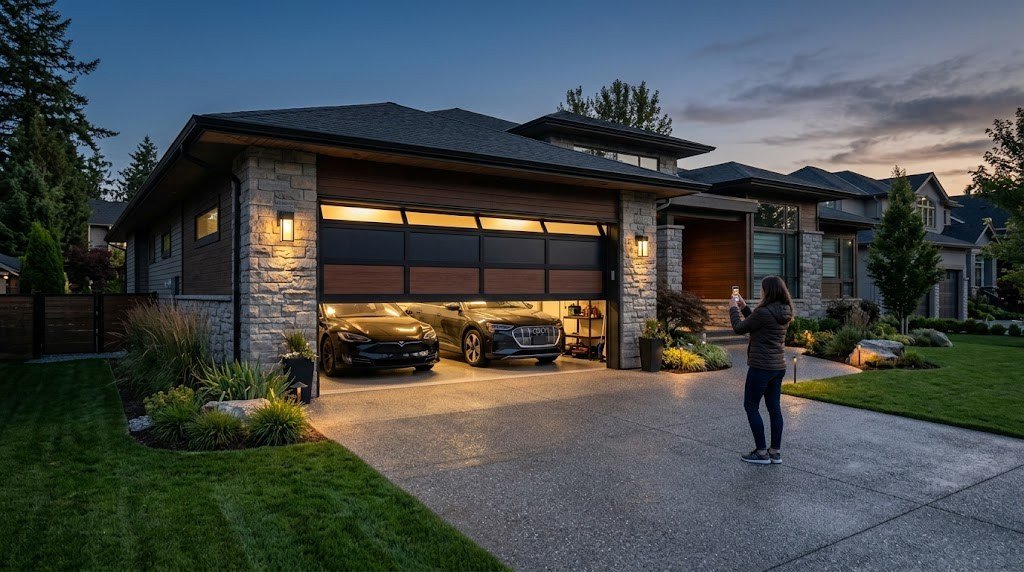
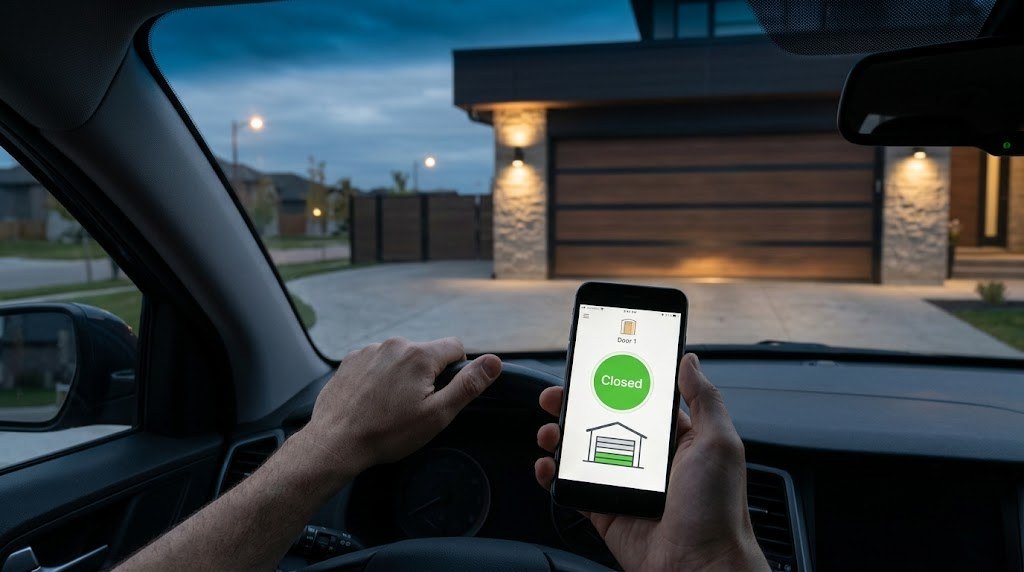
Did I close the garage door? If you’ve ever turned the car around halfway to work to check, a WiFi garage door opener is the upgrade you need. With a smart garage setup, you can see whether the door is open, close it from anywhere, get an alert if it’s left open at night, and even let a delivery driver or family member in without handing over a remote.
The best part is that you probably don’t need a new opener. A small smart retrofit kit can add Wi-Fi control to the opener you already have for under $100. In this guide, we’ll compare full smart garage door openers and retrofit kits, explain compatibility (including the Chamberlain and LiftMaster catch), and walk through installation.
Quick Picks: Best WiFi Garage Door Openers and Smart Kits
- Best retrofit kit overall: Tailwind iQ3 (works with most openers, Apple Home, Alexa, Google, Home Assistant)
- Best budget kit for Apple Home: Meross Smart Garage Door Opener (HomeKit version)
- Easiest setup for Chamberlain/LiftMaster: Chamberlain myQ Smart Garage Control
- Best budget kit for Alexa and Google: Genie Aladdin Connect
- Best local control (DIY): ratgdo for Home Assistant and HomeKit
- Best complete smart opener: Chamberlain B6753T with built-in camera
- Best for tall or heavy doors: LiftMaster 98022 wall-mount opener
WiFi Garage Door Opener vs Smart Retrofit Kit
There are two ways to make your garage smart, and choosing the right one saves you a lot of money.
Full smart garage door openers
A full smart opener replaces your entire garage door opener, including the motor, rail and wall button. Brands like Chamberlain, LiftMaster, Genie and Ryobi build Wi-Fi directly into the unit. Some premium models add a built-in camera, battery backup and ultra-quiet belt drives.
Choose this if: Your current opener is old, noisy, unsafe or dying anyway, or you want features like a built-in camera and battery backup.
Smart garage retrofit kits
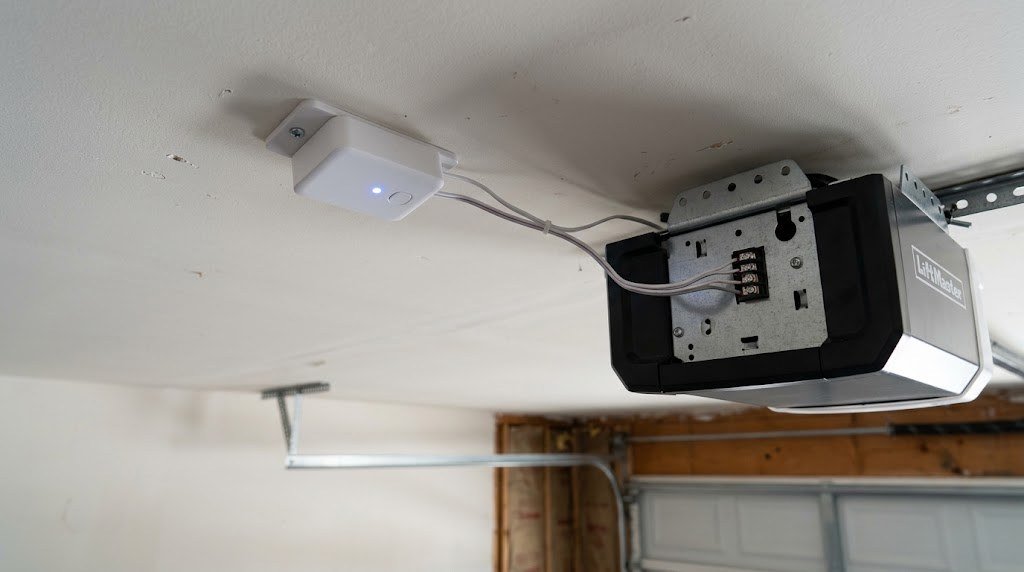
A retrofit kit is a small controller that connects to your existing opener’s wall-button terminals (or mimics a remote) plus a sensor that knows whether the door is open or closed. The controller connects to Wi-Fi so you can operate the door from an app, a voice assistant or automations.
Choose this if: Your opener works fine and you just want smart control. Kits cost $30 to $100 and install in 15 to 60 minutes.
| Full smart opener | Retrofit kit | |
|---|---|---|
| Price | $250 to $750+ | $30 to $100 |
| Install time | 3 to 5 hours (or pro install) | 15 to 60 minutes |
| Replaces your opener | Yes | No |
| Camera / battery backup | Available on premium models | No |
| Smart home support | Varies by brand | Often broader |
The Chamberlain and LiftMaster Compatibility Catch
Chamberlain and LiftMaster (plus Craftsman openers made by Chamberlain) are among the most common openers in the U.S. Since around 2011, many of them use a secure wall-button protocol called Security+ 2.0 (often identified by a yellow “learn” button on the motor unit). This matters because:
- Some third-party kits can’t simply connect to the two wall-button terminals on Security+ 2.0 openers. They need an extra adapter or a dry-contact interface, which some brands include and others sell separately.
- Chamberlain’s own myQ system works natively with these openers, but myQ has limited third-party integrations. It doesn’t officially work with Alexa or Google Assistant voice control, and Chamberlain blocked unofficial integrations such as Home Assistant in 2023.
So if you have a Chamberlain or LiftMaster opener and want Alexa, Google or Home Assistant, check the kit’s compatibility page for Security+ 2.0 support before you buy. Tailwind and ratgdo both have solutions for these openers.
The Best WiFi Garage Door Openers and Smart Kits in 2026
1. Tailwind iQ3: Best Retrofit Kit Overall
Tailwind iQ3 is the kit we’d recommend to most people. It works with most openers from the past 30 years (with an adapter for newer Chamberlain/LiftMaster/Craftsman models), controls up to three doors from one unit and uses a hardwired door sensor for reliable open/closed status.
Its standout feature is automatic open and close. Using your phone’s GPS or your car’s Bluetooth, Tailwind can open the door as you pull into the driveway and close it after you leave. Wirecutter picked it as its top smart garage controller, calling it the most reliable option in its testing.
- Price: About $90
- Works with: Apple Home, Alexa, Google Home, Home Assistant, SmartThings, Hubitat, IFTTT
- Subscription: None
- Doors: Up to 3
Good for: Anyone who wants the most reliable, open smart garage kit.
Keep in mind: Installation takes about an hour because of the wired sensor, and there’s no camera.
2. Meross Smart Garage Door Opener (HomeKit): Best Budget Kit for Apple Home
Meross makes some of the most affordable smart garage kits, and the HomeKit version works natively with Apple Home, so you can use Siri, the Home app and Apple Home automations. The multi-door model (MSG200HK) controls up to three doors from one hub, which makes it great value for bigger garages.
- Price: About $40 to $70 depending on model
- Works with: Apple Home, Alexa, Google Home, SmartThings
- Subscription: None
- Doors: 1 or up to 3 depending on model
Good for: Apple users on a budget.
Keep in mind: Check Security+ 2.0 compatibility for newer Chamberlain/LiftMaster openers.
3. Chamberlain myQ Smart Garage Control: Easiest Setup
If you have a Chamberlain, LiftMaster or Craftsman opener made after 1993, myQ Smart Garage Control is the simplest kit to install. It uses a wireless door sensor and a small hub that talks to your opener, so there’s no wiring to the wall button in most cases. The myQ app is polished, supports guest access and works with Amazon Key for in-garage delivery.
- Price: Usually $30 to $40 on sale
- Works with: myQ app, Amazon Key, some car integrations
- Subscription: Core features are free; some video and delivery features require paid plans
Good for: Chamberlain and LiftMaster owners who just want app control.
Keep in mind: Limited voice assistant and smart home integrations compared with Tailwind and Meross.
4. Genie Aladdin Connect: Best Budget Kit for Alexa and Google
Genie Aladdin Connect is a budget-friendly kit that works with Genie openers as well as many Chamberlain, LiftMaster and Linear models. It offers multi-user access, door status alerts and basic scheduling, and it works with Alexa and Google Assistant.
- Price: Often under $80
- Works with: Alexa, Google Assistant
- Subscription: None
Good for: Alexa or Google homes on a budget.
Keep in mind: No native Apple Home support, and a 2024 cloud update broke some unofficial third-party plugins.
5. ratgdo: Best for Local Control and Home Assistant
ratgdo is a small DIY-friendly board that connects directly to the wall-button wires of Chamberlain and LiftMaster openers (including Security+ 2.0) and gives you fully local control without any cloud. It works great with Home Assistant, and with the right firmware it can also appear in Apple Home. It even reports extra details like obstruction sensor status and the opener light.
- Price: About $35 to $80 depending on version
- Works with: Home Assistant, MQTT, HomeKit (with compatible firmware)
- Subscription: None, fully local
Good for: Tech-savvy users who want privacy and speed.
Keep in mind: Setup is more technical than consumer kits.
6. Chamberlain B6753T: Best Complete Smart Opener
If your old opener needs replacing anyway, the Chamberlain B6753T is an all-in-one smart opener with a quiet belt drive, battery backup, built-in myQ Wi-Fi and a 1080p camera with two-way audio built into the motor unit. You can see who’s in the garage and watch deliveries.
- Price: Around $700 to $750
- Works with: myQ app, Amazon Key
- Subscription: Basic features free; saved video clips need a paid myQ plan
Good for: Homeowners replacing an old opener who want a camera built in.
Keep in mind: Expensive, and the best camera features require a subscription.
7. LiftMaster 98022: Best for Tall or Heavy Doors
The LiftMaster 98022 is a wall-mount (jackshaft) opener that attaches beside the door instead of hanging from the ceiling. That frees up overhead space for storage or a car lift, and its DC motor is extremely quiet. It includes battery backup, built-in myQ Wi-Fi and an automatic deadbolt lock.
- Price: Around $650
- Works with: myQ app
- Subscription: Basic features free
Good for: High ceilings, heavy insulated doors and garages where ceiling space matters.
Keep in mind: Your garage door needs the right torsion spring setup for a jackshaft opener.
Comparison Table
| Product | Type | Approx. price | Apple Home | Alexa / Google | Subscription |
|---|---|---|---|---|---|
| Tailwind iQ3 | Retrofit kit | ~$90 | Yes | Yes | No |
| Meross (HomeKit) | Retrofit kit | ~$40 to $70 | Yes | Yes | No |
| myQ Smart Garage Control | Retrofit kit | ~$30 to $40 | Limited | No official voice support | Optional |
| Genie Aladdin Connect | Retrofit kit | Under $80 | No | Yes | No |
| ratgdo | DIY local board | ~$35 to $80 | With firmware | Via Home Assistant | No |
| Chamberlain B6753T | Full opener | ~$700+ | Limited | Limited | Optional (video) |
| LiftMaster 98022 | Full opener | ~$650 | Limited | Limited | Optional |
Prices change often, so check the current listing before buying.
How to Install a Smart Garage Retrofit Kit
Most retrofit kits follow the same basic steps. Always read your specific kit’s manual first.
- Check compatibility. Find your opener’s brand, model and “learn” button color, and confirm the kit supports it.
- Unplug the opener before touching any wires.
- Mount the controller on the ceiling or wall near the opener, within reach of a power outlet.
- Connect the wires from the controller to the opener’s wall-button terminals (or use the adapter if your opener needs one).
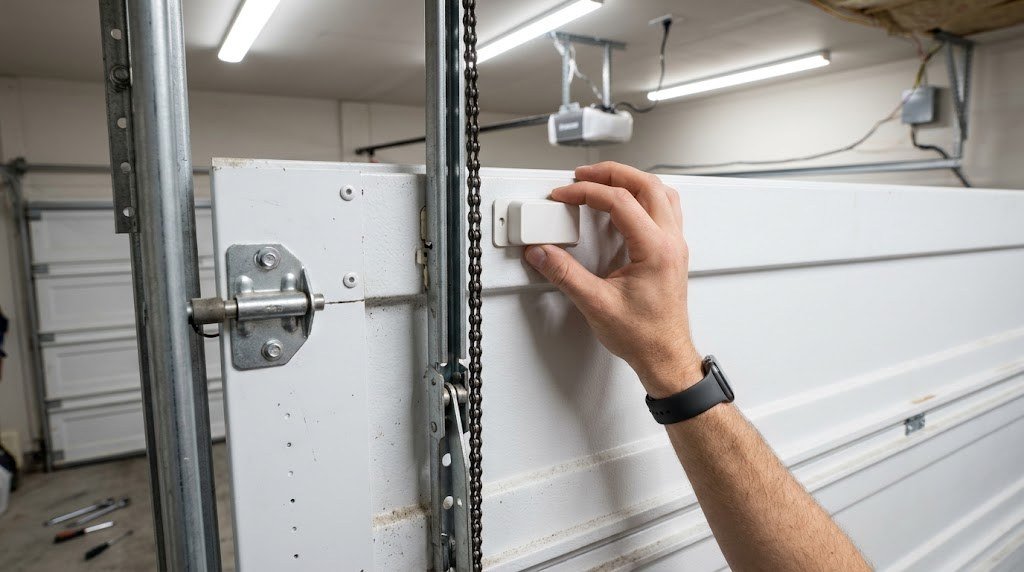
- Install the door sensor. Tilt sensors go on the top panel of the door; wired contact sensors go on the door frame.
- Plug everything in and connect the controller to your 2.4GHz Wi-Fi through the app.
- Calibrate and test. Open and close the door several times from the app to confirm the status is correct.
- Add it to your smart home and set up alerts and automations.
Tip: Garages often have weak Wi-Fi because of concrete walls and metal doors. Check the signal on your phone standing next to the opener before you buy. If it’s weak, add a mesh node or Wi-Fi extender in a room near the garage.
Safety Features to Look For
A garage door is the heaviest moving object in most homes, so smart control must be safe. Look for:
- Warning lights and beeps. UL 325 safety rules require an audible and visual warning before a door closes remotely. Good kits and openers include this.
- Reliable door status. A dedicated sensor is more trustworthy than guessing based on the last command.
- Photo-eye compatibility. Your opener’s safety sensors near the floor should still stop and reverse the door, no matter how it was triggered.
- Secure accounts. Use a strong password and two-factor authentication for your garage app, since it controls a door into your home.
Smart Garage Automation Ideas
- Auto-close at night: If the garage is open after 10 PM, close it and send an alert.
- Left-open alert: Get a notification if the door stays open for more than 15 minutes.
- Arrival open: Use geofencing or car Bluetooth to open the door as you arrive.
- Lights on: Turn on smart lights in the garage and hallway when the door opens after sunset.
- Voice check: Ask Alexa, Google or Siri, “Is the garage door closed?” before bed.
If you want Alexa to handle routines like these across your whole home, see our guide to Alexa routines. For more ways to secure the garage itself, including cameras and lighting, check out our garage security ideas guide.
Pair Your Garage With Other Smart Security
A smart garage door is even more useful as part of a wider setup. A video doorbell shows you who’s at the front door, while a camera inside the garage shows deliveries and confirms the door closed properly. If you don’t want another monthly fee, our guide to the best doorbell cameras with no subscription covers models that record locally. And if you’re deciding how to connect everything, our smart home hub guide explains which hubs work best with garage controllers.
Pros and Cons of a Smart Garage Door Opener
| Pros | Cons |
|---|---|
| Check and control the door from anywhere | Garage Wi-Fi can be weak |
| Alerts when the door is left open | Some brands limit third-party integrations |
| Easy guest and delivery access | Newer Chamberlain/LiftMaster openers may need an adapter |
| Retrofit kits are cheap and fast to install | Full smart openers with cameras are expensive |
Adding more Wi-Fi gadgets? Our free internet speed calculator shows how much speed your home network needs.
Frequently Asked Questions
Can I make my existing garage door opener smart?
Yes. A smart retrofit kit like Tailwind iQ3, Meross, myQ or Genie Aladdin Connect adds Wi-Fi control to most openers made in the last 25 to 30 years without replacing the motor.
Do WiFi garage door openers need a subscription?
Most don’t. Core features like remote control, alerts and door history are free on Tailwind, Meross, Genie and myQ. Some brands charge for extras like saved video clips or in-garage delivery services.
Does myQ work with Alexa or Google Home?
myQ doesn’t officially support Alexa or Google Assistant voice control. If voice control is important to you, consider Tailwind, Meross or Genie Aladdin Connect instead.
Are smart garage door openers safe?
Yes, when installed correctly. Look for kits that flash a light and beep before closing remotely, and make sure your opener’s safety sensors are working. Protect your app account with a strong password and two-factor authentication.
Will a smart garage kit work with Security+ 2.0 openers?
Many do, but some need an extra adapter or a dry-contact interface. Check the kit’s compatibility list before buying, especially for Chamberlain, LiftMaster and Craftsman openers with a yellow learn button.
What if my garage Wi-Fi is weak?
Add a mesh Wi-Fi node or extender near the garage. Most kits need a stable 2.4GHz signal. Some, like ratgdo, can also be connected through a more reliable local network setup.
Final Verdict
For most people, the best WiFi garage door opener is actually a retrofit kit. Tailwind iQ3 is the best all-rounder with broad smart home support and auto open/close. Meross is the budget pick for Apple Home, Genie Aladdin Connect is great for Alexa and Google homes, and ratgdo gives tech-savvy users fully local control. If your opener is due for replacement, the Chamberlain B6753T and LiftMaster 98022 bring Wi-Fi, battery backup and premium features in one box.
Whichever you choose, you’ll never have to wonder “Did I close the garage?” again.



