

The app you use to watch your home matters just as much as the camera on the wall. It decides how fast you get alerts, how long your footage is saved, what you pay every month and whether your cameras work with the rest of your smart home.
Want 24/7 agents watching your home instead of just phone alerts? Read our guide to choosing a home monitoring system, with professional monitoring costs compared.
We compared eight of the most popular home monitoring apps of 2026, from free options that turn an old phone into a camera to full alarm systems with professional monitoring. Below you’ll find what each app does well, what it costs and which one fits your home.
Table of Contents
- Quick Picks
- Home Monitoring Apps Compared
- How We Chose These Apps
- The 8 Best Home Monitoring Apps
- Cloud vs. Local Storage
- How to Choose the Right App
- Frequently Asked Questions
- Final Verdict
Quick Picks
- Best free option: AlfredCamera. Turns a spare phone into a security camera
- Best for Alexa homes: Ring. Up to 180 days of video history and deep Echo integration
- Best for Nest owners: Google Home. One app for Nest cameras, doorbells and Matter devices
- Best for wire-free cameras: Arlo Secure. Sharp video and strong AI detection
- Best full alarm system: SimpliSafe. Professional monitoring with cellular backup
- Best budget pick: Wyze. Cheap cameras and a $2.99 cloud plan
- Best with no monthly fees: eufy Security. Local storage on a HomeBase hub
- Best for advanced automation: Abode: Z-Wave, Zigbee and Matter in one system
Home Monitoring Apps Compared
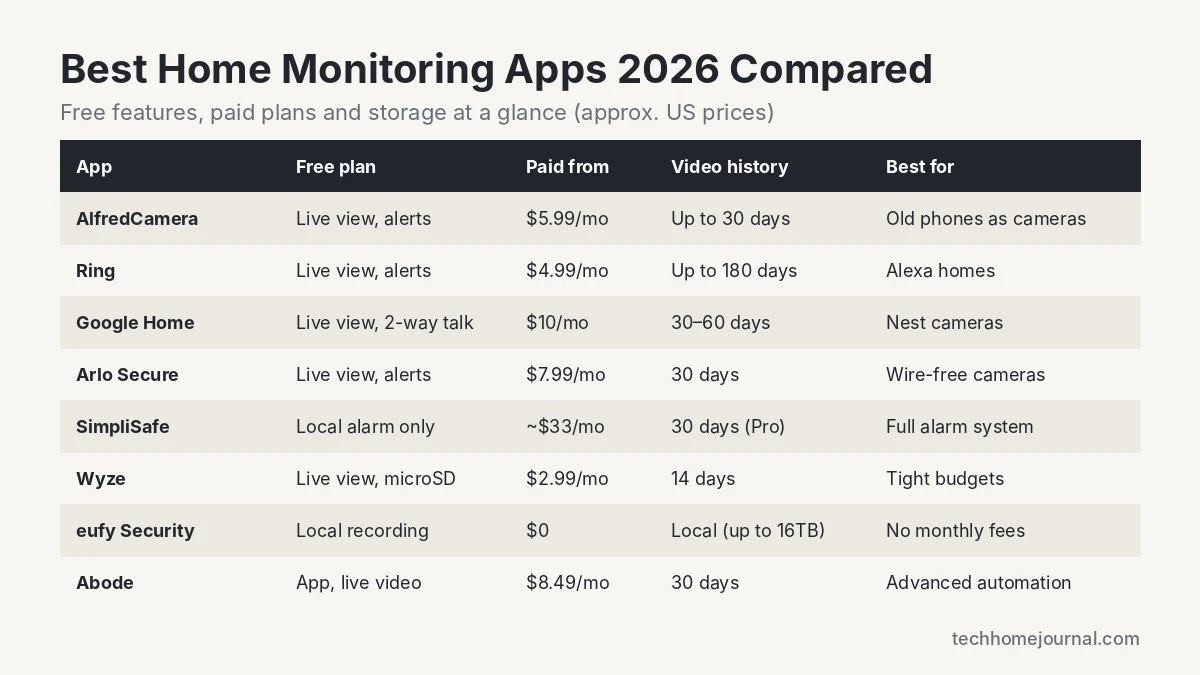
| App | Free features | Paid plans from | Video history | Works with |
|---|---|---|---|---|
| AlfredCamera | Live view, motion alerts | $5.99/mo ($35.99/yr) | Up to 30 days (Premium Plus) | Standalone |
| Ring | Live view, alerts, two-way talk | $4.99/mo per device | Up to 180 days | Alexa |
| Google Home | Live view, two-way talk | $10/mo (all cameras) | 30 to 60 days | Google Home, Matter |
| Arlo Secure | Live view, alerts | $7.99/mo per camera | 30 days | Alexa, Google, SmartThings |
| SimpliSafe | Local alarm | About $33/mo (Core) | 30 days (Pro plans) | Alexa, Google Assistant |
| Wyze | Live view, microSD recording | $2.99/mo per camera | 14 days | Alexa, Google Assistant |
| eufy Security | Local recording, AI detection | $0 (optional cloud) | Local, up to 16TB | Alexa, Google, Apple Home (select) |
| Abode | App, live video, alerts | $8.49/mo | 30 days | Apple Home, Alexa, Google |
Prices are approximate US list prices at the time of writing and change often. Check each provider’s website for current pricing.
How We Chose These Apps
We didn’t rank these apps on lab numbers. Instead, we compared them on the things that make a real difference day to day, using each provider’s official plan details and specs:
- Free features: what you get without paying, such as live view, alerts and local recording.
- Subscription cost and storage: how much a plan costs and how long footage is kept.
- Smart detection: whether the app can tell people, packages, vehicles and pets apart to cut false alerts.
- Smart home support: Alexa, Google Home, Apple Home, Matter, Z-Wave and Zigbee.
- Privacy and reliability: two-factor authentication, encryption, local storage options and backup when the internet goes down.
The 8 Best Home Monitoring Apps
1. AlfredCamera: Best Free Option
Free: live view, motion alerts, downloadable events | Premium: from $5.99/month or $35.99/year | Platforms: iOS, Android
AlfredCamera turns an old phone or tablet into a security camera. Install it on the spare device as the camera, install it on your main phone as the viewer, and you’re watching your home in a few minutes, with no hardware to buy.
The free version covers live viewing and motion alerts, which is enough for keeping an eye on a pet or a front window. Premium removes ads and adds HD video, longer storage and smarter detection, while Premium Plus adds Full HD, continuous recording and 30 days of cloud storage.
- Pros: Free to start, no hardware needed, great use for old phones
- Cons: Video quality depends on the old device, no smart home integration, ads on the free tier
2. Ring: Best for Alexa Homes
Free: live view, motion alerts, two-way talk | Paid: from $4.99/month per device, $9.99/month for all devices | Video history: up to 180 days
The Ring app is one of the easiest to use, and it fits naturally into an Amazon home. You can pull up any camera on an Echo Show or Fire TV and use cameras in Alexa routines. Paid plans keep up to 180 days of video history, which is far longer than most rivals. If you’re shopping for Ring hardware, see our Ring floodlight camera buying guide.
The free tier only gives you live view and alerts. To save and replay recordings, or use smart alerts like person detection, you need a subscription.
- Pros: Very easy app, excellent Alexa integration, long video history
- Cons: Recordings need a subscription, no official Google Home or Apple Home support
3. Google Home: Best for Nest Camera Owners
Free: live view, two-way talk | Paid: Google Home Premium Standard $10/month, Advanced $20/month (covers all cameras) | Video history: 30 to 60 days
If you own Nest cameras or a Nest Doorbell, the Google Home app is where everything lives. It also controls Matter devices, lights, thermostats and locks, so your cameras sit alongside the rest of your smart home.
In late 2025, Google rebranded Nest Aware as Google Home Premium. The Standard plan keeps 30 days of event history with familiar face alerts, and Advanced adds 60 days of events plus 10 days of 24/7 recording. One plan covers every camera on your account, which is good value for multi-camera homes.
- Pros: One plan covers all cameras, strong Google Assistant and Matter support
- Cons: Best with Nest hardware, limited free history, no local storage on Nest cameras
4. Arlo Secure: Best for Wire-Free Cameras
Free: live view, motion alerts (up to 5 cameras) | Paid: $7.99/month per camera or $17.99/month unlimited | Video history: 30 days
Arlo is known for wire-free cameras with sharp video, including 2K and 4K models, and its app has some of the better AI detection for separating people, vehicles, packages and animals. It works with Alexa, Google Assistant and SmartThings, and some models support Apple Home.
Without a plan, Arlo doesn’t save video, so most owners will want a subscription. The unlimited-camera plan is the better deal once you have three or more cameras.
- Pros: Excellent video quality, good AI detection, wide smart home support
- Cons: Almost everything useful requires a subscription
5. SimpliSafe: Best Full Alarm System
Plans: Core about $1.10/day (~$33/month), Pro about $1.66/day (~$50/month) | Includes: 24/7 professional monitoring, cellular backup | Video: 30-day cloud storage on Pro plans
SimpliSafe is more than a camera app. It manages a full alarm system with door and window sensors, motion detectors, glass-break sensors, smoke and CO detectors, and cameras, all from one app. Monitoring plans include cellular backup, so your alarm keeps working and alerting even if your Wi-Fi goes down.
The Pro plans add AI-powered outdoor protection where live agents can talk to intruders through your cameras. It’s pricier than camera-only apps, but it’s a complete security system. Pair it with a motion sensor alarm placement plan for best coverage.
- Pros: Complete alarm system, professional monitoring, cellular backup
- Cons: Monthly cost is higher, fewer camera choices than Arlo or Ring
6. Wyze: Best Budget Pick
Free: live view, alerts, local microSD recording | Paid: Cam Plus $2.99/month per camera, Cam Unlimited $9.99/month | Video history: 14 days (Cam Plus)
Wyze is the budget favorite. The cameras are inexpensive, and you can record continuously to a microSD card without paying anything. Cam Plus adds full cloud event videos, smart detection and 14 days of history for just $2.99 a month per camera.
The free plan no longer saves cloud video clips, so if you want cloud backup you’ll need Cam Plus. Wyze works with Alexa and Google Assistant. For more low-cost options, see our budget security camera guide.
- Pros: Very affordable, free local recording, cheap cloud plan
- Cons: Cheaper build quality, free tier no longer saves cloud clips
7. eufy Security: Best With No Monthly Fees
Free: local recording, AI detection, facial recognition (with HomeBase) | Storage: HomeBase S380 expandable up to 16TB | Monthly fee: none required
If you never want to pay a subscription, eufy is the strongest choice. Footage is stored locally on the camera or on a HomeBase hub, which can be expanded up to 16TB with an external drive. eufy’s BionicMind AI recognizes faces and detects people, vehicles and pets without a cloud plan.
The trade-off with local storage is that a thief who takes the hub also takes your footage, so consider eufy’s optional cloud backup for important cameras. eufy faced criticism in 2022 over how some thumbnails and streams were handled, and has since updated its privacy practices, so keep two-factor authentication on.
- Pros: No monthly fees, large local storage, facial recognition included
- Cons: Footage at risk if the hub is stolen, past privacy concerns
8. Abode: Best for Advanced Automation
Free: app, live video, alerts | Paid: Standard $8.49/month, Pro $26.99/month | Supports: Z-Wave, Zigbee, Matter, Apple Home, Alexa, Google
Abode is built for people who want their security system to talk to everything. It supports Z-Wave, Zigbee and Matter devices, plus Apple Home, Alexa and Google, and its automation engine can trigger lights, locks and cameras based on detailed rules.
The free plan already includes the app and live video. Standard adds a 30-day event timeline and smart detection, while Pro adds 24/7 professional monitoring and 4G cellular backup.
- Pros: Widest device support, powerful automations, useful free plan
- Cons: Setup takes longer, best suited to tech-savvy users
Cloud vs. Local Storage
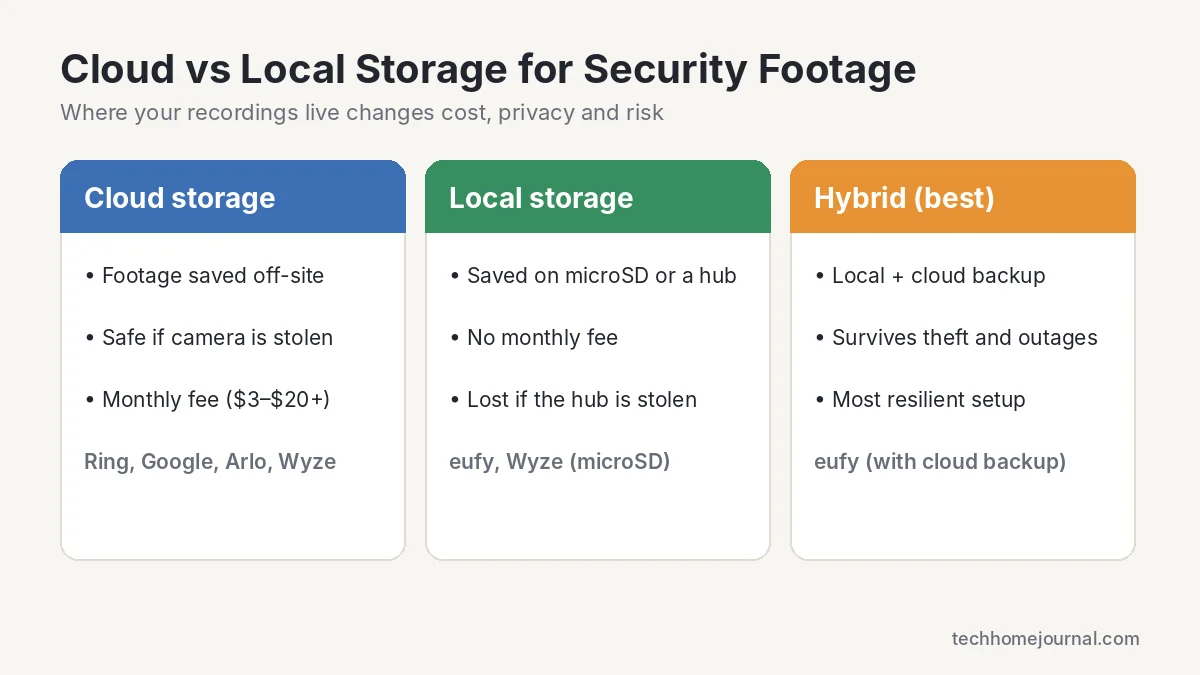
Cloud storage keeps your footage safe off-site, even if a camera is stolen, but it costs a monthly fee. Local storage on a microSD card or hub is free and private, but footage can be lost along with the device. The most resilient setup uses both. Our guide to security cameras without a subscription and doorbell cameras with no subscription cover the best local-storage options.
How to Choose the Right App
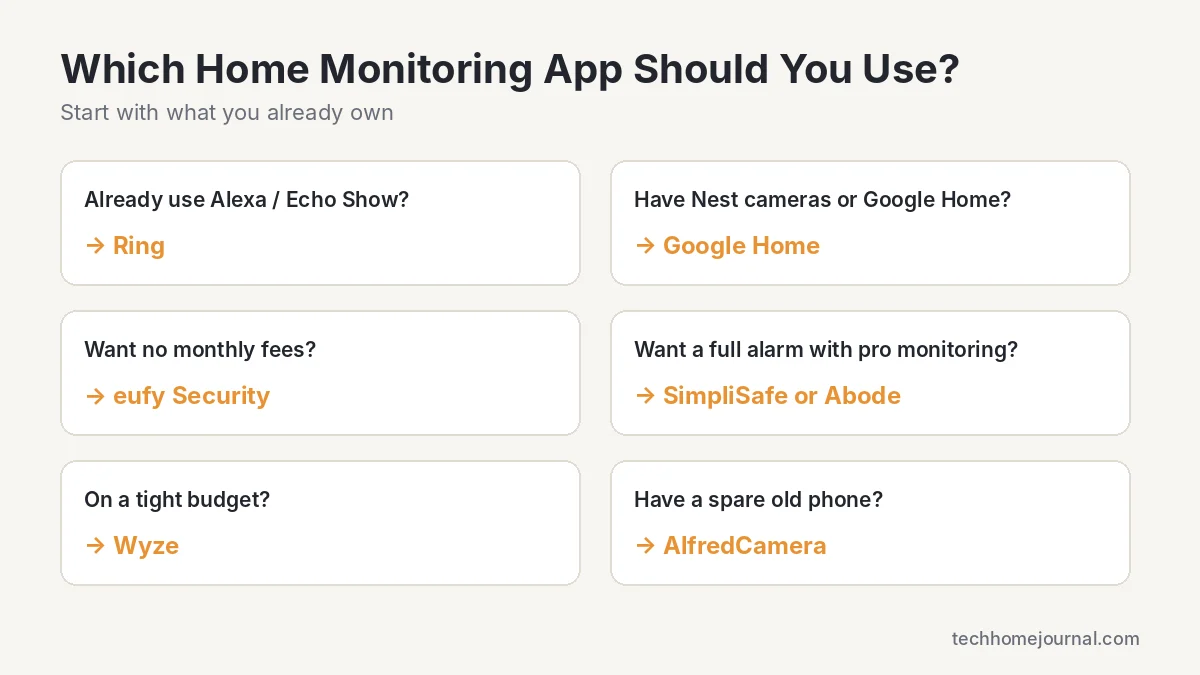
- Start with your ecosystem. Alexa homes do best with Ring, Google homes with Nest and the Google Home app, and Apple users should look at eufy, Arlo or Abode models that support Apple Home.
- Decide on monthly fees. If you want zero ongoing costs, choose eufy or record locally with Wyze.
- Think about outages. If internet drops are common where you live, SimpliSafe or Abode Pro with cellular backup is worth it.
- Check privacy settings. Turn on two-factor authentication for every app and use a strong, unique password.
- Secure your network. A camera is only as safe as your Wi-Fi. See our home network setup guide.
Building a bigger system? Read our guides to PoE security camera systems and home security for the living room.
Using cameras with your monitoring app? Check how much footage you can keep with our security camera storage calculator, and budget cameras, sensors and monthly plans with the smart home cost calculator.
Frequently Asked Questions
Which home monitoring app works without a subscription?
eufy Security is the best no-fee option, with local recording and AI detection included. AlfredCamera’s free tier offers live view and motion alerts, and Wyze can record continuously to a microSD card for free.
Can I use one app for cameras from different brands?
Partly. Abode supports the widest range of devices, and Google Home can control many Matter devices. Most camera apps, including Ring, Arlo and eufy, work best with their own hardware.
Which app keeps video the longest?
Ring’s paid plans keep up to 180 days of video history, the longest of the apps here. Most others keep 14 to 60 days, while eufy keeps footage as long as you have local storage space.
Do home monitoring apps work when the internet goes down?
Remote viewing needs internet. SimpliSafe and Abode Pro include cellular backup so the alarm still alerts you, and cameras with local storage like eufy and Wyze keep recording to the hub or microSD card.
Is local storage safer than cloud storage?
Local storage keeps footage off third-party servers, which many people prefer for privacy. Cloud storage protects you if the camera or hub is stolen. Using both is the safest approach.
Are free home monitoring apps safe to use?
Reputable free apps are generally safe if you turn on two-factor authentication, keep the app updated and use a strong password. Avoid unknown apps that ask for unnecessary permissions.
Final Verdict
There’s no single best home monitoring app for everyone. Ring is the easiest pick for Alexa homes, Google Home is the natural choice for Nest owners, and eufy wins if you never want to pay a monthly fee. If you want a full alarm with professional monitoring, choose SimpliSafe, and if you’re building a complex smart home, Abode gives you the most control. On a tight budget, Wyze or a free AlfredCamera setup is a great way to start.



