

Your electric bill shows one number for the whole month. It doesn’t tell you that the old fridge in the garage costs $15 a month, or that something in the basement runs all night. A home energy monitor does.
Free tool: Use our free Generator Size Calculator to find the right generator size for power outages.
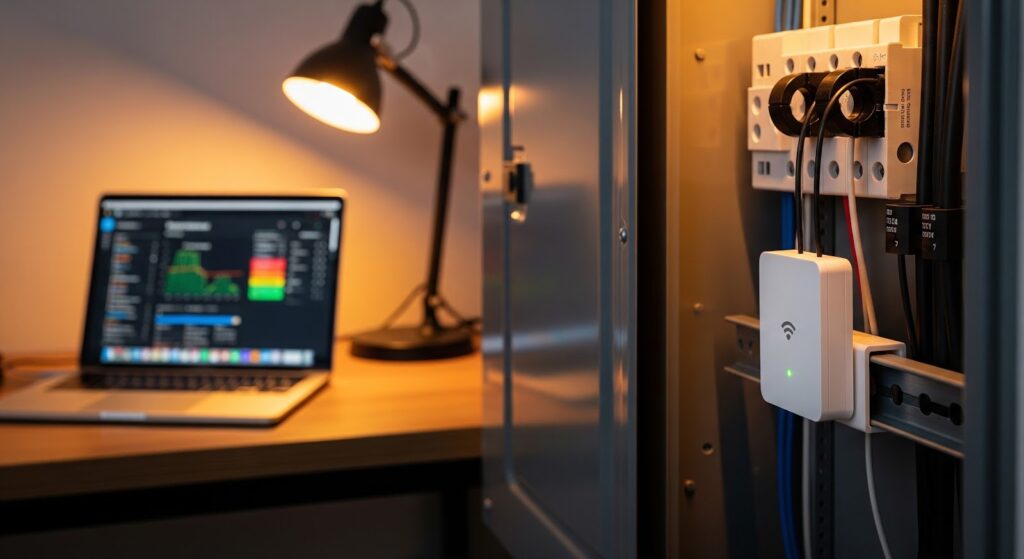
These devices sit in your electrical panel and measure how much power your home uses, second by second, then show it in an app on your phone. Once you can see where the electricity goes, cutting it gets a lot easier.
Free tool: Find out what each device in your home costs to run with our Appliance Energy Cost Calculator. See the cost per day, month and year in seconds.
Below we compare the best home energy monitors for 2026, from $70 DIY meters to whole-home smart panels, and explain what to look for, how installation works and how much you can realistically save.
Table of Contents
- Quick Picks
- Best Home Energy Monitors Compared
- How a Home Energy Monitor Works
- The Best Home Energy Monitors of 2026
- What to Look For Before You Buy
- Installation: DIY or Electrician?
- How Much Can You Actually Save?
- Frequently Asked Questions
- Bottom Line
Quick Picks
- Best overall: Emporia Vue 3. Circuit-level tracking from about $100 with no subscription.
- Best for automatic device detection: Sense Energy Monitor. Learns your appliances on its own.
- Best for Home Assistant and local control: Refoss EM16P. 16 circuits with a local API.
- Best for DIY smart homes: Shelly Pro 3EM. Works with Matter, Home Assistant and more.
- Best simple whole-home monitor: Eyedro EYEFI-4.
- Best budget pick: Shelly EM Gen3 at around $70.
- Best premium option: SPAN Smart Panel. Monitors and controls every circuit.
Best Home Energy Monitors Compared
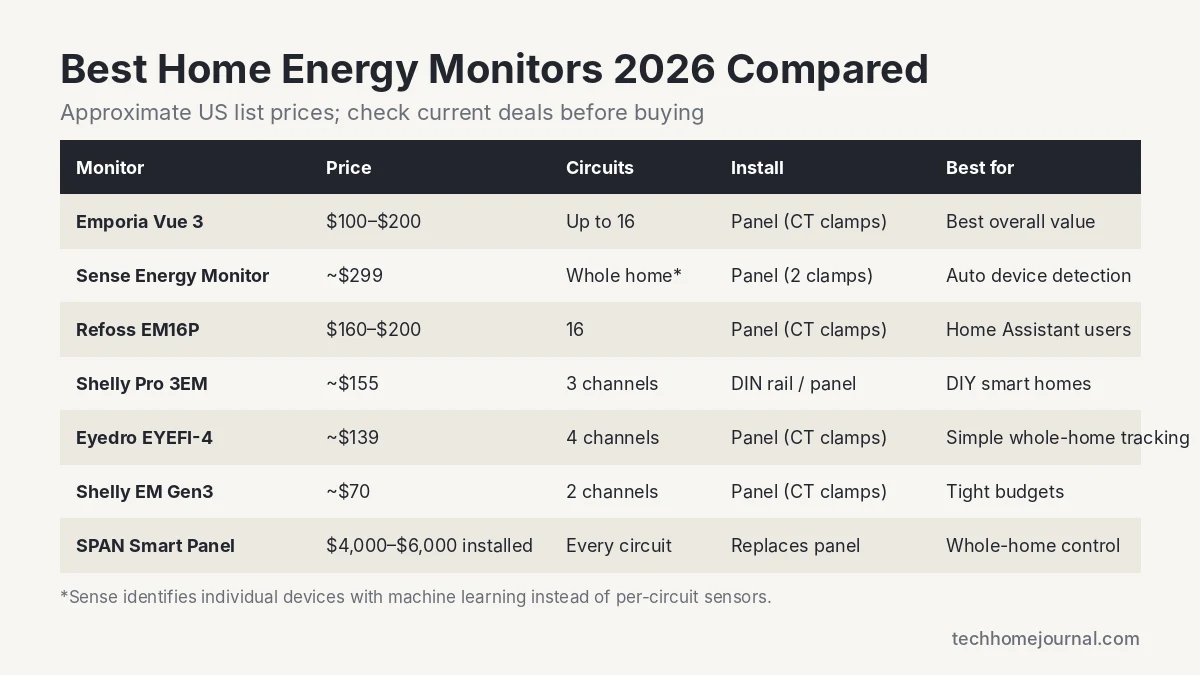
| Monitor | Approx. price | Circuit tracking | Smart home support | Subscription |
|---|---|---|---|---|
| Emporia Vue 3 | $99.99 to $199.99 | Mains plus up to 16 circuits | Alexa, Google, Home Assistant | No |
| Sense Energy Monitor | About $299 | Whole home, devices detected by AI | Alexa, Google, IFTTT | No (optional extras) |
| Refoss EM16P | About $160 to $200 | 16 circuits | Home Assistant, local API, MQTT | No |
| Shelly Pro 3EM | About $155 | 3 channels | Matter, HomeKit, Alexa, Google, Home Assistant | No |
| Eyedro EYEFI-4 | About $139 | 4 channels | Local API | No |
| Shelly EM Gen3 | About $70 | 2 channels | Alexa, Google, Home Assistant | No |
| SPAN Smart Panel | $4,000 to $6,000 installed | Every circuit, with remote control | SPAN app, select integrations | No |
Prices are approximate US prices at the time of writing and change often.
How a Home Energy Monitor Works
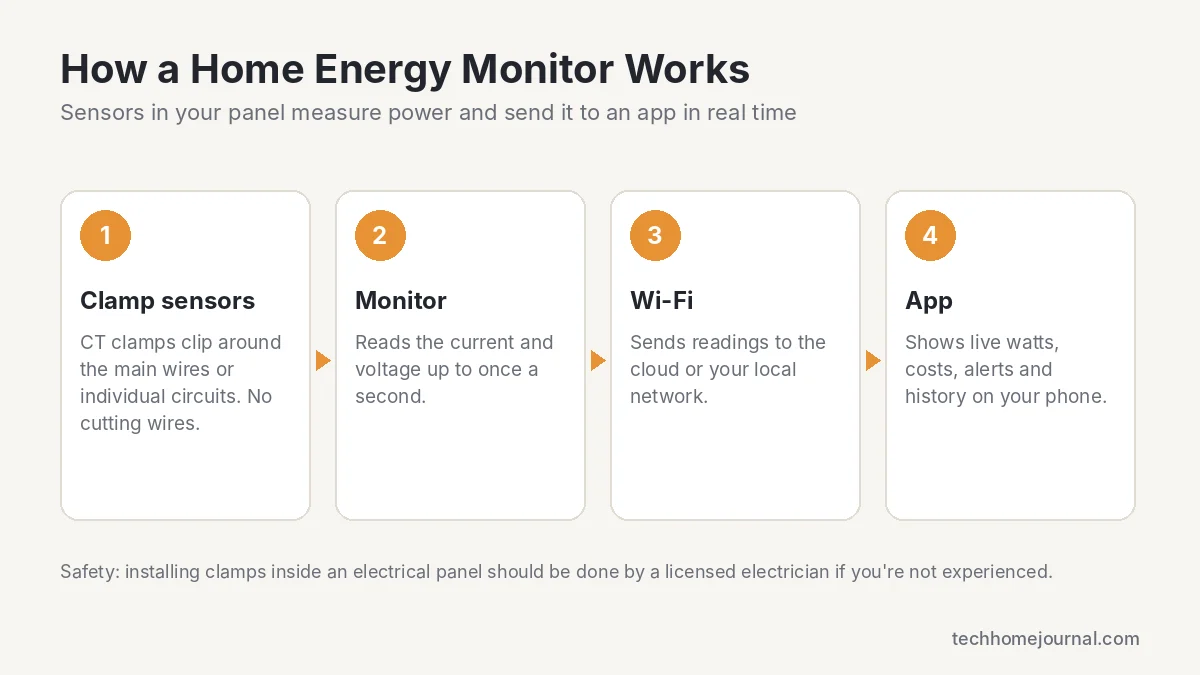
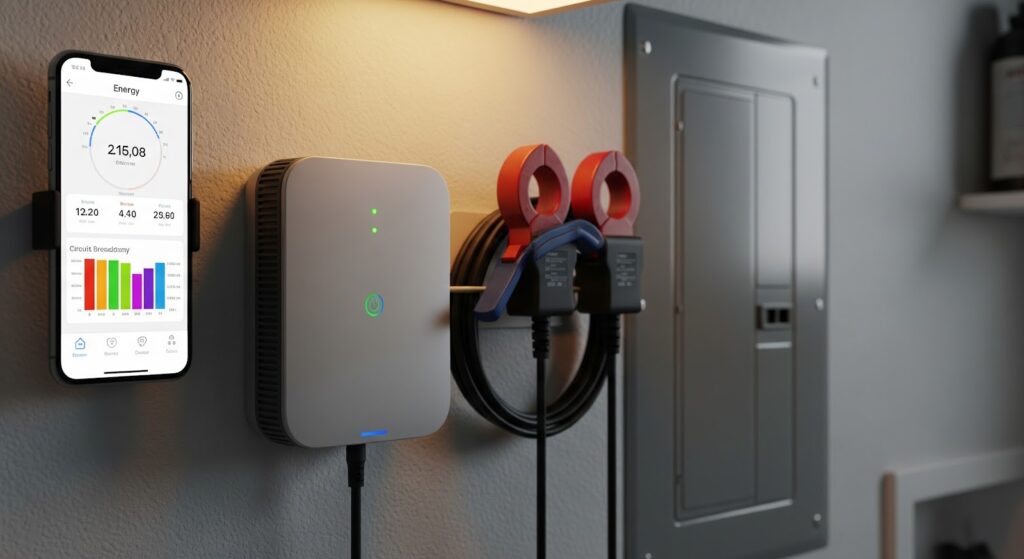
Most monitors use current transformer (CT) clamps. These are small rings that clip around the main power cables, and sometimes around individual circuit wires, inside your electrical panel. You don’t cut or disconnect any wires. The monitor reads the current flowing through each clamp, works out the power, and sends it over Wi-Fi to an app.
Some monitors only measure the two main cables, which gives you a whole-home total. Others add a clamp for each circuit, so you can see exactly what your dryer, AC or water heater uses. Sense takes a third approach: it uses machine learning to recognize the electrical “signature” of individual appliances from the main cables alone.
The Best Home Energy Monitors of 2026
1. Emporia Vue 3: Best Overall
Price: $99.99 (mains only), $149.99 (8 circuits), $199.99 (16 circuits) | Connectivity: Wi-Fi and Ethernet | Solar: yes | Subscription: none
The Emporia Vue is the easiest recommendation for most homes. You get real-time whole-home tracking for about $100, or add 8 or 16 circuit sensors to see individual appliances like the AC, dryer and EV charger. It supports solar net metering, time-of-use rates and works with Emporia’s smart plugs and EV chargers.
Emporia says its customers save about 10% on their monthly bills on average. That number comes from Emporia, but it matches what you’d expect once people can see what’s running.
- Pros: Great price, circuit-level detail, solar support, no subscription
- Cons: Cloud-based app, only a 1-year warranty
2. Sense Energy Monitor: Best for Automatic Device Detection
Price: about $299 (often on sale) | Sensors: 2 main clamps | Detection: machine learning | Subscription: none required
Sense is the monitor for people who want answers without wiring a sensor to every circuit. It watches your main power lines and learns to recognize individual appliances over time, so the app can show you when the fridge, furnace blower or well pump turns on.
The trade-off is patience. Device detection takes weeks to months, and some devices, like variable-speed motors and electronics, are hard for it to identify. It’s also pricier than Emporia.
- Pros: Identifies appliances automatically, polished app, real-time alerts
- Cons: Expensive, detection takes time and is not perfect
3. Refoss EM16P: Best for Home Assistant and Local Control
Price: about $160 to $200 | Circuits: 16 | Local control: API, MQTT, web interface | Warranty: 2 years
The Refoss EM16P includes 16 circuit sensors and, unlike most rivals, lets you read data locally without going through the cloud. That makes it a favorite with Home Assistant users and anyone who cares about privacy. It also reports power factor, which most consumer monitors skip.
- Pros: 16 circuits included, local API and MQTT, 2-year warranty
- Cons: Fewer mainstream integrations, app is basic
4. Shelly Pro 3EM: Best for DIY Smart Homes
Price: about $155 | Channels: 3 | Mounting: DIN rail | Works with: Matter, HomeKit, Alexa, Google, Home Assistant | Warranty: 3 years
Shelly builds energy meters for people who like to tinker. The Pro 3EM offers local control, solar net metering, Ethernet and Wi-Fi, and integrates with almost every smart home platform, including Matter. It’s designed for DIN rail mounting, which is standard in Europe, so in a US panel you may need a small enclosure or bracket.
- Pros: Excellent integrations, local control, 3-year warranty
- Cons: Only 3 channels, DIN rail mounting is less common in US panels
5. Eyedro EYEFI-4: Best Simple Whole-Home Monitor
Price: about $139 | Channels: 4 | Solar: yes | Local API: yes
If you mainly want a clear picture of your whole-home use and solar production, Eyedro is a solid, no-fuss choice. Four channels cover the mains plus a couple of big loads or a solar feed, and the free web dashboard is straightforward.
- Pros: Simple setup, solar support, local API
- Cons: Fewer circuits, dated app
6. Shelly EM Gen3: Best Budget Pick
Price: about $70 | Channels: 2 | Connectivity: Wi-Fi and Bluetooth
For about $70, the Shelly EM Gen3 tracks two circuits, which is enough for your mains or one big appliance like an EV charger or pool pump. It’s a cheap way to start, especially if you already use Home Assistant or Alexa.
- Pros: Very affordable, local control, small
- Cons: Only 2 channels, more hands-on setup
7. SPAN Smart Panel: Best Premium Option
Price: about $4,000 to $6,000 installed | Replaces your electrical panel | Warranty: 10 years
A SPAN panel replaces your breaker panel entirely. It monitors every circuit and lets you switch circuits on and off from your phone, which is great with solar, batteries and EV charging. It can also manage loads to avoid an expensive service upgrade. It’s a big investment, so it makes most sense if you’re already replacing your panel or adding solar and storage.
- Pros: Monitors and controls every circuit, excellent app, 10-year warranty
- Cons: Very expensive, needs a professional install
What to Look For Before You Buy
- Whole-home vs. circuit-level: Whole-home tells you your total use. Circuit sensors tell you which appliance is responsible. If you want to find waste, circuit-level is worth the extra $50 to $100.
- Solar support: If you have panels, make sure the monitor can track both production and consumption.
- Smart home integration: Check for Alexa, Google, Matter or Home Assistant support if you want automations.
- Local vs. cloud data: Local APIs keep working without the internet and keep your data private.
- Panel space and Wi-Fi: Make sure your panel has room for the clamps and your Wi-Fi reaches it. Many panels sit in garages or basements with weak signal.
- Subscription: All of our picks work without a monthly fee.
Installation: DIY or Electrician?
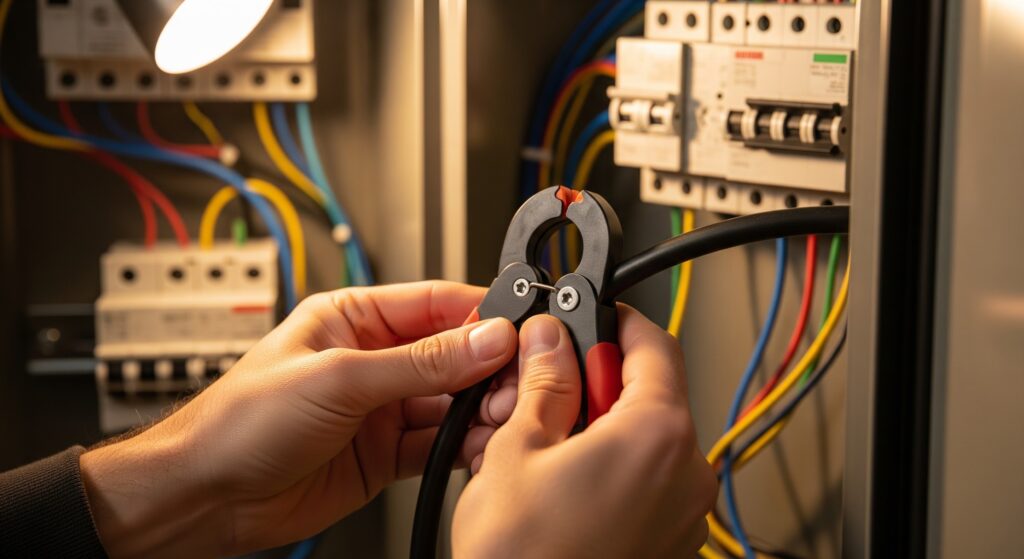
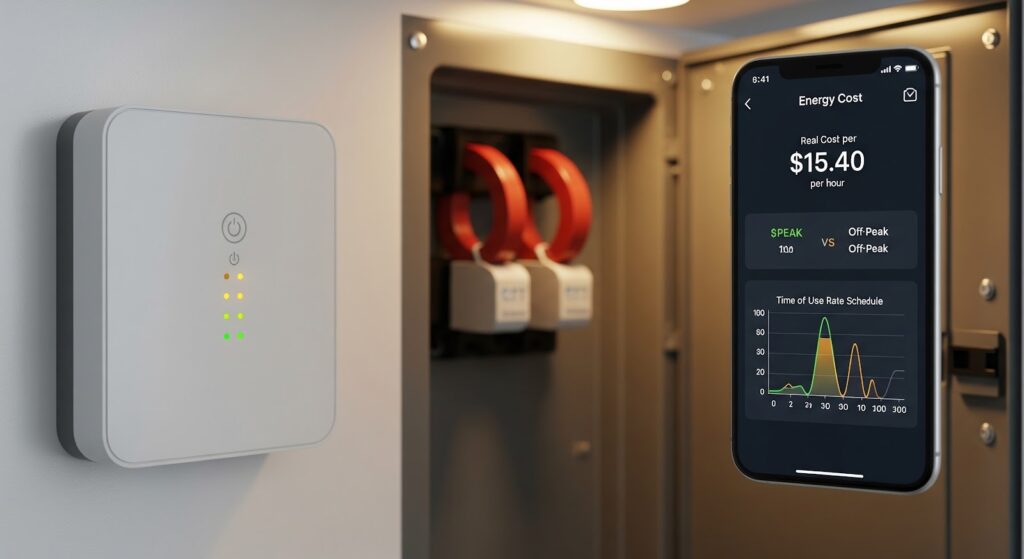
Installing a clamp-based monitor means removing your panel cover and working around live, high-current conductors. Experienced DIYers often do it in an hour, but it is genuinely dangerous if you don’t know what you’re doing. If you’ve never worked inside a breaker panel, hire a licensed electrician. Expect to pay roughly $100 to $250 for a simple install, depending on your area.
If you’d rather avoid the panel entirely, some utilities support devices that read your smart meter directly, like Emporia’s Vue Utility Connect. They plug into a regular outlet but only show whole-home data and are only available in certain service areas.
How Much Can You Actually Save?
An energy monitor doesn’t save money on its own. It shows you where to act. Common wins include finding an old second fridge or freezer, catching an electric water heater or well pump that runs too often, and cutting always-on standby loads. According to the NRDC, idle electronics and appliances can account for about 23% of household electricity use.
Energy hogs a monitor often uncovers:
- Second fridges and freezers. An old garage fridge can use two or three times more power than a new one.
- Electric water heaters. Frequent short cycles can point to a leak, a high thermostat setting or poor insulation.
- Dehumidifiers and sump or well pumps. These often run far more than people expect, especially in basements.
- Space heaters. A single 1,500-watt heater running a few hours a day can add $30 or more to a monthly bill.
- Always-on electronics. Game consoles in standby, cable boxes, old desktop PCs and chargers add up around the clock.
- HVAC problems. A furnace blower or AC that suddenly runs longer than usual can be an early sign of a clogged filter or a failing part.
Pair your monitor with smart plugs to shut off standby loads automatically, and a smart thermostat for heating and cooling, which is usually the biggest part of your bill. You can estimate thermostat savings with our Smart Thermostat Savings Calculator.
Frequently Asked Questions
What does a home energy monitor do?
It measures how much electricity your home uses in real time and shows it in an app, so you can see costs, spot appliances that waste power and get alerts when something unusual is running.
Are home energy monitors worth it?
For most homes, yes. A $100 to $200 monitor that helps you cut even 5 to 10% of your bill usually pays for itself within a year or two, and it keeps paying off as you make changes.
Can I install a home energy monitor myself?
Many people do, but it involves working inside a live electrical panel. If you’re not experienced with electrical work, hire a licensed electrician.
Do home energy monitors work with solar panels?
Most of our picks, including Emporia Vue 3, Sense (with a solar kit), Eyedro and Shelly Pro 3EM, can track both solar production and home consumption.
Do I need a subscription?
No. All of the monitors in this guide work without a monthly fee.
Bottom Line
For most homes, the Emporia Vue 3 is the best home energy monitor: affordable, detailed and free of subscriptions. Choose Sense if you want automatic device detection, Refoss or Shelly if you run Home Assistant, and a SPAN panel if you’re planning solar, batteries or a panel upgrade anyway. For more ways to cut your bill, read our guide to lowering your electricity bill and our smart home energy saving tips.



