

A motion sensor camera is a security camera that starts recording, or sends you an alert, when it detects movement. Almost every home security camera works this way, but how it detects motion makes a big difference: it’s the reason one camera pings you every time a tree moves while another quietly waits for a real person.
Free tool: Use our free Security Camera Storage Calculator to work out how much storage your cameras need for the recording days you want.
This guide explains the main types of motion detection in cameras (PIR sensors, pixel-based video detection, radar and AI), how they affect battery life and false alerts, and how to set up a motion sensor camera so it catches what matters.
Table of Contents
- What Is a Motion Sensor Camera?
- How Cameras Detect Motion
- PIR vs. Pixel-Based Detection
- AI Person, Vehicle and Package Detection
- Battery vs. Wired Cameras
- What to Look For When Buying
- Setting Up Motion Detection
- Reducing False Alerts
- Radar and 3D Motion Detection
- Popular Motion Sensor Cameras Compared
- Where to Place a Motion Sensor Camera
- Recording Length, Cooldown and Storage
- Privacy and Legal Considerations
- Recommended Settings by Location
- How to Get Better Battery Life
- Frequently Asked Questions
- Final Verdict
What Is a Motion Sensor Camera?
Instead of recording 24/7, a motion sensor camera records short clips when it detects activity and sends a notification to your phone. That saves storage, battery and your time, because you only review the moments that matter. Many wired cameras can also record continuously and simply mark motion events on the timeline.
How Cameras Detect Motion
| Method | How it works | Strengths | Weaknesses |
|---|---|---|---|
| PIR sensor | Detects heat from moving people, animals and car engines | Very low power, ignores shadows and rain | Can miss slow or straight-on movement; reacts to warm air |
| Pixel-based (video analytics) | Compares video frames for changes | Detects anything that changes, set zones precisely | Triggered by shadows, headlights, leaves and rain |
| Radar | Measures distance and position of moving objects | Precise distance-based zones | Found on fewer, pricier models |
| AI detection | Software recognizes people, vehicles, animals, packages | Far fewer pointless alerts | Sometimes needs a subscription; needs a trigger first |
For a deeper look at the sensor technology itself, read our motion sensor explainer.
PIR vs. Pixel-Based Detection
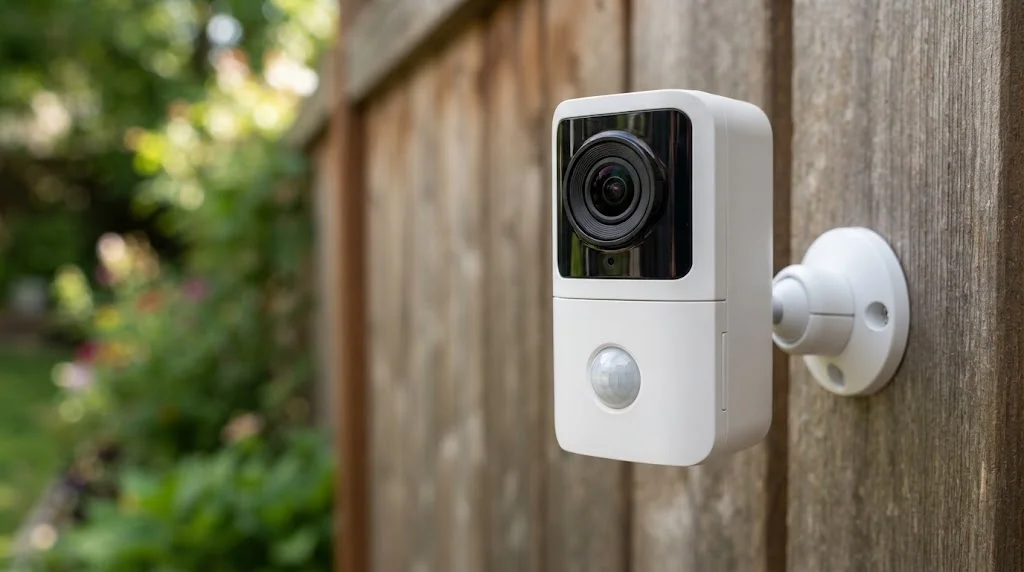
PIR (passive infrared) is common on battery cameras and doorbells. The camera sleeps until the PIR sensor sees heat move, then wakes up and records. Because it reacts to heat rather than pixels, it ignores most shadows and moving branches, but it can miss people walking straight toward it and react to hot air from vents or car exhausts. Some floodlight cameras use wide PIR sensors too; the Wyze Cam Floodlight v2, for example, pairs a 160° camera with a 270° PIR sensor.
Pixel-based detection is common on plugged-in cameras. The camera is always watching and looks for changes between frames. It’s great for drawing precise motion zones, but every shadow, swaying tree and car headlight is technically “motion,” so it needs smart filtering to be usable.
Radar adds distance. Ring’s 3D Motion Detection on the Floodlight Cam Pro, for example, uses radar to work out where someone is, so you can trigger recordings only when people come within a set distance.
AI Person, Vehicle and Package Detection
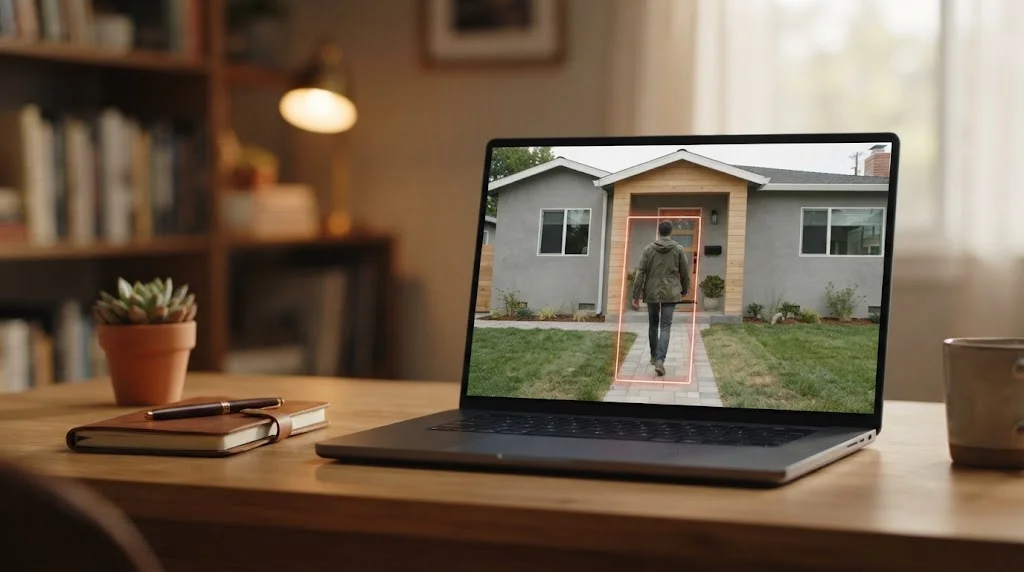
AI detection runs after motion is detected and asks, “What is this?” If it’s a person, vehicle, animal or package, you get a specific alert; if it’s a swaying bush, it’s ignored. This is the single biggest upgrade for cutting notification fatigue. Some brands process it on the camera or a local hub for free; others, like Ring’s Smart Alerts and Wyze’s Cam Plus, include it in a subscription. If you want to avoid fees, see our guide to security cameras without a subscription.
Battery vs. Wired Cameras
- Battery cameras rely on PIR to wake up, which saves power. Setting motion to trigger more often drains the battery faster, which is why Ring battery devices offer Frequently, Regularly and Periodically motion frequency options. See our battery-powered outdoor camera guide.
- Wired and PoE cameras can watch continuously, use pixel-based or AI detection and record 24/7. Our PoE camera system guide covers this setup.
- Solar cameras are battery cameras with a panel to keep them topped up; see our solar security camera guide.
What to Look For When Buying
- Detection method: PIR plus AI for battery cameras; AI or radar for wired ones.
- Custom motion zones: draw areas to watch and areas to ignore.
- Adjustable sensitivity: essential for busy streets or windy gardens.
- Pre-roll or quick wake: captures the seconds before motion was detected, so clips don’t start mid-action.
- Night vision: infrared or color night vision with a spotlight.
- Storage: microSD or a base station for local clips, or cloud plans for history.
- Smart home support: Alexa, Google Home or Apple Home, to show the feed on a display or trigger lights.
Want light and video in one? See our floodlight camera comparison.
Setting Up Motion Detection
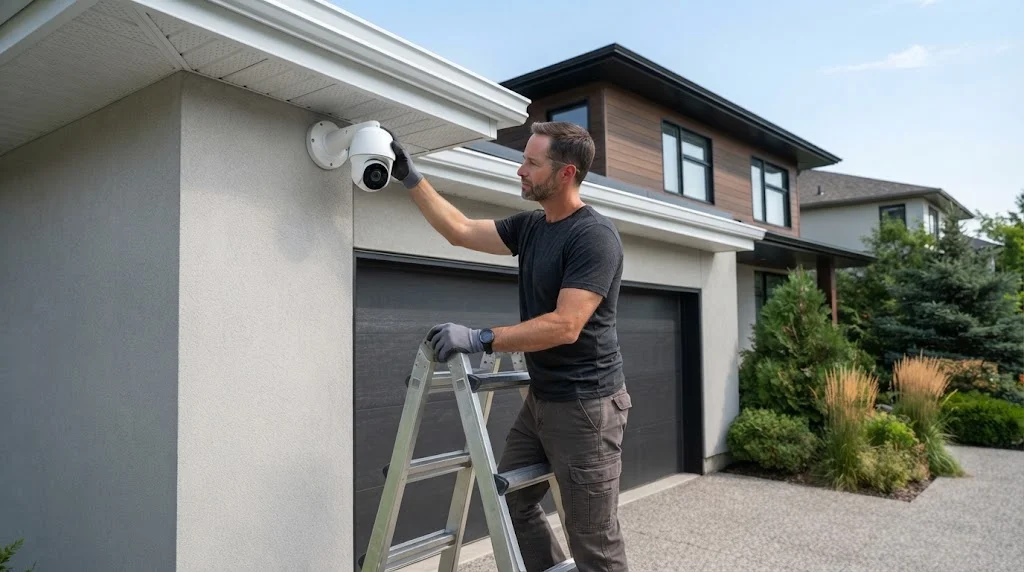
- Mount at the right height: roughly 7 to 10 feet, angled slightly down.
- Aim across the path: PIR sensors detect side-to-side movement best.
- Draw motion zones around the door, path and driveway, and leave out the street and neighbors’ property.
- Set sensitivity to the middle, then adjust after a few days of alerts.
- Turn on AI alerts for people (and packages at the front door).
- Use schedules or modes to pause alerts when you’re home and in the garden.
- Walk-test at night to check range and night vision.
Ring owners can find step-by-step help in our Ring motion sensor guide.
Reducing False Alerts
- Exclude roads, sidewalks and moving trees from motion zones.
- Lower sensitivity, especially on windy or rainy days.
- Switch to person-only alerts if your camera supports it.
- Keep cameras out of direct sun and away from heat vents and dryer exhausts.
- Clean the lens; spider webs in front of the camera are a classic false-alert trigger at night.
- Avoid pointing cameras through windows, as glass reflects infrared night vision and blocks PIR.
Radar and 3D Motion Detection
A newer group of cameras adds a small radar sensor next to the PIR sensor or image sensor. Radar sends out low-power radio waves and measures how they bounce back, so it can tell how far away something is and which way it is moving. Heat is not part of the measurement, so it is less bothered by sun, warm car bonnets or a cold winter night.
Ring calls its version 3D Motion Detection. On supported models, such as the Ring Floodlight Cam Pro and Battery Doorbell Pro, you can set a distance so the camera only alerts when someone comes within a chosen range, and Bird’s Eye View draws the path a person took on an aerial map. Our Ring Floodlight Camera guide explains the differences between the Ring floodlight models.
Radar is most useful when a camera faces a busy pavement or street. Instead of drawing tight zones, you tell it to ignore anything more than a few metres away. It does use a little more power, which is why it shows up mainly on wired models and higher-end battery models.
Popular Motion Sensor Cameras Compared
Here is how some well-known 2026 models handle motion detection. Features change with firmware and subscription plans, so check the maker’s site before you buy.
| Camera | Motion detection | Smart alerts without a plan? | Best for |
|---|---|---|---|
| Ring Floodlight Cam Pro | PIR + radar (3D Motion Detection) | Basic alerts; person detection and video history need Ring Home | Driveways and wide yards |
| Google Nest Cam (battery) | PIR wake + on-device AI | Person, animal and vehicle alerts with short free event history | Google Home users |
| Arlo Pro 5S 2K | PIR + AI in the cloud | No, smart detection needs Arlo Secure | Large homes with many cameras |
| Reolink Argus 4 Pro | PIR + on-device AI | Yes, person, vehicle and animal with local storage | No-subscription setups |
| Wyze Cam Floodlight v2 | PIR + pixel detection | Basic alerts; AI detection needs Cam Plus | Budget floodlight setups |
| eufy outdoor cameras | PIR + local AI on HomeBase or camera | Yes, local AI with no monthly fee | Privacy-minded buyers |
If avoiding monthly fees is your priority, see our guide to security cameras without a subscription.
Where to Place a Motion Sensor Camera
Placement decides whether motion detection works well or floods your phone with alerts. A few rules of thumb:
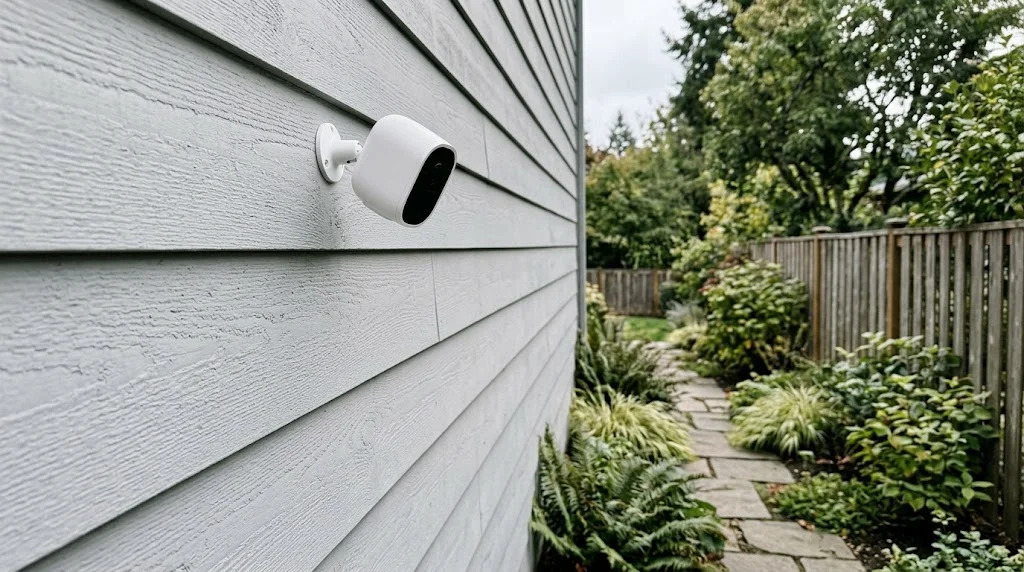
- Mount at about 2 to 3 m (7 to 10 ft). High enough to be out of easy reach, low enough to see faces. Battery cameras with PIR often work best at the lower end of that range.
- Let people cross the view. PIR sensors notice side-to-side movement far better than someone walking straight at the lens. Angle the camera across a path, not straight down it.
- Avoid direct sun and heat. Don’t point the camera at a west-facing wall, a heat pump fan, or a dryer vent.
- Keep plants and flags out of frame. Moving branches trigger pixel-based detection, especially in wind.
- Check Wi-Fi at the mounting spot. A weak signal delays live view and can cut off the start of a clip.
Indoors, a corner shelf looking across the living room usually covers the most space. If you’d rather it blend into the room, look at our picks for an indoor camera that doesn’t look like a camera.
Recording Length, Cooldown and Storage
Once motion is detected, the camera records a clip. Three settings control what you actually get:
- Clip length: many apps let you choose a fixed length (for example 10 to 60 seconds) or “record until motion stops”. Longer clips catch more context but drain batteries faster.
- Retrigger or cooldown interval: the pause before the camera can record again. A long cooldown saves battery but can miss the second half of an event, such as a person returning to a car.
- Pre-roll: wired cameras and some battery cameras save a few seconds from before the trigger, so the clip doesn’t start with someone already halfway through the frame.
Clips are saved either in the cloud (usually through a paid plan) or locally on a microSD card or hub. Local storage has no monthly fee, but if a thief takes the camera, the footage goes with it. A hub kept indoors, or a PoE camera system recording to an NVR, avoids that problem.
Privacy and Legal Considerations
Motion cameras record people, so a little care goes a long way:
- Use privacy zones or masks to block neighbours’ windows and gardens.
- Check local rules on recording audio. In some places recording conversations without consent is restricted even on your own property.
- Tell guests, cleaners and babysitters if indoor cameras are active.
- Turn on two-factor authentication in the camera app and keep the firmware updated.
- Secure your router, too. Our guide on securing your home Wi-Fi network covers the basics.
Recommended Settings by Location
There is no single “right” sensitivity level. The best setting depends on where the camera points. Use this as a starting point and adjust after a few days of alerts:
| Location | Sensitivity | Zones and filters | Tip |
|---|---|---|---|
| Front door / porch | Medium | Zone on the path and step only; person alerts on | Exclude the pavement to avoid alerts from passers-by |
| Driveway | Medium to high | Person and vehicle alerts | Turn off alerts for parked cars if the app supports it |
| Back garden | Medium | Mask trees, hedges and the neighbour’s side | Lower sensitivity on windy days |
| Side path or gate | High | Small zone on the gate | Pair with a motion light so night footage is in colour |
| Living room (indoor) | Low to medium | Person alerts only; pet alerts off | Use Away mode so it only records when no one is home |
How to Get Better Battery Life
On battery cameras, motion settings have the biggest effect on how often you recharge. Every trigger wakes the camera, connects to Wi-Fi and uploads a clip. To stretch the time between charges:
- Shrink activity zones so the camera ignores busy areas it doesn’t need to watch.
- Shorten clip length to 15 to 20 seconds for areas where you just need to see who came by.
- Use a longer cooldown in low-risk spots, such as a back garden during the day.
- Use schedules or modes so the camera doesn’t record when you are home and in the garden.
- Add a small solar panel where the camera gets a few hours of direct sunlight. Our guide to battery-powered outdoor security cameras covers which models support solar charging.
- Improve Wi-Fi. A camera with a weak signal spends longer awake trying to upload, which drains the battery faster.
Cold weather also cuts battery life, because lithium-ion cells deliver less power below freezing. In winter, expect to charge more often, even with the same settings.
Frequently Asked Questions
How does a motion sensor camera work?
It uses a PIR heat sensor, changes in the video image, radar or a mix of these to notice movement, then records a clip and sends an alert. AI software can then label the event as a person, vehicle, animal or package.
Do motion sensor cameras record all the time?
Battery cameras usually record only when motion is detected. Wired cameras can often record 24/7 and mark motion events, depending on the model and storage.
Why does my camera miss people?
Common causes are low sensitivity, narrow motion zones, people walking straight at a PIR sensor, slow wake-up on battery cameras, or weak Wi-Fi.
Why do I get alerts with nothing in the clip?
Usually heat changes (sun, vents, car exhausts), insects near the lens at night, or shadows and headlights on pixel-based cameras. Tighten zones and enable person detection.
Can motion sensor cameras work without Wi-Fi?
Some can record locally to a microSD card without Wi-Fi, but you won’t get phone alerts. Cellular and PoE cameras are options where Wi-Fi is weak.
Do indoor cameras use motion detection too?
Yes. Most indoor cameras use pixel-based detection with AI. See our guide to indoor security cameras for discreet options.
Is radar motion detection better than PIR?
Radar is better at judging distance and ignoring heat changes, so it gives fewer false alerts on busy streets. PIR uses less power and works well on most battery cameras. Many newer cameras combine both.
How high should I mount a motion sensor camera?
About 2 to 3 m (7 to 10 ft) works for most homes. Angle it so people walk across the view rather than straight toward it, and keep it out of direct sun.
Do motion sensor cameras need a subscription?
Basic motion alerts usually work without one. Video history in the cloud and smart alerts such as person or package detection often need a plan, though brands like Reolink and eufy offer AI detection with local storage and no monthly fee.
Why are my motion clips so short?
Battery cameras often use short clips and a cooldown period to save power. Check the clip length and retrigger settings in the app. Wired cameras usually allow longer clips, pre-roll and, on some models, continuous recording.
Can a motion sensor camera see through a window?
Pixel-based detection can, but glare and reflections cause problems at night. PIR sensors cannot detect heat through glass, so a battery camera placed behind a window will often miss motion outside.
Final Verdict
The best motion sensor camera is the one whose detection method suits its spot. Battery cameras with PIR plus AI person detection are ideal where there’s no power, while wired cameras with AI or radar give the most accurate, flexible alerts. Whatever you choose, take ten minutes to set motion zones and sensitivity: it’s the difference between a camera you trust and one you mute.



