The Best Fluffy Pancakes recipe you will fall in love with. Full of tips and tricks to help you make the best pancakes.

Confused about smart home controllers? Our complete guide explains every type, top picks, and exactly which home automation hub fits your home and budget in 2026.
Special Intro
You bought three smart home devices from three different brands and now you’re juggling three separate apps, three different logins, and zero way to make any of them work together automatically. This is the most common frustration in smart home ownership today.
A smart home controller solves this completely. It acts as the central brain connecting all your devices regardless of brand into one unified system you control from a single app, a single voice command, or a fully automated routine that runs without any input from you.
According to Statista, over 350 million smart home devices were sold globally in 2024 yet most homeowners still manage them through disconnected individual apps rather than a unified home automation hub.Statista The result is a fragmented experience that feels more complicated than it should be and a smart home that never reaches its real potential.
In this guide, you’ll find a plain-English explanation of every smart home controller type, our top-tested picks for every skill level and budget, honest comparisons, and exactly how to choose the right best smart home automation system for your specific situation.
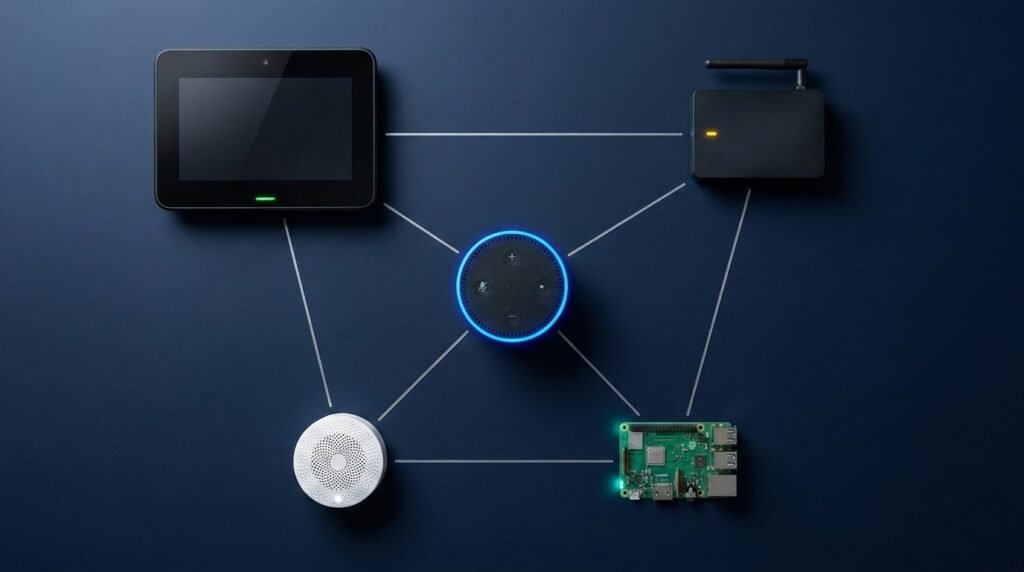
The Amazon Echo (4th Gen) (~$50) is the best smart home controller for most beginners, works with 100,000+ devices, zero technical setup, and controls everything by voice immediately. For advanced users wanting full local control and maximum automation power, Home Assistant (free + ~$80 hardware) is the most capable home automation hub available at any price.
Table of Contents
- Best For: Quick Reference
- What Is a Smart Home Controller?
- Best Smart Home Controller Picks for 2026
- Home Automation Controllers: Full Comparison
- What to Look For When Buying a Smart Home Controller
- Smart Home Automation: Building Your First Routines
- Pros and Cons of Smart Home Controllers
- Frequently Asked Questions
- Bottom Line
Best For: Quick Reference
Best Overall Beginner: Amazon Echo 4th Gen ($50) easiest setup, widest compatibility, best voice control
Best Apple Users: Apple HomePod Mini ($99) native HomeKit, Thread border router, local processing
Best Display Hub: Google Nest Hub 2nd Gen ($100) 7-inch touchscreen dashboard, Google Home integration
Best Mid-Range: Samsung SmartThings Hub ($65) Zigbee + Z-Wave + WiFi in one hub
Best Advanced: Home Assistant ($80 total) most powerful free open-source platform available
What Is a Smart Home Controller?
A smart home controller is any device or software platform that connects your smart home devices from different brands using different wireless protocols into one unified system.
Without a controller your smart home looks like this:
- Nest app thermostat
- Ring app doorbell
- Kasa app smart plugs
- Hue app lights
- Schlage app door lock
With a smart home controller it looks like this:
- One app or voice command controls everything
- Devices trigger each other automatically
- “Goodnight” locks every door, turns off every light, and drops the thermostat one command
The controller doesn’t replace your devices, it connects them and makes them intelligent together.
Three levels of smart home control:
| Level | What It Means | Example |
| Remote Control | Control devices from your phone anywhere | Turn lights off from the office |
| Automation | Devices follow rules automatically | Lights turn off when you leave home |
| Intelligence | System learns and adapts | Thermostat adjusts before you wake up |
Most homeowners start at level one and naturally progress to levels two and three as they add devices and discover what’s possible.
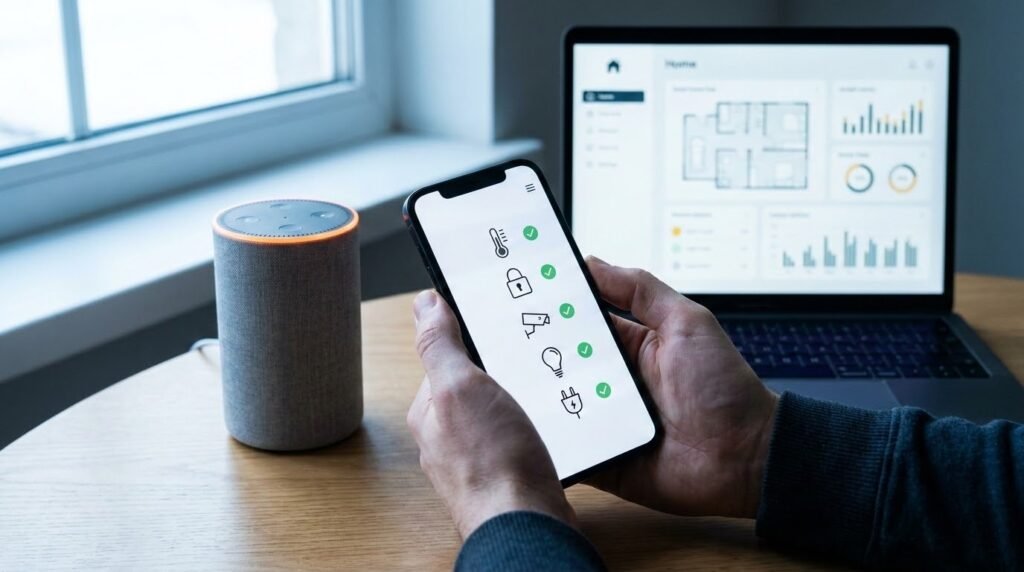
Best Smart Home Controller Picks for 2026
1. Amazon Echo (4th Gen) Best Overall Smart Home Controller
Price: ~$50 | Protocol: WiFi + Zigbee built-in | Works With: 100,000+ Alexa devices | Subscription: $0 | Local Processing: Partial
The Amazon Echo 4th Gen is the best smart home controller for most US homeowners and the most versatile hub available at any price point. It includes a built-in Zigbee radio, meaning it connects directly to Zigbee devices like Philips Hue bulbs without any additional hub hardware.
Alexa’s compatibility list is the broadest in the industry covering virtually every major smart home brand simultaneously. Google Nest thermostats, Ring doorbells, Ecobee, Schlage, Kasa, Lutron, and hundreds more all work together through one Alexa interface.
Imagine walking through your front door and saying “Alexa, I’m home” your lights turn on to your preferred brightness, your thermostat adjusts to your comfort temperature, your door confirms it’s locked, and your favorite playlist starts. All from one $50 device controlling products from six different brands. That’s smart home automation working exactly as it should.
What our team loved:
- Built-in Zigbee connects Hue bulbs without separate hub
- 100,000+ compatible Alexa devices
- Zero technical setup working in under 10 minutes
- Alexa Routines powerful cross-device automation
- Thread border router for newer Thread devices
- No subscription required
One limitation: Most automations require active internet cloud-dependent processing.
2. Google Nest Hub 2nd Gen Best Display Controller
Price: ~$100 | Protocol: WiFi + Thread | Works With: Google Home devices | Subscription: $0 | Display: 7-inch touchscreen
The Google Nest Hub is the best smart home controller with a visual interface its 7-inch touchscreen shows camera feeds, device status, thermostat controls, and automation schedules as an always-on dashboard that voice-only speakers simply can’t match.
What our team loved:
- 7-inch touchscreen visual smart home dashboard
- Thread border router built in
- Displays camera feeds, calendar, and weather
- Google Home Routines with natural language
- Sleep tracking via radar no wearable needed
- Chromecast built in
3. Apple HomePod Mini Best for iPhone Users
Price: ~$99 | Protocol: WiFi + Thread + Bluetooth | Works With: Apple HomeKit devices | Subscription: $0 | Local Processing: Yes
The Apple HomePod Mini is the best smart home controller for iPhone users. It processes automations locally on your home network without any cloud dependency, acts as a Thread border router for next-generation smart home devices, and integrates seamlessly with every HomeKit device through the Apple Home app.
What our team loved:
- Full local processing automations work without internet
- Thread border router connects next-gen Thread devices
- Native Apple HomeKit and Siri integration
- Best privacy protection of any major hub
- Compact design fits anywhere
One limitation: Only works within Apple’s ecosystem, no Alexa or Google Home cross-compatibility.
4. Samsung SmartThings Hub Best Multi-Protocol Controller
Price: ~$65 | Protocol: Zigbee + Z-Wave + WiFi + Matter | Works With: 5,000+ devices | Subscription: $0 | Local Processing: Yes
The Samsung SmartThings Hub is the best dedicated home automation hub for homeowners with mixed-brand device collections. Its combination of Zigbee, Z-Wave, WiFi, and Matter support in one device covers more wireless protocols than any other hub at this price point — meaning it connects to virtually every smart home device available.
What our team loved:
- Zigbee + Z-Wave + WiFi + Matter in one hub
- Local processing for core automations
- 5,000+ compatible devices
- Advanced automation rules engine
- Matter support future-proof
Home Automation Controllers Complete Beginner’s Guide 2026
5. Home Assistant Best Advanced Smart Home Controller
Price: Free software + ~$80 hardware | Protocol: Everything | Works With: 3,000+ integrations | Subscription: $0 | Local Processing: 100%
Home Assistant is the most powerful home automation hub available period. It runs entirely on local hardware (Raspberry Pi or dedicated Home Assistant Green device at ~$99), integrates with over 3,000 services and devices, and gives you complete control without any cloud dependency or subscription fees.
The trade-off is setup time getting Home Assistant running correctly takes 2/8 hours for someone technically comfortable. For the right homeowner, that investment pays back with years of the most capable smart home automation available at any price.
What our team loved:
- 3,000+ integrations connects virtually everything
- 100% local no cloud, no subscription, complete privacy
- Most powerful automation engine available
- Active global community with constant development
- Completely free no ongoing costs ever
Home Automation Controllers: Full Comparison
| Controller | Price | Protocols | Local Processing | Best For |
| Amazon Echo 4th Gen | ~$50 | WiFi + Zigbee | Partial | Beginners |
| Google Nest Hub | ~$100 | WiFi + Thread | Partial | Visual dashboard |
| Apple HomePod Mini | ~$99 | WiFi + Thread | Full | iPhone users |
| SmartThings Hub | ~$65 | Zigbee + Z-Wave + WiFi | Yes | Multi-protocol |
| Home Assistant | ~$80 | Everything | 100% | Advanced users |
What to Look For When Buying a Smart Home Controller
Before buying any smart home controller, check these five criteria first. Getting them right saves you from platform regret six months after purchase.
1. Your Primary Smartphone Ecosystem
Your phone ecosystem is the single strongest indicator of which controller fits best:
| Your Phone | Best Starting Controller |
| iPhone | Apple HomePod Mini or Amazon Echo |
| Android | Google Nest Hub or Amazon Echo |
| Either | Amazon Echo — broadest compatibility |
2. Protocol Support for Your Devices
| Your Current Devices | Controller Needed |
| WiFi devices only | Amazon Echo or Google Nest Hub |
| Philips Hue (Zigbee) | Amazon Echo 4th Gen (built-in Zigbee) |
| Z-Wave locks/sensors | Samsung SmartThings Hub |
| Mixed everything | SmartThings or Home Assistant |
3. Local vs Cloud Processing
This matters more than most buyers realize:
| Situation | Choose |
| Internet goes down sometimes | HomePod Mini, SmartThings, Home Assistant |
| Always have reliable internet | Amazon Echo or Google Nest Hub |
| Critical automations must always run | Home Assistant (100% local) |
4. Technical Comfort Level
Be completely honest with yourself:
- Zero tech experience: Amazon Echo or Google Nest Hub
- Comfortable with apps: Samsung SmartThings
- Tech enthusiast: Hubitat Elevation
- Developer comfortable: Home Assistant
5. Matter Compatibility
Matter is the new universal smart home standard ensuring devices work across all platforms. Choose a hub already supporting Matter: Amazon Echo 4th Gen, Google Nest Hub, Apple HomePod Mini, and Samsung SmartThings all do future-proof your investment as new Matter devices arrive.
Smart Home Automation: Building Your First Routines
The real power of any smart home controller isn’t remote control, it’s smart home automation that runs without you thinking about it.
Every major platform calls these differently: Alexa calls them Routines, Google calls them Automations, HomeKit calls them Scenes and Automations but the concept is identical: when X happens, do Y automatically.
Five automations every homeowner should set up first:
1. Good Morning Routine
- Trigger: Alarm time or first motion detected in bedroom
- Actions: Gradually brighten lights, start coffee maker, set thermostat to daytime temperature
2. Leave Home Routine
- Trigger: Phone leaves home geofence
- Actions: Set thermostat to Eco, turn off all lights, lock front door, arm security system
3. Welcome Home Routine
- Trigger: Phone enters home geofence
- Actions: Unlock front door, set thermostat to comfort temperature, turn on porch light
4. Goodnight Routine
- Trigger: Voice command or scheduled time
- Actions: Turn off all lights, lock all doors, set thermostat to sleep temperature, arm security
5. Away from Home Check
- Trigger: Anytime you want
- Actions: Check all lock statuses, camera feeds, thermostat reading — one tap for complete home status
Imagine setting up these five routines on a Sunday afternoon then spending the next year never manually adjusting your thermostat, never wondering if you locked the door, and never coming home to a cold dark house. That’s the best smart home automation system performance in daily practice.
What Is a Smart Home? Complete Plain-English Guide 2026
Pros and Cons of Smart Home Controllers {#pros-cons}
Pros:
- Unified control one app or voice for every device regardless of brand
- Powerful automation devices work together automatically without daily input
- Voice control hands-free operation throughout your entire home
- Remote monitoring check and control your home from anywhere globally
- Scalability add 50 more devices without changing your controller
Cons:
- Cloud dependency most commercial controllers stop fully working without internet
- Ecosystem lock-in switching platforms later requires significant reconfiguration
- Learning curve advanced automation takes time to set up correctly
- Protocol gaps not every controller supports every wireless protocol
- Open source complexity Home Assistant requires significant initial setup investment
Frequently Asked Questions
What is a smart home controller and why do I need one? A smart home controller connects devices from different brands into one unified system letting you control everything from one app or voice command and automate devices to work together. You need one when you own multiple smart devices from different brands and want them to work together intelligently rather than through five separate disconnected apps.
How does a smart home controller connect to my devices? Controllers connect via wireless protocols WiFi, Zigbee, Z-Wave, Thread, or Bluetooth. WiFi devices connect through your router directly. Zigbee and Z-Wave devices need a hub with those built-in radios. Amazon Echo 4th Gen includes Zigbee. Samsung SmartThings includes Zigbee, Z-Wave, and WiFi — covering most devices without additional hardware.
What is the best smart home controller for a complete beginner? The Amazon Echo 4th Gen (~$50) is the best smart home controller for beginners, works with 100,000+ devices, zero technical setup required, controls everything by voice immediately, and includes a built-in Zigbee hub. Google Nest Hub (~$100) is the best alternative if you want a visual touchscreen dashboard alongside voice control.
Does a smart home controller work without the internet? It depends on the platform. Amazon Echo and Google Home require the internet for most functions. Apple HomePod Mini and Samsung SmartThings run core automations locally. Home Assistant runs 100% locally and all automations work without the internet permanently. For critical automations that must run reliably during outages, choose HomePod Mini, SmartThings, or Home Assistant.
Which home automation hub supports the most devices? Amazon Alexa supports 100,000+ compatible devices, the broadest compatibility of any platform. Home Assistant integrates with 3,000+ services across every wireless protocol for the deepest technical coverage. Samsung SmartThings covers the most hardware protocols simultaneously — Zigbee, Z-Wave, WiFi, and Matter in one dedicated hub without additional hardware.
Are smart home controllers difficult to set up? Amazon Echo and Google Nest Hub take under 10 minutes — no technical knowledge required. Samsung SmartThings takes 30–60 minutes. Hubitat Elevation takes 1–2 hours. Home Assistant takes 2–8 hours for initial setup. Choose based on your honest technical comfort level the most powerful platform is worthless if it’s too complex to configure correctly.
Which smart home controller is best for home automation with Alexa? The Amazon Echo 4th Gen (~$50) is the best Alexa-based smart home controller. It is Alexa, with built-in Zigbee, the widest device compatibility, and the most mature routine automation builder. For users wanting local processing alongside Alexa compatibility, the Samsung SmartThings Hub (~$65) pairs excellently with Alexa as the voice interface.
Bottom Line
Choosing the right smart home controller is the single most important smart home decision you’ll make when everything else connects through it.
For most homeowners: Amazon Echo 4th Gen at ~$50 broadest compatibility, easiest setup, zero subscription, works immediately. Want a visual dashboard? Google Nest Hub at ~$100. iPhone ecosystem? Apple HomePod Mini at ~$99. Mixed device brands needing Z-Wave and Zigbee? Samsung SmartThings at ~$65. Want maximum power with complete privacy? Home Assistant on local hardware free forever.