

Most outdoor cameras sold today are wireless, yet the footage that actually holds up in court or insurance claims almost always comes from a cable-run system. That’s not nostalgia talking. A wired security camera system still beats wireless on the three things that matter most: uptime, bandwidth, and footage you can trust when it counts.
This guide skips the beginner stuff. You already know what a camera does. What follows is how a modern wired security camera system handles power, data, and AI processing, and why that architecture still wins against mesh Wi-Fi setups in 2026.
Table of contents
What Is a Wired Security Camera System
A wired security camera system runs physical cable, usually Category 5e or 6, from each camera back to a central recorder or switch. The cable carries both power and data over a single run using Power over Ethernet (PoE), so you’re not fishing separate power lines to every corner of the house.
Compare that to wireless cameras, which rely on Wi-Fi for data and either batteries or a nearby outlet for power. Wireless is easier to install. It is not more reliable.
The core distinction is this: wired systems treat video as a dedicated data stream with guaranteed bandwidth. Wireless systems compete for airtime with your laptop, your smart thermostat, and your neighbor’s router bleeding into the same 2.4GHz band.
How a Wired Security Camera System Actually Works
Each camera connects to a PoE switch or an NVR (Network Video Recorder) with built-in PoE ports. The switch pushes 802.3af or 802.3at power down the cable, typically 15.4W to 30W per port, enough to run the camera, its IR illuminator, and in some models a built-in heater for cold climates.
Here’s what this means in plain terms: one cable does two jobs. It powers the camera and carries the video feed back, so there’s no battery to die and no separate transformer bolted to a wall.
On the data side, most cameras now shoot H.265 (also called HEVC) instead of H.264, cutting file size by roughly 40-50% at the same resolution. That matters because a single 4K camera running 24/7 can eat 2-4TB of storage a month on older codecs. Your NVR needs enough drive bays, usually 2-4 bays of surveillance-rated storage like Western Digital Purple or Seagate SkyHawk, rated for constant read/write cycles that consumer drives aren’t built for.
The AI layer sits on top of this pipeline. Edge-based chips inside cameras from brands like Reolink and Hikvision now run basic object classification locally, flagging “person” versus “vehicle” versus “animal” before the clip ever leaves the device. Heavier processing, like facial recognition or package detection, usually still happens server-side, either on the NVR itself or in the cloud.
Real-World Examples of Wired Systems in Action
A typical suburban install looks like this: four to eight 4K PoE cameras, a 16-channel NVR with eight populated ports, and a 4TB drive array set to overwrite after 30 days. That’s a common baseline for anyone serious about coverage without renting cloud storage.
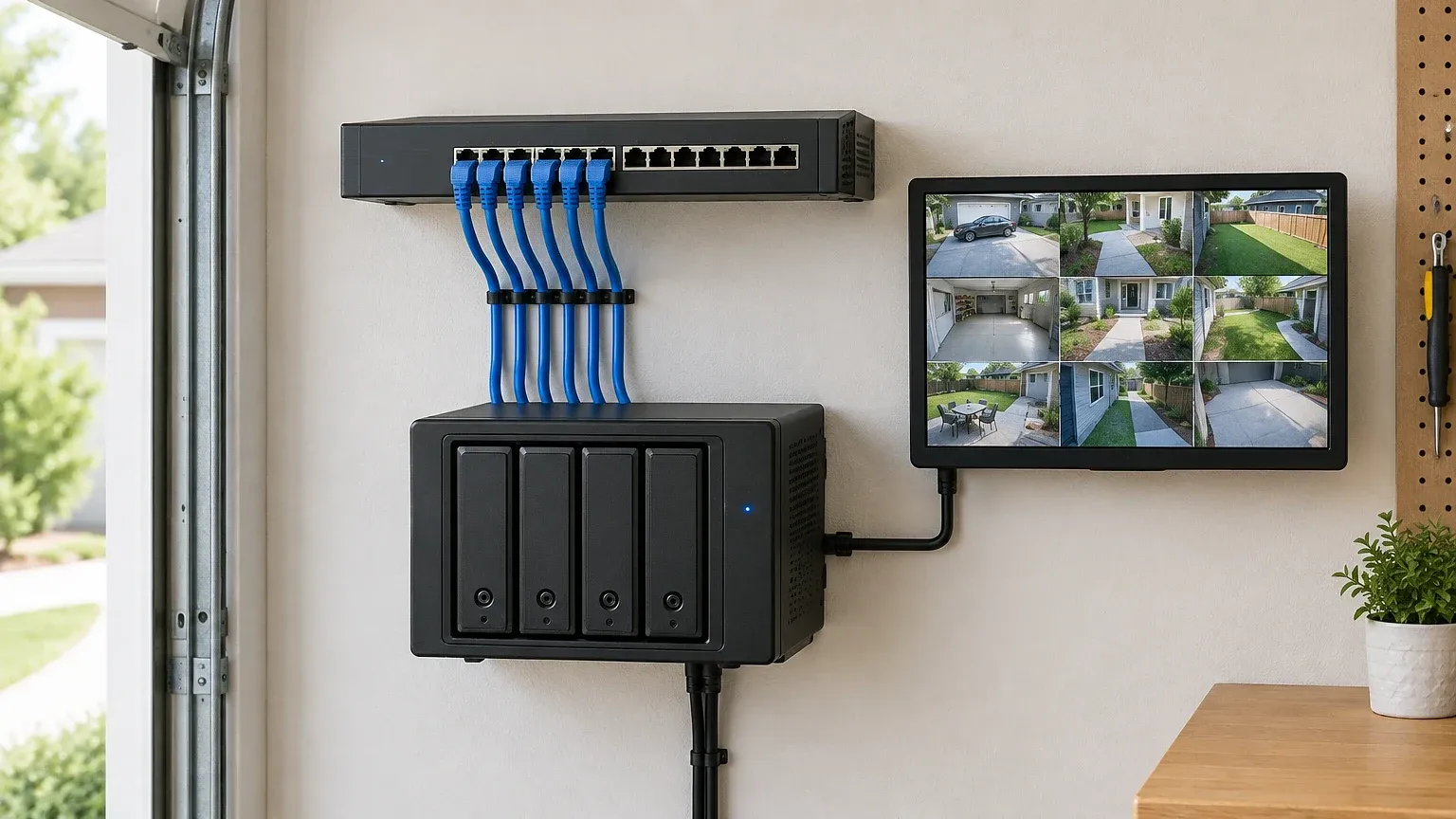
Commercial-adjacent setups push further. A small retail shop might run a wired security camera system feeding into Milestone Systems software for multi-camera analytics, with rules that trigger alerts only during closed hours, cutting false positives from staff movement during the day.
On the smart home side, platforms like SmartThings and Google Home can ingest RTSP (Real Time Streaming Protocol) feeds from wired cameras, letting you trigger routines, turn on porch lights, open up a smart lock, announce a notification on a speaker, based on a verified person detection event rather than just raw motion.
Why Wired Infrastructure Still Matters in an AI-Driven Market
AI detection is only as good as the footage feeding it. Compression artifacts, dropped frames, and Wi-Fi latency all degrade the input, and that directly lowers detection accuracy. A wired security camera system delivers consistent frame rates and full bitrate video, which gives machine learning models in Ring AI, Arlo, or local NVR firmware a cleaner signal to work with.
There’s also the bandwidth math. Running six to eight cameras at 4K over Wi-Fi saturates a typical home router fast, especially once you add AI intrusion detection features that stream continuous frames for cloud analysis rather than just triggering on motion. Wired runs sidestep that bottleneck entirely, since each camera gets its own dedicated line back to the switch.
Reliability during outages matters too. Pair your NVR with a basic UPS (Uninterruptible Power Supply) and the whole system, cameras, recorder, PoE switch, stays online through a brief power cut. Battery-powered wireless cameras drop to standby mode within hours, sometimes sooner if they’re running AI processing that drains power faster.
Note: Wired systems also sidestep interference from neighboring Wi-Fi networks, a growing issue in dense suburbs with 20+ overlapping SSIDs per block.
Common Misconceptions About Wired Security Camera Systems
People assume wired means no smartphone app, no AI, no voice control. That’s outdated thinking from a decade ago.
- “Wired cameras can’t integrate with smart home hubs.” False. Most PoE NVRs now support ONVIF, a standard protocol that lets them talk to SmartThings, Home Assistant, and similar platforms.
- “Running cable is always a massive renovation job.” Not true for most single-story homes; attics and crawl spaces usually provide a path without opening walls.
- “Cloud AI only works with wireless cameras.” Wrong. Wired NVRs upload clips to cloud AI services just as easily, often with better upload reliability since they’re on wired ethernet.
- “PoE cameras need a dedicated IT background to install.” Overstated. Plug-and-play NVR kits handle switch configuration automatically in most consumer setups.
The real tradeoff isn’t capability. It’s labor. Wireless wins on installation speed; wired wins on everything that happens after installation day.
Choosing the Right AI Features for a Wired Setup
Not every AI feature deserves a spot on your network. Smart motion detection that distinguishes a delivery driver from a raccoon is worth the processing overhead. Facial recognition for family members, less so, given the privacy tradeoffs and the fact most insurers don’t require it for claims.
Voice-controlled home security, through Alexa or Google Home, works best when tied to specific wired camera zones rather than the whole property. Telling Alexa to “show the driveway camera” only works cleanly if that camera has a stable, labeled feed, which wired setups handle better than wireless cameras that occasionally drop off the network and need re-pairing.
Smart locks with AI integration are becoming a common pairing too. Systems like Schlage Encode or August can trigger a lock event log that cross-references against a verified person detection from your wired cameras, giving you a much stronger audit trail than motion alone.
Installation and Maintenance Realities
Running cable is the part people dread, but it’s also the part that determines long-term reliability. Use outdoor-rated, UV-resistant cable for any exterior run, and always leave slack coiled at each camera point for future repositioning.
Here’s the maintenance checklist that actually matters:
- Check PoE switch port draw every few months, overloaded switches silently throttle power to the furthest cameras first.
- Clean camera housings and IR domes seasonally, dust and spiderwebs wreck night vision and trigger false AI motion alerts.
- Update NVR firmware on a schedule, not reactively, since most AI detection improvements ship as firmware patches.
- Test backup power (UPS or battery backup) at least twice a year, not just when you remember.
- Review storage retention settings after any camera count change, more cameras means faster drive cycling.
Skipping firmware updates is the single biggest reason AI detection accuracy degrades over time in automated home surveillance setups. Vendors tune their models constantly; an outdated NVR is running yesterday’s intelligence on today’s footage.
Getting It Right for the Long Haul
A wired security camera system isn’t the easy weekend project wireless cameras promise. It’s the infrastructure choice that pays off in the one moment you actually need the footage, at 3am, during a storm, when your neighbor’s Wi-Fi mesh is choking the airwaves and your battery cams are asleep.
The smart move for 2026 isn’t picking wired or wireless as a tribal loyalty. It’s recognizing that AI home security features, the person detection, the smart lock integration, the voice-controlled alerts, all perform better on a stable data pipeline. Wired delivers that pipeline. Wireless approximates it.
If you’re building out a home automation ecosystem from scratch, start with the backbone: PoE switch, NVR with ONVIF support, and a storage plan sized for your camera count. The AI features layer on top easily once that foundation is solid.
Free tools: How much storage will your cameras need? Our free security camera storage calculator shows how many days of footage your hard drive or microSD card will hold. Planning a bigger setup? Our free smart home cost calculator estimates devices, installation and monthly fees for your whole home.
Frequently asked questions
Is a wired security camera system still worth it with wireless cameras this good now?
Yes, especially if you’re running AI detection features that need consistent bandwidth and uninterrupted power. Wireless has closed the convenience gap but not the reliability gap, particularly during outages or network congestion.
Can a wired security camera system still work with Alexa or Google Home?
Absolutely. Most PoE NVRs support ONVIF or vendor-specific integrations that connect directly to Alexa, Google Home, and SmartThings, letting you trigger routines from verified detection events.
How much storage does a wired NVR actually need?
It depends on camera count, resolution, and codec, but a six-camera 4K setup using H.265 compression typically needs 4-6TB for a 30-day rolling retention window. Surveillance-rated drives handle the constant write cycles better than standard consumer drives.
Does running cable for a wired system require professional installation?
Not always. Single-story homes with accessible attics or crawl spaces often allow DIY cable runs, though exterior penetrations and multi-story runs are where most people bring in a low-voltage installer.
Do AI features work as well on local NVR storage as they do in the cloud?
Edge-based AI, like basic motion and person classification, runs fine locally on modern camera chipsets. Heavier processing, like detailed facial recognition, often still needs cloud compute, though that’s shifting as NVR hardware gets more powerful.



