

A motion sensor alarm is one of the simplest and most effective ways to protect your home. It watches a room or a hallway, notices when a person moves through it, and then sounds a siren, sends an alert to your phone, or both. Door and window sensors guard the entry points. A motion sensor alarm catches anyone who gets past them.
In this guide we explain how motion sensor alarms work, the different sensor types, wired versus wireless options, smart versus standalone models, where to place them, how to stop false alarms from pets, and which models are worth buying in 2026. By the end you will know exactly what to put in your cart and where to mount it.
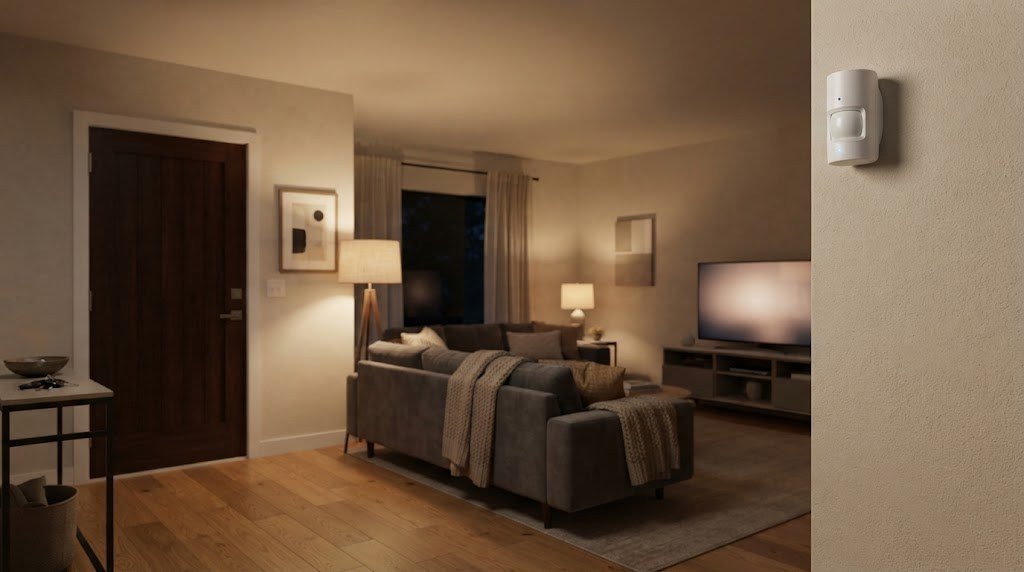
What Is a Motion Sensor Alarm?
A motion sensor alarm is a device that detects movement in a space and triggers a response. That response can be a loud built in siren, a chime, a light, a push notification, or a signal to a full home security system that then calls a monitoring center.
There are two broad groups:
- Standalone motion alarms. Battery powered units with their own siren and often a small remote. You stick one on a wall, arm it, and it screams when someone walks past. No app, no hub, no monthly fee.
- System motion sensors. Part of a home security kit such as Ring Alarm, SimpliSafe, or Abode. They talk to a base station, which sounds the main siren, sends alerts, and can request professional monitoring.
A third group sits in between: smart home motion sensors from brands like Aqara or Philips Hue. They connect to a hub over Zigbee, Z Wave, Thread, or WiFi, and you decide what happens when motion is detected. That can be an alarm, a light, a camera recording, or a notification.
How Does a Motion Sensor Alarm Work?
Most home motion sensors use passive infrared, also called PIR. Every warm body gives off infrared heat. A PIR sensor has a special lens split into zones. When a warm object moves from one zone to the next, the sensor sees a quick change in heat and reports motion.
That is why PIR sensors are great at catching people walking across a room, and less good at catching someone walking straight toward the sensor. It is also why direct sunlight, heaters, and air vents near the sensor can cause false alarms: they create sudden heat changes too.
Once motion is detected, the sensor sends a signal. In a standalone alarm the signal goes straight to the built in siren. In a security system it goes over a wireless link to the base station, which checks whether the system is armed and then decides what to do.
Types of Motion Sensors
| Sensor type | How it detects | Strengths | Weaknesses |
|---|---|---|---|
| Passive infrared (PIR) | Body heat moving between zones | Cheap, long battery life, few false alarms indoors | Weaker for motion straight toward it, fooled by sun and heaters |
| Microwave | Sends out radio waves and measures reflections | Very sensitive, covers larger areas | Can see through thin walls, uses more power, more false alarms |
| Dual technology | PIR plus microwave, both must agree | Very few false alarms, good for tricky rooms | Costs more |
| Ultrasonic | Sound waves above human hearing | Good in enclosed spaces | Rare in homes, can bother some pets |
| mmWave presence | High frequency radar that sees tiny movements | Detects people sitting still | Better for automation than intrusion alarms |
| Camera based | Image analysis in a security camera | Gives you video of the event | Needs power and WiFi, privacy concerns indoors |
For most homes a good PIR sensor is the right choice. Dual technology sensors are worth it in garages, sunrooms, and rooms with heaters or big windows where PIR alone gives false alarms.
Wired vs Wireless Motion Sensor Alarms
Wireless
Almost every new home alarm is wireless. The sensor runs on a battery, usually a CR123A, AA, or coin cell, and talks to the base station by radio. Installation takes minutes with adhesive strips or two screws. Batteries typically last one to five years depending on the model and how busy the room is.
Wired
Older professionally installed systems use wired sensors that get power and data through a cable to the alarm panel. They never need batteries and cannot be jammed by radio interference, but adding them to a finished home means opening walls. If your house already has wiring for an old alarm, a modern panel can often reuse it.
For renters and most DIY owners, wireless is the clear winner.
Standalone vs Smart Motion Alarms
| Feature | Standalone alarm | Security system sensor | Smart home sensor |
|---|---|---|---|
| Typical price | $15 to $40 | $25 to $40 per sensor plus a kit | $20 to $50 plus a hub |
| Siren | Built in | On the base station | Optional, through a hub or speaker |
| Phone alerts | Rarely | Yes | Yes |
| Professional monitoring | No | Optional monthly plan | Some platforms |
| Automations | No | Limited | Lights, cameras, routines |
| Best for | Sheds, garages, quick fixes | Whole home protection | Smart home fans |
If you just want a loud alarm in a garage, shed, or workshop, a standalone unit is enough. If you want to protect your whole home and know when something happens while you are away, choose a system sensor.
Best Motion Sensor Alarms in 2026
Ring Alarm Motion Detector (2nd Gen)
The Ring motion detector is the most popular choice for people who already use Ring cameras or a Ring doorbell. It pairs with the Ring Alarm base station, mounts flat on a wall or in a corner, and offers adjustable sensitivity so larger pets do not trigger it. You get alerts in the Ring app, and you can add professional monitoring with a Ring Home plan. Works with Alexa routines too.
Best for: Ring households and anyone who wants cameras and alarm in one app.
SimpliSafe Motion Sensor
SimpliSafe sensors are known for being easy to set up and very reliable. The motion sensor uses PIR with a pet friendly mode that ignores smaller animals when mounted at the recommended height. It works with the SimpliSafe base station and has no contract, though monitoring needs a plan.
Best for: People who want a no contract system with optional pro monitoring.
Aqara Motion Sensor P1
The Aqara P1 is a tiny Zigbee sensor with a wide 170 degree view, adjustable detection settings, and a battery life of up to five years. It needs an Aqara hub and works with Apple Home, Alexa, Google Home, and Home Assistant. Use it to trigger a siren, lights, or a camera recording.
Best for: Smart home owners who want automations as well as alarm alerts.
Philips Hue Motion Sensor
Mainly made for lighting, the Hue sensor can also send security alerts through the Hue app when Hue Secure is set up. It is a great pick if your lights are already Hue and you want motion to turn on lights and warn you at the same time.
Best for: Hue lighting homes.
Basic standalone PIR alarm with remote
Generic battery motion alarms with a loud siren and a key fob remote are sold by many brands for under $30. They are a smart choice for sheds, garages, RVs, and storage rooms where you do not have WiFi.
Best for: Simple, cheap protection with no app or subscription.
Where to Place a Motion Sensor Alarm
Good placement matters more than the brand you buy. Follow these rules:
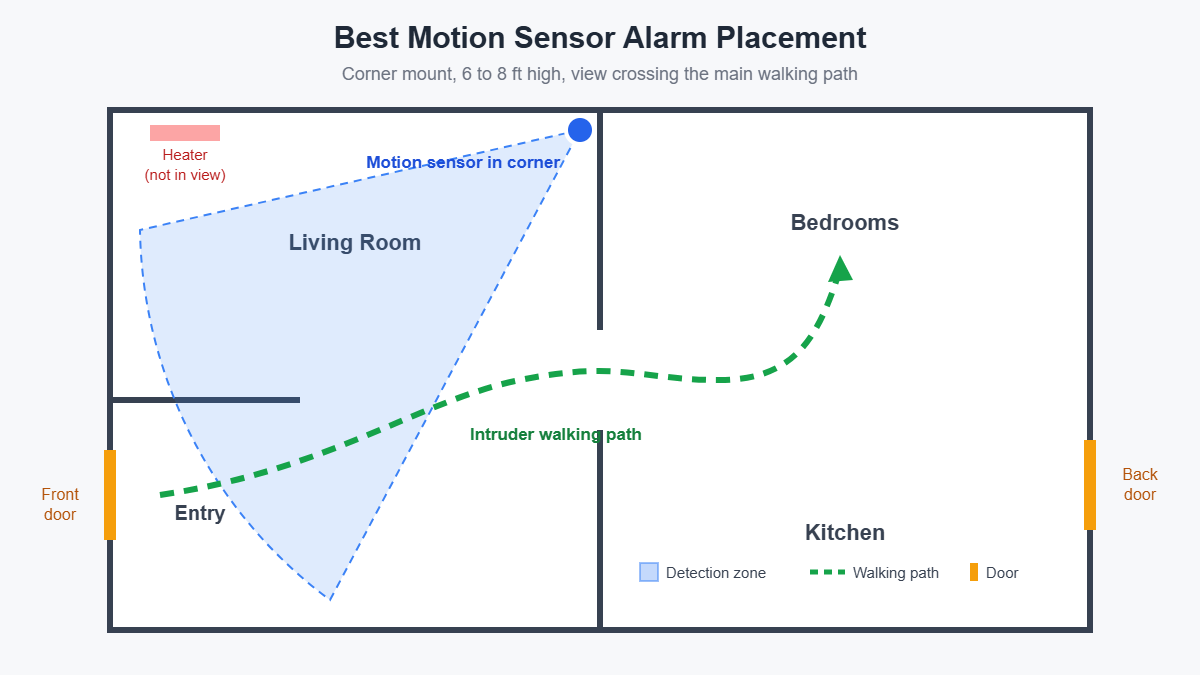
- Cover the paths an intruder must take. Hallways, stairs, and the main room between entry doors and bedrooms are the best spots.
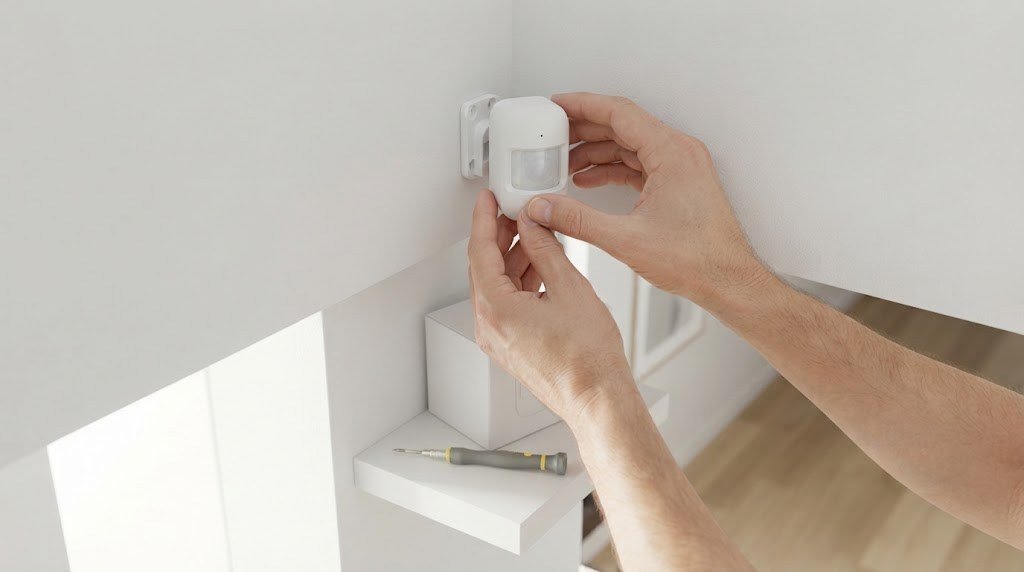
- Mount in a corner. A corner gives the widest field of view across the room.
- Use the right height. Most sensors work best at 6 to 8 feet high. Check the manual, because pet friendly modes depend on correct height.
- Point across the walking path, not straight at it. PIR sensors detect side to side motion best.
- Avoid heat sources. Keep sensors away from heaters, fireplaces, air vents, and windows that get direct sunlight.
- Avoid moving objects. Curtains blowing near a vent, ceiling fans, and balloons can all cause false alarms.
- Keep it near the base station. Wireless range is long, but thick walls and metal can weaken the signal.
How many motion sensors do you need?
A small apartment usually needs one sensor covering the main living space and entry hallway. A typical two story home needs two to four: one on the ground floor main path, one on the stairs or upstairs hallway, and optional ones for the basement and garage. Combine them with door and window sensors on every ground floor entry for complete coverage.
How to Stop False Alarms
False alarms are the biggest complaint about motion sensors. Here is how to avoid them:
- Turn on pet mode and mount the sensor at the height the manual specifies.
- Lower the sensitivity if the room is small.
- Keep sunlight off the lens. Close blinds or move the sensor.
- Move it away from vents and heaters.
- Use dual technology sensors in rooms where PIR keeps triggering.
- Use Home mode. Most systems let you arm only door and window sensors at night, so motion inside the house does not set off the alarm while you sleep.
- Replace weak batteries. Low batteries can cause odd behavior.
Pets and Motion Sensor Alarms
Pet immune sensors ignore animals under a certain weight, often around 40 to 80 pounds depending on the brand and mounting height. They do this by ignoring low heat signatures near the floor. Cats that jump on shelves and climb furniture can still trigger them, so if you have a climber, consider using only door and window sensors when you leave, or put the motion sensor in a room the pet cannot enter.

Motion Sensor Alarm vs Security Camera
A motion sensor alarm and a security camera do different jobs. The sensor is cheap, private, and reacts instantly with a siren. A camera shows you what is happening and records evidence, but it costs more and raises privacy questions inside the home.
The best setup uses both: motion sensors and door sensors inside, and cameras outside. For outdoor coverage read our guides to the best outdoor security camera systems, a battery powered outdoor security camera, and our light bulb security camera review. If you prefer one app for everything, see our pick of the best home alarm systems.
Smart Home Automations With Motion Sensors
A smart motion sensor can do much more than sound an alarm. Popular automations include:
- Turn on hallway lights at night when someone walks by
- Start recording on an indoor camera only when motion is detected while you are away
- Flash all smart bulbs red and play a siren on smart speakers when the alarm is triggered
- Send a notification if there is motion in the garage after midnight
- Turn off lights and the thermostat when no motion is detected for an hour
To build these, you need a hub or platform. See our guide to the best smart hub for home and our explainer on Zigbee vs Z Wave.
Discreet Sensors for Stylish Rooms

Motion sensors no longer have to look like bulky boxes. Many current models come in matte white and are small enough to vanish against a white ceiling or wall. For a clean, minimal living room:
- Choose a small round or square sensor in white or a color that matches your wall
- Mount it in a corner close to the ceiling where the eye rarely goes
- Hide it partly behind a tall plant or bookshelf, while keeping the lens clear
- Pick a battery model so no cables run down the wall
Installation Step by Step
- Unbox the sensor and pull the battery tab.
- Add it to your app or base station by scanning the QR code or pressing the pair button.
- Walk around the room to find the spot that covers your main path.
- Mount the bracket with screws or adhesive at 6 to 8 feet.
- Run the walk test in the app, then adjust sensitivity.
- Name the sensor clearly, like “Hallway motion”, so alerts make sense.
- Choose which modes arm it: Away only, or Away and Home.
Frequently Asked Questions
Do motion sensor alarms work without WiFi?
Standalone alarms do, because they have their own siren. Security system sensors talk to the base station by radio, and most base stations have cellular backup, so they keep working if your WiFi or internet goes down.
How long do motion sensor batteries last?
Usually one to five years. Busy rooms and cold garages drain batteries faster. Your app will warn you when the battery is low.
Will my dog set off the motion sensor alarm?
Not if you use a pet friendly sensor, set it to pet mode, and mount it at the correct height. Very large dogs and climbing cats can still trigger it.
Can a burglar avoid a motion sensor?
Moving very slowly or straight toward a PIR sensor can make detection harder, which is why good placement across the walking path and layering with door sensors and cameras is important.
Do motion sensors work in the dark?
Yes. PIR sensors detect body heat, not light, so they work the same day or night.
Can I use motion sensors outdoors?
Indoor alarm sensors are not made for weather. For outdoor use choose a sensor rated for outdoor use, or use a camera with motion detection instead.
What is the difference between a motion sensor and a motion sensor alarm?
A motion sensor only detects movement. A motion sensor alarm adds a response, such as a siren or an alert, when movement is detected.
Final Verdict
A motion sensor alarm is a cheap, fast, and reliable layer of home security. For most homes, a PIR sensor that is part of a system like Ring Alarm or SimpliSafe is the best choice, because you get a loud siren, phone alerts, and optional monitoring. Smart home fans will love the Aqara P1 for its tiny size and long battery life, and a basic standalone alarm is perfect for a shed or garage.
Mount it in a corner at 6 to 8 feet, aim it across the main walking path, keep it away from heat and sunlight, and turn on pet mode if you have animals. Pair it with door sensors inside and cameras outside, and your home will be far harder to break into.



