The Best Fluffy Pancakes recipe you will fall in love with. Full of tips and tricks to help you make the best pancakes.

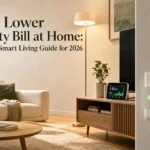
Your living room runs longer than any other room in the house. The TV, the standby lights, the heating, the ambient lamps – it all adds up. The average US household spends around $1,400 per year on electricity, and the living room accounts for roughly 25-30% of that figure.
If you want to know how to lower electricity bill at home, the living room is exactly where to start. The right product choices here – smart devices, efficient lighting, and better automation – can trim $200-$400 annually without touching your comfort or your clean Scandinavian aesthetic.
—
Table of Contents
- The Real Culprits: What’s Draining Power in Your Living Room
- Smart Plugs and Power Strips Worth Buying
- LED and Smart Lighting: The Easiest Win
- Smart Thermostats for Living Room Climate Control
- Energy Monitors: Know Before You Buy
- Window Treatments That Work Harder Than You Think
- Putting It All Together for Your Living Room
- Frequently Asked Questions
—
The Real Culprits: What’s Draining Power in Your Living Room
Most people blame the big appliances. In reality, it’s the small, always-on devices that do the damage.
A 65-inch OLED TV in standby mode draws 0.5-1.5 watts continuously. That sounds tiny. But your cable box runs at 15-17 watts around the clock, even when you’re not watching. Add a gaming console, a soundbar, a router, and two or three smart speakers – and you’re looking at a phantom load of 40-60 watts running 24/7.
That single phantom load costs roughly $50-$70 per year in electricity. Just sitting there.
The fix isn’t complicated. It starts with knowing what’s plugged in, then choosing products that eliminate waste automatically.
Smart Plugs and Power Strips Worth Buying
A smart plug is the lowest-effort upgrade you can make. It lets you cut power to any device on a schedule or via voice command, eliminating standby drain entirely.
The Kasa Smart EP25 is one of the best options in 2026. It costs around $17-$22 per plug, monitors real-time energy use, and integrates with both Alexa and Google Home. For a Scandinavian living room setup, it sits flush behind furniture and disappears visually.
For a full entertainment centre, go with a smart power strip instead. The TP-Link Kasa KP303 has three individually controlled outlets plus USB ports. Price sits at $35-$45. You can set the TV, console, and soundbar to cut off automatically at midnight. Done.
> Pro tip: Plug your cable box into a smart plug set to a schedule. Cable boxes are among the worst phantom load offenders in any home – cutting them for 8 hours nightly saves around $12-$18 per year per box.
LED and Smart Lighting: The Easiest Win
Lighting is where the Scandinavian design philosophy and energy efficiency genuinely overlap. The style favors warm, layered ambient light over harsh overhead fixtures. That preference, as it turns out, is also cheaper to run.
A standard incandescent bulb uses 60 watts. A comparable Philips Hue White Ambiance LED uses 8.5 watts and lasts up to 25,000 hours. Over 10 years, that’s a saving of roughly $80-$100 per bulb in electricity alone.
For a living room with four to six light sources, switching everything to smart LED cuts your lighting load by 85% overnight. The Philips Hue Starter Kit (two bulbs plus bridge) runs $70-$90. Individual bulbs cost $15-$25 each after that.
The real gain comes from automation. Set your lights to dim to 30% after 9pm. Program them to shut off entirely when your phone leaves the home network. These two habits alone reduce lighting energy use by another 20-30% beyond the LED switch itself.
Smart Thermostats for Living Room Climate Control
Heating and cooling account for nearly 45% of the average US electricity bill, per U.S. Department of Energy data. The living room, being the largest open space in most homes, drives a disproportionate share of that cost.
A smart thermostat pays for itself faster than almost any other device on this list. The Google Nest Learning Thermostat (4th gen, $279) learns your schedule within a week and adjusts heating automatically. Most users see 10-15% savings on heating and cooling bills within the first billing cycle.
The ecobee SmartThermostat Premium ($249) goes further. It includes a room sensor you can place in the living room specifically, so the system heats or cools that zone rather than the whole house. This room-level control is genuinely useful in open-plan Scandinavian layouts where the living space flows into the kitchen.
Both devices integrate with Apple HomeKit, Alexa, and Google Home. Both qualify for federal energy tax credits in 2026 under the Inflation Reduction Act, which can offset up to $150 of the purchase price.
Energy Monitors: Know Before You Buy
You can’t cut what you can’t measure. An energy monitor gives you a live feed of exactly what every circuit in your home is consuming, in real time.
The Sense Home Energy Monitor installs in your electrical panel and uses machine learning to identify individual devices by their electrical signature. It detects your TV, your lamps, your gaming console – separately. Setup takes about 30-45 minutes with a licensed electrician, and the device itself costs $299.
Within the first two weeks, most users identify at least one device drawing far more power than expected. In my experience, the gaming console in standby mode is almost always the surprise.
A simpler option: the Emporia Vue 2 at $89-$149 depending on the sensor package. It monitors up to 16 individual circuits and pairs with a clean app. For a living room-focused audit, it’s more than enough.
Both devices show you cost per device per month. That visibility alone changes purchasing decisions. Knowing your old plasma TV costs $9/month to run makes the case for an upgrade far more concrete than any spec sheet.
Window Treatments That Work Harder Than You Think
This is the most overlooked category in any energy efficiency buying guide. Windows are responsible for 25-30% of residential heating and cooling energy use, according to the U.S. Department of Energy.
In a Scandinavian-style living room, large windows are a design feature. They’re also a thermal liability if left untreated.
Cellular (honeycomb) shades are the highest-performing option for insulation. Brands like Levolor and Hunter Douglas offer double-cell variants that trap air in two layers, reducing heat transfer by up to 40% compared to bare glass. A 72×84 inch window panel runs $120-$250 depending on fabric weight and motorisation.
Motorised smart shades integrate directly with your thermostat. Set them to close automatically when the sun hits the west-facing window at 3pm in summer. That single automation can prevent a 3-5°F temperature spike in the room, reducing the time your AC runs by 20-30 minutes per afternoon.
For a room with three standard windows, budget $400-$700 for cellular shades. The energy savings typically recoup that cost within 2-3 years.
Putting It All Together for Your Living Room
The path to lower electricity costs isn’t one big purchase. It’s a sequence of targeted upgrades, each one stacking on the last.
Start with smart plugs and a power strip – that’s a $60-$80 investment that cuts phantom load immediately. Layer in LED smart lighting next, which pays back in under 18 months at average US electricity rates. Then add a smart thermostat, which is the single highest-ROI device on this list for most homes. Finally, install an energy monitor so you can see exactly what’s working and what still needs attention.
The window treatments come last, but don’t skip them. In a living room with large south or west-facing windows, they’re quietly doing as much work as the thermostat.
Every product in this guide fits a clean, minimal Scandinavian aesthetic. None of them require visible hardware, complicated wiring, or a contractor. Most can be set up in an afternoon. Knowing how to lower electricity bill at home doesn’t mean sacrificing the look or feel of a well-designed space – it means choosing products that work intelligently in the background.
If you want to go further, look into whole-home energy audits and solar panel buying guides, which build naturally on the room-level habits you’ve established here.
Frequently asked questions
What is the fastest way to reduce my electricity bill in the living room?
Smart plugs targeting your entertainment centre give the fastest return. They eliminate phantom load from TVs, consoles, and cable boxes with zero lifestyle change. A $35-$45 smart power strip can start saving money from day one.
How much can a smart thermostat actually save?
Most households see 10-15% reductions on heating and cooling costs within the first billing cycle. On a $200/month energy bill, that’s $20-$30 per month. The device pays for itself in roughly 8-12 months for the average home.
Are cellular shades worth the cost for energy savings?
Yes, especially in rooms with large windows. Double-cell shades reduce heat transfer by up to 40% through glass, which directly lowers how hard your HVAC system works. In climates with hot summers or cold winters, the payback period is typically 2-3 years.
Do smart home devices use extra electricity themselves?
Very little. A smart plug draws about 0.3-1 watt in idle mode. A smart thermostat uses roughly 1-2 watts continuously. The energy they save from controlling other devices is far greater than what they consume themselves.
Which energy monitor is best for a first-time buyer?
The Emporia Vue 2 at $89-$149 is the best starting point. It’s accurate, the app is straightforward, and it doesn’t require professional installation for the basic version. The Sense monitor is better for deep device-level analytics, but it costs more and needs an electrician.