The Best Fluffy Pancakes recipe you will fall in love with. Full of tips and tricks to help you make the best pancakes.

Smart locks secure 34% of American homes as of 2024. Adoption grows 18% annually as homeowners seek convenient access control.
Most installations fail due to poor planning and incorrect setup procedures. This smart lock guide covers selection, installation, security protocols, and troubleshooting to maximize protection while ensuring reliable operation.
Choosing the Right Smart Lock Type
Smart locks divide into four main categories with distinct installation needs. Deadbolt replacement models dominate 67% of installations. They fit standard door preparations without major modifications.
These units work with existing 2-1/8 inch bore holes. Backset measurements of 2-3/8 or 2-3/4 inches accommodate most residential doors. Installation typically requires 30-45 minutes with basic tools.
Retrofit models attach to your current deadbolt’s interior mechanism. The August Smart Lock preserves existing keys while adding remote features. Setup takes 10-15 minutes without drilling or rewiring requirements.
Handleset combinations integrate locking and handle functions in one unit. These systems cost $200-$400 but provide comprehensive access control. Commercial applications benefit from their robust construction and ADA-compliant lever options.
Door Assessment and Preparation Requirements
Proper door evaluation prevents 89% of smart lock failures according to locksmith data. Measure door thickness first using calipers or rulers. Standard residential doors range from 1-3/8 to 1-3/4 inches thick.
Security doors can reach 2-1/4 inches thickness. Smart locks accommodate specific ranges, typically 1-3/8 to 2-1/4 inches. Check manufacturer specifications before purchasing to ensure compatibility.
Backset distance affects lock alignment and operation. Measure from door edge to deadbolt center hole. Standard measurements are 2-3/8 or 2-3/4 inches with 1/8 inch tolerance.
Door material impacts installation complexity and wireless performance. Solid wood provides excellent screw retention but may need pilot holes. Steel doors require carbide drill bits and can interfere with Bluetooth signals by 20-30%.
Security Features and Authentication Methods
Modern smart locks offer multiple access methods with varying security levels. Biometric fingerprint scanners achieve false acceptance rates below 0.001%. These systems store 50-100 fingerprint templates locally without cloud transmission.
Keypad entry requires strategic code management for maximum security. Use 6-8 digit codes rather than 4-digit options. Four-digit codes can be compromised in 10,000 attempts or fewer through systematic testing.
Rotate access codes every 30-60 days to prevent unauthorized duplication. Avoid sequential numbers like 1234 or repeated digits like 1111. Monitor failed entry attempts through manufacturer apps to detect tampering.
Physical key overrides provide emergency access during electronic failures. Store backup keys in secure locations separate from your residence. Some models hide key slots behind removable covers to prevent obvious tampering.
Auto-locking engages deadbolts after preset timeouts ranging from 15 seconds to 5 minutes. Configure 30-60 second delays to balance security with convenience. Geofencing triggers automatic locking when smartphones leave defined radius zones.
Smart Home Integration and Platform Compatibility
Integration capabilities depend on your home automation ecosystem and connectivity preferences. Amazon Alexa, Google Assistant, and Apple HomeKit support different lock brands with varying feature sets.
Wi-Fi connected locks provide direct internet access but consume more battery power. These models require replacement every 3-6 months under normal usage. Z-Wave and Zigbee protocols offer superior battery efficiency lasting 12-18 months.
Hub-based systems create local networks functioning during internet outages. Popular hubs like SmartThings support multiple protocols and enable complex automation rules. Local processing reduces response times to 100-200 milliseconds.
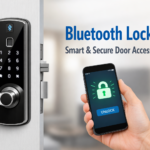
Bluetooth connectivity limits range to 30-50 feet but provides excellent battery life. These locks work well for apartments or users preferring minimal smart home complexity. Proximity requirements enhance security by preventing remote attacks.
Research specific compatibility before purchasing as features vary significantly. Voice control and automated routines may not work across all platforms. Some integrations require additional hub purchases costing $50-$150.
Battery Management and Power Optimization
Smart lock batteries follow predictable usage patterns enabling proactive maintenance. Alkaline AA batteries provide 8-12 months operation with moderate daily usage of 10-15 activations. Lithium batteries extend operation to 12-18 months but cost 200-300% more.
Monitor battery levels through manufacturer apps providing warnings at 20% and 10% capacity. Replace batteries at 15% remaining to prevent lockouts during critical moments. Cold weather reduces battery life by 30-40% in outdoor installations.
Temperature extremes significantly affect performance and longevity. Locks in direct sunlight or unheated entryways require replacement every 6-8 months. Install battery backup systems for locks in extreme climate zones or critical applications.
Low-power modes extend battery life by reducing connectivity checks and display brightness. Enable these features during extended absences or vacation periods. Some models include solar charging panels providing 20-30% additional power in sunny locations.
Regular voltage monitoring prevents unexpected failures during important events. Replace entire battery sets simultaneously rather than individual cells. Mixed battery ages create voltage imbalances reducing overall performance by 15-25%.
Installation Process and Technical Setup
Begin installation by removing existing deadbolt hardware completely. Save original strike plates and screws for potential reinstallation needs. Clean door holes thoroughly removing debris that could interfere with new components.
Follow manufacturer torque specifications when installing mounting screws. Over-tightening can crack door materials while under-tightening creates loose connections. Use torque drivers set to 15-20 inch-pounds for most residential applications.
Calibration procedures establish proper locked and positions for motor operation. Most models include calibration modes accessed through specific button sequences. Perform calibration with door closed and strike plate properly aligned.
Test all authentication methods before completing installation. Verify fingerprint recognition, keypad codes, and smartphone connectivity work consistently. Document access codes and user configurations for future reference and troubleshooting.
Connect locks to home networks following security best practices. Use WPA3 encryption and create separate guest networks for smart home devices. Change default passwords immediately and enable automatic firmware updates when available.
Troubleshooting Common Problems and Solutions
Lock alignment issues cause 43% of smart lock malfunctions during initial months. Check strike plate alignment by observing deadbolt entry into door frame. Misaligned strikes require adjustment or replacement to prevent motor strain.
Connectivity problems often stem from signal interference or distance limitations. Wi-Fi locks need strong signals within 20-30 feet of routers. Metal doors or thick walls may require mesh network systems for reliable operation.
Calibration failures occur when locks cannot determine proper positions. Delete existing calibrations and restart setup procedures following manufacturer instructions precisely. Incorrect calibration creates security vulnerabilities and mechanical stress.
App connectivity issues frequently result from outdated software or account synchronization problems. Delete and reinstall manufacturer apps if connections fail repeatedly. Reset network settings on smartphones if multiple devices experience similar issues.
Mechanical binding indicates door or frame problems preventing smooth operation. Adjust hinges, plane door edges, or modify strike plates to eliminate resistance. Forced operation damages motors and typically voids manufacturer warranties.
Advanced Security Configuration and Best Practices
Smart lock security requires layered protection beyond device-level features. Change default access codes immediately after installation as manufacturers often use predictable patterns. Create unique codes for different users maintaining detailed access logs.
Network security protects against remote attacks targeting compromised credentials. Limit active codes to essential users only and monitor usage patterns for suspicious activity. Set automatic expiration dates for temporary access preventing forgotten permissions.
Regular security audits identify potential vulnerabilities before exploitation occurs. Review access logs monthly checking for unusual entry times or failed authentication attempts. Update firmware immediately when manufacturers release security patches addressing discovered vulnerabilities.
Two-factor authentication adds extra protection for smart lock apps and accounts. Enable biometric verification or SMS codes when available. This prevents unauthorized access even if passwords become compromised.
Guest access management requires careful planning and monitoring procedures. Create separate codes for service workers, family members, and temporary visitors. Log all access attempts and delete unused codes within 24-48 hours.
Maximizing Smart Lock Performance and Longevity
This smart lock guide emphasizes proper installation and ongoing maintenance for optimal security. Regular calibration checks every 3-6 months ensure continued accuracy and prevent mechanical drift over time.
Environmental protection extends lock lifespan significantly in harsh conditions. Install weather shields for exposed outdoor units and use appropriate lubricants for mechanical components. Graphite-based products work better than oil-based alternatives in dusty environments.
Firmware updates provide essential security patches and feature improvements throughout the lock’s lifetime. Enable automatic updates when possible or check monthly for available releases. Many manufacturers provide 3-5 years of active support and security updates.
Consider upgrading to newer models when security vulnerabilities emerge or support ends. Technology advances rapidly in smart home security, making 5-year replacement cycles reasonable for high-security applications.
Frequently asked questions
How long do smart lock batteries last with normal daily use?
Most smart locks using AA alkaline batteries last 8-12 months with 10-15 daily activations. Lithium batteries extend this to 12-18 months. Cold weather and frequent connectivity reduce life by 30-40%.
Can smart locks be hacked remotely by criminals?
Smart locks with AES 256-bit encryption are extremely difficult to hack remotely. Physical bypass attempts pose greater risks than digital attacks for most homes. Keep firmware updated and use strong network security.
What happens if the smart lock loses power or internet connection?
Smart locks operate on internal batteries so power outages don’t affect operation. Most include physical key overrides for emergencies. Internet outages disable remote access but local Bluetooth functions continue working.
Do smart locks work with my existing door and deadbolt hole?
Most smart deadbolt replacements fit standard 2-1/8 inch holes with 2-3/8 or 2-3/4 inch backsets. Retrofit models attach to existing deadbolts without modification. Always verify measurements before purchasing.
How secure are temporary access codes for guests and workers?
Temporary codes provide excellent security when managed properly. Set specific expiration times, use 6-8 digit non-sequential numbers, and monitor access logs regularly. Delete codes immediately after use and avoid sharing through unsecured methods.