The Best Fluffy Pancakes recipe you will fall in love with. Full of tips and tricks to help you make the best pancakes.

Intro
Most homeowners get excited about smart home technology — then immediately freeze when they realize they have no idea how to actually set it all up or what it’s going to cost.
Smart home installation doesn’t have to be complicated or expensive. Whether you want to install everything yourself over a weekend or hire a professional smart home installation service to handle every detail, both paths work well — if you know what each one actually involves before you start spending money.
According to Statista, the US smart home market is projected to reach $53 billion by 2025 — meaning millions of American homeowners are making these exact decisions right now. Statista
The problem is most guides either assume you’re a tech expert or scare you into hiring someone you don’t need. This one does neither.
In this guide, you’ll find a complete honest breakdown of DIY vs professional smart home system installation — including real costs, what each approach covers, who each is best for, and exactly how to decide which path makes sense for your home.
Quick Answer Most US homeowners save $500–$2,000 by doing their own smart home installation for standard devices — smart plugs, bulbs, locks, cameras, and thermostats all install in under 30 minutes each with no technical skills required. Professional installation makes sense for whole-home wiring, security systems, home theater, and multi-room audio that require in-wall work.
Table of Contents
- Best For: Quick Reference
- What Does Smart Home Installation Actually Include?
- DIY Smart Home Installation: What You Can Do Yourself
- Professional Smart Home Installation Service: What You Get
- Smart Home Installation Cost: Full Breakdown
- What to Look For When Hiring a Smart Home Installation Company
- Pros and Cons: DIY vs Professional Installation
- Frequently Asked Questions
- Bottom Line
Best For: Quick Reference
Best DIY: Smart plugs, bulbs, thermostats, doorbell cameras, smart locks — install yourself in 15–45 minutes each, no experience needed
Best Professional: Whole-home wiring, in-wall speakers, security system with sensors, home theater, structured cabling — hire a pro
Best Budget Approach: Start DIY with plug-and-play devices — add professional installation only for wired components
Best for New Construction: Professional smart home installation company during build — far cheaper than retrofitting later
Best Hybrid Approach: Buy your own devices, hire a local smart home installer only for setup and configuration — saves 40–60% vs full-service packages
What Does Smart Home Installation Actually Include?
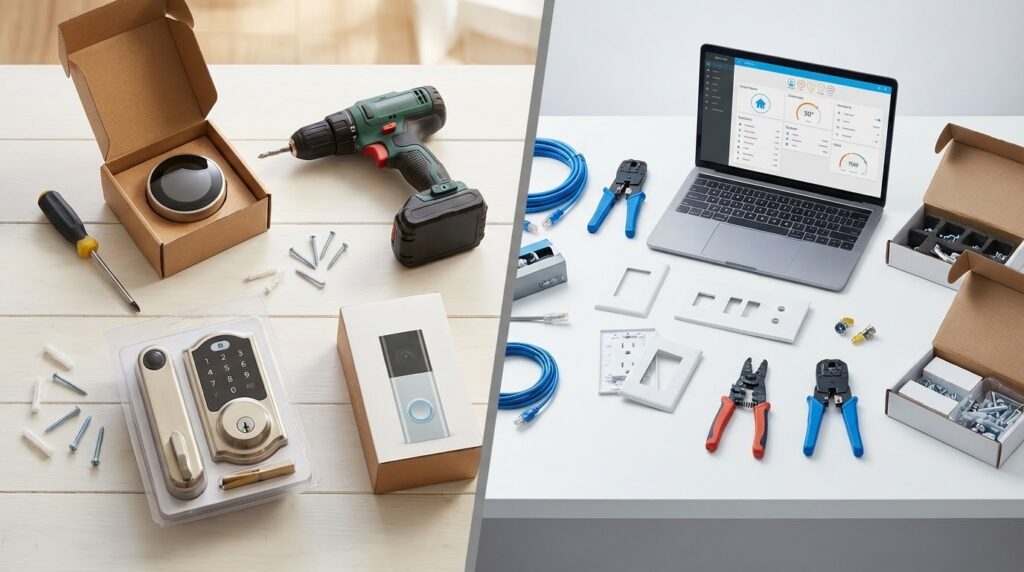
Smart home installation covers every step of getting smart devices working correctly in your home — from unboxing and physical mounting to WiFi pairing, app setup, automation programming, and integration across platforms.
The scope varies enormously based on what you’re installing:
Plug-and-play devices (no installation skill needed):
- Smart plugs — plug into existing outlets
- Smart bulbs — screw into existing fixtures
- Smart speakers — set on a shelf, plug in
- Smart displays — same
Simple installation devices (basic DIY comfortable):
- Smart thermostats — replace existing thermostat (30–60 min)
- Smart doorbells — replace existing doorbell (20–45 min)
- Smart locks — replace existing deadbolt (20–40 min)
- Outdoor security cameras — mount and wire to existing outlet
Complex installation devices (professional recommended):
- In-wall smart switches — requires electrical panel comfort
- Whole-home security systems — sensors on every door/window
- In-wall/in-ceiling speakers — drywall cutting required
- Structured wiring/ethernet — professional-grade cabling
- Home theater systems — complex AV integration
Understanding this spectrum is the most important step in deciding your approach. Most homeowners find that 80% of what they want falls into the first two categories — fully manageable as DIY.
DIY Smart Home Installation: What You Can Do Yourself
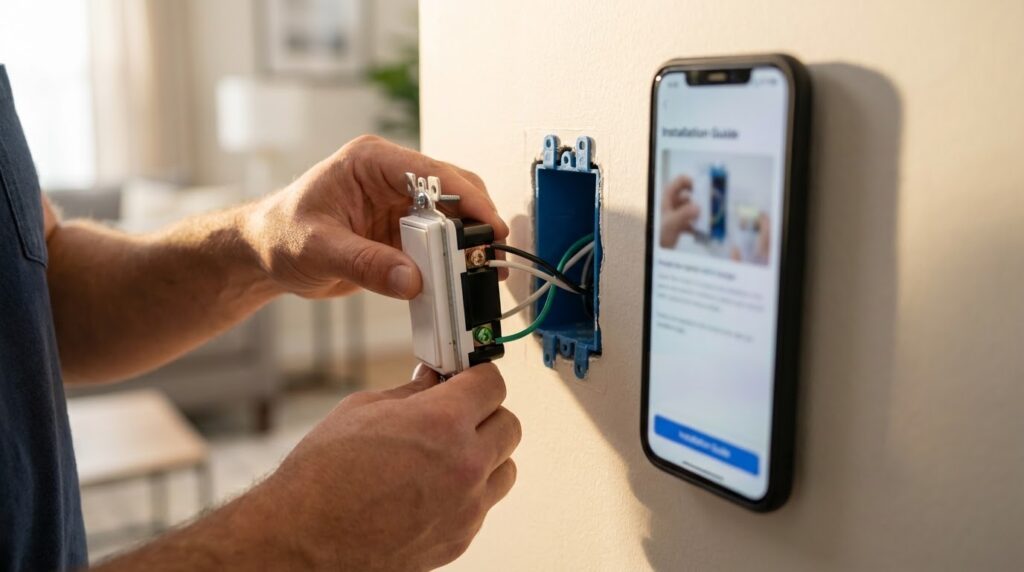
The honest truth about DIY smart home installation — it’s far more accessible than most homeowners assume.
Imagine spending a Saturday afternoon transforming your home. By noon you’ve installed a Nest Learning Thermostat, replaced your front door lock with a Schlage Encode Plus, mounted a Ring Video Doorbell, and added Kasa smart plugs to your living room. Total cost: ~$400 in devices. Total installation time: 3 hours. Electrician cost: $0.
What most homeowners can DIY with no prior experience:
| Device | Install Time | Skill Level | Tools Needed |
| Smart plug | 3 minutes | Zero | None |
| Smart bulb | 2 minutes | Zero | None |
| Smart thermostat | 30–45 min | Basic | Screwdriver |
| Smart lock | 20–35 min | Basic | Screwdriver |
| Video doorbell | 20–40 min | Basic | Screwdriver, drill |
| Outdoor camera | 15–30 min | Basic | Drill |
| Smart smoke detector | 15–20 min | Basic | Screwdriver |
What makes DIY work:
Every major smart home brand — Google, Amazon, Ring, Ecobee, Schlage, Kasa — has invested heavily in consumer-friendly installation. In-app wiring guides with real photographs, YouTube tutorials, and live chat support mean you’re never truly alone during installation.
Where DIY gets harder:
In-wall smart switches require turning off your circuit breaker and working with line-voltage wiring. It’s not dangerous if you follow instructions carefully — but it’s the one category where comfort level genuinely matters. If you’re not comfortable with your electrical panel, hire a licensed electrician for switch installation only (~$75–$150 per switch installed).
Best Smart Thermostat 2026: Tested, Ranked & Reviewed
Professional Smart Home Installation Service: What You Get
A professional smart home installation service handles everything — device selection advice, physical installation, network configuration, automation programming, and training on how to use your new system.
The best smart home installation company providers offer:
Full-service packages typically include:
- In-home consultation and system design
- All device procurement (sometimes at dealer pricing)
- Physical installation of all devices
- Network optimization for smart home reliability
- Full app setup and automation programming
- Integration across all platforms (Alexa, Google, HomeKit)
- Training session for your household
- Post-installation support and troubleshooting
Who provides professional smart home installation:
| Provider Type | Best For | Price Range |
| Dedicated smart home integrators | Whole-home luxury systems | $5,000–$50,000+ |
| Security companies (ADT, Vivint) | Security-focused systems | $99–$599 install + monitoring |
| Best Buy Geek Squad | Mid-range setup and config | $99–$499 per visit |
| Local AV/smart home installers | Custom mid-range systems | $500–$5,000 |
| Handyman services | Basic device installation | $50–$150/hour |
When professional installation genuinely pays:
Imagine you’re building a new home and want speakers in every room, automated shades on every window, a whole-home security system, and a single app controlling everything. A professional smart home system installation during construction costs a fraction of retrofitting the same system later — and delivers a result no DIY approach can match.
Smart Home Installation Cost: Full Breakdown
Smart home installation cost varies more than almost any other home improvement category — from $0 for self-installed smart plugs to $50,000+ for luxury whole-home integration. Here’s the honest breakdown across every level.
DIY Installation Costs:
| System Level | Devices | Device Cost | Installation Cost | Total |
| Starter | Plugs, bulbs, speaker | $100–$300 | $0 | $100–$300 |
| Basic Smart Home | Thermostat, lock, doorbell, plugs | $400–$700 | $0 | $400–$700 |
| Mid-Range | Above + cameras, switches, hub | $800–$1,500 | $0–$200 (electrician for switches) | $800–$1,700 |
| Advanced DIY | Full device coverage, complex automations | $1,500–$3,000 | $200–$500 | $1,700–$3,500 |
Professional Installation Costs:
| Service Level | What’s Included | Total Cost |
| Single device install (Geek Squad) | 1 device setup + app config | $99–$199 |
| Basic package (local installer) | 5–10 devices, full setup | $500–$1,500 |
| Mid-range whole home | 15–25 devices, automation | $2,000–$8,000 |
| Premium integration | Full home, in-wall, AV, security | $10,000–$50,000+ |
Real cost comparison — same devices, two approaches:
| Device Package | DIY Total | Professional Total | Savings |
| Thermostat + lock + doorbell + 4 plugs | $520 devices + $0 install = $520 | $520 devices + $400 install = $920 | $400 saved |
| 10 switches + 2 cameras + security system | $900 devices + $300 electrician = $1,200 | $900 devices + $1,800 install = $2,700 | $1,500 saved |
According to HomeAdvisor, the average US homeowner pays between $150 and $2,000 for professional smart home installation depending on system complexity — with whole-home systems averaging $3,500–$10,000.
What to Look For When Hiring a Smart Home Installation Company
If you decide professional installation is the right path, choosing the right smart home installation company matters as much as choosing the right devices.
1. Certification and Credentials
Look for installers certified by CEDIA (Custom Electronic Design & Installation Association) — the industry’s leading professional certification body. CEDIA-certified installers have completed structured training in smart home system installation, AV integration, and network design.
2. Brand Partnerships and Dealer Status
Authorized dealers for Control4, Savant, Lutron, and Sonos receive professional pricing and direct manufacturer support — meaning better device costs and faster problem resolution when something needs service.
3. Written Quote with Line-Item Pricing
Never accept a vague “starting from” quote. A professional smart home installation service should provide itemized pricing showing:
- Device costs separately from labor
- Hours estimated for each phase
- Any ongoing monitoring or subscription fees
- Warranty terms on both devices and labor
4. Post-Installation Support
| Support Type | What to Ask |
| Remote troubleshooting | “Do you offer remote support after installation?” |
| On-site response time | “How quickly can you return for issues?” |
| Warranty on labor | “What’s your labor warranty period?” |
| System updates | “Do you handle firmware updates?” |
5. Portfolio and References
Ask to see examples of completed installations at a similar home size and budget. Request two or three client references you can contact directly — any reputable smart home installation company will provide these without hesitation.
Smart Outlet Plugs: Best Picks for Every Device & Budget
Pros and Cons: DIY vs Professional Installation
DIY Installation:
Pros:
- Saves $400–$2,000+ on labor costs for standard setups
- Learn your system completely — easier to troubleshoot later
- Work at your own pace — no scheduling required
- Flexible to change and expand as you go
- Massive YouTube and community support available
Cons:
- In-wall wiring requires electrical comfort
- Complex multi-system integration takes time to learn
- No professional to call when something doesn’t work
- Mistakes can mean reinstalling or returning devices
- Time investment — advanced setups take full weekends
Professional Installation:
Pros:
- Expert handles everything — zero learning curve required
- In-wall and structural work done correctly first time
- Single point of contact for all troubleshooting
- Professional-grade results for complex systems
- Often includes system design you wouldn’t know to request
Cons:
- Significantly higher cost — $400–$2,000+ above device prices
- Dependent on installer’s availability and responsiveness
- Less personal knowledge of your own system
- Ongoing service calls cost money
- Quality varies widely between installers
Frequently Asked Questions
What does smart home installation typically cost for a standard US home? DIY smart home installation costs $400–$1,700 for a mid-range setup covering thermostat, lock, doorbell, cameras, and smart plugs — with zero labor cost. Professional smart home installation service for the same devices adds $400–$1,500 in labor. Full whole-home professional systems range from $3,500 to $10,000+ depending on complexity.
How long does a smart home installation take for a DIYer? A basic smart home — thermostat, lock, doorbell, and four smart plugs — takes most homeowners 3–5 hours total over one afternoon. Each individual device takes 15–45 minutes. In-wall smart switches take longer (30–60 minutes each) and require turning off your circuit breaker during installation.
Is DIY smart home installation safe for someone with no tech experience? Yes — for plug-and-play devices including smart plugs, bulbs, locks, thermostats, and cameras. These require zero electrical knowledge. In-wall smart switches involve line-voltage wiring and require more care. If you’re not comfortable working near your electrical panel, hire a licensed electrician for switch installation only — everything else is completely safe to DIY.
Does a smart home installation company provide ongoing support? Reputable professional installers offer post-installation support — ranging from remote troubleshooting to scheduled service visits. Always confirm support terms before signing a contract. Ask specifically about response times, what’s covered under warranty, and whether firmware updates are included or billed separately.
Which smart home devices are easiest to self-install? Smart plugs (~3 minutes), smart bulbs (~2 minutes), smart speakers (~5 minutes), and smart displays are the easiest — zero tools required. Smart thermostats, locks, and doorbells are the next tier — 20–45 minutes each with basic tools. These cover 80% of what most homeowners want and are all fully manageable without any professional help.
Are smart home installation costs tax deductible? In most cases, no — standard smart home upgrades don’t qualify for federal tax deductions. However, some energy-efficient smart thermostats (like Nest and Ecobee) may qualify for federal energy tax credits under the Inflation Reduction Act if they meet efficiency requirements. Consult a tax professional for your specific situation before claiming any deduction.
Can smart home system installation increase my home’s resale value? Yes — modestly. A 2023 survey by the National Association of Realtors found smart home features are increasingly expected by buyers, particularly smart thermostats, smart locks, and security cameras. These features don’t dramatically increase appraised value but do accelerate sale time and reduce negotiating friction — particularly in competitive markets.
Bottom Line
Smart home installation doesn’t need to be expensive or complicated — but getting the DIY vs professional decision right saves you real money and real frustration.
For most US homeowners: start DIY with plug-and-play devices — smart plugs, bulbs, a thermostat, a lock, and a doorbell camera. You’ll spend $400–$700, invest one Saturday afternoon, and own a genuinely useful smart home with zero installation cost.
Bring in a professional smart home installation service only for in-wall wiring, whole-home security systems, or complex AV integration where the result justifies the premium. That combination gives you the best of both approaches at the lowest total cost.