The Best Fluffy Pancakes recipe you will fall in love with. Full of tips and tricks to help you make the best pancakes.

In today’s world, security is one of the most important concerns for homeowners, apartment dwellers, office managers, and rental property owners. Traditional door locks are still widely used, but they come with limitations. Keys can be lost, copied, or stolen. Digital locks have improved security, and among them, Bluetooth locks have emerged as a highly convenient and safe option. This guide will explain everything you need to know about Bluetooth locks, including how they work, their benefits, types, installation, maintenance, and safety tips.
What is a Bluetooth Lock?
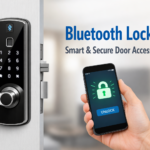
A Bluetooth lock is a type of smart lock that uses Bluetooth technology to connect with your smartphone. Instead of a traditional key, you can use a mobile app to lock or unlock the door. These locks work within a short range, usually a few meters, which means you don’t need an internet connection for them to operate.
Bluetooth locks are suitable for homes, apartments, offices, and even rental properties. They are becoming increasingly popular because of their convenience, security, and ease of use. Unlike Wi-Fi smart locks, Bluetooth locks are more energy-efficient and less prone to hacking from the internet.
How Bluetooth Locks Differ From Traditional Locks
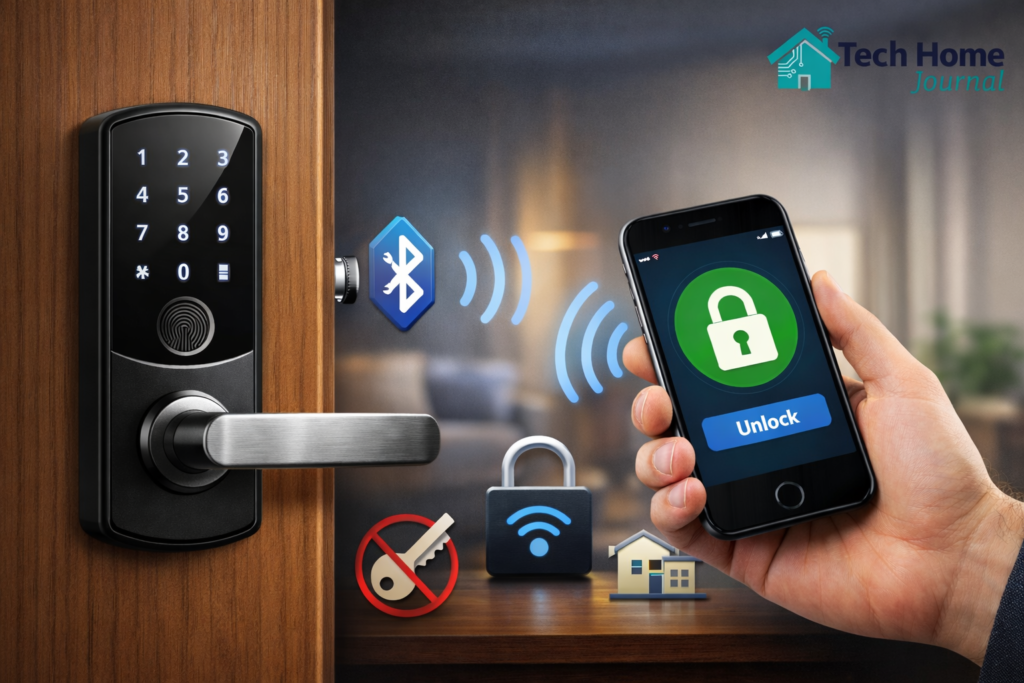
Traditional locks require a physical key. Losing or duplicating a key can compromise security. Bluetooth locks, on the other hand, allow digital access control. You can add or remove users, track access history, and even set temporary access for guests or delivery personnel.
How Does a Bluetooth Lock Work?
Bluetooth locks are easy to use and operate through a few simple steps:
- Mobile App Installation
You start by downloading the lock’s official app on your smartphone. The app will guide you through the initial setup process. - Bluetooth Pairing
The lock pairs with your phone automatically when you are near it. Some models also allow pairing with multiple devices. - Unlocking and Locking
You can unlock the door using the app by tapping a button, entering a PIN, or using fingerprint recognition if your lock supports biometrics. - Auto-Lock Feature
Many Bluetooth locks automatically lock the door after it closes, ensuring you never leave your door unlocked by mistake. - Remote Access (Optional)
Certain advanced Bluetooth locks allow remote access using a bridge device that connects the lock to the internet. This lets you control the lock from anywhere.
Benefits of Using a Bluetooth Lock
Using a Bluetooth lock offers numerous advantages compared to traditional locks:
- Keyless Entry: You no longer need to carry physical keys. Your smartphone acts as your key.
- Easy Installation: Most Bluetooth locks are DIY-friendly and can be installed without professional help.
- High Security: Bluetooth works only within a short range, which reduces the risk of hacking.
- User Access Control: You can manage who has access and for how long, perfect for families or Airbnb rentals.
- Battery Efficient: Bluetooth locks consume less power than Wi-Fi-enabled locks.
- Access Logs: Some apps provide a log of who entered and at what time, enhancing security monitoring.
- Emergency Options: Many locks offer backup keys or emergency access codes in case your phone is lost.
Types of Bluetooth Locks
There are several types of Bluetooth locks available depending on your security needs:
1. Bluetooth Door Lock
Ideal for main doors and apartments, these locks replace traditional deadbolts and often feature mobile app control, auto-lock, and temporary access options.
2. Bluetooth Padlock
Used for smaller doors, lockers, gates, or storage units. These locks provide portable security and can be shared among multiple users.
3. Fingerprint Bluetooth Lock
A biometric lock that combines fingerprint scanning with Bluetooth technology. Ideal for offices or high-security areas where only specific people should have access.
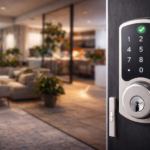
4. Keypad Bluetooth Lock
These locks allow unlocking through a PIN code or smartphone. Some models also integrate fingerprint scanning for dual authentication.
5. Smart Handle Locks
These combine a door handle with a Bluetooth lock mechanism, allowing easy entry without the need for traditional keys.
Where Can You Use a Bluetooth Lock?
Bluetooth locks are versatile and can be used in various locations:
- Homes and Apartments: Enhance safety and convenience, especially for families with children.
- Offices and Shops: Control employee access without issuing multiple physical keys.
- Rental Properties: Ideal for Airbnb hosts or vacation rentals. You can provide temporary access to guests without needing to hand over keys.
- Garages and Gates: Secure outdoor spaces like garages, gates, or sheds.
- Lockers and Storage Units: Keep personal belongings secure with mobile access.
Are Bluetooth Locks Safe?
Yes, Bluetooth locks are safe if installed and used correctly. Most models include multiple security features:
- Encrypted Bluetooth Connection: Data transferred between the phone and lock is encrypted, making it difficult to hack.
- App-Based Permissions: Only authorized users can unlock the door. Access can be revoked instantly.
- Auto-Lock System: Prevents the door from being accidentally left unlocked.
- Tamper Alerts: Some locks send notifications if someone tries to force the lock.
- Backup Access Options: Many models provide backup keys or emergency PIN codes.
Bluetooth Lock vs Traditional Lock
| Feature | Bluetooth Lock | Traditional Lock |
|---|---|---|
| Key Required | No | Yes |
| Internet Needed | No | No |
| Security Level | High | Medium |
| Access Control | Easy | Difficult |
| User Management | Yes | No |
Things to Consider Before Buying a Bluetooth Lock
Before purchasing a Bluetooth lock, keep these factors in mind:
- Battery Life: Choose locks with long-lasting batteries or alerts for low battery.
- Phone Compatibility: Ensure your smartphone (Android or iOS) is compatible with the lock.
- Build Quality: Metal locks are more durable than plastic models.
- Emergency Access: Some locks include backup keys, mechanical override, or emergency PIN codes.
- Range: Bluetooth has limited range; check the manufacturer’s specifications.
- User Limit: Check how many users can access the lock simultaneously.
- Additional Features: Look for auto-lock, fingerprint recognition, temporary access codes, and tamper alerts.
How to Install a Bluetooth Lock
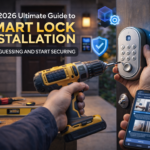
Installing a Bluetooth lock is relatively simple and usually doesn’t require professional help:
- Remove the Old Lock: Take out your traditional lock carefully.
- Attach the New Lock: Install the new lock using the screws and fittings provided.
- Insert Batteries: Most Bluetooth locks run on AA or rechargeable batteries.
- Download the Mobile App: Install the official app on your smartphone.
- Pair the Lock: Follow the app instructions to pair your phone with the lock.
- Test the Lock: Make sure locking and unlocking work smoothly before relying on it completely.
Many locks also provide step-by-step video tutorials in the app for easier installation.
Maintenance Tips for Bluetooth Locks
Proper maintenance ensures long-term performance:
- Replace Batteries on Time: Avoid lockouts by monitoring battery levels.
- Keep the App Updated: App updates often include bug fixes and improved security.
- Clean the Lock Regularly: Remove dust and dirt that may affect performance.
- Avoid Water Damage: Most locks are water-resistant, not waterproof. Protect from heavy rain or splashes.
- Check Screws and Fittings: Ensure the lock is firmly attached to the door.
FAQ – Bluetooth Lock
Q1: What is a Bluetooth lock used for?
It provides keyless access using a smartphone, eliminating the need for traditional keys.
Q2: Does a Bluetooth lock require the internet?
No, it works without internet. Some advanced models allow remote access via a bridge device.
Q3: Can multiple users use one Bluetooth lock?
Yes, you can share access with family, friends, or guests using the app.
Q4: What if my phone is lost?
You can revoke access from another device or app account. Backup options like mechanical keys or emergency PINs help in emergencies.
Q5: Are Bluetooth locks expensive?
Many budget-friendly models are available. Prices depend on brand, features, and build quality.
Q6: How long do batteries last?
Battery life typically ranges from 6 months to 1 year depending on usage and lock model.
Q7: Can Bluetooth locks be hacked?
While no system is completely hack-proof, encrypted Bluetooth connections and app-based security make them highly secure.
Advantages of Bluetooth Locks Over Other Smart Locks
- Compared to Wi-Fi Locks: Bluetooth locks consume less battery and do not require an internet connection, reducing the risk of online hacking.
- Compared to Keypad Locks: Bluetooth locks offer easier access via mobile phones, while keypads require remembering PIN codes.
- Compared to Fingerprint-Only Locks: Bluetooth locks can combine fingerprint scanning with mobile app access for dual security.
Conclusion
Bluetooth locks are a modern, convenient, and secure solution for protecting your home, office, or rental property. They eliminate the need for traditional keys, provide high security, and allow full control via a smartphone app. With multiple types available, from door locks to padlocks and fingerprint models, there is a Bluetooth lock suitable for every need.
Whether you are upgrading home security, managing a rental property, or securing an office, a Bluetooth lock is practical, beginner-friendly, and highly effective. With proper installation, maintenance, and usage, it can offer peace of mind and convenience for years.